Rule stopped working after 2.3.8.125 on C7

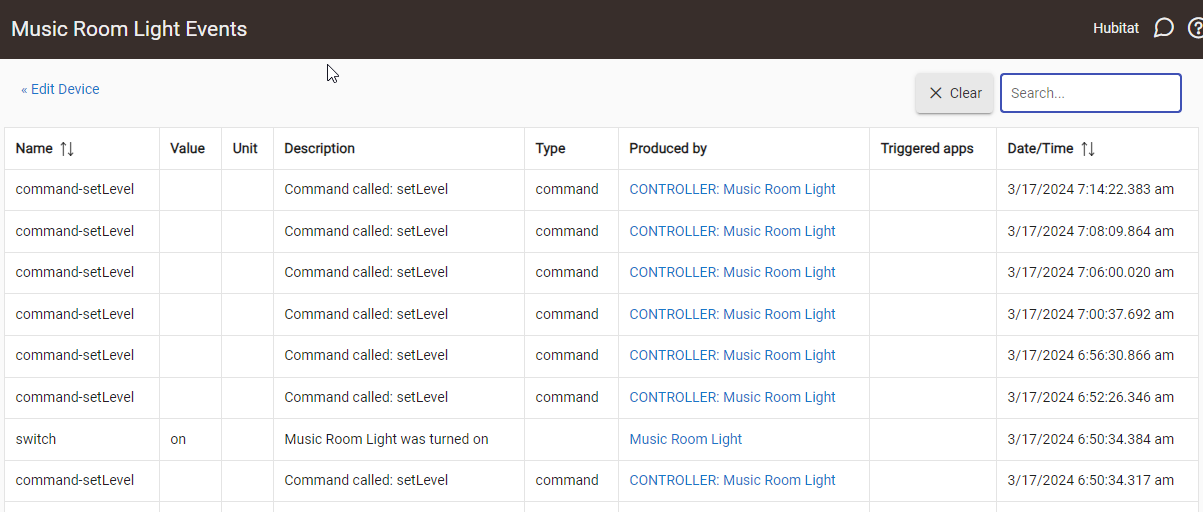
I'm on a C7. This rule had been working just fine for ages on 2.3.7.145 and after I updated to 2.3.8.125 it stopped working properly. Now the light never turns off. Nothing else has changed since it was working except the firmware. @bravenel

Music Room Desk is and has been off all morning here.

Btw, the idea of this rule is to turn on the light when there is motion (and dark), keep it on while there is still motion, and only turn off after (a delay) with no motion.


Could you share a copy of your logs? This will help in identifying what has happened that might have caused the light not to turn off.

1 Like

Two things that stand out to me are....

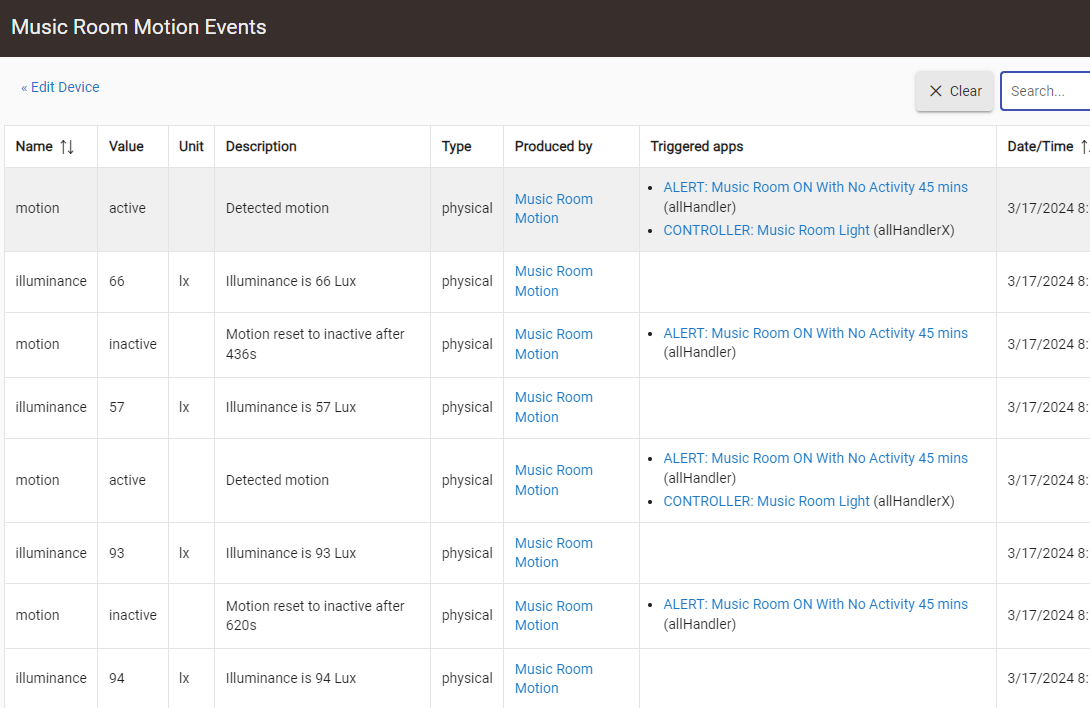
You have included a condition around illuminance being < 50, which has only one event showing a value of 36, are you able to show any other events for this attribute....?

And like @Sebastien picked up, a screenshot of logs for the rule would be a likely request to provide assistance on troubleshooting a rule like this.

1 Like

The luminance event update is working fine.

I had to enable logging and now the light threshold is too high for the light to come on. I don't want to change the threshold to confuse matters here.

This issue is clearly due to the firmware update. This is why I always hesitate to update but I did so recently so I wouldn't get too far behind.

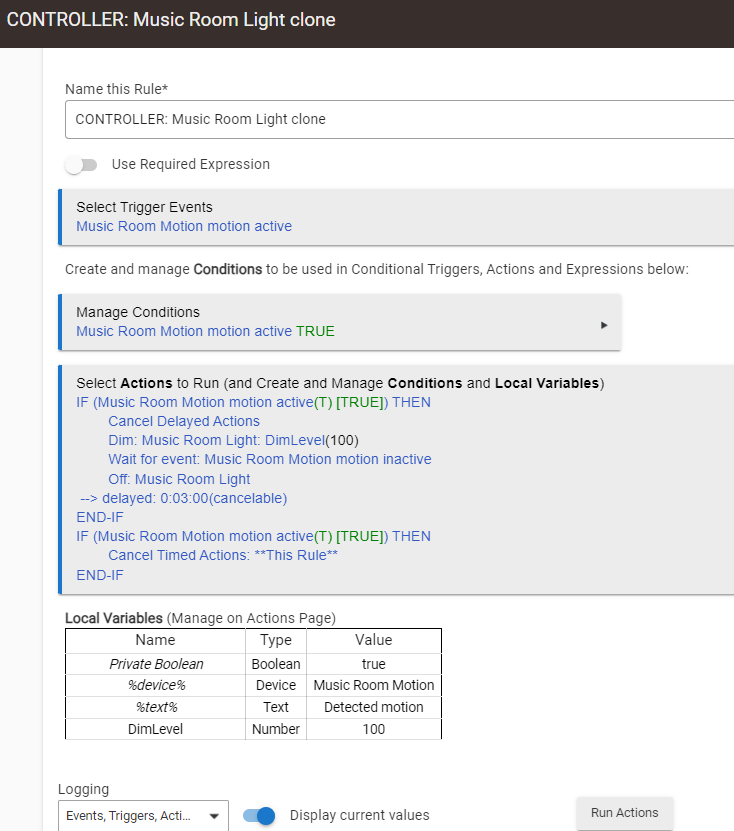
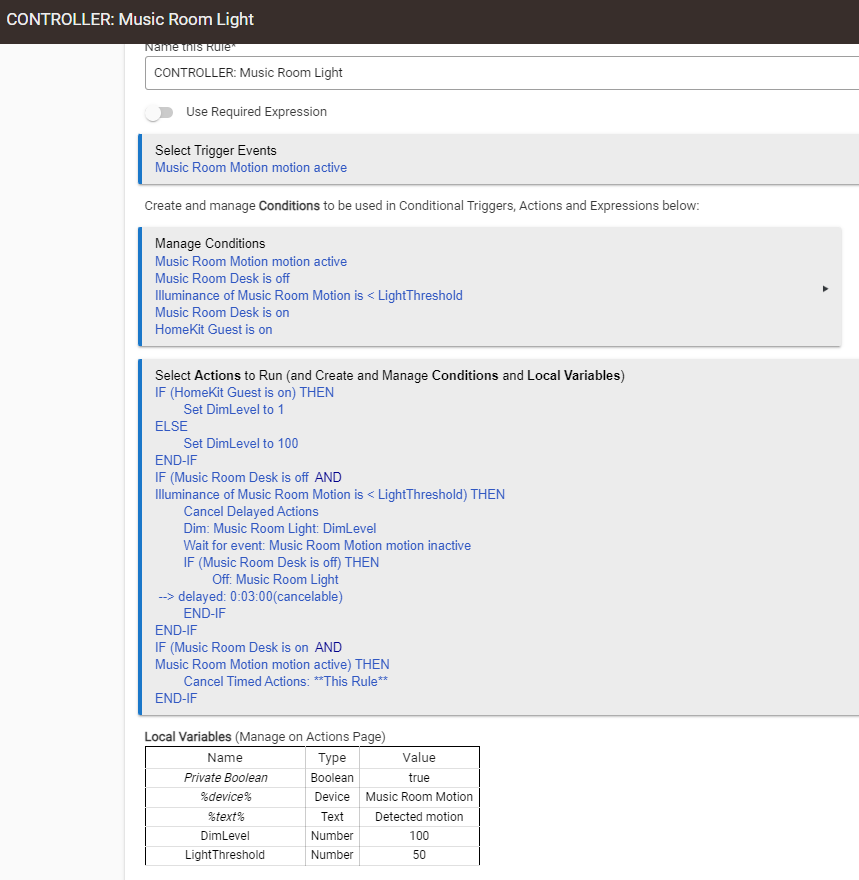
At the risk of confusing matters I decided to simplify the rule to the logic that's failing and reproduced the same issue.

  • Disabled the previous rule
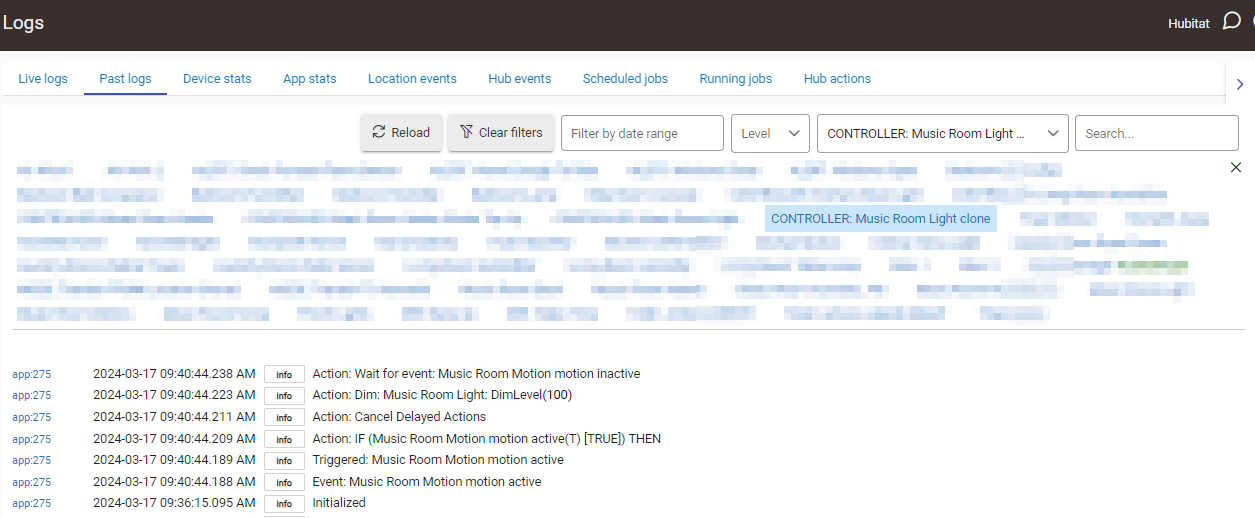
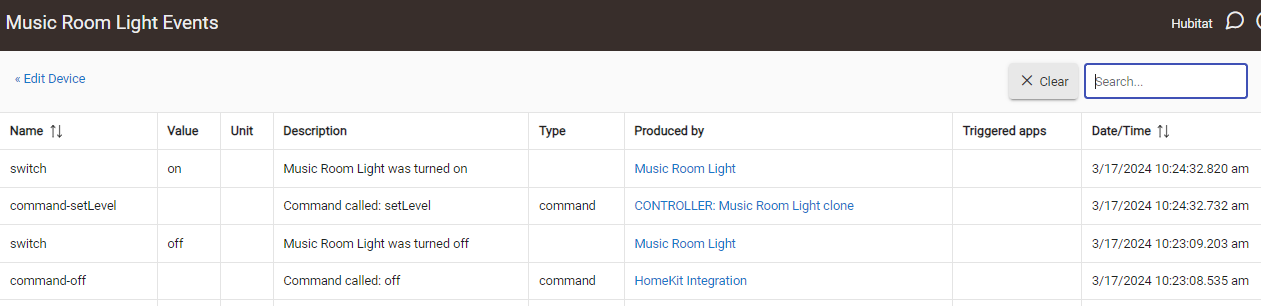
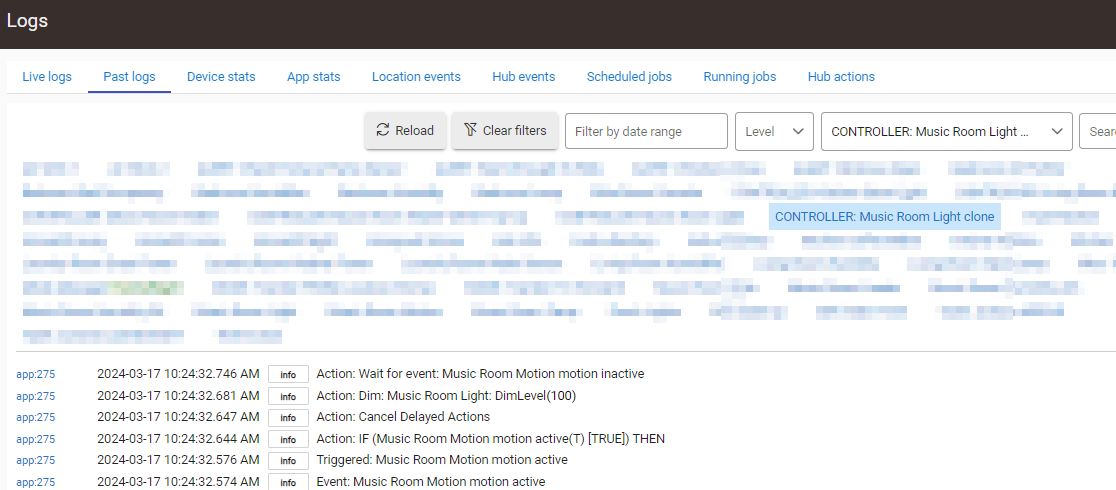
  • Cloned and simplified the rule CONTROLLER: Music Room Light clone and kept only the problematic piece
  • Enabled all logging on the rule
  • Ensured Music Room Light was off
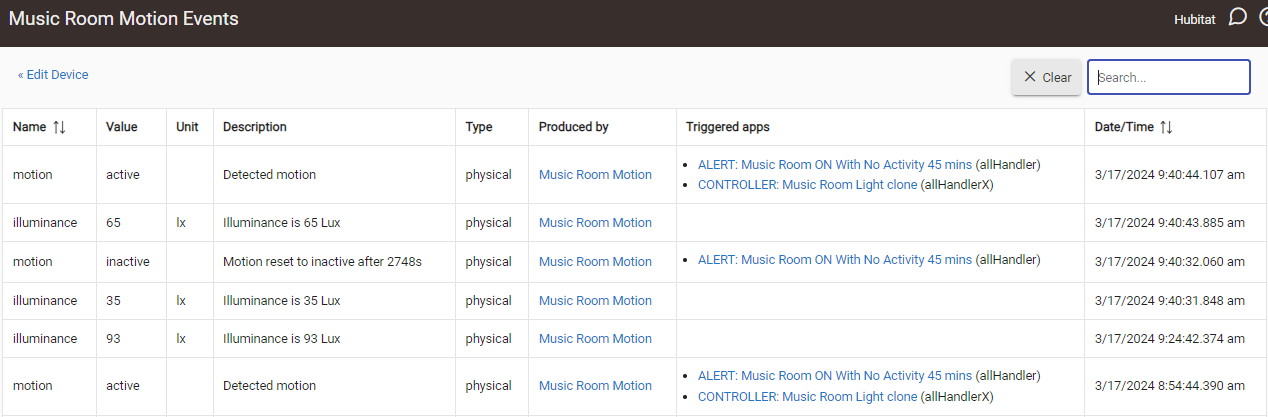
  • Triggered motion once at exactly 9:40 AM and walked away permanently
  • It took about 10 seconds for the light to turn on
  • Waited about 20 minutes before refreshing the logs etc and took the screenshots below (the light should be off by now)


I couldn't help but notice this odd entry:

image

That was logged when I triggered motion.

That 10 second delay and this issue in general also caused me to check the free memory and I'm seeing a significant difference between memory usage on 2.3.8.125 versus what I used to see on 2.3.7.145.

I had previously tracked free memory out of curiosity and now I'm glad I did. See the difference below.

2.3.7.145 Free Memory over time

Date/time,Free OS,5m CPU avg (C7 on 2.3.7.145)
02-09 14:24:36,670796,0.8 (after restart due to power outage)
02-11 14:26:41,553644,0.07 (2 days)
02-13 14:28:46,552484,0 (4 days)
02-15 14:25:45,530460,0.01 (6)
02-17 14:27:53,525696,0 (8) 
02-19 14:25:02,521504,0.03 (10)
02-21 14:52:07,525412,0.01 (12)
02-23 14:54:12,521832,0 (14)
02-25 14:51:11,508864,0.12 (16)
02-27 14:53:18,498736,0.02 (18)
02-29 14:50:26,495392,0.02 (20)
03-02 14:52:28,497724,0.02 (22)
03-04 14:54:37,490800,0.02 (24)
03-06 14:51:41,481396,0.19 (26)
03-08 14:53:51,454008,0.05 (28)
03-10 14:55:58,443592,0.05 (30)

2.3.8.125 Free Memory over time

Date/time,Free OS,5m CPU avg (C7 on 2.3.8.125)
03-12 03:43:51,636412,3 (Immediately after update)
03-12 04:13:51,511864,0.08 (30 mins after)
03-12 04:43:54,497412,0.01 (1 hr)
03-12 09:44:07,467456,0.21 (6 hr)
03-12 15:44:24,420660,0.22 (12 hr)
03-13 03:44:55,399352,0.05 (1 day)
03-14 03:41:00,328924,0.09 (2 days)
03-16 03:43:05,326452,0.01 (4 days)
03-17 09:54:30,332296,0.11 (current ~5 days)

Questions are:

  • Are the developers aware there seems to be an increase in memory usage/leaks over time which seems to be worsening with newer firmware?
  • Could this be causing my issues?
  • Can a firmware update break a custom driver? I'm wondering why there is such a delay now in the motion detector in reporting inactive (more likely a lack of), wondering now if this is due to driver incompatibility or low free memory causing sluggishness
very unlikely

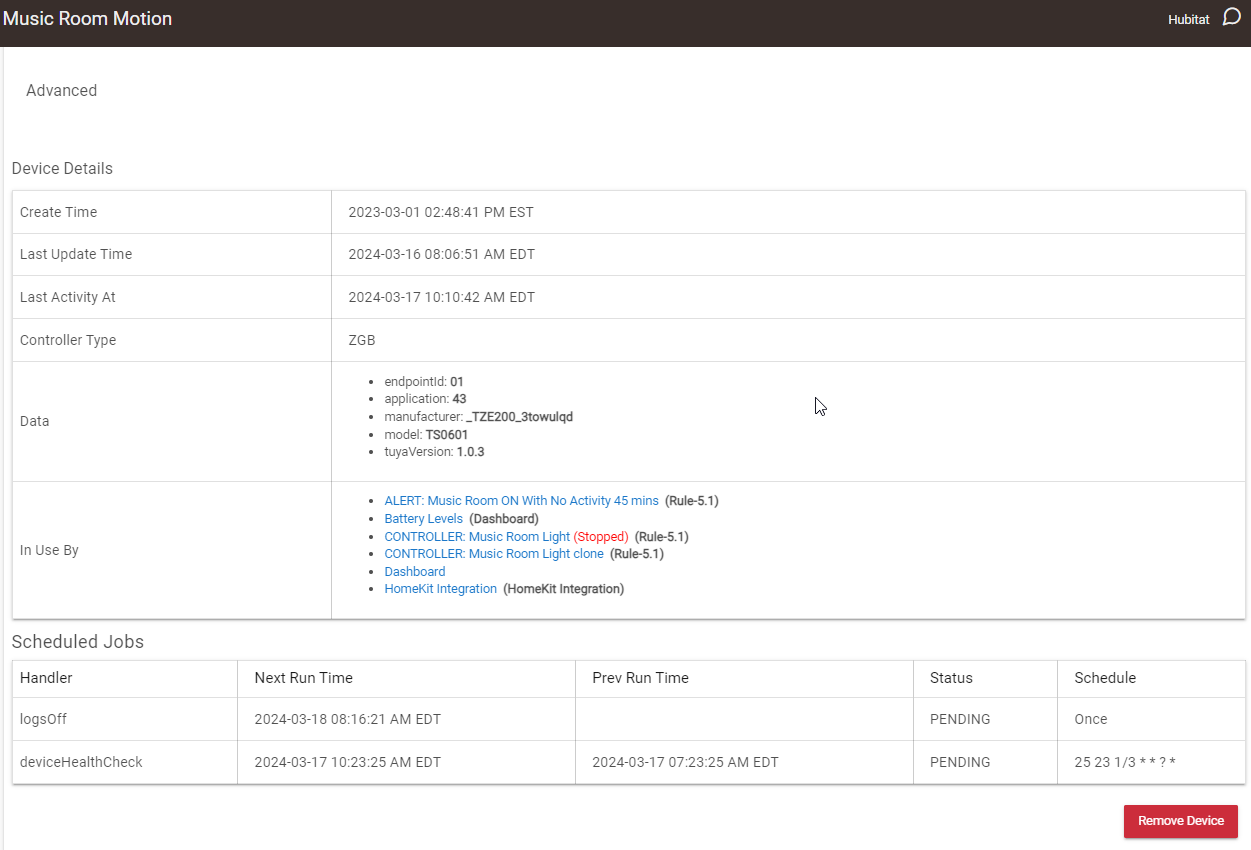
One way to find out is to revert to a system driver that works. Yet another way to find out is to revert to the previous platform version that worked and verify that this fixes your issue. Can you share the data section of the device page and the custom driver you are using? Another thing you could try is to reset and re-pair the device (don't delete the device from HE).

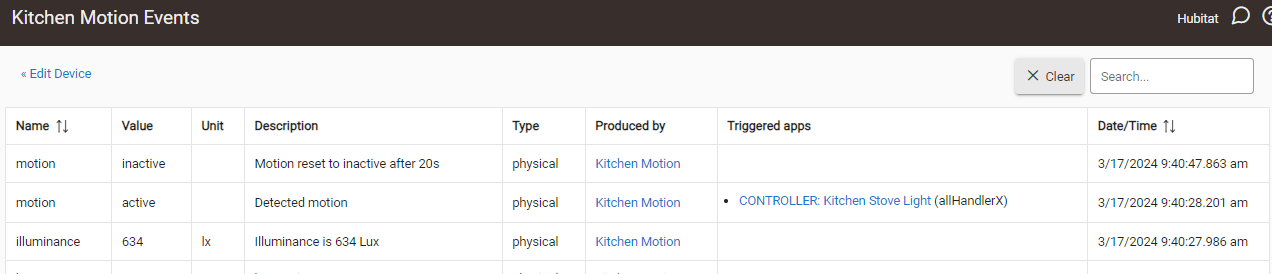
The driver does work, it currently works for 2 other sensors of the same make/model. See here it's sending the inactive trigger no problem.

Music Room Motion

Driver code: Untitled file — Codefile

This is the same driver code in use by 3 sensors.

Right. So it's not the firmware update. Change to fresh batteries and reset/re-pair.

And I just saw it's a Tuya device and you're using @kkossev 's driver so I would be flabbergasted if there was a problem with that :wink:

Pro tip : to avoid "confusing matters" you can clone your rule, pause/stop/disable the original and work on the copy.

Yes that's what I've done. I didn't mean confusing to me, I meant to other readers as the initial post and screenshots are no longer being referenced.

Before changing the battery (which makes no sense because other events are firing just fine) I'm rebooting the hub to see what evidence that generates with more free memory. That 10 second delay for the light to turn on tells me there is some sluggishness somewhere in the hub which was not there before.

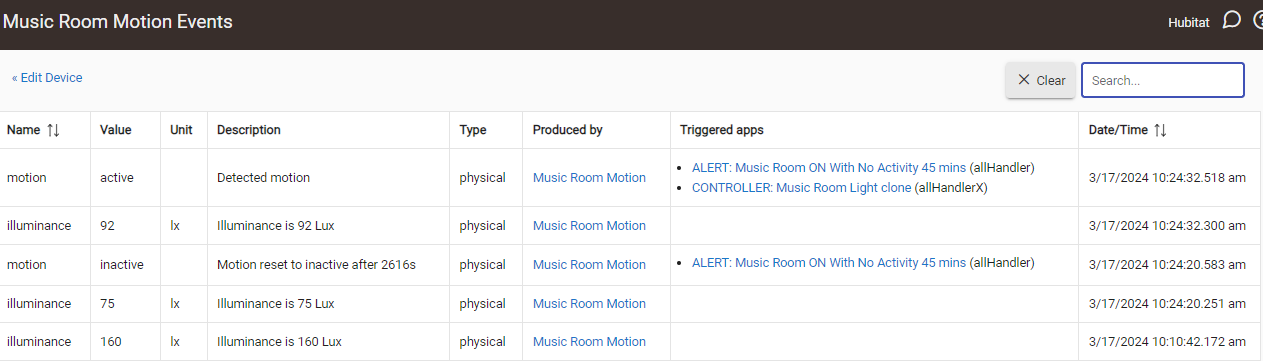
  • Restarted the hub
  • Turned off the light manually at 10:23 AM
  • Triggered motion at 10:24 AM and walked away
  • Again 10 seconds before the light turned on
  • 10 minutes later still no inactive event

I suppose this proves it's not a memory issue. I'll change the battery now and see what happens.

Date/time,Free OS,5m CPU avg
03-17 10:20:39,636552,1.9
03-17 10:25:39,568904,1.4
03-17 10:30:39,547076,0.37

These were refreshed and taken 10 minutes after motion was triggered.


I get you. However I've once had a (cheap SONOFF) motion sensor send only inactive events for some reason, until I re-paired it, and when I saw the pairing never completed, changed the battery (which read really close to 3V on the multimeter) and all was well afteward. :man_shrugging:

You're quite a bit behind on the driver version and it probably wouldn't hurt to update. Look at the importUrl in the driver metadata, definition section. It will take you here : https://raw.githubusercontent.com/kkossev/Hubitat/development/Drivers/Tuya%20Multi%20Sensor%204%20In%201/Tuya%20Multi%20Sensor%204%20In%201.groovy

Version 1.5.3 is very stable, if no new devices / no new features are needed, there is no need to upgrade.

2 Likes

I think it will help others and you troubleshoot if you enable debug & info logging for all involved devices and the automation app (RM, RL, etc.), and then view the results after the automation (presumably) fails to run.

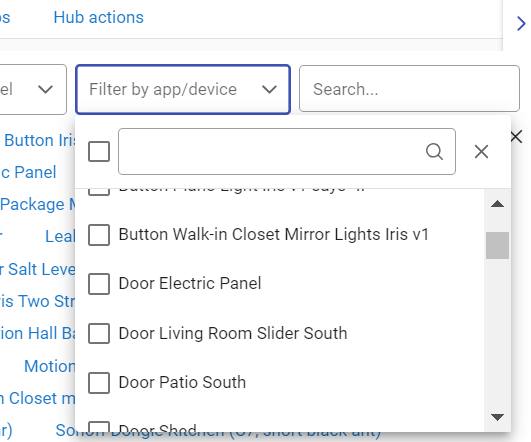
Use the Filter option on the logs page to show the logs for both the devices and the app. Seeing everything in context/sequence makes it much easier to see if odd things are happening (or not happening). The Events pages for devices are useful, but it's much easier to look for issues in the log page view that combines the triggers, actions, events, etc. Just my two cents...

image

3 Likes

Thanks, I didn't realize the filter could be used that way, very nice.

1 Like

It is a cool feature, definitely. :slight_smile:

Repairing the device didn't help anything. I'm almost ready to conclude this Tuya motion sensor is no longer working properly. It fires events for Lux change, Motion (active), but not Motion (inactive).

Because I have 2 other identical sensors which are correctly posting Motion (active AND inactive) events, all using the same driver, it can't be the driver and it can't be the firmware. This issue had coincidently surfaced after I updated the C7 firmware to the latest.


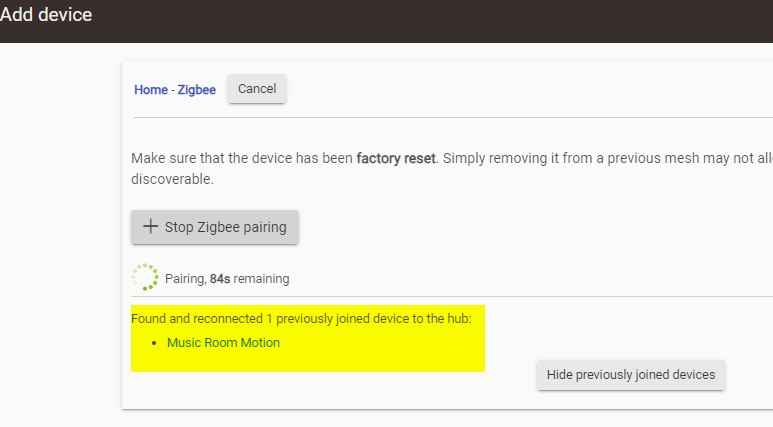
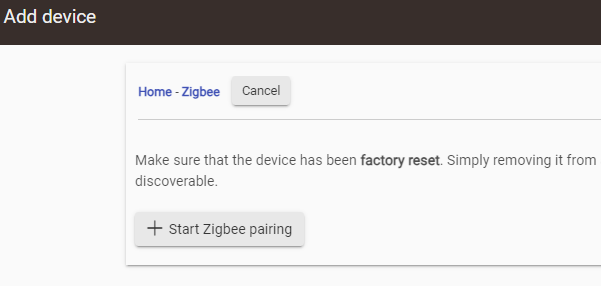
I need to ask, however, the repairing procedure is not intuitive. If I put the sensor in pairing mode and Add Device -> Zigbee (manually) it tells me this...

Is this a "true" repair? It still counts down the repair seconds all the way to what looks like a timeout. This process is not intuitive. I end up here which makes me wonder what even happened.

image

Yeah ... I have had to use this a few times ..
It will find the new device .. but still continues to do the find count down .. kinda weird.
but it seems to work ok .. as it normally "fixes" the device.

Yes

This is related to the hub being in pairing mode, not the device-specific pairing sequence (you can in theory pair multiple devices in one session).

1 Like