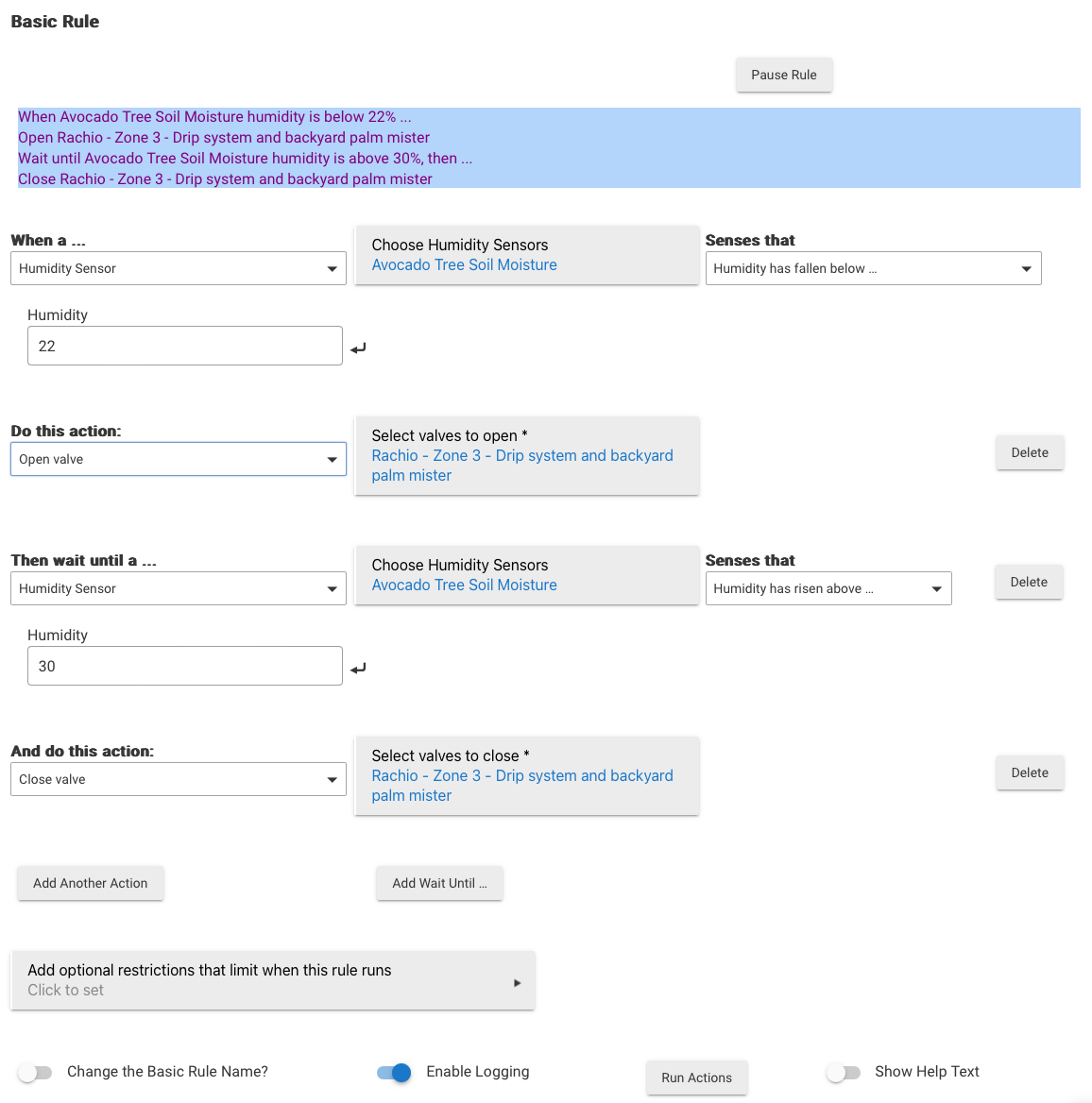
I have created the below basic rule that is supposed to open a rachio valve (sprinkler) when moisture sensor reading fall below a certain level, and then close it when it gets up to a certain level. Here's the rule:
I originally had the rule in Rule Manager because I have all my other rules there, but it wasn't working there so I tried Basic Rules. It's not working here either, or more specifically it's not triggering. I can see the moisture sensor is reading below the threshold and the rule doesn't start. If I manually chose Run Actions button in the rule it will open the valve and I can see the moisture sensor reading go up above the threshold but it doesn't stop. Why is the moisture sensor not able to trigger the rule to start?
Please provide your hub model (C7, C8, etc.) and its platform version from Settings>Hub Details.
Check out the following post for help troubleshooting problems and gathering details that will help others to identify and solve the problem you are experiencing: ‼ READ FIRST - Before Posting in Get Help
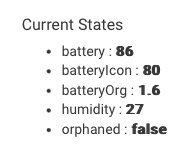
My first guess would be that the driver for the sensor is saving the humidity attribute as a string instead of a number. Can you show a screenshot of the Current States from the device page of the sensor?
Code looks like it is setting the value as a number type, same as I am using on some of my drivers.
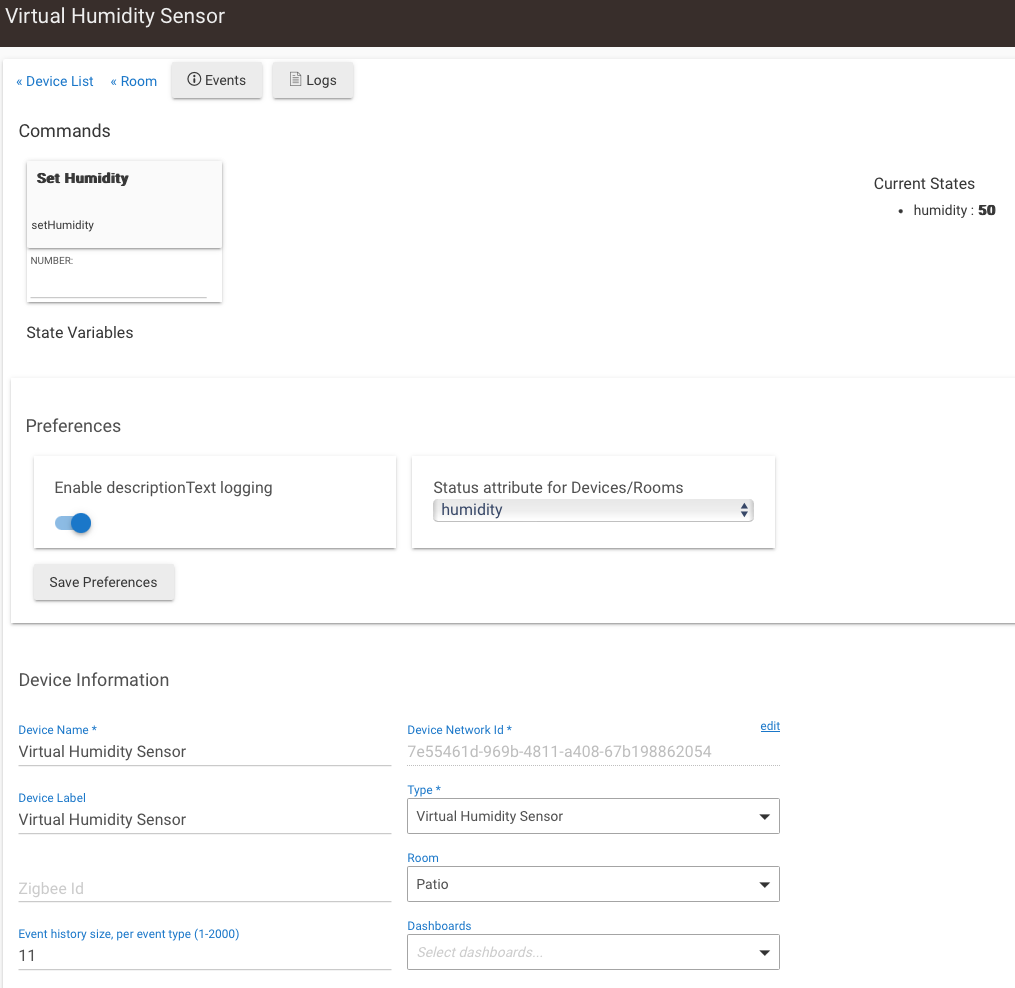
You could try making a virtual humidity sensor device, then use that in the rule. You can set the humidity to anything you want from the device page to test the rule. If it works there but not from the ecowitt device that gives clues.
Something not working, I've created a Virtual Humidity Sensor and not matter what number I put in for setHumidity, the value stays at 50. Am I missing something?
omg, no, I was saving the device Rule ran fine when I set the humidity before the threshold, and stopped when set back above. Rule works, sensor isn't. There are other drivers for the Ecowitt, suppose I can try one of those unless you have any other ideas?
You could try changing this chunk of code at line 405
Any other sensors using this driver it would strip any the decimals off.
Just trying to see if setting it as an Integer instead of a BigDecimal (with no decimals) makes a difference. Could be some sort of a type issue in the rule engine.
  if ((device.currentValue(attribute) as BigDecimal) != val) {
    if (measure) sendEvent(name: attribute, value: (val as Integer), unit: measure);
    else sendEvent(name: attribute, value: (val as Integer));
    return (true);
  }
There is a universal virtual device driver floating around in here somewhere, I might be able to use that to more easily try different types to see what breaks the rules. Assuming it has a humidity option.
On the left side hit Developer Tools > Driver Code, find it in the list.
If you do mess it up or want to go back a "Repair" in HPM will sync the code up with the source.
when you looked at the code, did you look at the WiFi Gateway or the RF Sensor? The RF Sensor is the child device that's being used in the rule, but I don't see what you displayed above on line 450, seems to be on 404 under //Coerce Object -> BigDecimal?
I also noticed this in the code, look at 3rd comment-
private BigDecimal convertRange(BigDecimal val, BigDecimal inMin, BigDecimal inMax, BigDecimal outMin, BigDecimal outMax, Boolean returnInt = true) {
  // Let make sure ranges are correct
  assert (inMin <= inMax);
  assert (outMin <= outMax);

  // Restrain input value
  if (val < inMin) val = inMin;
  else if (val > inMax) val = inMax;

  val = ((val - inMin) * (outMax - outMin)) / (inMax - inMin) + outMin;
  if (returnInt) {
    // If integer is required we use the Float round because the BigDecimal one is not supported/not working on Hubitat
    val = val.toFloat().round().toBigDecimal();
  }

  return (val);
}
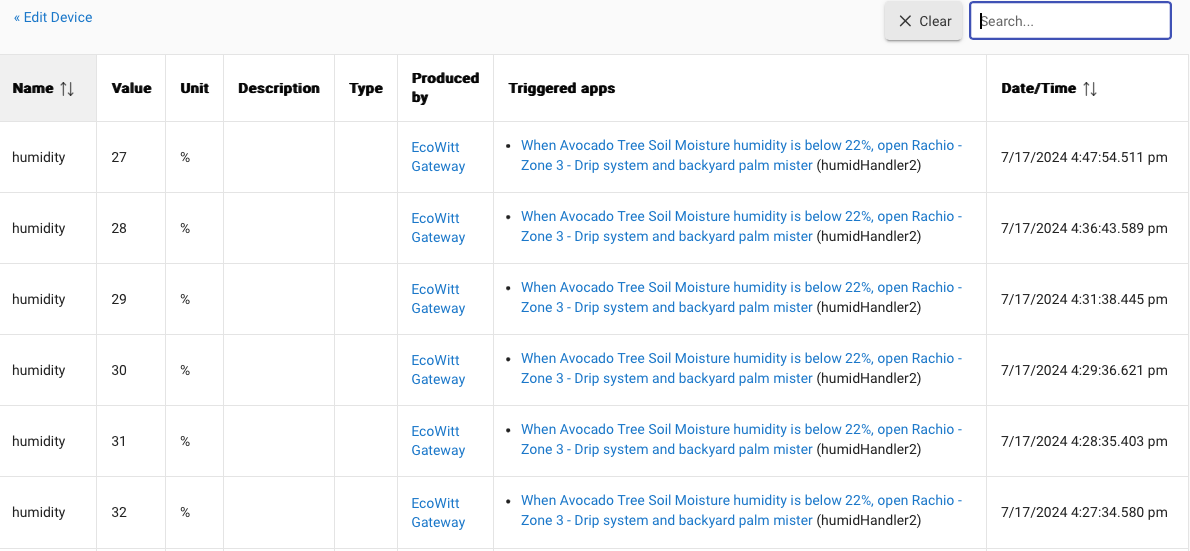
Change the code and tried it out with Basic Rule and nothing happened. Went to Rule Machine and tried it there since that rule gives you the TRUE / FALSE for the condition, which had wondering if it can evaluate it there then why not act on it. Well a couple minutes later the valve opened and the rule ran. What I noticed is that the humidity had just dropped and there was an event in the log updating the humidity and immediately after the rule kicked off. I’m wondering if the rule wasn’t running previously because the humidity wasn’t changing so the rule wasn’t aware. I was changing the threshold to kick off the rule when using the real sensor because I can’t change the humidity it reads, but with the virtual I was changing the humidity. I think that was the problem.
Um yes, the rule won’t run iust from you saving it at a different level. It actually resets the rule every time you save it. The humidity has to change for the rule to trigger
It seems the sensor is only reporting when it changes, not on regular intervals. The gateway checks it every minute, for seems reason thought the rule would too, but now I see it's passive and waits for an event to hit the logs. Thanks for all your help.
When I was checking on that driver code I saw that it is filtering out events if the value does not change, so that could possibly be impacting it. My preference is to always post the events and the hub will actually filter out duplicates on its own vs having the driver do it. I am not sure though if when the hub filters out the duplicates if it will still trigger rules or not, have never really checked into it.
 Rule ran fine when I set the humidity before the threshold, and stopped when set back above. Rule works, sensor isn't. There are other drivers for the Ecowitt, suppose I can try one of those unless you have any other ideas?