Honestly, now I'm not sure given that one of the evaluations above suggests this could be the case, while the other suggests the opposite.  (So it's a bit unclear, maybe not if short-circuiting is assumed when either something left or OR is true or left of AND is false.) But parentheses are easy to add and would be my suggestion if you are using multiple conditions with more than one operator -- then there's no question either way, and it's usually easier to read as an added bonus.
1 Like
Yep, that's the main reason I do it... The 6+-months-later "Now what the heck did I do here again??" factor.
I have observed the expressions operating the ANDS together and the OR separately. In the required expressions but not so in the actions. They seemed to go in order from top to bottom. So I had to make a nested IF to make the AND / OR work as expected. But It was something unusual like X OR Y AND R OR S. If I get into that gain, I will try the Parentheses.
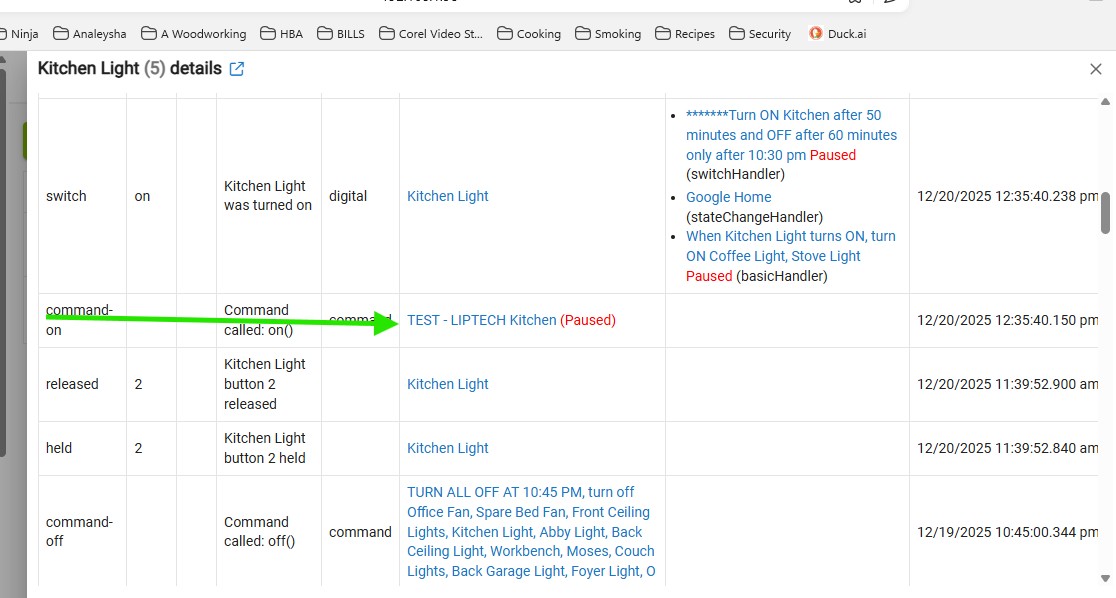
Okay this rule has been working noting but - GREAT! now it is not doing anything. I Do not know what changed. And NOTHING is showing up on the events????
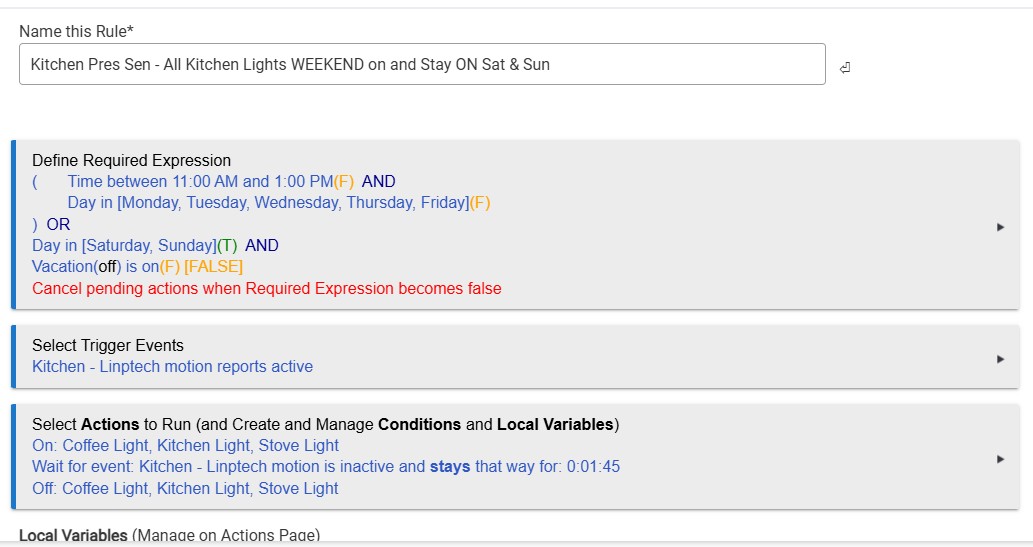

I made a new rule 1595 and it works fine
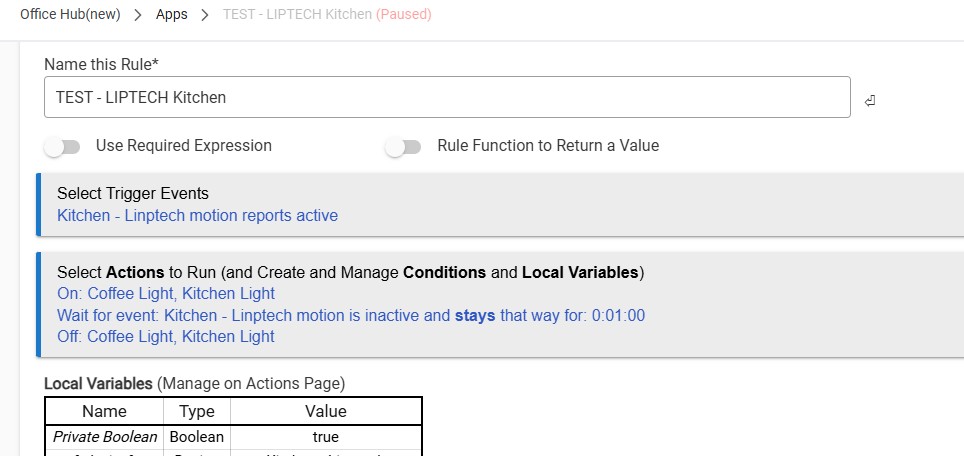

*****Here is how the rule should work
Platform: Hubitat Elevation
App: Rule Machine
Devices involved:
- Trigger: Linptech Motion Sensor
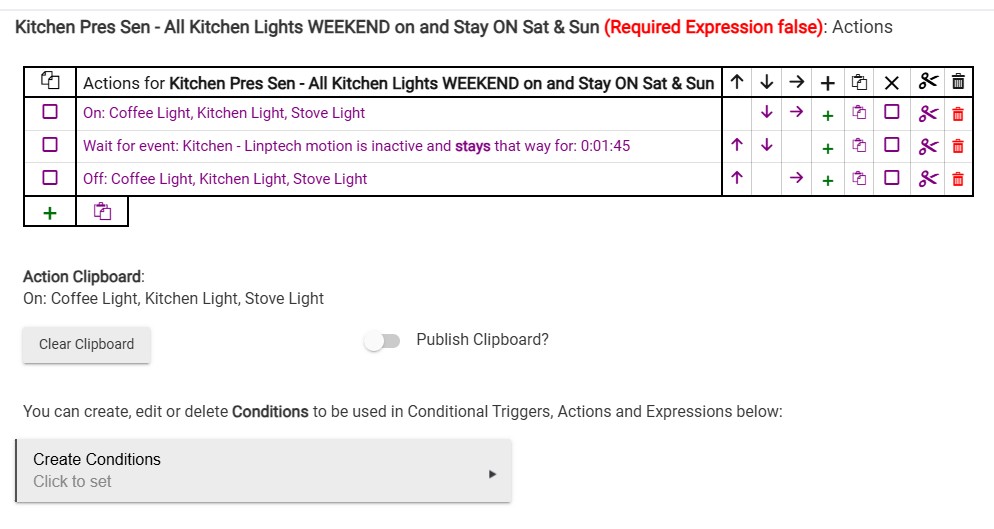
- Actions: Turn ON all Kitchen lights
Intended Rule Behavior
This Rule Machine automation should work as follows:
Trigger
- Linptech Motion Sensor detects motion (active)
Conditions / Time Restrictions
- Monday–Friday:
- Rule should only run between 11:00 AM and 1:00 PM
- Saturday & Sunday:
- Rule should run all day (no time restriction)
Actions
- When motion is detected (and time/day conditions are met), all Kitchen lights turn ON
Current Issue
- This rule has been working perfectly until today.
- On December 20, the rule stopped working completely.
- Motion from the Linptech sensor does not trigger the rule at all.
- No events are showing for this rule in the Rule Machine Events or Logs.
- It appears as if the rule is not firing or not receiving the motion trigger, even though it previously did.
You have several rules that are “paused” (see red text).
Is that intentional? Is that impacting the rule(s)?
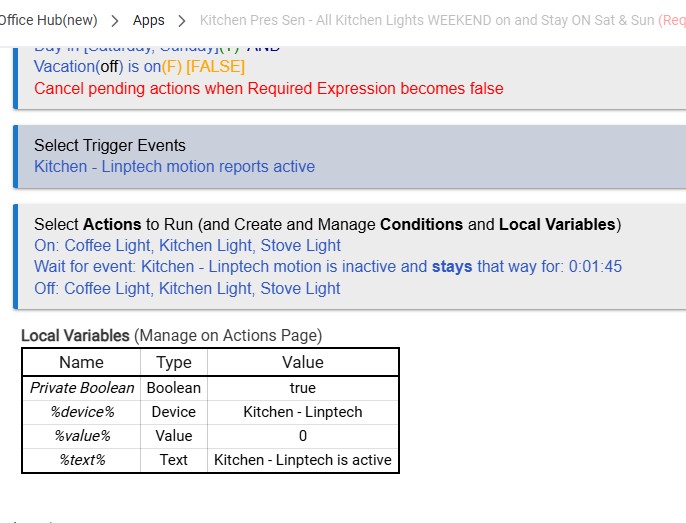
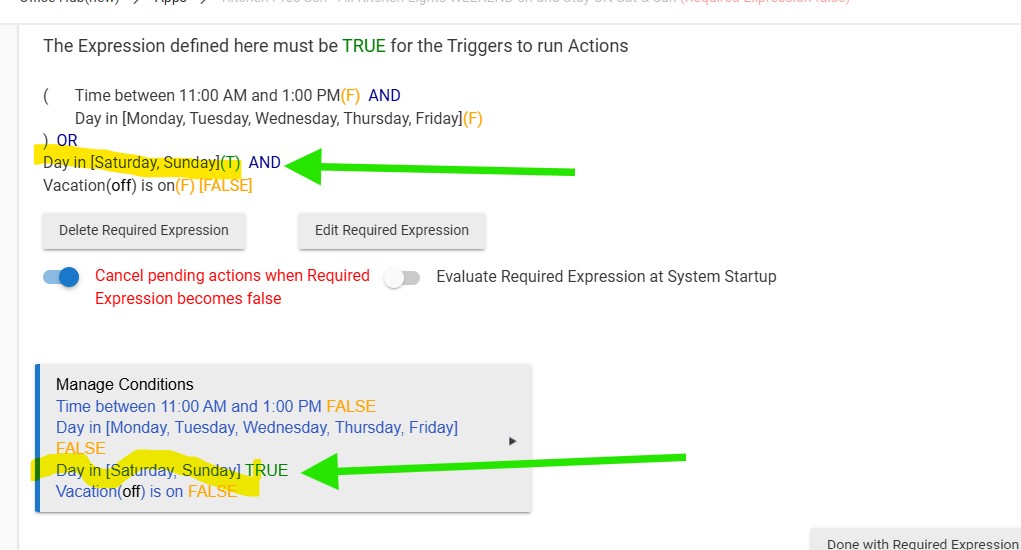
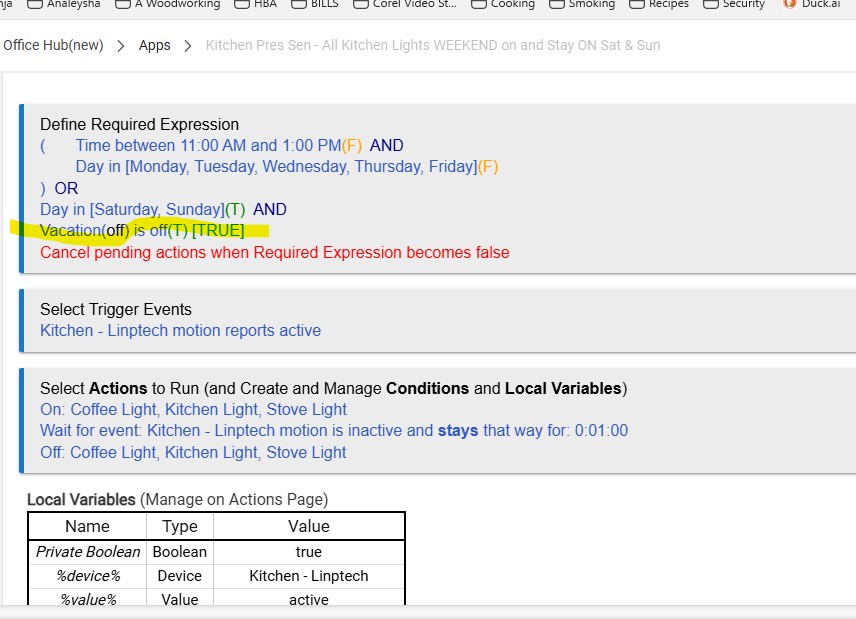
Your Req'd Expression is evaluating as False, so the rule isn't active to run via Trigger... Is the Vacation element in your Sat/Sun portion of your Req'd Expression supposed to check for Off instead of On?
If so, that would explain why the rule stopped running today (Saturday) but ran fine earlier this week.
1 Like
These sensors stop responding after a time and require reboots. There are Zigbee and Wifi USB switched plugs available. I use Sonoff ZBMicro.
Yes. The was the "Test" rule that works just fine. Also I paused all rules to isolate just rule #1301
I did that and it still did not respond, however the rule #1595 "TEST" rule work just fine.
What is "it" here and what do you mean by "did not respond"? Presumably, you're not talking about the Linptech sensor, since you then say that Test rule worked fine.
That is correct. Something is wrong with the 1301 rule "Kitchen Pres All Day Sat & Sun" I just paused this rule and activated the Test rule 1595 and everything worked fine and all the kitchen lights came on as I had them programmed.
Did you see my post above?
2 Likes
The title of this thread is "Restrictions For Sat and Sunday"
According to you the rule has been running great up until today which is the first Saturday you have attempted to run the rule.
Your rule has a required expression saying that it will not run on Sat & Sun, unless a "vacation" switch is on.
@hydro311 has been pointing out that this requirement has not been satisfied.
Can you please address his questions.
1 Like
Adding to the above, the best troubleshooting step for rules -- whether for yourself or anyone else -- is Logs, ideally filtered to just the rule in question, during its execution when you have the problem. (Of course, this assumes you didn't disable logging for the rule.)
Have you looked at those for any clues? In your case, you're not likely to see much when you expect it to run if the required expression is preventing it from triggering (as it seems like you intended), but you should still see a log entry when the expression became false that would still help you (or anyone else) figure out the problem more easily.
What do Logs say for you?
1 Like
I think I have them on here
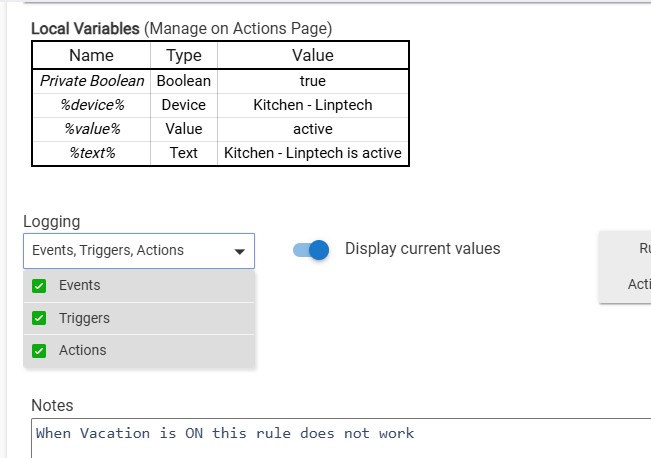
Yes, the rule is condigured to log events, triggers and actions according to your last screenshot.
Have you reviewed these log entries?
Presumably they will verify what @hydro311 has pointed out a couple times already, namely that the rule’s required expression is evaluating as false and therefore no trigger or actions occur.
2 Likes
You do -- but they might as well be off if you don't look at them or share them here. (Enabling them won't fix your problems, but following the clues they provide will.)
I suspect you'll find the above, but this is the only way to know. Even if that's not it, the logs will provide other clues.
1 Like
You guys are very sharp! You are right I changed this as you pointed out and it fixed the problem!
THANK YOU !!
I just did not change anything and it has been working for at least 2 weeks with no problems. I think that is what had me confused.
Thanks again.
I'm not sure what you changed (or if your goal did since the above as well), but if it's working, that's good!
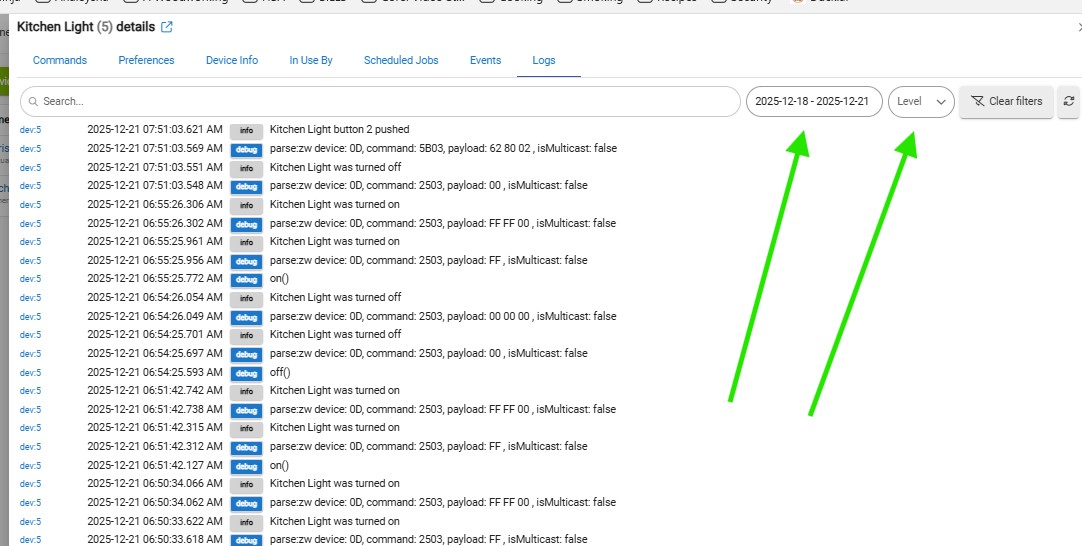
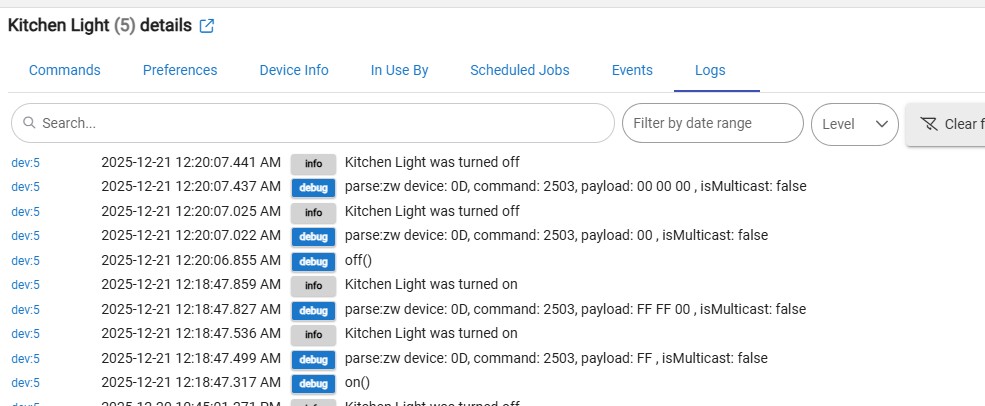
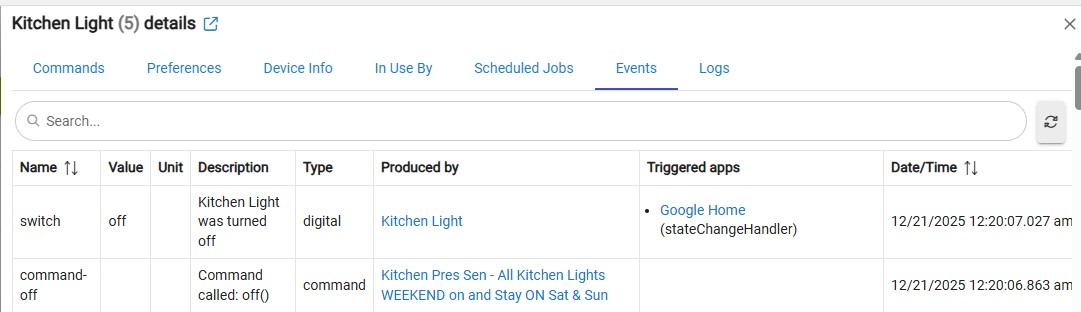
Note that the logs you provided above are logs but have no entries from the rule (they are only for the specific device you found), so they aren't really what will be helpful for you the next time you need to troubleshoot. As I mentioned above, you want logs from the rule. Logs > Past Logs and filtering by the rule name is an easy way to get there after the fact, or the logs icon in the top right of the rule page itself, will get you those (or live logs if you're watching as things are happening).