I'm surprised this bug has been going for a long time and nobody notices it and drove me crazy.
So there are inconsistencies between conditions
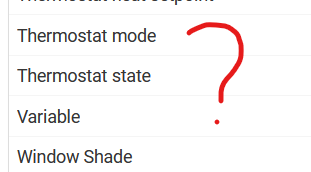
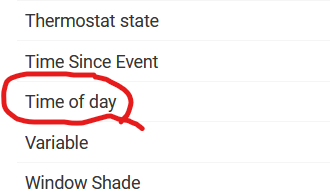
If I go to new action > conditional action, the option time of day option doesn't exist
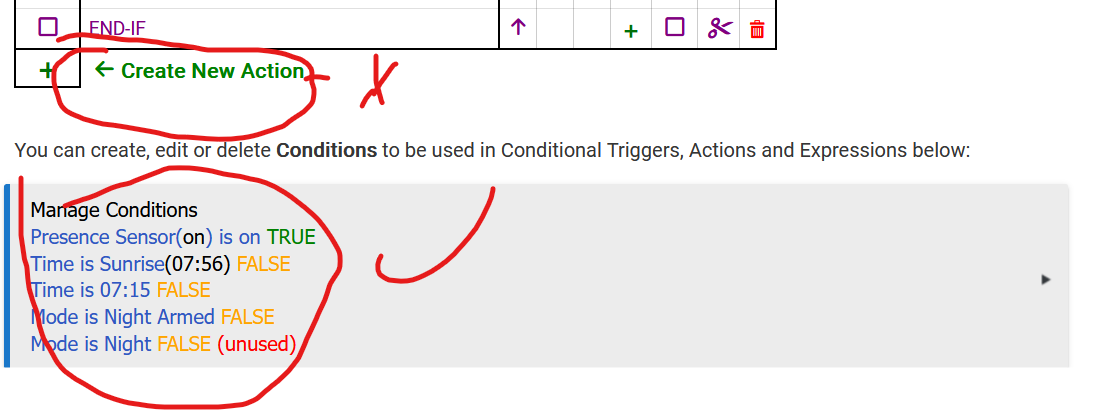
But if i click manage conditions then i can select a specific time of day to apply it as conditional action later
So why isn't time of day appearing always? Am I missing something? This option always existed in the old rule machine and tought it was removed just to find out it's visible only on "manage conditions" now.
Till i discovered this bug i had to improvise and use between 2 times with 1 minute +- offset, pretty annoying .
Maybe I’m misunderstanding, I’ll have to try it myself ….
When you create a conditional action, is the first part of that process specifying the ‘action’ itself with the second specifying the condition? Time of day can be a condition but not an action. Rule Machine is good but can’t move the sun and Flux Capacitors are hard to come by.
Yeah I understand what you're getting at now - I just tried the same with a new rule. I do seem to recall posting about 'time of day' being missing a few years ago, but I think then it wasn't available in the conditions at all. IIRC the response was something along the lines of 'time of day' being an instant, so it could never be true as it would never match the precise moment of the trigger (so between two times should be used)
The fact that there are differences in options between inline condition and condition editor was reported in a beta topic about a month ago by @limeypride. Not sure they got a response.
it works perfectly fine just like it worked in ancient versions of rule machine, of course it can match the trigger time , I'm just hoping for more consistency as I'm not used to pre-prepare conditions in manage conditions but create them instead along the way/
Right now I have to create the condition 1st, then apply it when I could just create it at the same time of using it.
I discovered that if between two times begins the same time as a time trigger, the result is not consistent. Reliability improved by shifting the between two times condition one minute to the past relative the expected trigger.
That is potentially an awful lot of triggers to evaluate for one minute out of the day. Might consider using the time as a required condition unless doing an if/then/else situation.
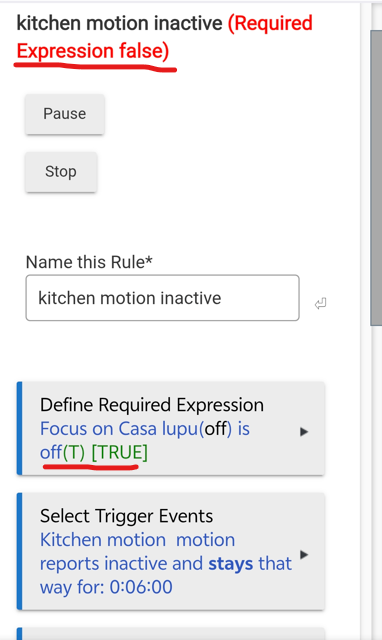
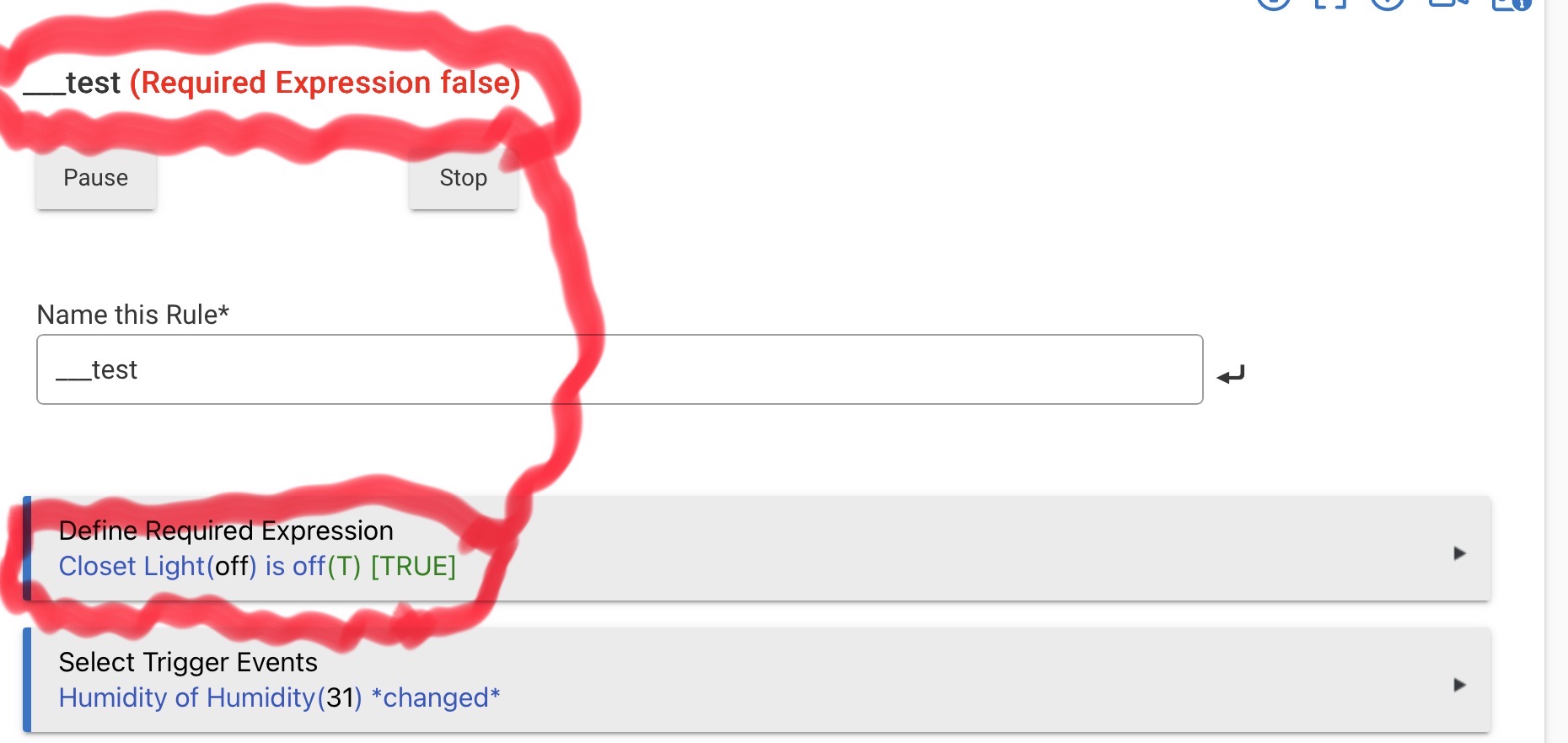
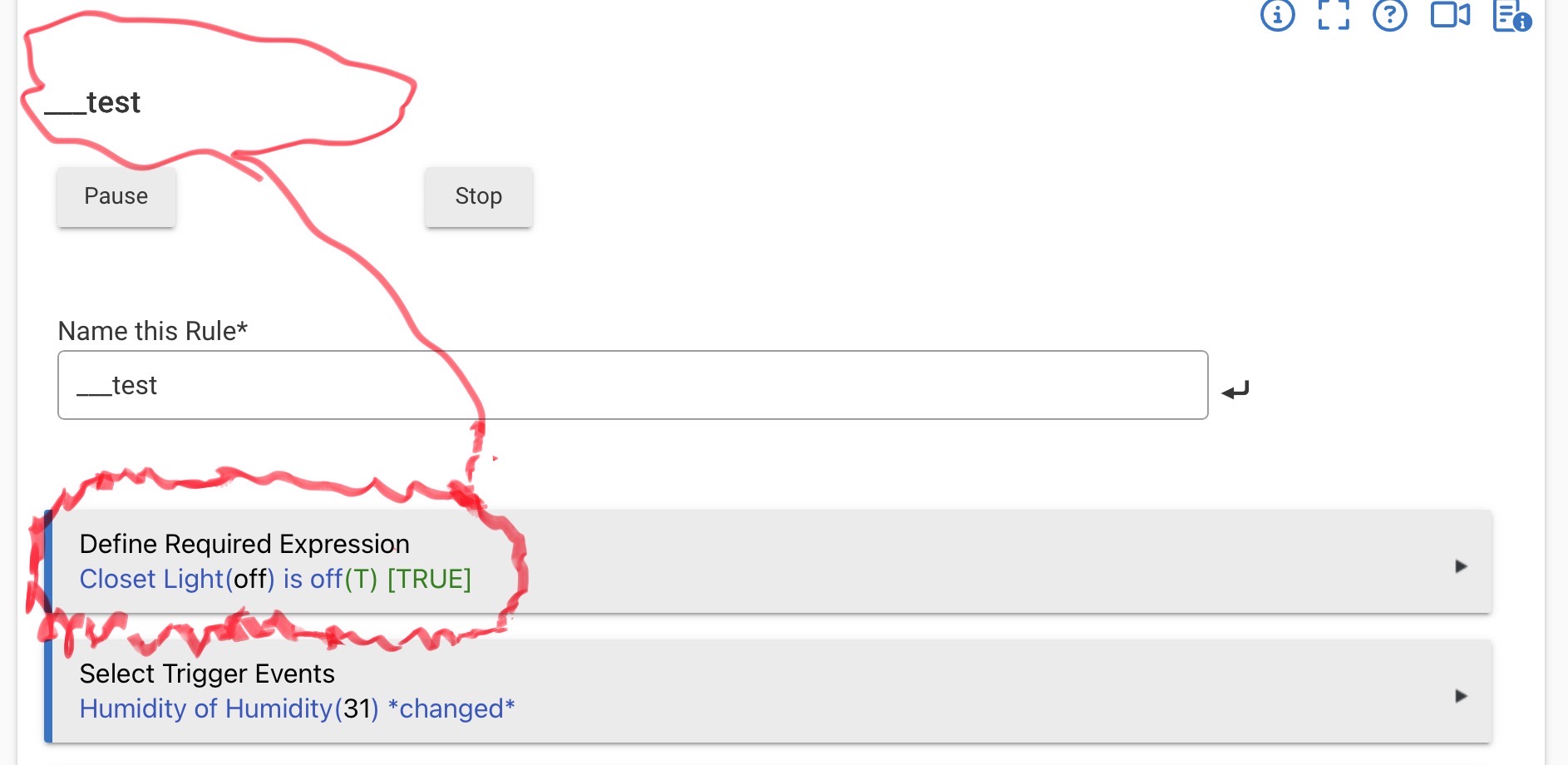
3 rules failing because required expression false when it clearly shows is as true and manually checking that virtual switch also confirms is off and should trigger the automation, the switch is from another hub mesh but they were in sync just fine
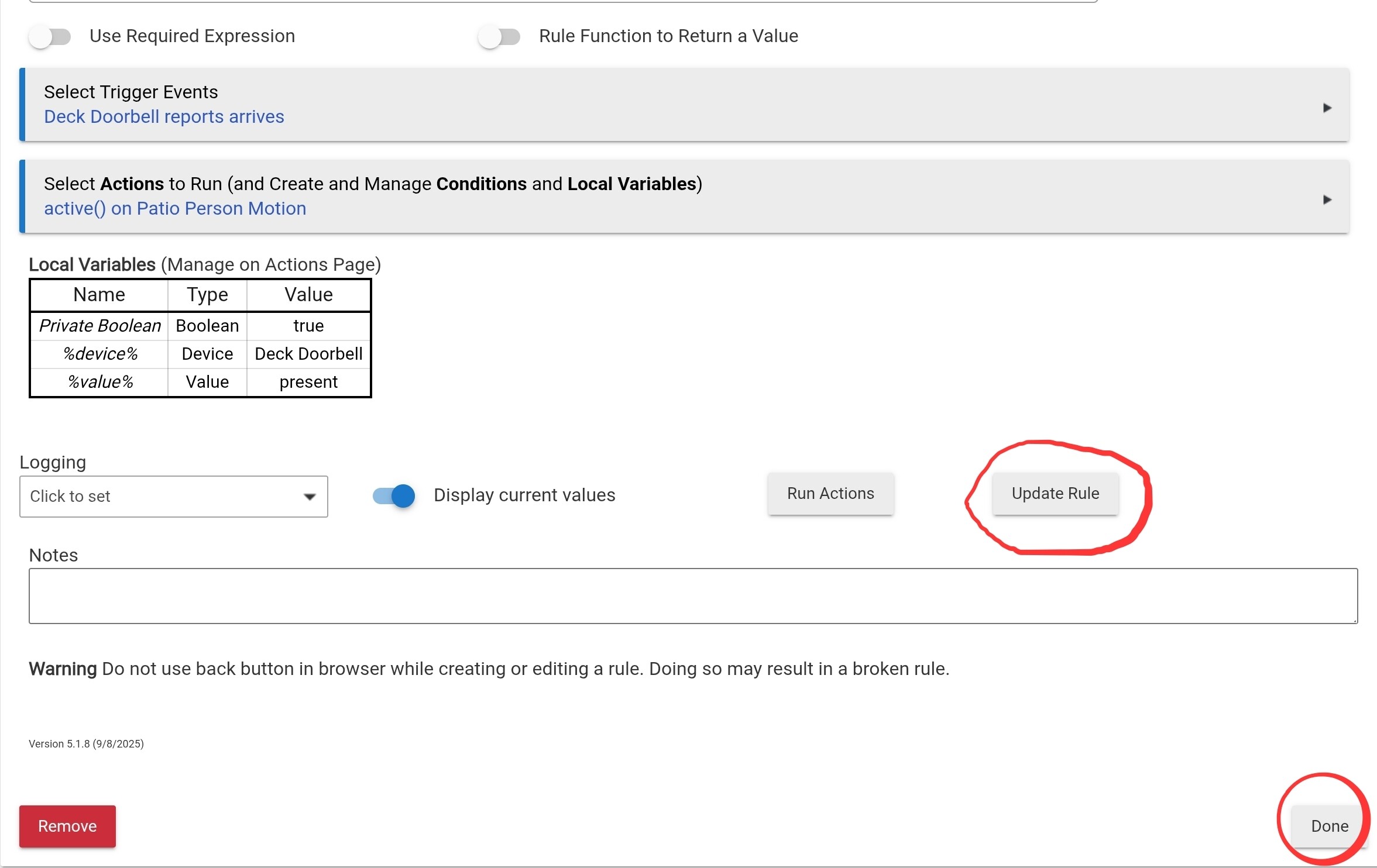
In the rule, there is an "Update Rule" button and a "Done" buttton. Clicking either of those is necessary to update any changes you have made to triggers specifically.
When asking for help, it probably would not hurt to be a bit less confrontational
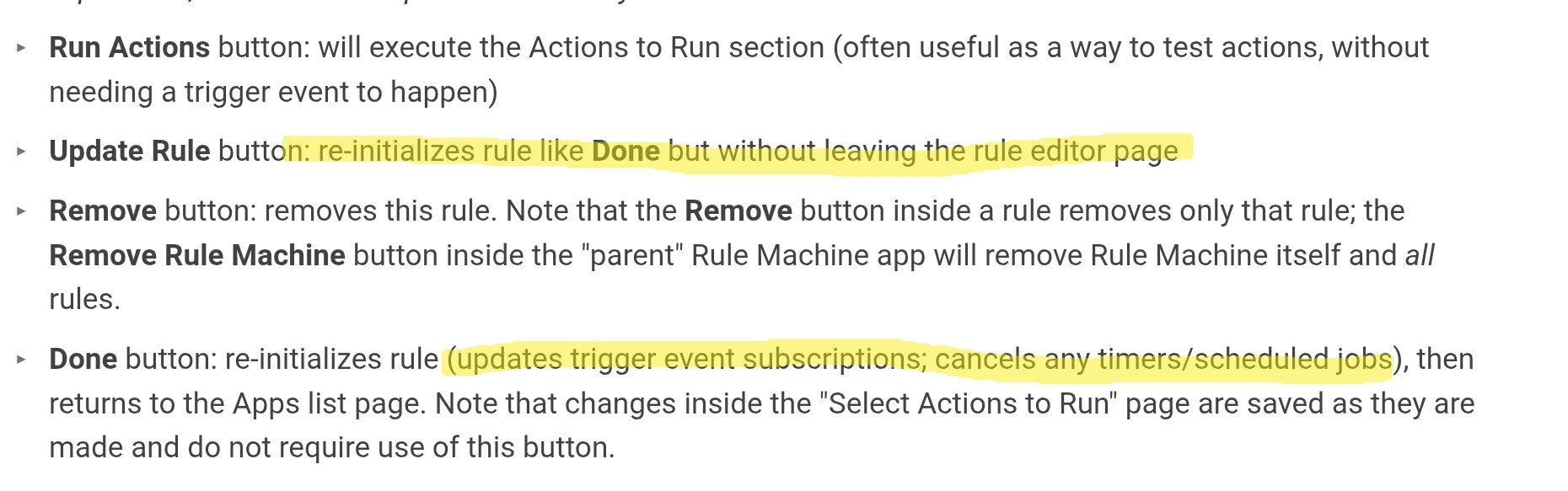
Also, you might want to read the documentation on Rule Machine: Rule 5.1 | Hubitat Documentation (Skip to " Other Rule Options and Features" to see the section on what each button does (which might be applicable to your situation)
these are at least 3 months old rules that worked perfectly fine till they didin't and found rooms with lights still on and investigating found out this bug that the rule didn't trigger when in fact they should have. i had to manually toggle 'focus' virtual switch for the rule to start working again to read it properly so why do I need to click update WHEN NOTHING CHANGED?
im not asking for any help,I AM REPORTING BUGS ,so get off your high horses and focus more on fixing these bugs rather than focusing on my attitude. You completely ignored the main post and brought 0 value to the conversation
this is the 3rd reported unfixed bug, i reported another one some months ago and some dev answered with something like 'well,those are one of those weird bugs that rarely happen and we never have any explanation for them'
don't know why i even bother wasting my time on this,useless forum
Many people will have trouble getting past a confrontational or derisive tone, no matter how valid the underlying point may be that you are trying to make.
so what's your point exactly? Should go and randomly press update on rules from time to time to prevent from this from happening?
my rules are the same as months ago, why do they stop working for no apparent reason and I have to press update manually to get them back on track ???
how is you pressing the update button any different from me switching on and off the switch to make the rule working again?
This gives 0 explanations why my rules stopped working and how to prevent from happening in the future. You are just presenting a quick temp fix that will do nothing in the future to prevent the bug from happening again.
That's like me saying, hey ,my car engine turned itself off for no apparent reason after driving for an hour and you presenting the solution as " just press the start button to start the engine again"
Also, why no word about my main post and the inconsistencies between conditions?
So far you haven't presented any valuable information and at this point I'm not sure if you can't really understand the problem or just pretend not to understand it and just going around in circles .You've ignored most of my questions.