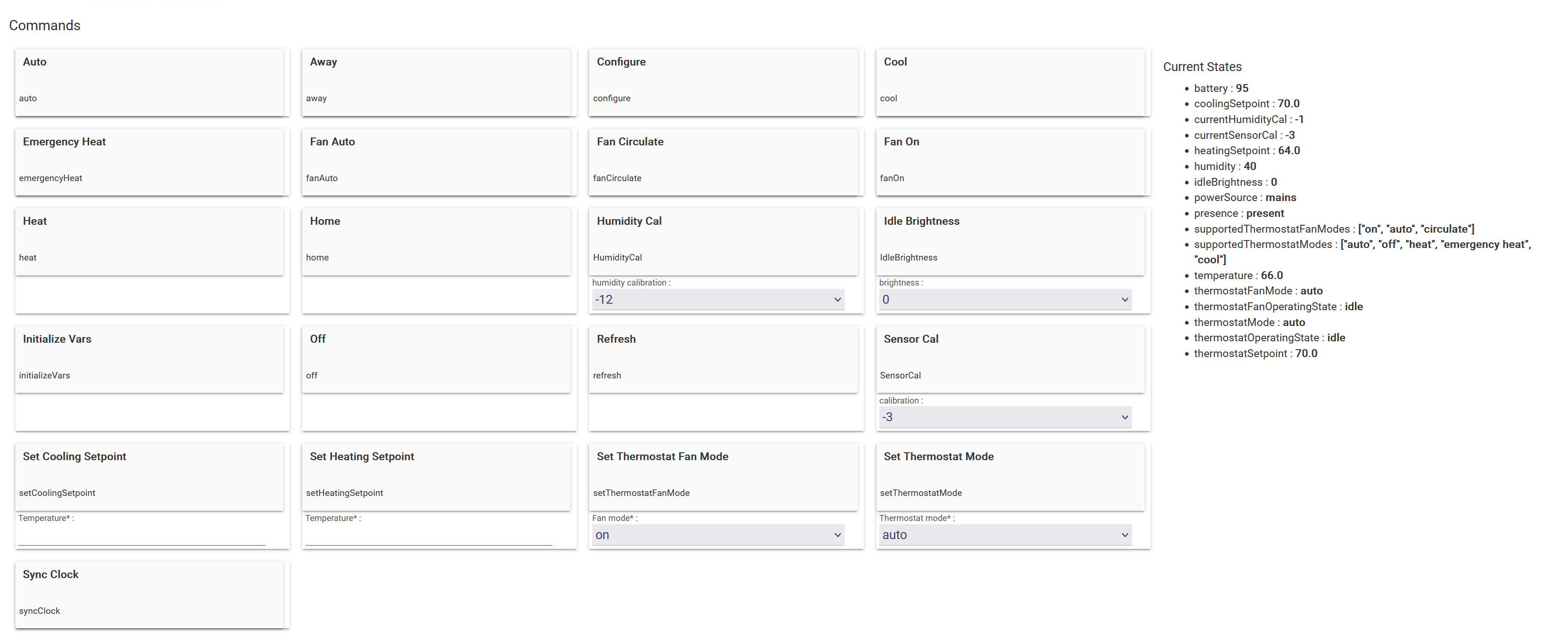
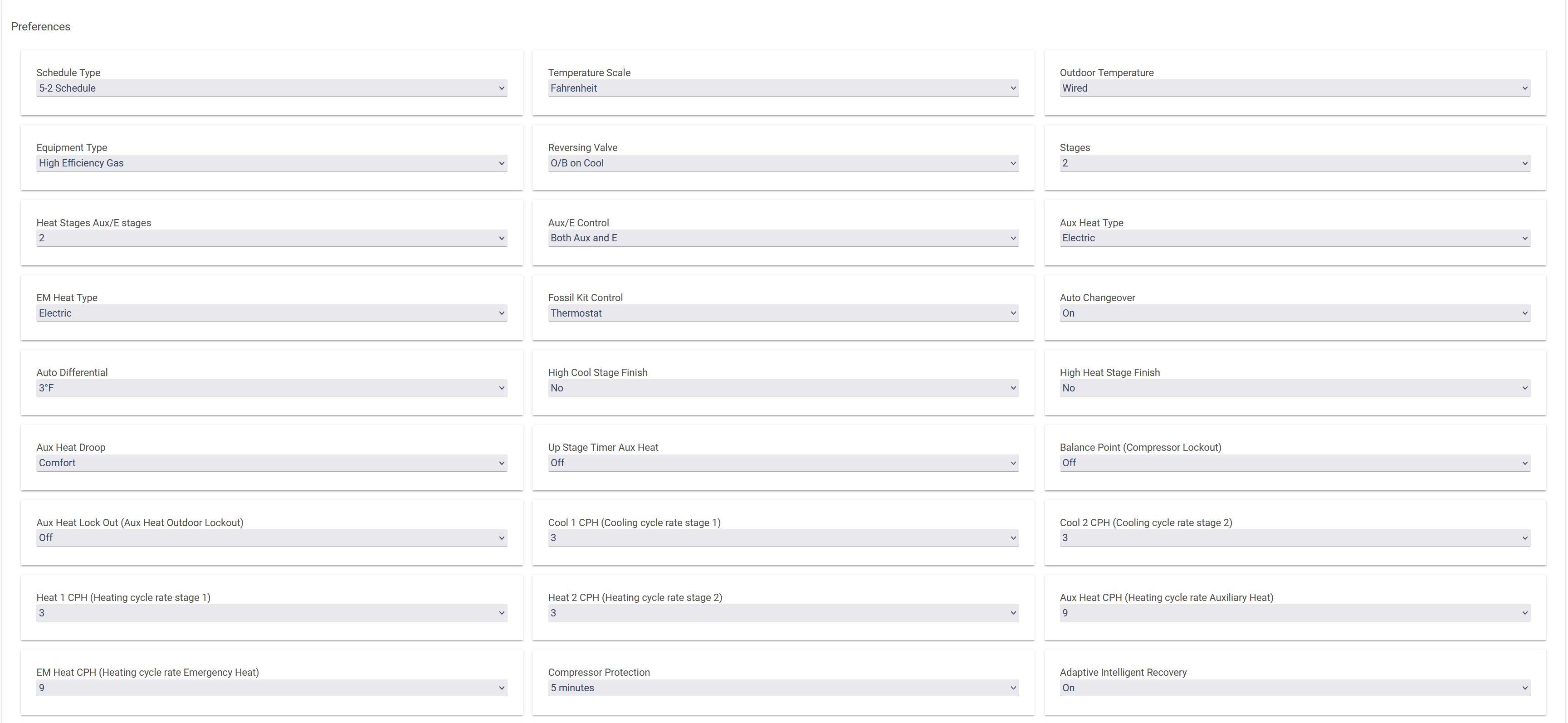
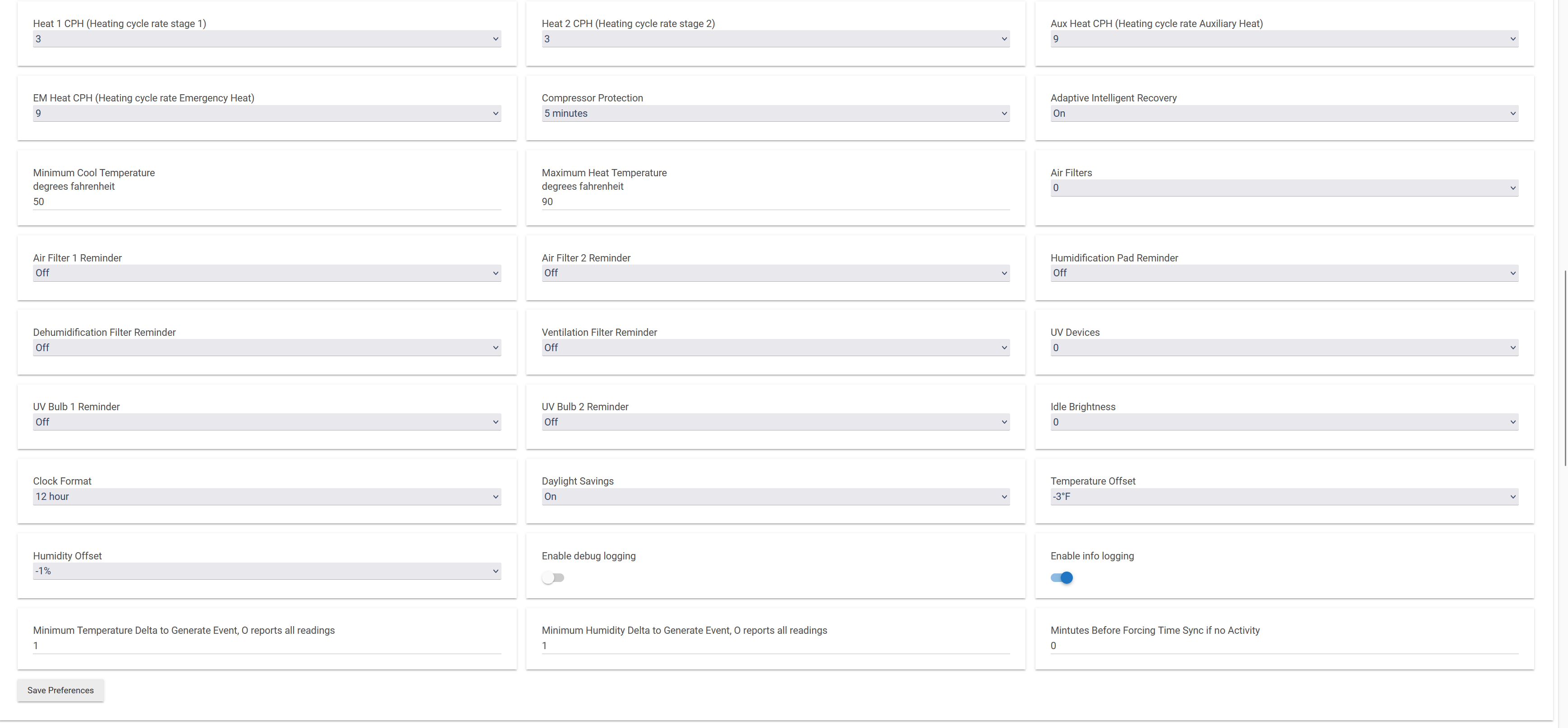
I tried that, with and w/o doing a configure first with no luck.
I turned on debug logging and see a syncClock job pending:
syncClock 2023-04-03 00:32:23 EDT PENDING 23 32 0/3 * * ?
I then hit syncClock and see no new debug logs, or a change in the schedule job.
The same when I hit configure. No debug long or change in the scheduled jobs.
The only logs I see are from when I turned on debugging:
dev:1352023-04-02 21:36:08.023debugParameterNumber: 43, Size: 1, Value: 0
dev:1352023-04-02 21:36:08.022debugParameterNumber: 42, Size: 1, Value: 0
dev:1352023-04-02 21:36:08.020debugParameterNumber: 41, Size: 1, Value: 1
dev:1352023-04-02 21:36:08.018debugParameterNumber: 40, Size: 1, Value: 0
dev:1352023-04-02 21:36:08.017debugParameterNumber: 39, Size: 1, Value: 1
dev:1352023-04-02 21:36:08.015debugParameterNumber: 38, Size: 1, Value: 0
dev:1352023-04-02 21:36:08.014debugParameterNumber: 37, Size: 1, Value: 0
dev:1352023-04-02 21:36:08.012debugParameterNumber: 36, Size: 1, Value: 0
dev:1352023-04-02 21:36:08.006debugParameterNumber: 35, Size: 1, Value: 0
dev:1352023-04-02 21:36:08.004debugParameterNumber: 34, Size: 1, Value: 0
dev:1352023-04-02 21:36:08.002debugParameterNumber: 33, Size: 1, Value: 0
dev:1352023-04-02 21:36:08.001debugParameterNumber: 32, Size: 1, Value: 0
dev:1352023-04-02 21:36:07.999debugParameterNumber: 31, Size: 1, Value: 0
dev:1352023-04-02 21:36:07.997debugParameterNumber: 30, Size: 1, Value: 0
dev:1352023-04-02 21:36:07.996debugParameterNumber: 29, Size: 1, Value: 68
dev:1352023-04-02 21:36:07.994debugParameterNumber: 28, Size: 1, Value: 50
dev:1352023-04-02 21:36:07.993debugParameterNumber: 27, Size: 1, Value: 1
dev:1352023-04-02 21:36:07.991debugParameterNumber: 26, Size: 1, Value: 5
dev:1352023-04-02 21:36:07.989debugParameterNumber: 25, Size: 1, Value: 9
dev:1352023-04-02 21:36:07.988debugParameterNumber: 24, Size: 1, Value: 9
dev:1352023-04-02 21:36:07.986debugParameterNumber: 23, Size: 1, Value: 3
dev:1352023-04-02 21:36:07.984debugParameterNumber: 22, Size: 1, Value: 3
dev:1352023-04-02 21:36:07.983debugParameterNumber: 21, Size: 1, Value: 3
dev:1352023-04-02 21:36:07.981debugParameterNumber: 20, Size: 1, Value: 3
dev:1352023-04-02 21:36:07.980debugParameterNumber: 19, Size: 1, Value: 0
dev:1352023-04-02 21:36:07.978debugParameterNumber: 18, Size: 1, Value: 0
dev:1352023-04-02 21:36:07.976debugParameterNumber: 17, Size: 1, Value: 0
dev:1352023-04-02 21:36:07.964debugParameterNumber: 16, Size: 1, Value: 0
dev:1352023-04-02 21:36:07.961debugParameterNumber: 15, Size: 1, Value: 0
dev:1352023-04-02 21:36:07.960debugParameterNumber: 14, Size: 1, Value: 0
dev:1352023-04-02 21:36:07.958debugParameterNumber: 13, Size: 1, Value: 0
dev:1352023-04-02 21:36:07.956debugParameterNumber: 12, Size: 1, Value: 0
dev:1352023-04-02 21:36:07.954debugParameterNumber: 11, Size: 1, Value: 0
dev:1352023-04-02 21:36:07.953debugParameterNumber: 10, Size: 1, Value: 0
dev:1352023-04-02 21:36:07.951debugParameterNumber: 9, Size: 1, Value: 0
dev:1352023-04-02 21:36:07.949debugParameterNumber: 8, Size: 1, Value: 0
dev:1352023-04-02 21:36:07.948debugParameterNumber: 7, Size: 1, Value: 0
dev:1352023-04-02 21:36:07.946debugParameterNumber: 6, Size: 1, Value: 1
dev:1352023-04-02 21:36:07.944debugParameterNumber: 5, Size: 1, Value: 0
dev:1352023-04-02 21:36:07.943debugParameterNumber: 4, Size: 1, Value: 3
dev:1352023-04-02 21:36:07.941debugParameterNumber: 3, Size: 1, Value: 0
dev:1352023-04-02 21:36:07.939debugParameterNumber: 2, Size: 1, Value: 0
dev:1352023-04-02 21:36:07.924debugParameterNumber: 1, Size: 1, Value: 0
dev:1352023-04-02 21:36:07.836warndebug logging is: true
dev:1352023-04-02 21:36:07.835infoupdated...
Since switching to the C-8 most devices, including the thermostats, are connected directly to the hub.
Any ideas?