My "current states" properties look nothing like yours and I'm using the same driver 1.3.0
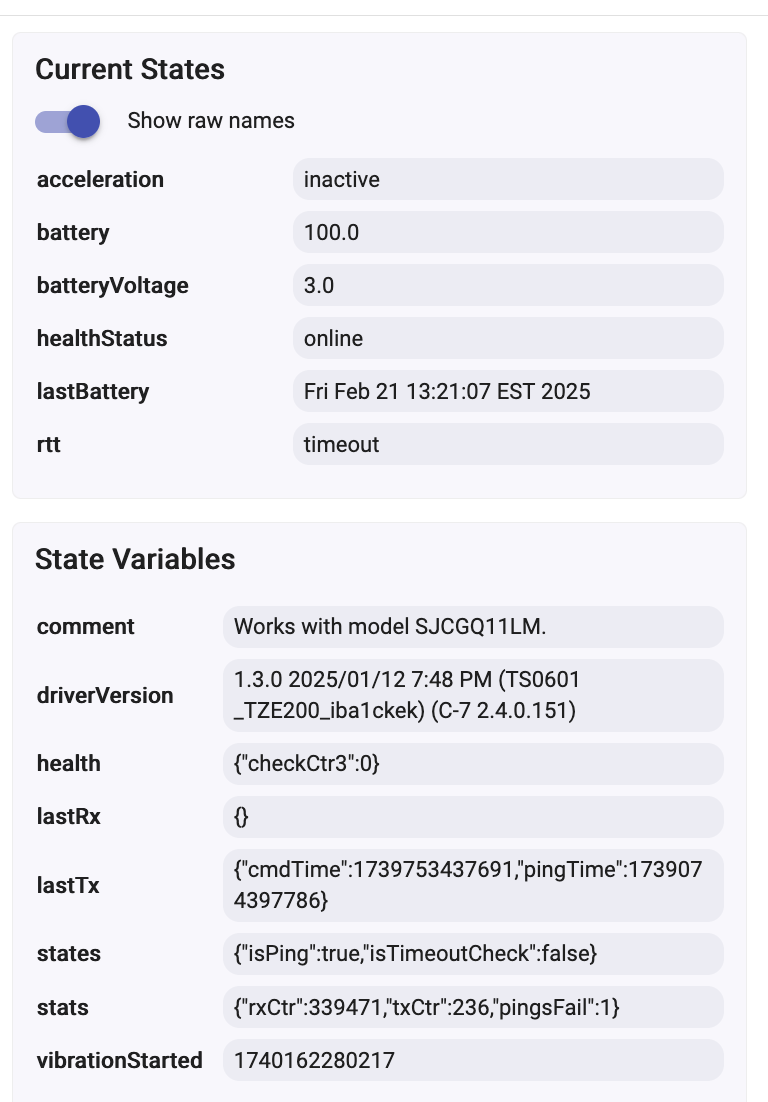
You have a mix of State Variables and Current States remaining form different drivers that you have tried...
If you don't use this device in too many automation / dashboards, you can delete it and pair it again as a new device in HE. The alternative is to switch temporary to the HE inbuilt 'Device' driver and click on all Command buttons to clean up the states.
Before trying the above, please update to the latest version 1.3.1 - either manually or use HPM. The changes there are not related to your device model, but it is better to be on the latest code base.
1 Like
Actually, with a proper Preferences you should be able to achieve the same effect.
Try to find out what is your device 're-triggering' or re-arming period. This is the time difference between two sequential 'accelaration active' Zigbee messages sent from the device.
Enable the Debug logging and observer the live logs while the sensor is sensing vibrations all the time. You should see a bunch of debug logs every 3 or every 5 or every 10 seconds - this internal re-triggering time is different for the different devices.
Then, configure the auto-reset timer to be 20% ... 50% bigger than the internal re-triggering or cooldown period :
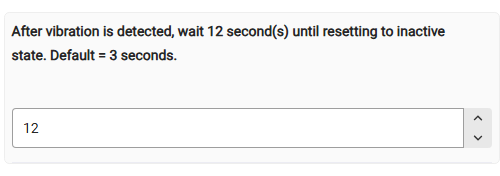
When configured this way, the acceleration property should stay 'active' all the time, until 12 seconds have passed since the last time the device reported activity.
I switched temporary to the HE inbuilt 'Device' driver and click on all Command buttons to clean up the states and that seemed to do it.. I'll see how the device performs soon.
1 Like
I just found this thread even though I have been using these sensors (on windows for shock/glass break) for about 4 months.
I have the same random activation @Owen reports after trying to change the sensitivity. I initially had mine at 0 and found that thunder, cat pawing at window, car with loud muffler, lifting/closing window blinds, door closing on same wall would trigger these sensors.
I tried changing the sensitivity to 3 then found that some started randomly triggering with no reason. Back to 0 with no effect, Reset and re-paired, no effect, tried paring with Zigbee2MQTT ( also got random self activation) to see if that would clear some erroneous setting, no effect.
I was able to get most, 14 out of 16 to work correctly but have 2 stubborn ones that refuse to behave properly.
I don't believe its a fault of the sensor but some setting that somehow gets set wrong (no fault of @kkossev) and results in random self activation or results in EXTREME sensitivity. Probably result of Tuya not following Zigbee standard and making stupid, random design/coding choices.
Had the 2 of the problematic sensors un-paired and powered off for 2 days now to see if I can get them to work reliably.
If you don't get the random activation problem they work great.
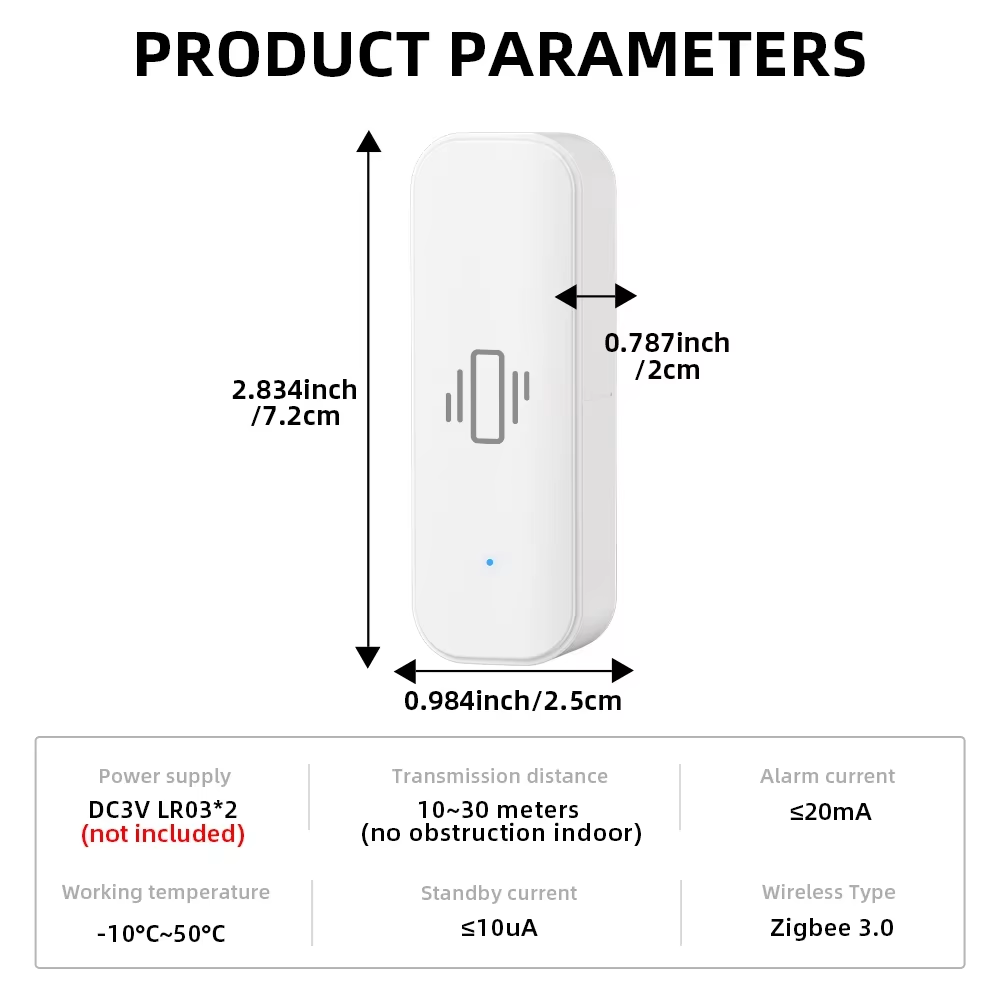
This is the style I have for reference. With this fingerprint: TS0210 _TZ3000_lqpt3mvr
Update:
I tried pairing one problematic sensor to HE and still had the random activations.
Then tried pairing to a Tuya hub and the random activations stopped. So that basically confirms (at least to me) that the device is not defective just got confused while changing the sensitivity.
Also notice that the Tuya hub/app can report both vibration and if the sensor was dropped.
Interestingly there is no sensitivity adjustment exposed in the tuya app.
I removed it from the tuya hub and then parired with HE and don't get the random activations anymore. At least for last ~17 minutes since being paired, which is way longer then when it was misbehaving. ~30 seconds to 2-3 minutes between random activations.
I also don't believe the sensitivity adjustment makes any difference. These sensors are extremely sensitive. Way more then the Aqara.
I tried using the Aqara as a washer/dryer activity monitor few years ago and they would not detect the vibration when the motors were running. I believe the Tuya sensors I have would.
Zigbee2MQTT also offers a sensitivity adjustment for these sensors. I will try a sensor with Z2M and see if it makes any difference and update.
Let me know whether the sensitivity adjustment for exactly this device model/manufacturer really works in Z2M. I don't see _TZ3000_lqpt3mvr to be supported in the latest Z2M code.
Yes Z2M supports this exact sensor, Running Z2M version [2.1.3] commit [ba337bd].
The Z2M sensitivity adjustment ranges from 0 to 50. Which seems to be overkill on range as as there seems to be not much difference between min and max. 0-10 would probably be more reasonable but whoever did the converter in Z2M probably had a reason for 0-50.
This is the Z2M cluster it changes: ssIasZone.write({"currentZoneSensitivityLevel":0}, From log when sensor didn't update.
I conducted a very "unscientific" test with 2 Identical sensors mounted to two side by side windows (mounted to glass just below center of top sash frame) separated by wood stud. One paired to HE (sens 3) other paired to Z2M (set at 25 (mid) sensitivity).
Both sensors seemed to respond to equal impacts to window. Me hitting center of glass with pinky side of fist. Higher frequency impacts ( me hitting center of glass with knuckle, fingertips/fingernails or tip of screwdriver) caused both sensors to respond at lower impact strengths.
Changing both sensors to similar sensitivity levels seems to result in about equal change in sensitivity. But without any real way to measure impact its just speculation.
Higher frequency events definitely result in activation at lower force levels even with sensitivity at lowest.
I was able to change two HE paired sensors (and Z2M paired sensor) without the sensor getting whacked out and generating false activations. So I don't know what causes the false activation issue yet.
Lowering the miniblinds (vinyl) and letting them drop the last 3-4 inches result in activation so still very sensitive. Sensor about 24" from windowsill. Lowest sensitivity.
1 Like
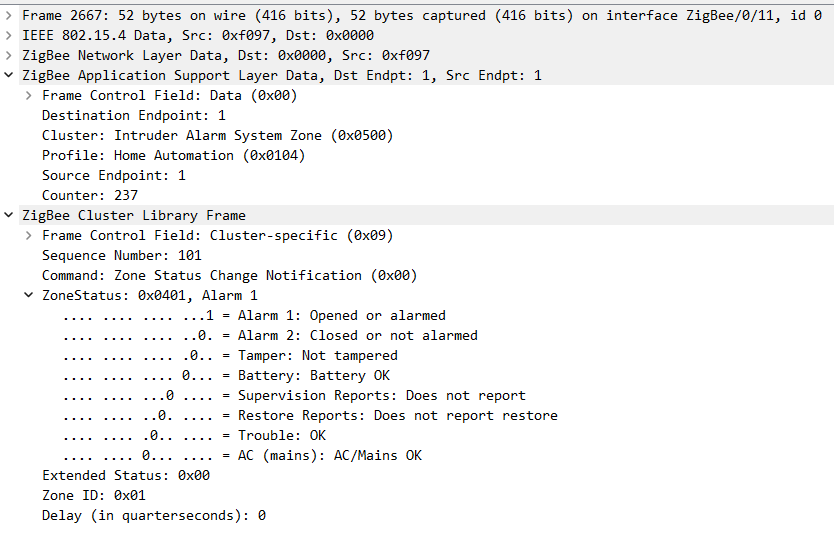
Decided to wireshark the TS0210 _TZ3000_lqpt3mvr vibration sensor when paired to a tuya hub. Does not appear to use any Tuya specific clusters. It also does not appear to send a 'clear/inactive' message after any period of time.
This is a packet when the sensor detects vibration. Specifically the ZoneStatus: 0x0401, Alarm 1
The sensor detects drop. Specifically the ZoneStatus: 0x0801, Alarm 1
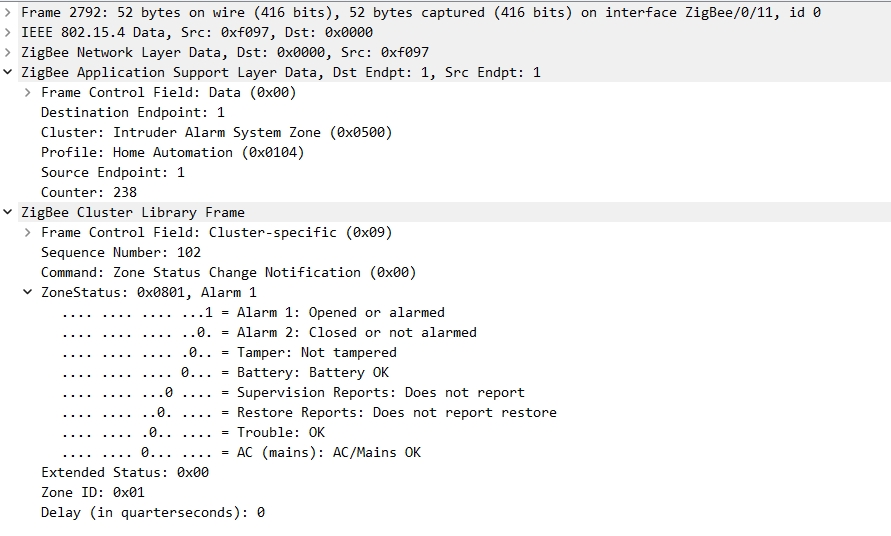
Here is the packet capture for changing the sensitivity. On the Tuya developer platform the range is 0-100 (min-max).
When paired to Tuya hub defaults to sensitivity of '10'.
Update: Upon testing the sensor (on my test window) and trying various sensitivity settings it appears as the sensitivity setting does nothing. At least with this particular sensor.
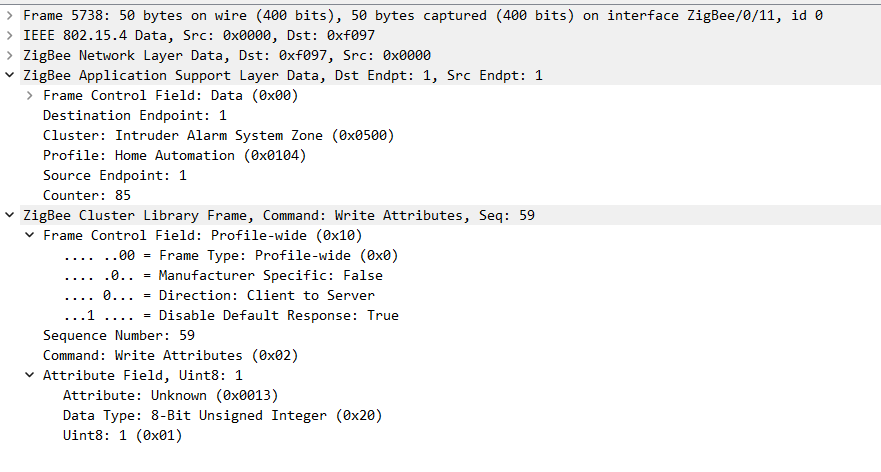
Here is the packet for setting sensitivity to "99"
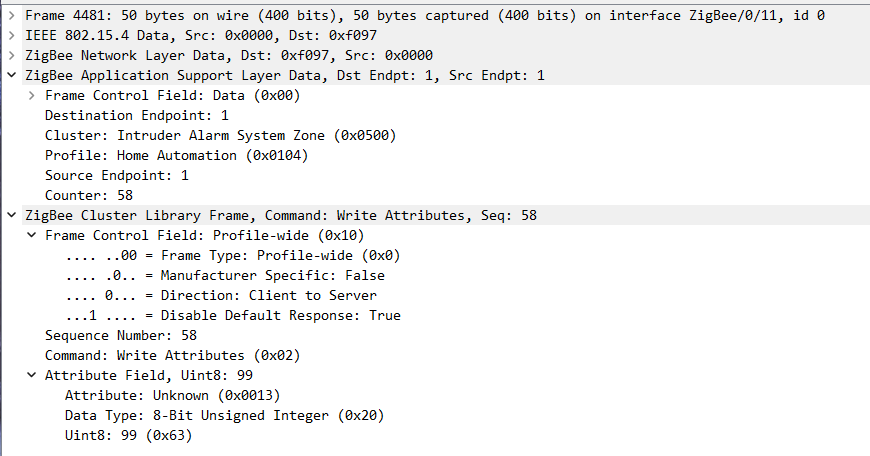
Response:
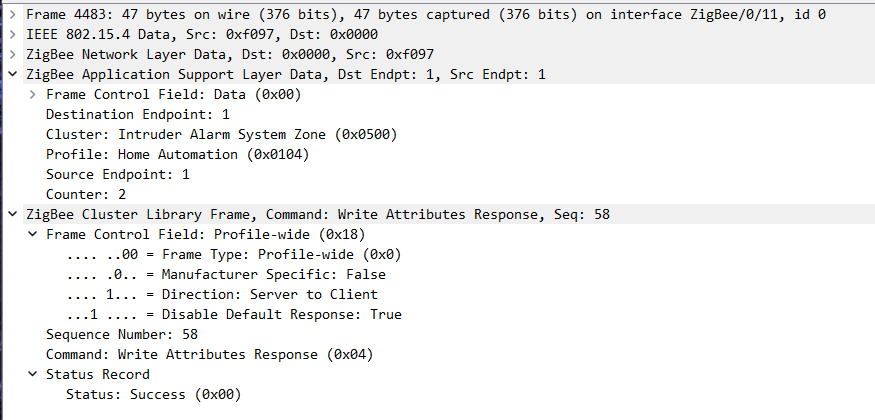
Second response
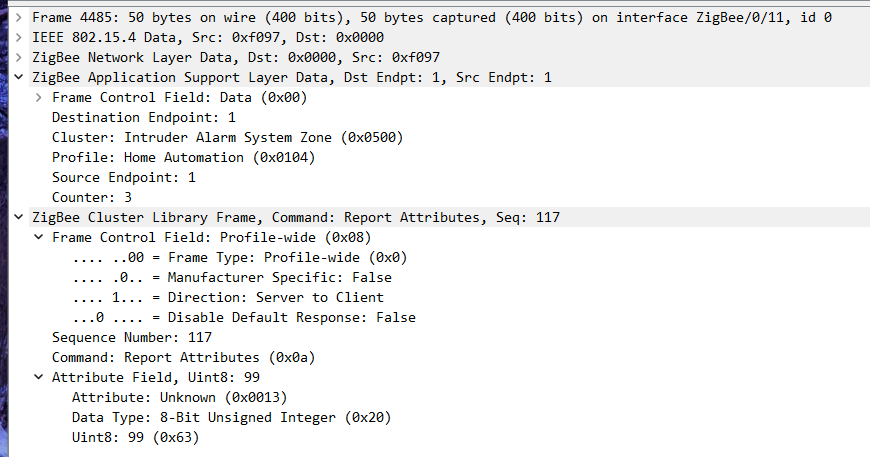
Setting Sensitivity to 1
Response.
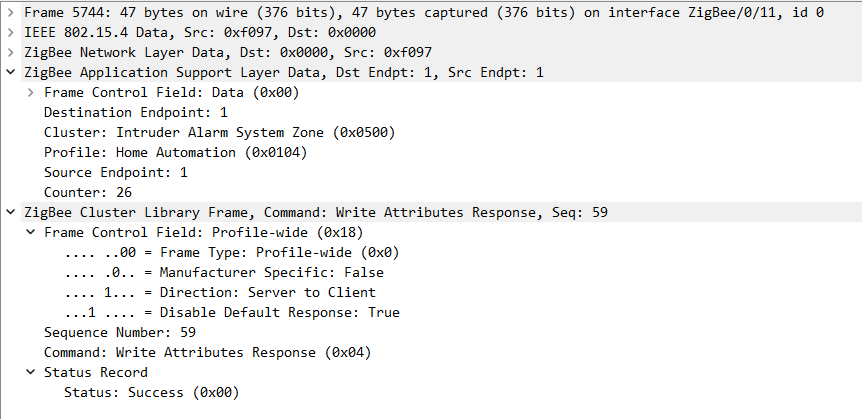
Second response
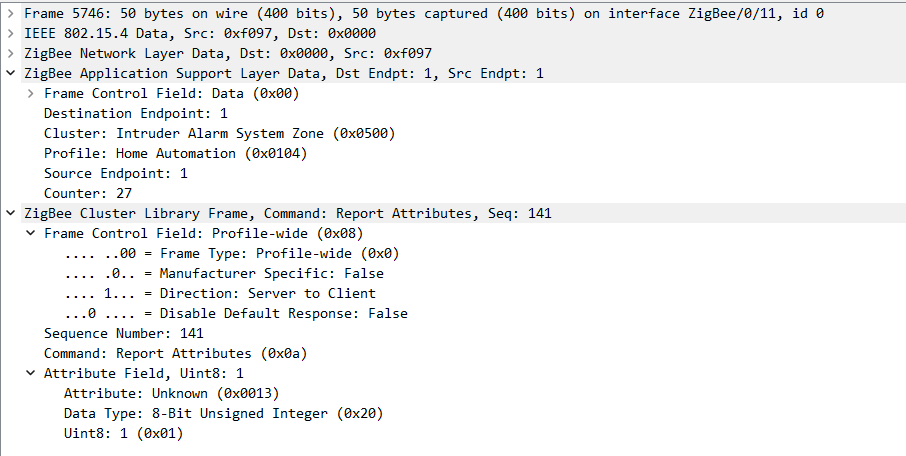
I seem to be having the opposite problem of most people, my Tuya TS0210 vibration sensors are very insensitive. I have five of them and they all have the same lack of sensitivity -- they respond to gross movements/vibrations, but the subtler vibrations have no effect. I have set the sensitivity to 0 (which is reflected in the current state) but it seems to be no more sensitive than the default of 3. With the sensor mounted to a surface no amount of banging on the surface causes the sensor to activate, I have to tap the sensor itself (fairly hard) to get a detection. When I have the sensor on a table in front of me I can push it around, twist it (slowly) around any axis and it won't activate. Even gentle taps don't cause an activation.
When I change the Vibration Sensitivity on the Preferences page I make sure that I've activated the sensor right before I hit Save. When I go back to the Commands page I see that the sensitivity state has changed to what I set it to, but it shows that it's always active, whether it is or not. However, if I hit the "Set Accelaration Inactive" button it immediately resets to inactive and the sensor goes back to detecting gross movements and then deactivating after 3 seconds.
Is there anything I can do to make it more sensitive? My plan was to use these for a Bosch washer and dryer (220V, daisy-chained together from a single receptacle, so power monitoring would be difficult). I also have a Third Reality vibration sensor I use for a different project that works great, but was hoping to be able to use these cheaper ones here.
I see that my model number is slightly different than others I've seen: TS0210 _TZ3000_lzdjjfss. Could that have something to do with it?
Here is the information from the device Commands page:
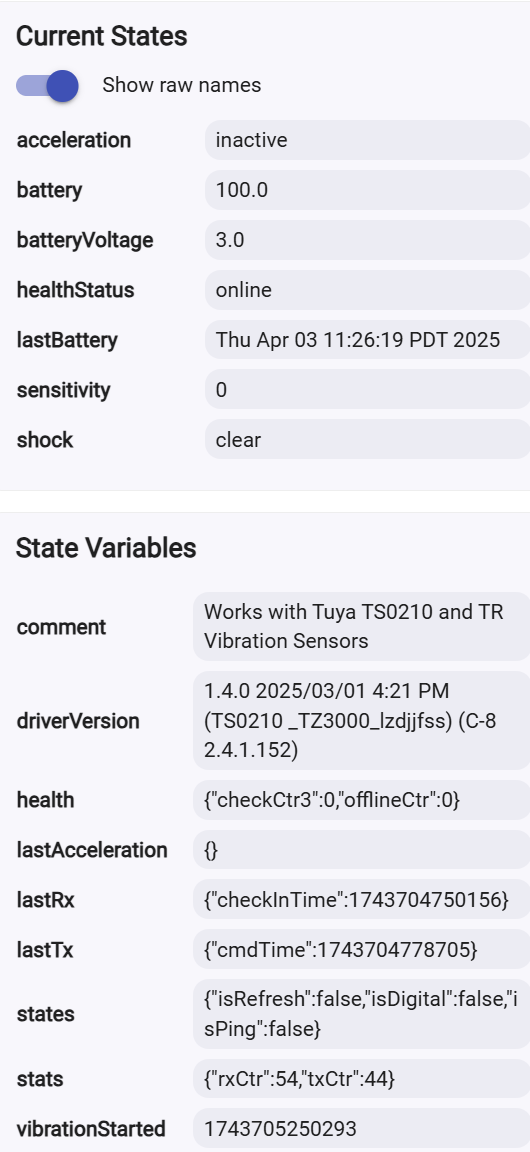
I turned debug logging on and this is what I see in the Logs section:
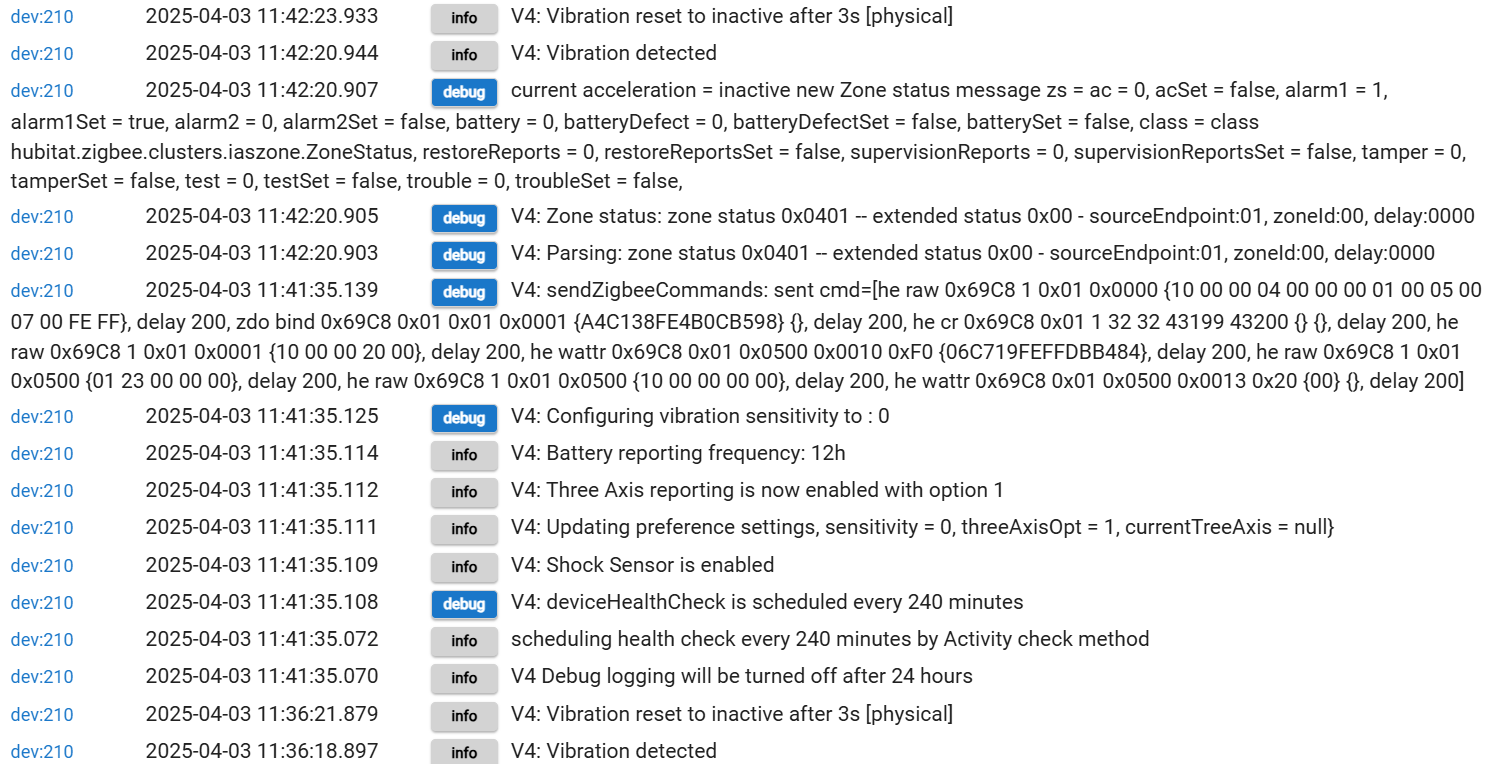
Thanks.
Five sensitivity is the maximum sensitivity according to tuya app. But not the same as five in this driver. You could try it though.
As I stated above it appears that the actual sensitivity does not change. At least with the specific sensors I have based on the mfg code.
I suspect that the reason there are so many variations (different mfg codes) is that each unique one is different hardware or mfg. That would explain why I saw 4 different sensitivity ranges for the same exact sensor.
Hubitat driver 0-6
Tuya cloud 0-100 (range allowed by Tuya for any/all vibration sensors, most likely)
Tuya app 5 Max - 20 Min sensitivity. App shows L (20) - H (5), Cloud device debug reports numeric range. ( I suspect this is range is provided by the actual device mfg so probably most accurate, at least for my specific device)
Zigbee2MQTT 0-50
I ordered a couple more of these sensors and received this model _TZ3000_lzdjjfss (same as yours).
This model does not seem to operate differently when changes in sensitivity are made from the Tuya app. I thought it was earlier but not now. It seems to be just as sensitive. I suspect any of mine would work great for your need.
When paired with a Tuya hub it has the same sensitivity range as my original version according to the Tuya app and the Tuya cloud when changing sensitivity from tuya app. However the Tuya cloud does report them as different devices.
Yours _TZ3000_lzdjjfss (and my new ones) are the top device in the image. My original ones _TZ3000_lqpt3mvr are the second line. Product is in Chinese.

Not much help to you though, sorry.
You could try one of the ZIgbee clamp on energy monitors This driver may work I don't know.
What does the "shock sensor" do, and how does that differ from "acceleration"?
A "Shock Sensor" capability was needed for some built-in apps, but I don't remember which ones.
1 Like
"Shock sensor" is required for Hubitat Safety Monitor.
1 Like
I have a ThirdReality vibration sensor model 3RVS01031Z running on a C-8 Pro, firmware 2.4.2.152. I just installed this to monitor the ON/OFF state of an attic fan (which is hardwired with no easy way to sense power).
All logging is OFF. I get the Event messages below once per second. I suspect that a more meaningful message would be "acceleration active" for that kind of frequency. I really don't see a need to know every second that "healthStatus changed to online".
Is this something that could be controlled or clarified in the driver?
healthStatus	online		healthStatus changed to online		Motion Sensor - Vibration - Attic Fan TR

    Device Health Status (healthStatusOnlineHandler)

	8/22/2025 2:52:29.546 pm
healthStatus	online		healthStatus changed to online		Motion Sensor - Vibration - Attic Fan TR

    Device Health Status (healthStatusOnlineHandler)

	8/22/2025 2:52:28.429 pm
healthStatus	online		healthStatus changed to online		Motion Sensor - Vibration - Attic Fan TR

    Device Health Status (healthStatusOnlineHandler)

	8/22/2025 2:52:27.422 pm
healthStatus	online		healthStatus changed to online		Motion Sensor - Vibration - Attic Fan TR

    Device Health Status (healthStatusOnlineHandler)

	8/22/2025 2:52:26.426 pm
healthStatus	online		healthStatus changed to online		Motion Sensor - Vibration - Attic Fan TR

    Device Health Status (healthStatusOnlineHandler)

	8/22/2025 2:52:25.419 pm
healthStatus	online		healthStatus changed to online		Motion Sensor - Vibration - Attic Fan TR

    Device Health Status (healthStatusOnlineHandler)

	8/22/2025 2:52:24.413 pm
healthStatus	online		healthStatus changed to online		Motion Sensor - Vibration - Attic Fan TR

    Device Health Status (healthStatusOnlineHandler)

	8/22/2025 2:52:22.651 pm
healthStatus	online		healthStatus changed to online		Motion Sensor - Vibration - Attic Fan TR

    Device Health Status (healthStatusOnlineHandler)

	8/22/2025 2:52:21.398 pm
healthStatus	online		healthStatus changed to online		Motion Sensor - Vibration - Attic Fan TR

    Device Health Status (healthStatusOnlineHandler)

	8/22/2025 2:52:20.400 pm
Why not just use the native "Third Reality Vibration Sensor" driver? It's not spammy and works well.
2 Likes
I liked the feature set of the Tuya Zigbee Vibration Sensor driver, but you are right, the native ThirdReality driver is not nearly as chatty. It doesn't report shock.
On the other hand, the TR driver DOES report acceleration as active or inactive in a manner that is fully compatible with the Watchtower app, while the TZVS driver causes Watchtower to report active acceleration as 0 on a 3-value scale: +1, 0, -1.
Hi John,
The behavior you are observing is very weird, indeed.... I tested the latest version of the driver (1.4.0, dated 2025/03/01 at 4:21 PM), and it works as expected. The healthStatus event is triggered only once and only when there is a change.
The native "Third Reality Vibration Sensor" is working just fine with this TR device, but if you ever decide to try again the Tuya driver - let me know and we will troubleshoot the issue.
I was using the most recent version of your driver:
static String version() { "1.4.0" }
static String timeStamp() { "2025/03/01 4:21 PM" }
I just loaded up your driver again. The device is inactive (the attic fan is off as the temp here has dropped). The healthStatus parameter is no longer chatty! I'll have to see if the device going active changes that outcome when the fan starts up tomorrow.
One small, but not bothersome, anomaly I'm see now is that batteryVoltage seems to report events in closely-spaced triplets:
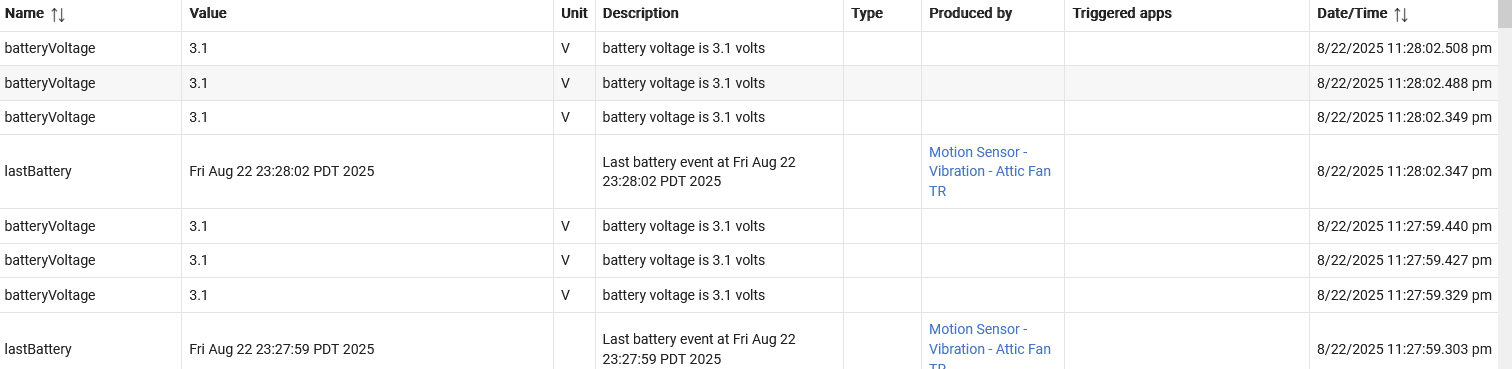
I'll have to let some data accumulate to see if Watchtower interacts better with this new driver load (BTW, I've bounced between your driver and the native driver several times before, so possibly that caused some "cross-talk" in Hubitat's reading of data values that resulted in the oddities I was seeing).
1 Like
What is your hub HE platform version?
Are these triple battery voltage events registered immediately after switching the drivers?

