Version 1.3.9 is now pushed for an update via HPM.
2 Likes
Hi @kkossev I have a few Tuya ZTH08 LCD temp sensors. on the lcd screen it is showing temperature in Celsius rather than Fahrenheit. Is there a way this can be set via Hubitat?
Here is the device details;
-
_info : installed
-
battery : 100
-
humidity : 37
-
temperature : 69.6
-
astTx : {"tempCfg":"-1,-1,-1","humiCfg":"-1,-1,-1","tempCfgOK":false,"humiCfgOK":false,"cfgFailure":false,"cfgTimer":0}
-
modelGroup : TS0601_Tuya_2
-
lastRx : {"tempTime":1700664929156,"humiTime":1700664929524,"tempCfg":"-1,-1,-1","humiCfg":"-1,-1,-1"}
-
stats : {"date":"2023-11-22","rxCtr":6,"txCtr":4,"rejoins":0,"tempCtr":1,"humiCtr":1,"battCtr":1}
-
driverVersion : 1.3.9 2023/09/29 10:54 PM
-
notPresentCounter : 0
-
configState : 0
Please copy and past as a text (otherwise I need to use OCR) the model and the manufacturer of this device - it is in the Device Details - Data section at the bottom of the web page.
There should be a small leaflet with this device - is there anything mentioned about C/F configuration?
I bought a few of these. They only report C. If you go into the reviews of that device, that is a common complaint.
1 Like
Which device is that?
I can put a warning on the top post ...
I don’t have them anymore. One got taken apart and the others went to Goodwill.
1 Like
Here is the data section:
- endpointId: 01
- application: 48
- manufacturer: _TZE200_cirvgep4
- model: TS0601
Here is more about the device:
The small leaflet says in their app " You can switch the temperature unit between Fahrenheit and Celsius in the setting then press the reset button once. it will sync on both on the screen and in the app"
Hi @kkossev did you get a chance to look at it by any chance? Thank you!
Hi @user611 ,
Please update to dev. branch ver. 1.3.10 "2023/11/28 7:19 AM".
The HE hub Celsius/Fahrenheit setting is now sent to your device when clicking on the Preferences Save button. I don't know if this sensor is a sleepy device or not, so you may need to press shortly the pairing button on the device at the same time when you click on the Save button in the browser to make it wake up and accept the setting.
I have also enabled the temperature sensitivity configuration, please let me know if this works as well.
OK thank you! i will test it out when i get home! Should i delete the drivers from HPM and add this one? or just add this one as separate driver and then switch the device driver?
Don't delete the driver that you have installed from HPM.
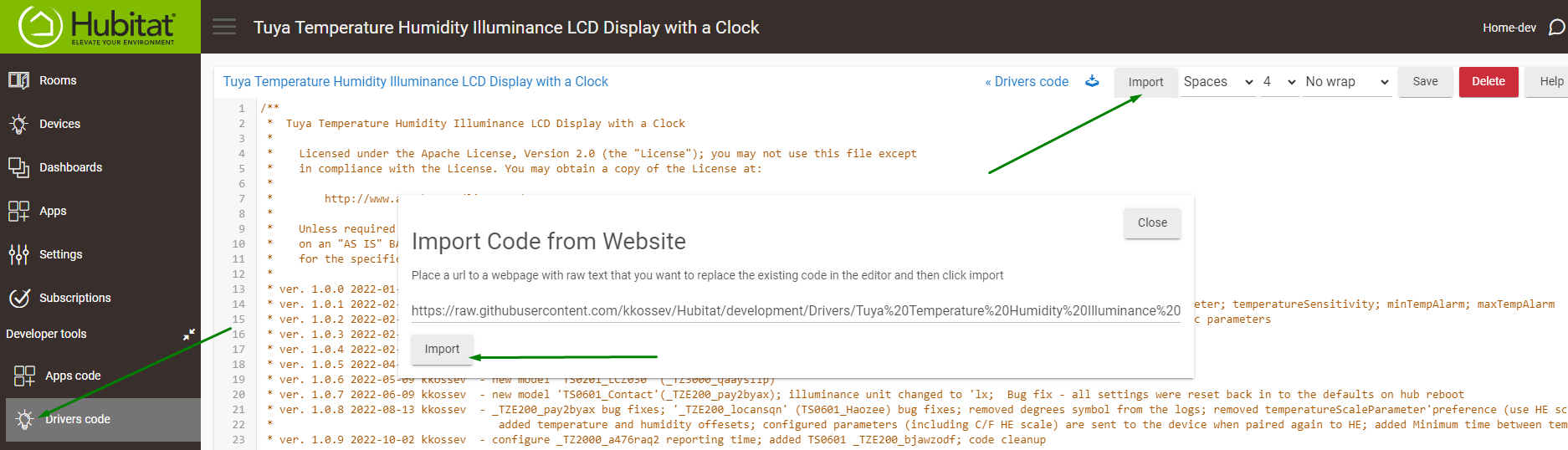
Manually update to the dev. branch version - the easiest way is to use the 'Import' button within Hubitat Driver Code Editor :
thank you for the new driver. finally got it working! It is very finicky device for pairing! it changed the Celsius/Fahrenheit on the screen that is nice now!
Hard to say how the temperature sensitivity working actually! i have two devices on one i set the temp sensitivity to 0.1 and other one 0.5 so 0.1 reports a little frequently but not consistently so really hard to say how well this works.
I will keep monitoring for sometime and see how it goes!
thank you again!
1 Like
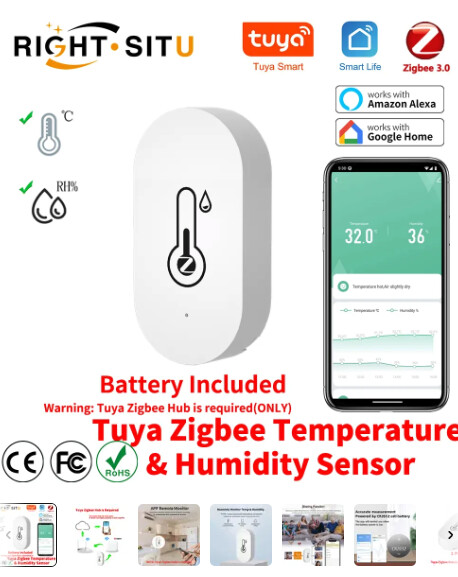
Hello  I have this temperature/humidity sensor from Ali
Trying driver "Tuya Temperature Humidity Illuminance LCD Display with a Clock" version "1.3.10".
It doesn't show the measured values. Is there a solution for that?
Device info:
Manufacturer:	_TZE200_9yapgbuv
Endpoint 01 application:	48
Endpoint 01 endpointId:	01
Endpoint 01 idAsInt:	1
Endpoint 01 inClusters:	0004,0005,EF00,0000
Endpoint 01 initialized:	true
Endpoint 01 manufacturer:	_TZE200_9yapgbuv
Endpoint 01 model:	TS0601
Endpoint 01 outClusters:	0019,000A
Endpoint 01 profileId:	0104
Endpoint 01 stage:	4
Screenshot:

I tried to set the model group to TS0601_Tuya and Tuya2, didn't help...
Thanks for reply
Did you pair the device after installing the custom driver, or the driver was already installed when you paired the device to the hub?
Pair it again, close to the hub.
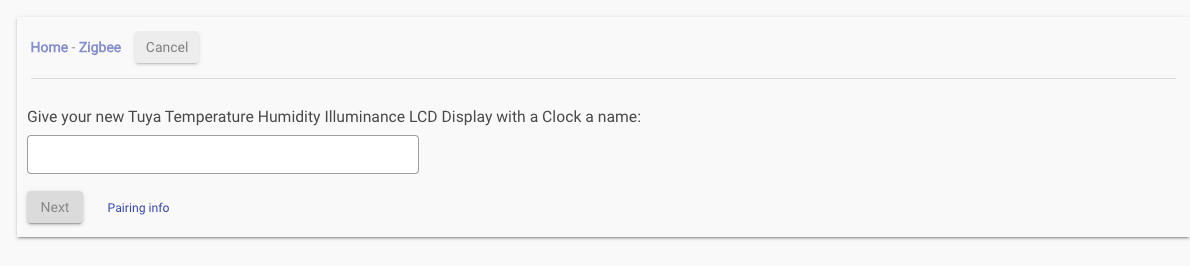

Is anything in the live logs coming from the device when you remove and re-insert the battery again? Make sure the Debug logging is turned on in advance.
Stats: rxCtr state counts the number of the Zigbee messages received from teh device - this number is too low..
This is a sleepy Zigbee device, so Initialize / Ping / Refresh buttons will do nothing. The device must be initialized properly during the pairing and the most important - to stay connected to the Hubitat hub.
If removing and re-instering the battery shows no new activity in the live logs, we may have a connectivity problem. If you see something received - this is a good sign.
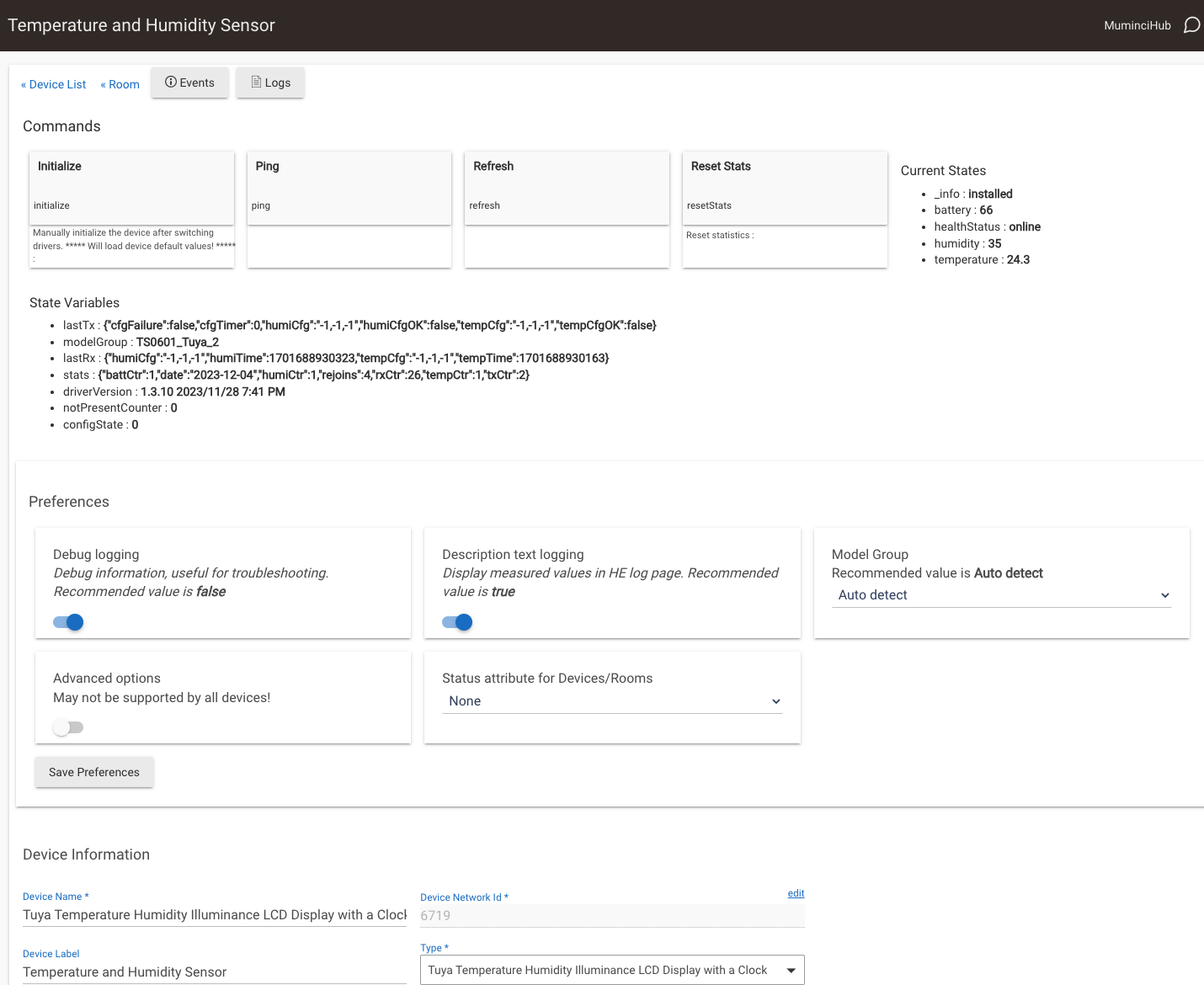
I wanted to proceed with the steps you provided but at first, I just randomly refreshed the page, and the measurements were suddenly there 

1 Like
Good to see that!
I have also noticed that sometimes the device web page does not update automatically, you need to press F5 or n the browser to refresh
1 Like
It is refreshing the measurements automatically now (without page refresh). I was probably inpatient previously after re-pairing when I didn't see those immediately, so I pressed "initialize" and other random attempts which probably broke the thing... Thanks for your help.
1 Like
I have a feeling that battery reading is not correct when minus celsius degrees. Battery is 100% only for while and then it drops to 1%. It works fine but reports 1%. Same behavior in two different locations in different hubs.
_TZ3000_bguser20

