[Release] Sonos Advanced Controller

I am liking the Advanced Controller, and how it works.

What I cannot figure out is this: How do I play/pause a group?
I have created a virtual group in the app, but cannot figure out how to use button controllers to play / pause the group.

Any help appreciated.

Thanks!

I'm unaware of direct play/pause on groups, but I certainly could be missing something. I use the virtual group switches only to group and ungroup the speakers into desired speaker sets. Then I use the play/pause buttons to control the playback.

Thanks for that.

When you say that you use the play/pause buttons, which ones are you referring to?
I do not see any in the Group

Sorry, I wasn't clear. The Play on any one of the speakers in the group. If the speakers are grouped, Play on any of them starts playing for the whole group. (Similar for Pause: any speaker will do.)

1 Like

Gotcha.

Pause and play seems to be working, but unable to Mute/Unmute group - of course not too sure I even want to!

Will play around with it more.

So I have tried this app in the past but with the older S1 Connects and didn't work very well, no big deal. I recently picked up a couple S2 Connects and want get this working, hopefully. Is the Hubitat Package Manager version the latest and greatest version:

  • Sonos Advanced Controller Donate
    • Sonos Advanced Controller v0.7.4 (bundle)
    • Sonos Advanced Controller v0.7.4 (app)
    • Sonos Advanced Battery Status v0.7.4 (driver)
    • Sonos Advanced Favorites v0.7.4 (driver)
    • Sonos Advanced Group v0.7.4 (driver)
    • Sonos Advanced Player v0.7.4 (driver)
    • Sonos Advanced Secondaries v0.7.4 (driver)
    • Sonos Advanced Snapshot v0.7.4 (driver)

If this correct is there a list of what is working/what is not are the S2 versions on the Connect working?

Thanks

6 posts were split to a new topic: How does Hubitat Package Manager Work?

This looks cool. But I'm trying to figure out how to make use of this on a dashboard to build a wall control panel.....

Also when importing the app it was giving me errors on the library line 816. I had to add the /** to close out the documentation...

Happy new year everyone! For me, it's new year, new home. Moving from a house to a condo has freed up a bit of my time, so I've finally gotten around to taking a look at things here. I'm still pretty crunched for time, and to be brutally honest, Hubitat/home automation is pretty low on my list of priorities, and definitely far behind things like "spending time with my kids", but I did have some time to hop on this morning and clear up a bunch of issues.

I know it's a somewhat contentious topic, but personally I have been having an excellent time with AI code assistants, as they let me get more done in less time. I absolutely find the whole "vibe coding" thing just moronic, so don't get me wrong, AI is a good tool, but it's just that, a tool. It "knows" nothing, and it "understands" nothing. But it is quite good at accomplishing simple tasks, with supervision, in much less time than they take manually.

It's like handing an air chisel to Michelangelo... he'd get David faster with one, but handing that air chisel to me would, never in a million years, let me make my own. AI assistants are the same. In the right hands they're an excellent tool, but the idea that everyone can be the next Michelangelo with one is just laughably wrong.

It's also excellent at reducing large amounts of text to a much more concise format, which has allowed me to point it here, have it scour this post, and create a wonderfully concise bullet-point list of things to resolve... and that's just what I've done this morning during morning coffee.

Again, I wrote all of this pre-AI, so there's no "vibing" going on here, and I won't ever "vibe" things. But I definitely accomplished what would have taken me all weekend to do in just a couple hours this morning, which is pretty fantastic. There is definitely some "hand-holding" needed, and some manual fixes, and fairly constant need to tell Copilot "no, don't just delete that section of code to make it 'work'", but overall it's a really nice tool.

So... having recently just set Sonos Advanced back up for my personal use I've hopped on here and cleared up a whole slew of long standing issues.

I've also got a few additions to the GitHub Actions pipelines to help me streamline creating releases, so that'll make it a bit less of a chore.

So with no further ado, I present to you release 0.7.6: Release Sonos Advanced Controller 0.7.6 · DanielWinks/Hubitat-Public · GitHub

I think I managed to get and address most of the issues posted here, as well as any on GitHub. Please open issues on GitHub for any other findings that need addressed, or any feature requests, as it's much much easier for me to keep track of them on there. I can't promise when I might have time to work on things, but hopefully 0.7.6 clears up a lot of the issues that have languished for a while now.
21 Likes

Just in case anyone here misses my other release post, I added a Google Gemini powered AI text rewriter app/child device here: Release: Gemini AI Text Rewriter

This works really great in combination with Sonos Advanced for summarizing and rewording text before using it for TTS message. Gemini moves pretty fast, so be forewarned that the models available can change at a moments notice, so it might stop re-wording things until I get the models updated. But since this is something I'm personally using every morning to reformat and reword my "morning announcement" message, I'll notice and fix that pretty quick. That said, it defaults to just returning the input text, so worst case is it should just give back the same text, unformatted, after a bit of delay.

2 Likes

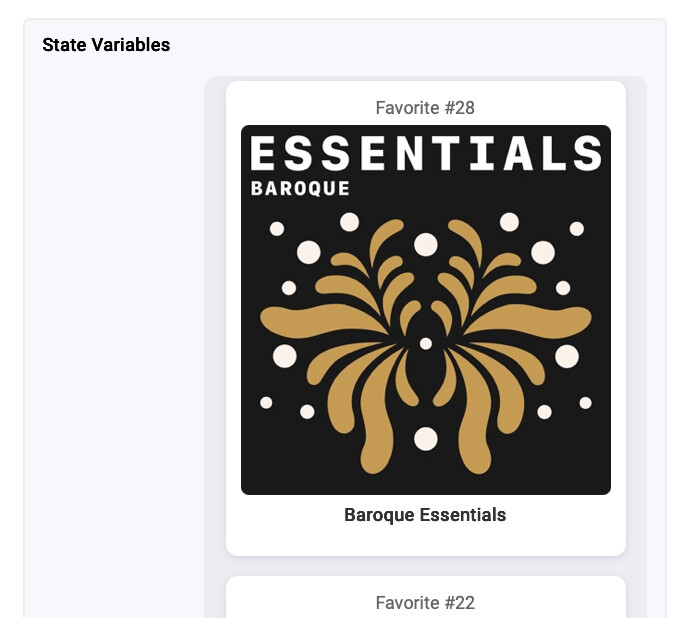
Added a minor change to the "Favorites" child device in 0.7.7. It now generates HTML with a bit of CSS and some other styling so it looks quite a bit better, and makes it much more clear which favorite number is associated with the images.

Example of new favorite on the Favorites child device:

1 Like

Seem to get a error updating through package manager?

1 Like

Seems the link for the library isn't correct, I've updated it. It should work now on version 0.7.9.

2 Likes

Alright, I got a bit silly here, but the "Favorites" device not only looks a decent bit better, but it's also CLICKABLE... Total hack-job to get that to work, but you can click on a favorite and it'll do the same thing as if you used the "loadFavorite(<favorite number here>)" command on the parent speaker device. By default that should clear the queue and load that favorite.

Is that useful? Probably not, but hey, if you click a Favorite now it actually plays.

2 Likes

Same error?

Edit

Actually slightly different

1 Like

Nothing makes me happier than to see @daniel.winks tinkering again.

I'll try not to get used to it. :joy:

P.S. I'm getting the same install error with 0.7.9

4 Likes

HPM’s getting tripped up on the same step for me too, still seems like an issue with the link to the bundle?

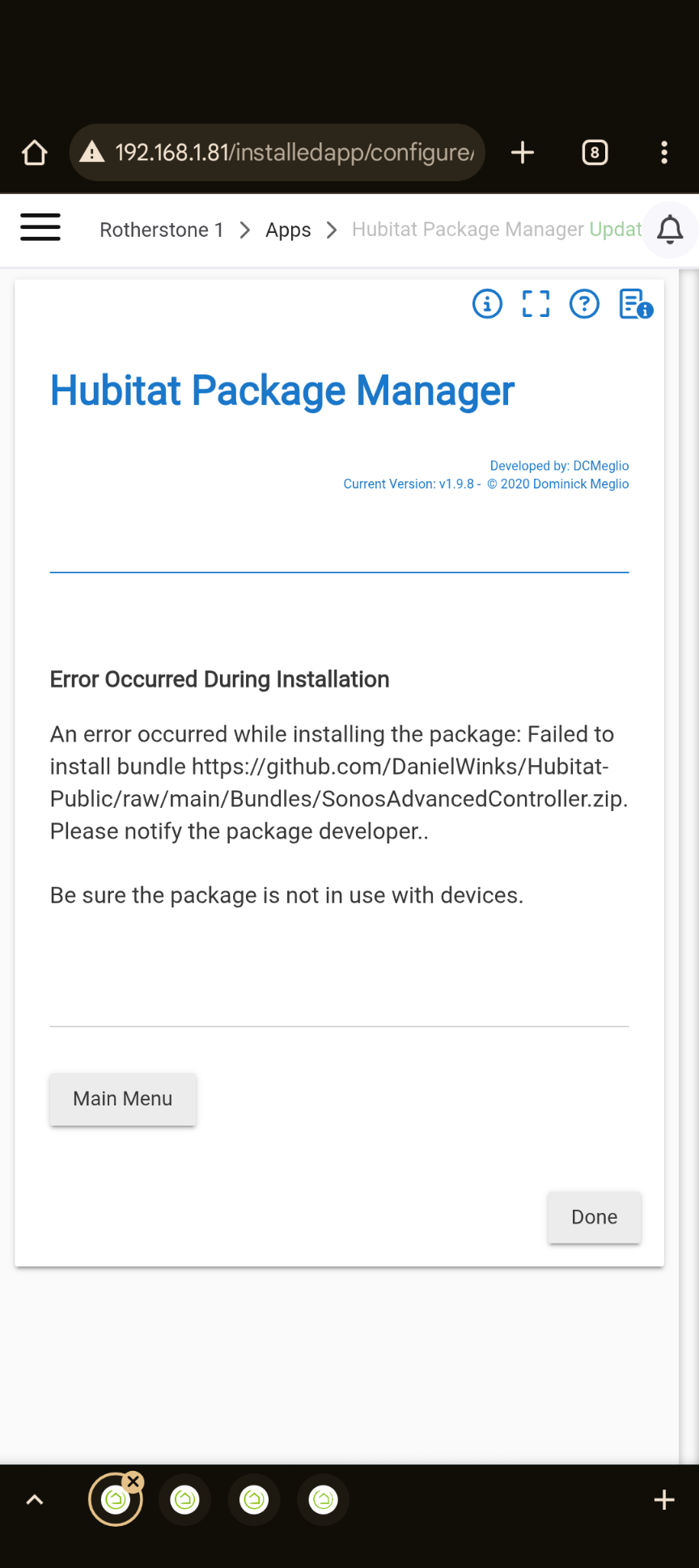
**Error Occurred During Installation**

An error occurred while installing the package: Failed to install bundle https://github.com/DanielWinks/Hubitat-Public/raw/refs/heads/main/Bundles/SonosAdvancedController.zip. Please notify the package developer.. Be sure the package is not in use with devices

So I just realized that with the updated GHA pipeline I have in place now, it's trivial for me to have it just directly reference the "release" files, rather than doing the whole "raw" file stuff. So I've put out a new release that:

  1. Includes ALL the files for Sonos Advanced in the release, so they're individually downloadable as a point-in-time version.
  2. Updates the packageManifest.json with each release so it points to the current release 'direct download' URL, such as "https://github.com/DanielWinks/Hubitat-Public/releases/download/v0.7.10/SonosAdvPlayer.groovy"

I double-checked and all of the links in packageManifest.json correctly link to the files they should... but then again they were previously correct, too.

Hopefully that'll clear up the issue with HPM, and even if it's not the ultimate solution for clearing up HPM, it's still a nice improvement since going forward each release "snapshots" the files, just in case anyone desires to run an older version.

2 Likes

Hmm still seeing a similar error even with 0.7.10:

An error occurred while installing the package: Failed to install bundle https://github.com/DanielWinks/Hubitat-Public/releases/download/v0.7.10/SonosAdvancedController.zip

1 Like

Still running into an error with 0.7.11, but I think it's just a malformed link in the manifest.

The error that appears in HPM references an error downloading this:

https://github.com/DanielWinks/Hubitat-Public/releases/download/v0.7.11/dwinks.SMAPILibrary.groovy

but looking at the release files in the repo, SMAPILibrary.groovy is here:

https://github.com/DanielWinks/Hubitat-Public/releases/download/v0.7.11/SMAPILibrary.groovy

Edit: Looks like the link for UtilitiesAndLoggingLibrary.groovy might be similarly malformed in the manifest?

