Thank you for looking into it... Mine might have been just an outlier, but I finally got all of them to come up... The ability to not have to remove might be useful to someone else, although its probably just a minor thing... 
So the discovery does this to start things off:

Which causes the SSDP and UPnP discovery to start sending events to Hubitat.

Then I subscribe to those.
I couldn't find any info on how to stop discovery. I can unsubscribe, but that doesn't undo what the top hub command does. My best guess, since I can't find any info on it, is that issuing those first two commands only runs them for a limited time, probably 30 seconds or something.
So anyone with either a lot of speakers, or speakers that take longer to respond, would have that time out on them too. Either way, the changes to allow running over and over until all your speakers are in is good.
I should probably also add a timer that issues the two commands in the first image every 15 or 30 seconds or whatever while on the discovery page.
1 Like
I've found and fixed the issue that was causing issues updating via HPM.
HPM uses the "name" in the packageManifest to match up to the name in the "Apps" section of your Hubitat when updating. I had a typo in the name on the manifest, so it was thinking it wasn't installed, which caused it to install a second (or more) copy of the app code, and it wasn't actually updating the app code that was in use.
So a lot of you may have been running the latest version of the various drivers, but outdated app code.
So anyone having issues right now, let's first make sure HPM has the latest stuff installed.
In here, first make sure you don't have duplicates of 'Sonos Advanced Controller':

If you do, delete all the duplicates. Don't worry, HE won't let you delete "in use" code, so you can't delete the one that's in use. The in use one is also like the oldest file date.
Once you have all the duplicates deleted, head over to HPM. The process I followed that fixed up my testing hub was "Unmatch -> Re-Match -> REPAIR" (not update). This fixed my issue, so I can't say for sure, but I think repair alone might be enough. Feel free to try "Repair" first and post here if that cleared up your issue. If not, then try the full unmatch -> rematch -> repair.
Now that I've figured out what was wrong and fixed it on my manifest, this shouldn't occur again. Apologies for any grief this caused... I'm new to HPM.
5 Likes
Tried to recreate it using sonos advanced device but cant get it to work, unsure if the rule is right as i don't have a reference anymore due to rm crashing. Used to reset the volume back to 15 once the music had been stopped or paused, any ideas?
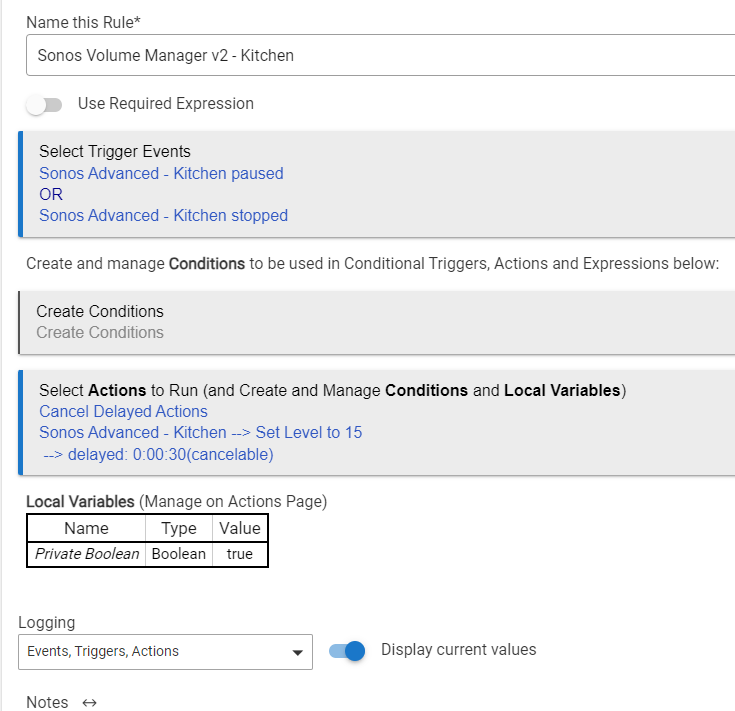
I just tested this
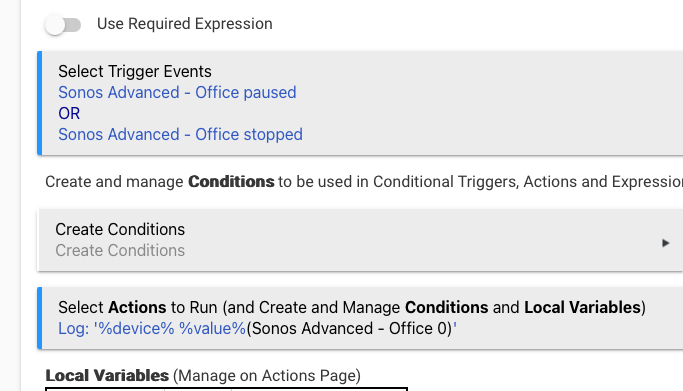
which worked as expected

I did put in an update a couple versions ago that added this

So "status" and "transportStatus" are 'automatic attributes', part of 'MusicPlayer' and 'MediaTransport' capabilities:
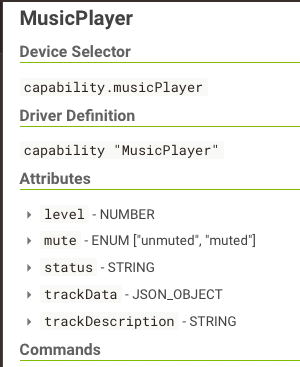
So they don't need explicitly defined... but status is defined as 'STRING' on the capability. Someone else reported it not quite working the same way the system Sonos app did when using it with WebCoRE, likely because it's a string and not an enum. So I added it as an explicitly defined enum, which hopefully fixed it in WebCoRE (haven't heard if that's fixed or not yet).
It could be causing similar issues with Rule Machine.
If you haven't updated in a few days, pull in the latest version and give that a spin.
Edit: transportStatus is probably safer to use, as it seems to be properly handled as an enum.
1 Like
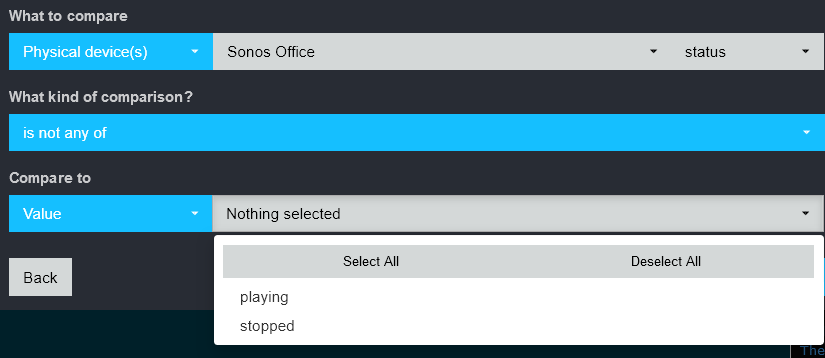
Well shucks. What about 'transportStatus'? That's updated with the same values, but it's explicitly an enum in the device capability definition.
Actually, it is there under transportStatus ... although I'd swear I was trying to do that or something similar a few days ago and getting a different result. 
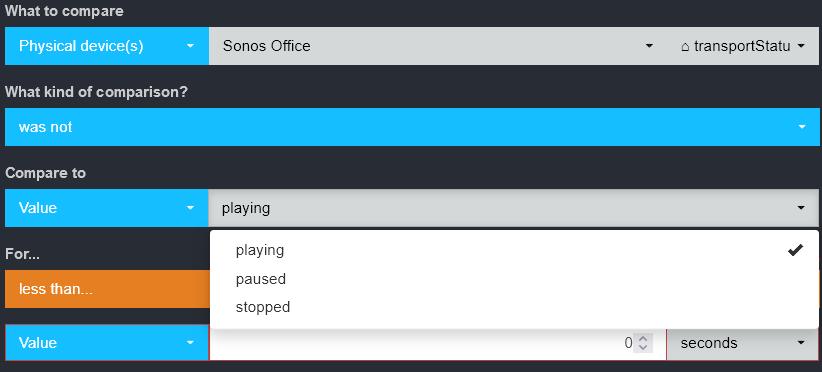
1 Like
Looks like explicitly defining it in the driver doesn't override the definition that is pulled in via the capability. At least transportStatus has it.
1 Like
Had a situation where one of the group speakers wasn't powered on and the group failed to group due to this I think. Possible to make it so that it will still group the available speakers to the group?
Downloaded via HPM showing version v0.3.11 is that the right version?
Try running repair in HPM, the latest is 0.3.19.
tried the repair option and got this, any ideas?
Failed download of file
The manifest file null no longer seems to be valid.
Try unmatching it, then re-matching it, then repair (not upgrade).
i dont seem to have the option to unmatch then repair, any other ideas or shall i delete and start again?
Click here:
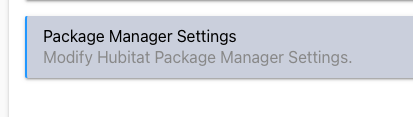
then here:
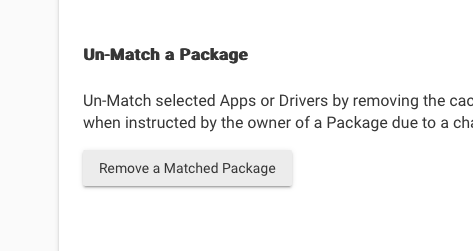
then here:

From there it's "Match Up" and "Repair" on the main screen.
the grouping of the speakers still wont work running a custom command with one of the group speakers not available unless i'm doing something wrong? should i be picking a parameter type?

I don't know if it'll work with one of the speakers off. That's not really something I planned on being a situation when I wrote the code.
The issue is that all the grouping, ungrouping, etc, is handled on Sonos' end of things. I'm just calling their endpoints and APIs.
You could make a second group that doesn't include the speaker that's off, and do an if/else in Rule Machine to choose which group to use based on whether the speaker is on or off. But even that would require somehow having HE know that the speaker is off, such as with a power metering plug or something.
But more to the actual issue here... why is the speaker off? I'd suggest just keeping it on and avoiding the whole situation here.
ah that makes sense. Currently doing building work and that speaker is off. Will go plug it in somewhere!
1 Like
New version out on HPM.
VERY IMPORTANT: you must click on "Initialize" (or "Save Preferences") on each speaker after this update. Without that, the initialize function won't get called, and the subscription for GroupManagement won't start. And without that a bunch of other stuff will end up out of sync or stop working. If there was a way to automate this, I would, but it doesn't seem possible.
Note that that step is only needed for existing player devices. If you're installing this for the first time, initialize will get called during the device creation and you won't need to worry about it. Or if you add new players to an existing install of 0.3.20 or greater, they'll also have initialize() called as part of device creation.
If everything goes properly when clicking on "Initialize" you should see 4 or 5 subscription Ids in the device data section:
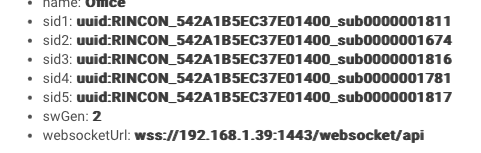
If sid1 is not listed, that's expected as it's dynamically unsubscribed to when the device is not a group coordinator, and re-subscribed when it is.
sid2, sid3, sid4, and sid5 should all be listed at all times on all player devices.
It can take 10-15 seconds after clicking Initialize() for the process to complete.
If you have debug logging enabled, it also logs this too:

Again note that sid1 ('MediaRenderer/AVTransport') won't be in that list because it's dynamic and isn't part of what gets subscribed to via Initialize().
Changes:
Added an "event subscription" on the GroupManager namespace. This simplifies (in my code) knowing what the current group ID is, what the coordinator is, and whether a specific player is a group coordinator. There's a few other changes related to groupId, etc, that should hopefully get those working as close to 100% as I can.
I've noted that if I use AirPlay in Apple Music on my phone and add/remove speakers to the list of speakers I'm AirPlaying to, I can get Sonos Advanced completely out-of-sync in terms of what speaker is coordinator, what speakers are in the group, etc.
However, the Official Sonos app on my Mac is ALSO completely goofed up in this same situation, and it looks like the speakers themselves aren't providing enough output XML to have either Sonos Advanced or the official Sonos apps know what's going on. I managed to have the official Sonos app think my office speaker was idle and 2 others in the house were playing when in reality the only playing speaker was the one in the office. So if your'e doing a bunch of AirPlay stuff... that might still be broken and I don't think there's anything I can do about it. If/when Sonos updates the speakers so they output enough information that the official Sonos app isn't goofed up in these situations, my guess is Sonos Advanced will also be fixed too.
But no amount of grouping, ungrouping, moving speakers in/out of groups, etc, via the official app or via Sonos Advanced Group devices could I get anything to end up goofed up, when NOT AirPlaying. It's just an AirPlay related thing.
1 Like

