Hi All, this is heavily based on @mike.maxwell driver, but is dumbed down a bit for us mere mortals. 
This driver lets a Sofabaton X Series remote trigger Hubitat automations. Start or stop an activity on the remote and it sends a value to your hub over local HTTP, which the driver turns into a button press you can use as a rule trigger.
Hardware: X1S (minimum) and X2
What you can trigger on:
-
Numbers 1-10 → buttons 1-10
-
Any string you like (e.g.
watchTV) → buttons 11-20, via ten user definable slots you configure in the driver preferences -
on/off→ a switch event, no setup needed
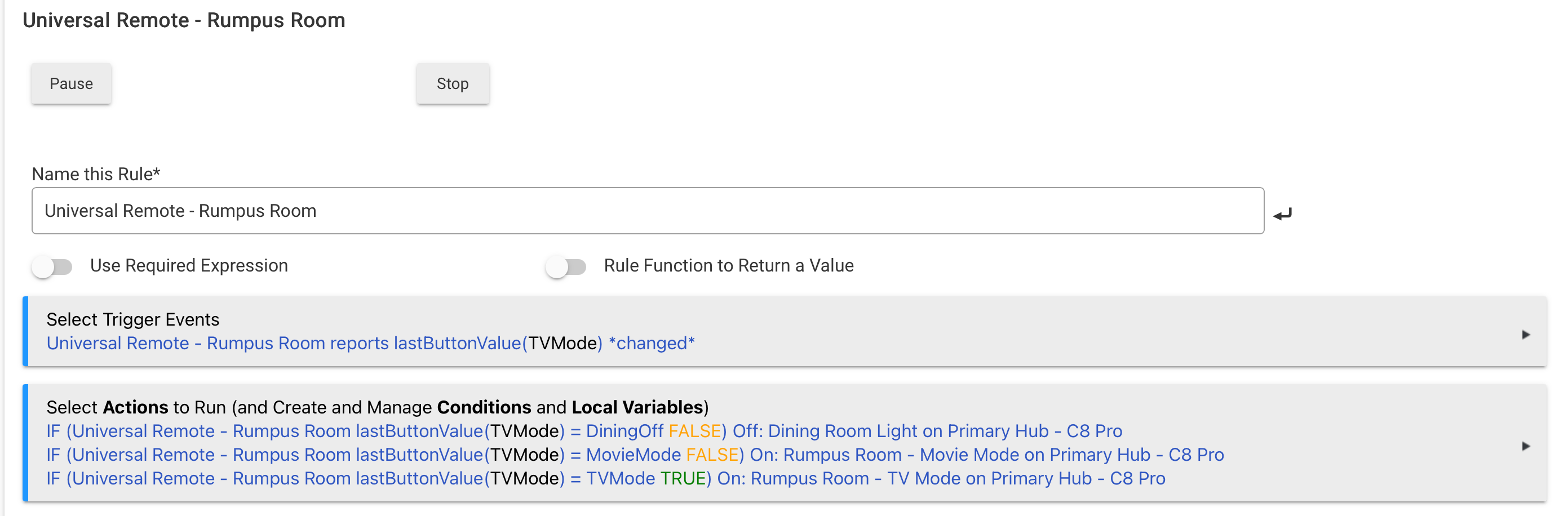
String activities also set two attributes, lastButtonValue (the raw text the remote sent) and lastButtonLabel (your own description), so you can trigger on the text itself with a Custom Attribute trigger instead of tracking button numbers.
Setup is roughly: import the driver, create the device, give your Sofabaton hub a static DHCP reservation and enter that IP, then in the Sofabaton app add a Wi-Fi device pointing at http://[hubitat IP]:39501/ with the method set to PUT and your chosen value in the body. One per activity.
Worth noting this is one-way, remote → Hubitat. To fire a Sofabaton activity from Hubitat, enable the API in the Sofabaton app and drop the webhook URL it gives you into a Send HTTP GET action. No driver needed for that direction.
Full install steps, configuration and troubleshooting are in the README:
Installation
-
In Hubitat, go to Drivers Code → New Driver → Import.
-
Paste this URL and click Import, then Save:
https://raw.githubusercontent.com/dJOS1475/Hubitat-Sofabaton-X-Series/refs/heads/main/Sofabaton_Driver.groovy -
Go to Devices → Add Device → Virtual, give it a name, and set the Type to Sofabaton X Series.
-
Set a static DHCP reservation for your Sofabaton hub on your router.
-
Open the new device and enter that reserved address in Remote IP Address, then Save Preferences.
You can find more info here on Github:
Credit to Mike Maxwell for the original, with contributions from Gassgs and SViel.