I have an update version of SmartGrid to release when a particular bug gets fixed.
See here.
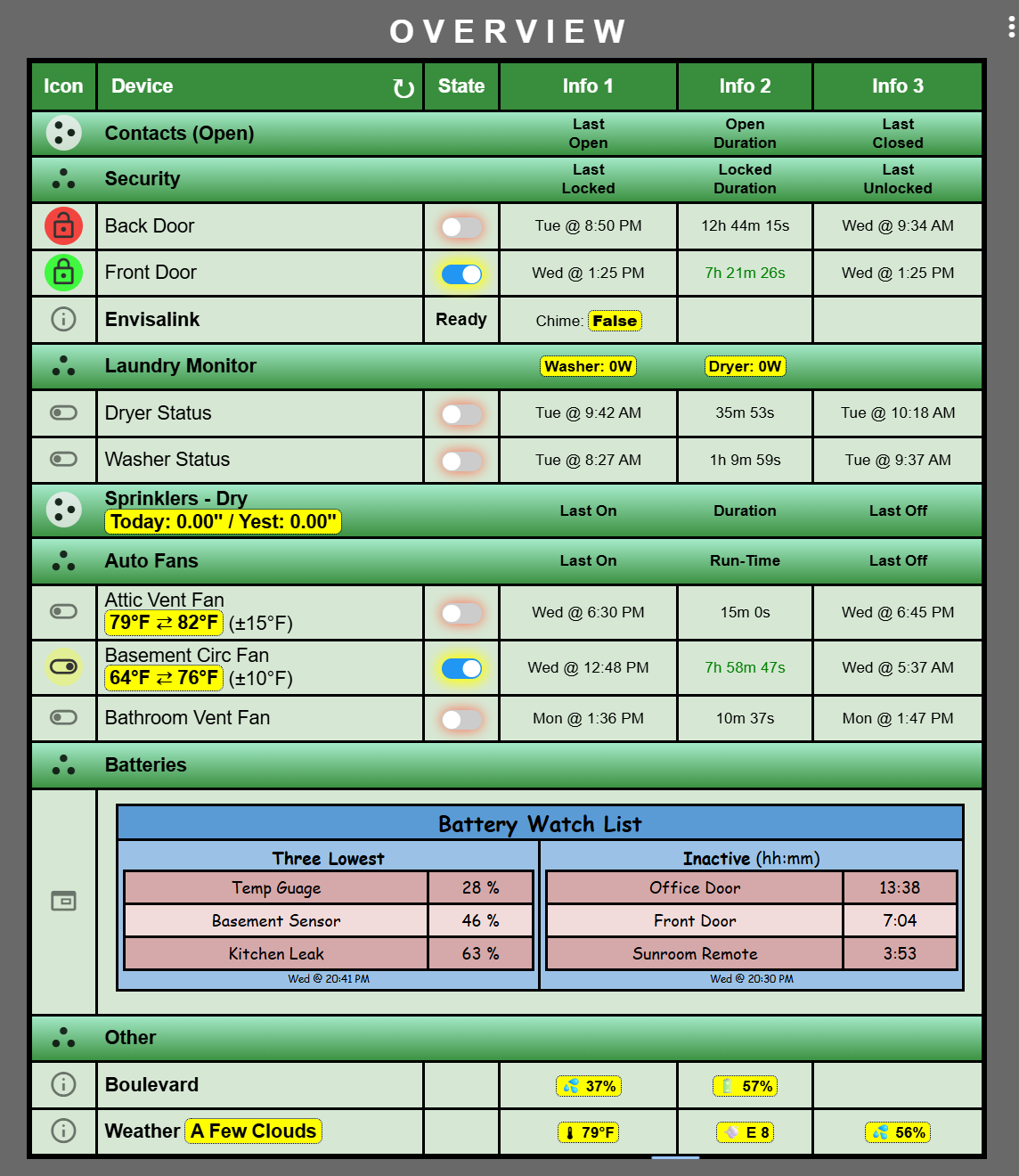
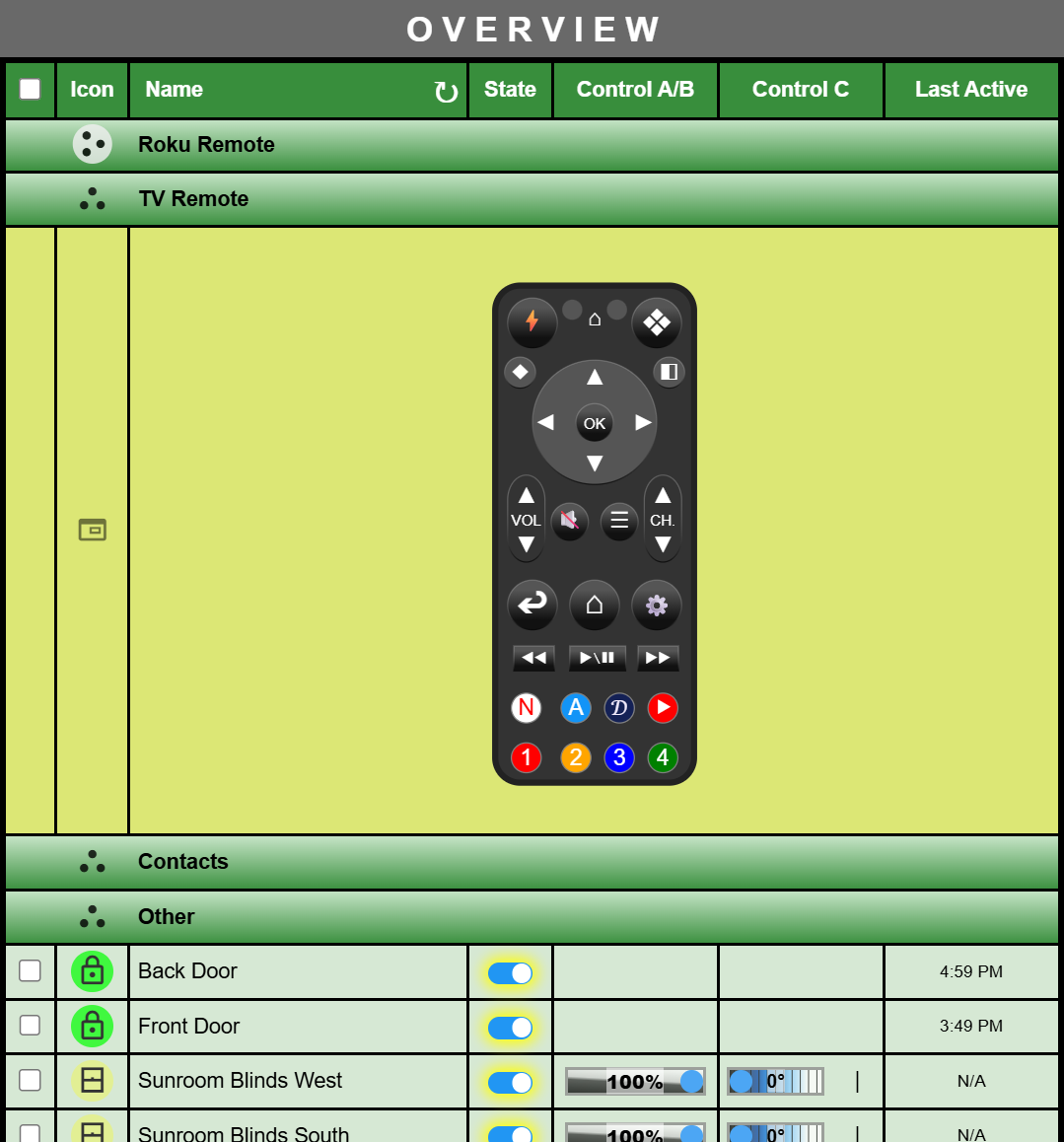
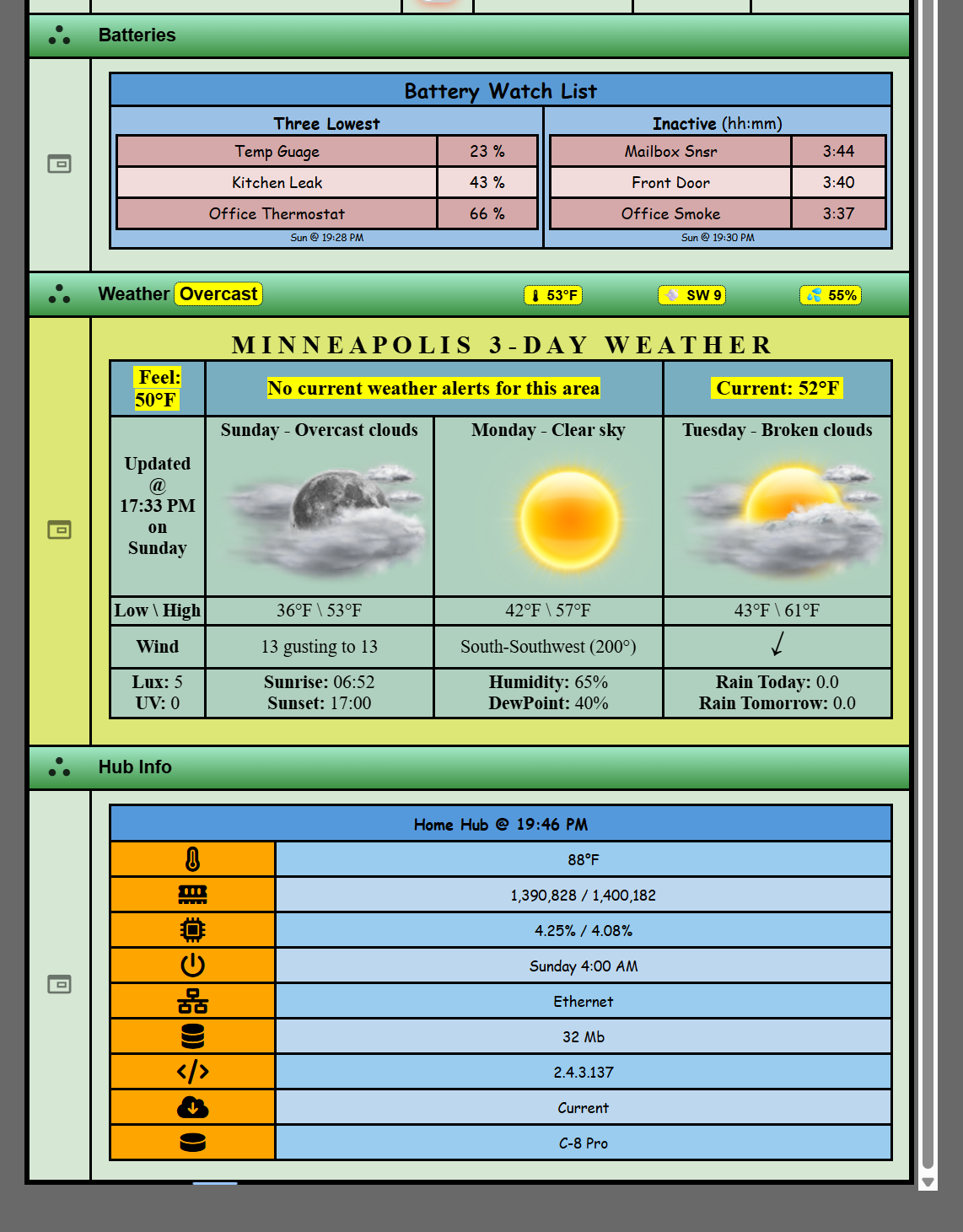
The main feature is the ability to create iFrame rows so that you can embed another URL of interest within a SmartGrid. In the example below I've embedded a Tile Builder Grid endpoint within my main Overview SmartGrid.
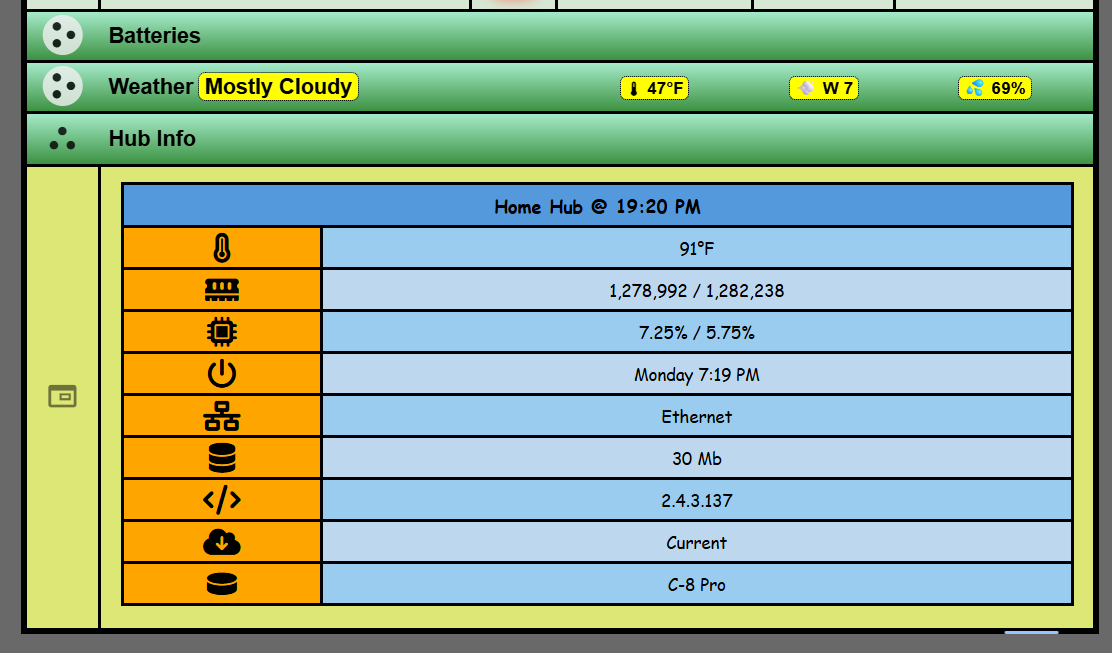
The bug I referenced here appears to be fixed in version 2.4.3.137, possibly earlier.
I'm getting a surgery tomorrow so I don't want to post code and potentially break something when I'm in no position to fix it. So I will post some updated code next week.
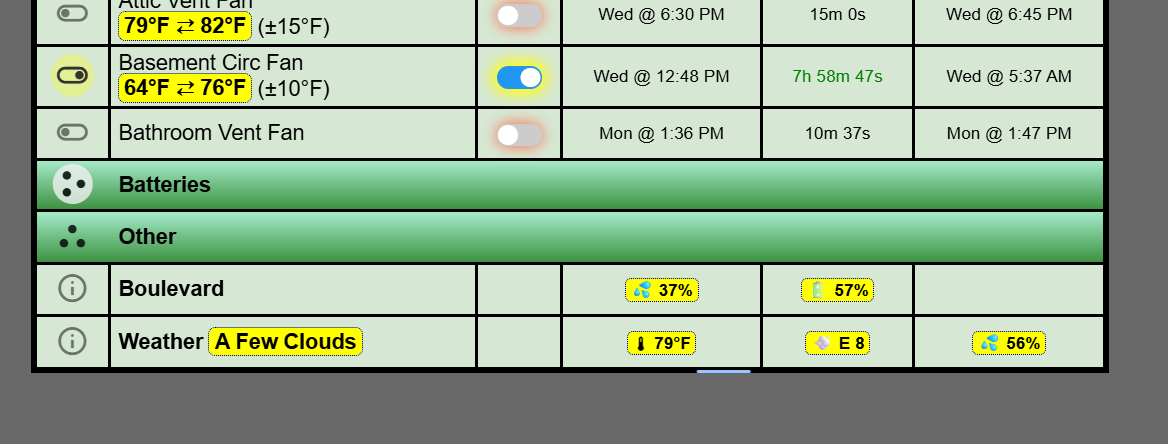
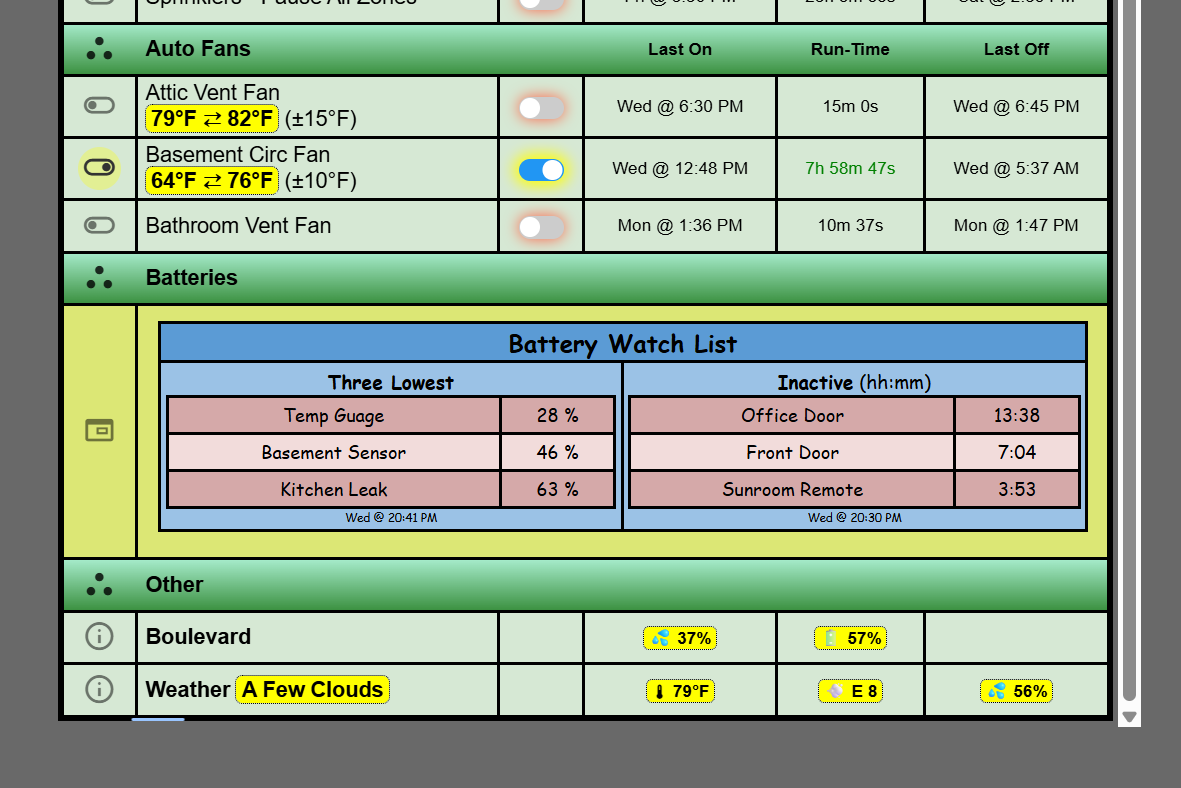
In these the height of the rows are a fixed size set by the designer. If a table changes and no longer fits scroll bars will appear.
Sorry I've been somewhat inactive lately. That bug really halted my progress as this was an important feature to me and I could no release it until now. Hopefully I'll be a bit more active.
The next item is to get thermostats working directly within SmartGrid. I'm not yet sure what approach I will take, but leveraging the iFrame control is probably the best approach and not jam too much UI code into SmartGrid.
No updates to the documentation yet but they will come next week.
I looked thru this topic, but did not see this issue. I have 3 combination Smoke/CO2 sensors. When I add them to the grid, both smoke & CO2 from the same sensor get the same Custom Sort index. Hence, every time I change the sort order and save, they revert to the pairing the smoke and CO2 in adjacent rows based on the shared sort index. I am trying to separate the Smoke and CO2 into two groups labeled with custom rows. Is there an existing feature or work around for this?
You are correct in your summation that the problem has to do with duplicate indices. The last version that I rolled out added a second unique index. Now I need to do an update that will use that alternate index. With Christmas coming up I'm not sure I can get it done before then, but certainly shortly after Christmas I will get it done.
But there is a feature that I would probably recommend when you are just trying to pull a couple of numbers from a sensor, that feature is Variables
Just some ideas, but I will fix the bug. However I find the one row per data point a little wasteful and I tend to avoid it using one of these techniques.
Stumbled on a formatting issue with variables. Fan timer is a Number ( State Text = %var23%) and Time is a date time (Name Text = [b]Time (%var22%)[/b]).
Both are custom separator rows, and time format in general is as follows:
How hard would it be to add fixed column widths to Tile & Remote builders. Maybe a width number and "auto" for current behavior.
In Tile builder my thermostat returns a null if the Hold attribute has no current value, normally a status string. The tile then just displays the variable name (%Var2%) in that case. Tried Keywords and Char replacement to change the %Var2% to "Null", but neither seem to work. Again, am I missing something?
Thanks again for all of your help, and great Apps.
@garyjmilne It looks like smart buttons aren't an available option to select in the controls - correct? Granted they wouldn't show much from an on/off standpoint, but having battery level and last activity on a SmartGrid would be useful. A nice to have feature rather than must have. Thanks for all your continued support on this!
Thanks for the column width info. Is there something similar for Remote Builder/Smart Grid?
As for #2, its in a Grid in Freeform mode, Variables/Rules set to All Keywords or Replace Chars.
Then the associated text replacements down below in the Design Table.
That is correct. The button is a momentary device so the state would always visually appear as off. You can incorporate a button remote using an iFrame row. In this case it is a TV remote but it could just as easily be one of the button remotes from Remote Builder.
You could use a variable to capture the battery state as shown in the example below.
You could use the same method if the driver supports it for the last button press and time. If not you could populate a hub variable using rule machine and pick it up with SmartGrid.
You can set the total table width and the explicit width for columns 5 and 6 which are for the controls. Column 3, the device name, will take up all the slack after everything else automatically sizes. But no, SmartGrid does not have the same CSS overrides that you have in Tile Builder.
As far is the null goes there is a setting in Grid which is the invalidAttribute String.
I did not have the Invalid Attribute String set, changed it to n/a, but that did nothing.
I can't tell for sure exactly the data coming back from the Ecobee thermostat, via the Ecobee Suite Package. In the device details it just lists it a "null" (screen shot below), typical when idle. Other times it returns strings like "fan auto" or "circulating". which display fine. In the driver the attribute ThermostatHold is typed as a string.
I've got version 5.0 of SmartGrid in the works with some fixes and some significant updates.
Bug Fixes
Fixed range for temp sensors.
Fixed default formatting (N/A) for invalid attributes when appropriate.
Fixed indexing when using two attributes of the same device. They now operate as two independent rows.
Features
Sub Groups (manual sort mode) are sortable when using numeric data
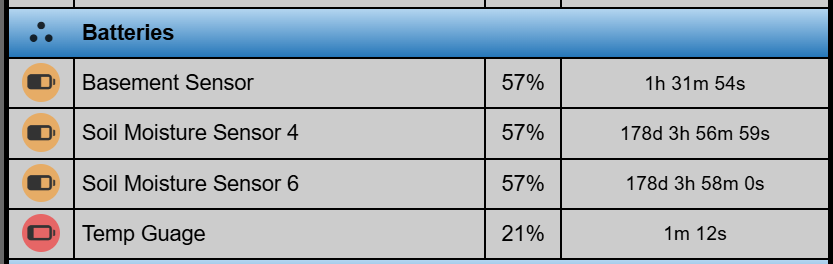
Added support for Humidity, Power and Battery sensors
Added user configurable color coding for Humidity and Temperature data
Filter out "normal" temperature, humidity, power and battery values sensors to improve focus.
Improved sensor icon formatting for visibility
Increased Variables and Rename Devices to 12
Probably some other little things that I've forgotten about.
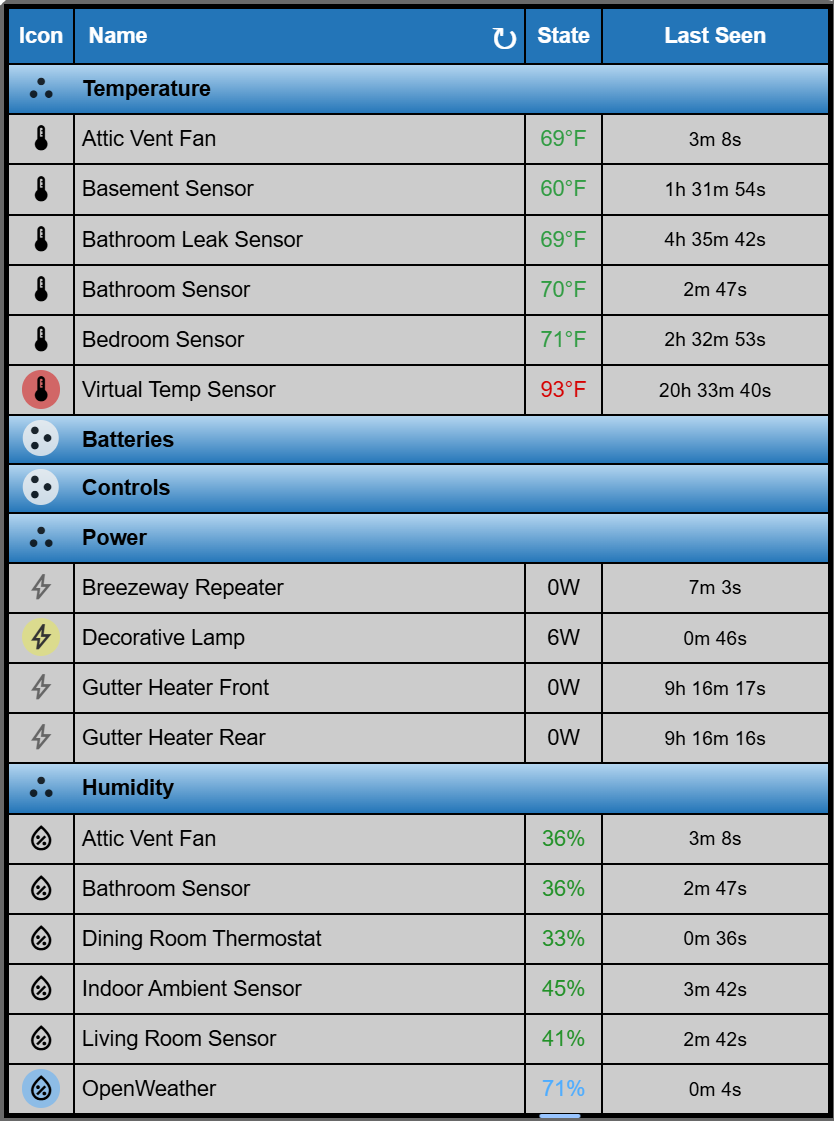
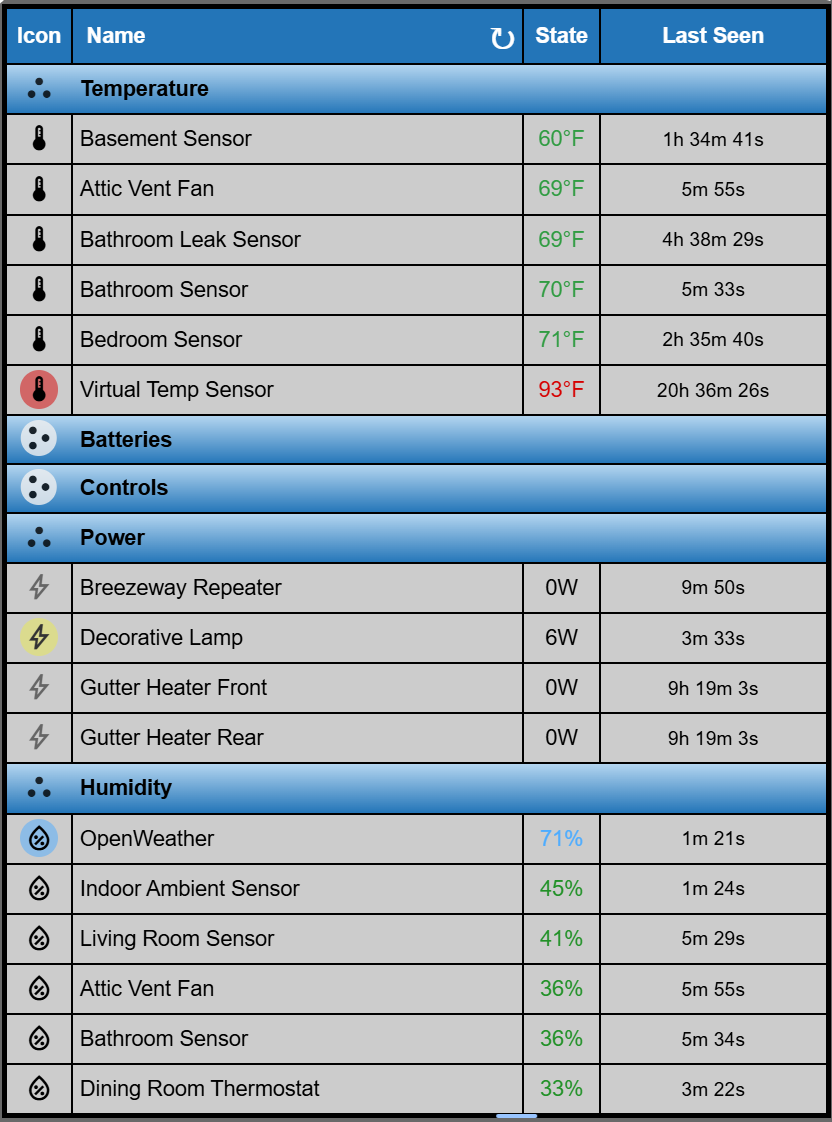
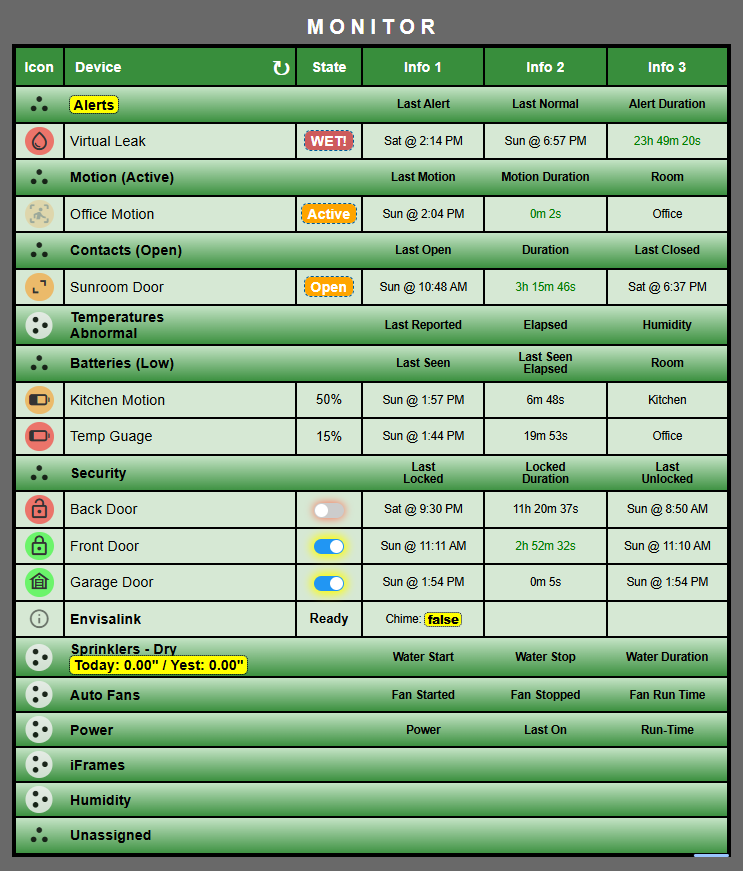
A SmartGrid with subgroups for various sensor types.
If I click on the SubGroup heading (Temperature\Humidity\Batteriies) it will sort them numerically High to Low on the first click, Low to High on the second click and then alphabetically by name on the third click.
Ignore my sprinkler data, it's still late winter here.
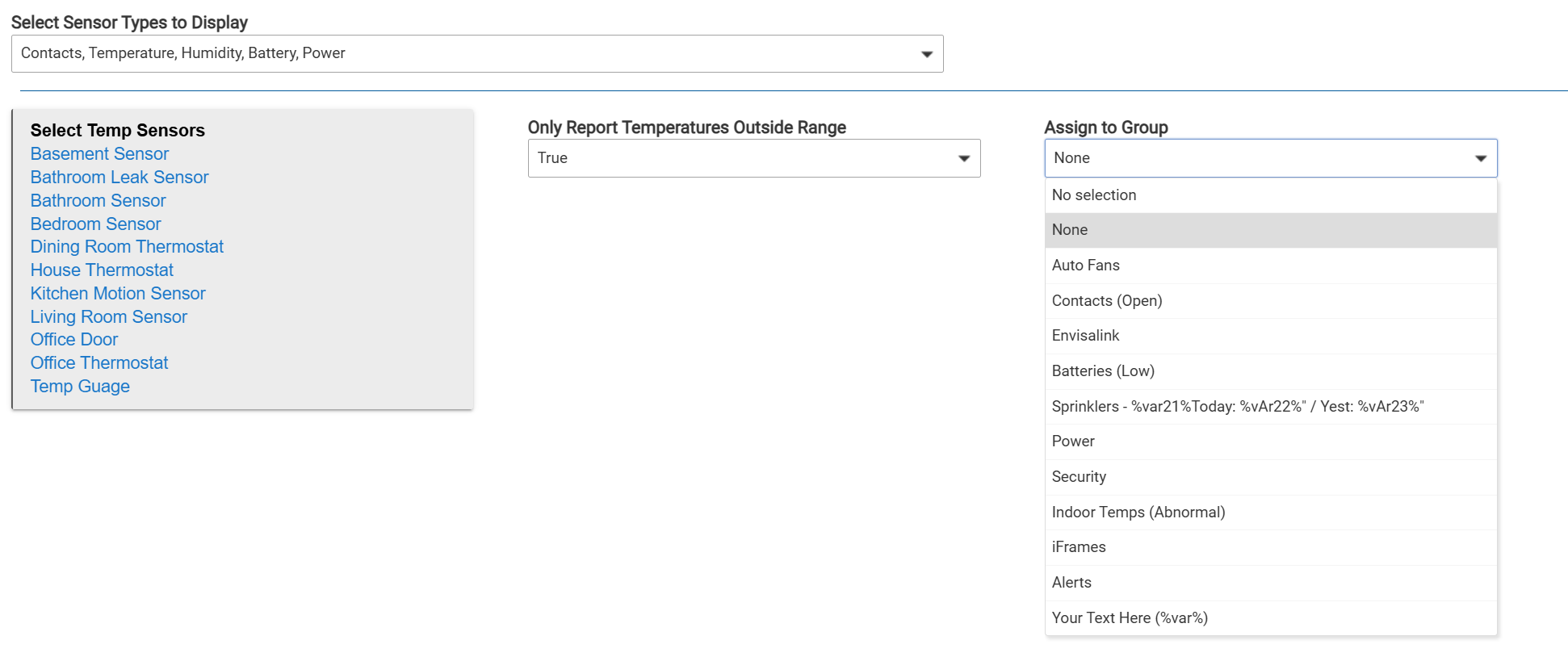
You can also now assign all of the sensors of a particular type to a group. They can then be sorted alphabetically and the order saved if desired when using a manual sort.
I just released SmartGrid Version 5.0.1 and an updated Remote Builder Parent that is required for this version of SmartGrid. Here are the key updates.
*  Version 5.0.0 - Completes implemention of UID as the sort key when manually sorting. This allows to attributes of the same device to be sorted independantly.
*  				 - Moves the HTML\CSS\JS template to the parent to shorten codebase for easier editing and navigation.
*  				 - Condensed several functions for efficiency: initialize(), getDeviceInfo(), compile(), handleSwitch(), getHubProperty(), formatTime(), applyTheme(), cacheDeviceInfo(), getDuration(). Application size reduced to 2088 lines from 3707.
* 				 - Fixed range for temp sensors. Added Humidity sensors. Increased variables and rename devices to 12. Added default formatting (N/A) for attributes when appropriate.
*				 - Added sorting to SubGroups when all of the values in the state column are numeric. Otherwise they sort Alpha based on device name.
*				 - Added user configurable color coding to temperature and humidity data.
*				 - Added battery and power sensors with some filtering.
*				 - Added bulk assignment to groups by sensor type. Added filtering for all sensor types.
*				 - Added customize Info1 - Info3 columns by Group if desired. Implemented new defaultStateMap to improve visibility for abnormal conditions.
*				 - Added collapsible sections to the Sensors tab. Added Drag and Drop and Save Custom Sort buttons to the Controls and Sensors Tabs. Renamed Custom Rows tab to Group & Sort tab.
I have not done the documentation yet but I will do that in the coming week because it's still not spring here. Key points:
Before you update take a screenshot of your various SmartGrids. I've had a few instances where the Custom Sort is applied correctly to the devices, but the separator rows are all at the bottom. You just have to drag the separator rows back into the right place and save the new sort order.
I've renamed the "Custom Rows" tab to "Group & Sort" and I've renamed the concept "Separator Rows" to "Group Rows" as I think that is the primary function.
I will also be doing a video as there are new capabilities and tips for building new grids that will save a lot of time. These won't be complete until after Easter as I'm gone for a few days.
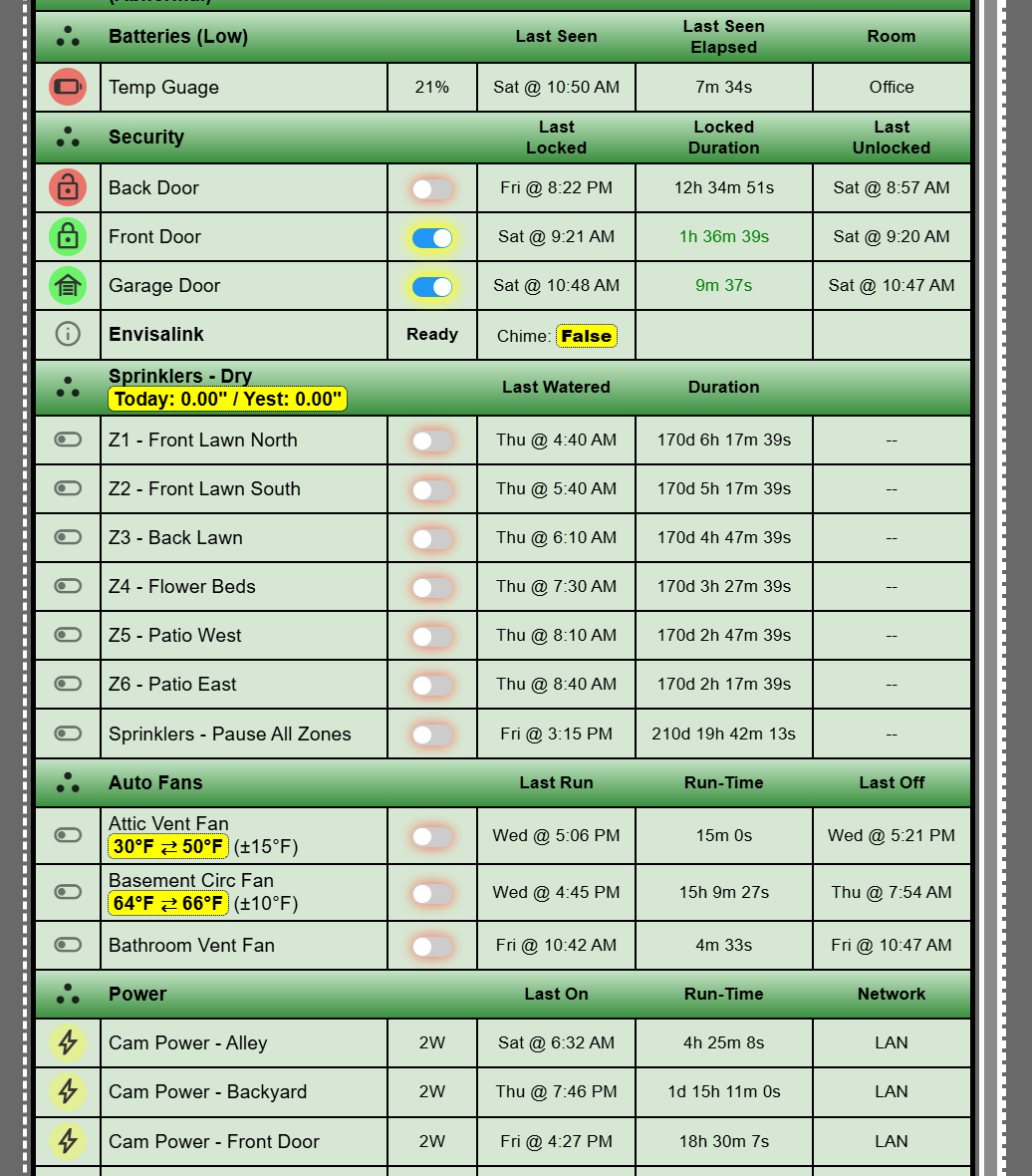
I've added some virtual devices so I could trigger some CO and CO2 alerts.
The most visible change is that each group can have it's own Info column sources or just inherit the default ones if preferred.
I have just release SmartGrid 5.1.0 with all known bugs fixed and it is available to install via Package Manager.
Release notes:
Version 5.1.0:
/*  Fixed a couple of small UI issues including using "Enable Groups and Custom Sort" to hide irrelevant controls.
/*  Fixed issue with loss of manual sort order under certain conditions. Removed capitalizeStrings function in favor of the attribute mapping on the Advanced tab.
/*  Added additional device types to the lastActive and lastInactive queries. Added humidity as an info source. Cleanup up getDeviceInfo to make fewer calls to the hub API's
Perhaps more importantly, I have updated the documentation to the current version. It is available via the link at the bottom of the SmartGrid screen.