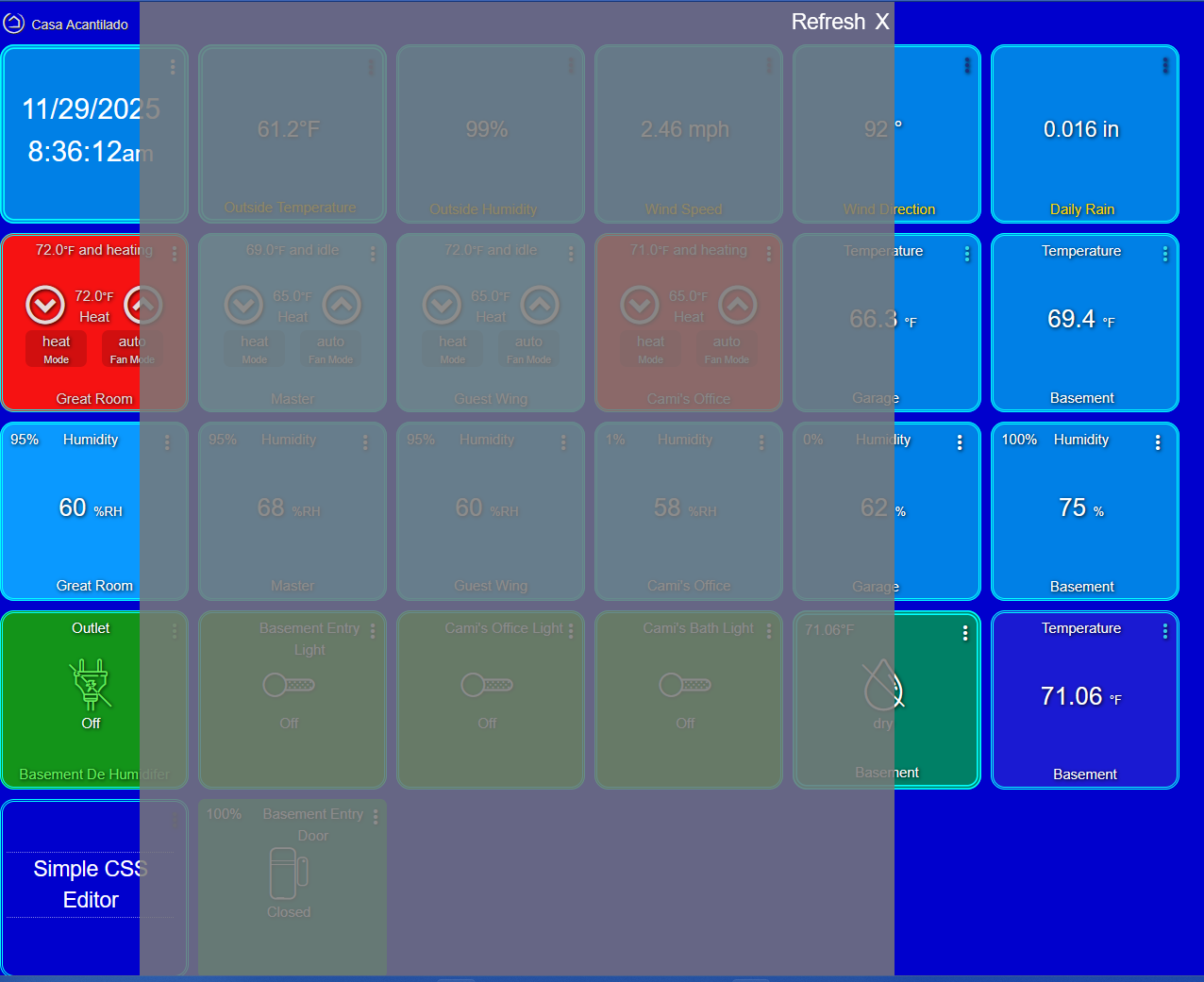
@rlow and @user1025 - I'd be interested to know, if you try to "Save" the editor device or run the Refresh command, and wait a few minutes, does the editor then appear when you try to use it on a dashboard. If not, I'd be interested to see a screenshot to be sure about exactly what is happening.
Can you please check the size of the SimpleCSSEditor.html file in File Manager. Is it 58kb or 46kb?
Its 46kb
Hmmm... How frustrating.... That means it did not download, even through the driver... Which has not been my experience.
Do you feel comfortable downloading the HTML file from GitHub and uploading it through File Manager? At least as a temporary measure to get you going? Send me a PM if you need some help.
I'll give it a try
That’s what mine was doing before my mods too.
@rlow was able to get it working by uploading the file manually. I might remove it from the HPM package for now and test that process some more. Plus see if I can find a way that it can work on both the driver and through HPM.

Details, details...  . Thanks @csteele
Hey all - having same issue as rlow and others: blank pop-up screen. I just installed it per instruction, created driver, added tile and it pops up the blank/transparent screen. Checked HTML file: its 58k (per file manager - even pulled a copy from GitHub, no change). I don't se the CSS file on File Manager yet, but perhaps it isn't created if the page isn't loading? What else should I check?
Side by accident I discovered it works fine on Safari on my iPad, but does not render the page on Edge or Chrome on desktop.
That is strange... I was about to take a look. How comfortable are you with the developer tools? Was wondering if anything shows up there.... I still need to test it again myself.
I'd also be interested to know the HE platform version you are running and the name of the dashboard. Happy for you to send me a PM if you prefer.
EDIT - With the updated HPM (v1.9.4) installed I did a repair on this driver and was able to see the full html file installed and the editor appear in Chrome and Edge in my Windows 11 PC. That was under 2.4.3.158. I have also tested under platform version 2.4.3.173 and .176 (beta) to make sure it works there as well.
Yeah, since it renders on the iPad (Safari) I assume the HTML file is intact. Perhaps more a browser issue? I was able to get the initial dashboard one, its just much less convenient on the iPad. My HE is running 2.4.3-173. I'll send ya a bit w/ Chrome developer in DM.
Installed today -
It looks to me that it is not reading the .css file created.
I can paste-it from FM and that works.
Dash Board>Advanced>Save CSS - gives no Ack so ??
Anyway - feedback - FYI - C8's and HPM updated.
Hello,
I have this installed.
- Simple CSS Editor Community Thread
- Simple CSS Editor Driver v1.2.1 (driver)
When I ran HPM, it said there were updates available:
Echo Speaks (installed: 4.2.4.0 current: 4.3.0.1)
Remote Builder (installed 124 current 125)
Simple CSS Editor (installed 1.2.1 current 1.2.3)
Zigbee Map (installed 3.0.0 current 3.0.4)
Also there was an update for Hubitat Package Manager, but it's no longer in the list...
So I selected all items above + HPM update and ran it, and it stalled after a while.
In logs I see this:
app:92026-01-26 05:46:52.765 PM
error
java.lang.NoClassDefFoundError: user_app_dcm_hpm_Hubitat_Package_Manager_138$_installFile_closure85 on line 3720 (method performUpdates)
app:92026-01-26 05:46:52.637 PM
info
Installing https://raw.githubusercontent.com/sburke781/hubitat/master/SimpleCSSEditor/SimpleCSSEditor.html
I then tried uninstalling Simple CSS. It failed because it said it was in use.
Then I deleted the Simple CSS device in Devices.
Uninstalled again via HPM, and it uninstalled.
At this point, I'm going to leave it uninstalled until things settle... 
@HubAutoNut - have you included the import statement in the Advanced CSS section of the dashboard settings?
@photonclock - try installing the editor again via HPM. I have a few theories.... But can't be sure if it will work.
@sburke781
OK - got working by entering @import manually rather than pasting from .docx.
ie. Pasted CSS from FM>Simple.css into DB>Advanced>CSS - was working (&+edit).
Pasted @import from .docx to CSS - was ignored.
Deleted above and entered @import directly = BAM! <= live update
Thanks for the good work and keeping Simple ... Alive.