Sounds like it would. Being a programmer for a very long time, I understand feature creep though.
Speaking of feature creep...  @evcallia your app looks really cool! Another developer (Simon) recommended I ask if your app can solve the problem I'm having. I've created multiple threads/posts about this, but here's the very basic concept:
I want to control the opening/closing of two outdoor shades using the time from one specific cell in a Google Sheet as the trigger.
I have the spreadsheet built. I have existing RM rules that currently control the shades using a different approach. I feel like I'm almost to a solution. Do you know how to pull time data from a Google Sheet and parse it for use as a trigger in RM or in your app? Does your app already do that? If not, could it be added?
It's also been suggested perhaps it would be better to create an app in HE to handle everything and not connect it to a Google Sheet. That's great too, as long as it's still easy for me to enter user-observed time data into the app. (As user-observed times are entered, the time is averaged between them. As time goes on and I add more time data the shade triggering becomes more accurate. I already have data going back to late April.)
Any thoughts or suggestions are very appreciated!! Here's a link to our latest conversation if you're interested in reading more:
https://community.hubitat.com/t/re-re-release-ecowitt-and-wittboy-weather-stations-and-sensors-local/155655
Thanks in advance, cheers, Brian
haha, definitely happens, but I do think these features fit with the app.
Hey @brian17, this app does not currently pull anything from Google Sheets and it's something I likely will not add. That being said, you may still be able to use this app to fit your needs.
I could not access your link (page not found), but from the details you've given me one potential option would be
- Store the device ID (from Hubitat), schedule ID (generated in Schedule Manager) and times in google sheets
- Write a script (can probably leverage AI for this) that averages your times for each device
- Make requests from your script to this app, setting your time accordingly
A few things to note:
- You will need to do some setup in this app before you can make requests to it via your script
- Select which devices you want to use
- Add a schedule for the device(s). The schedule will need to exist before you can set times for it.
- Set the days the schedule should run and likely a few other options
- While this app does have an API that can be used by your script, it did not originally have it. It was a later feature and I haven't migrated all of the settings to have an API endpoint. Some still use built in Hubitat inputs which is why you'll need to manually configure some of the schedule before you can update it via your script.
- If you end up using the API and something is missing, I'm happy to work with you to get it added.
- Schedule times are something that has an API endpoint so you'd be able to set that via your script.
- I didn't really consider others using the API for this app so I don't have documentation around it, but again, happy to help out if you go this direction.
Hope this helps and good luck!
2 Likes
Release 3.3.0 - 2025-11-04
- Add advanced option: 'Enable earlier/later dual times'
- Option allows users to select two times for a single schedule and for the schedule to run at either the earlier or later of the two times
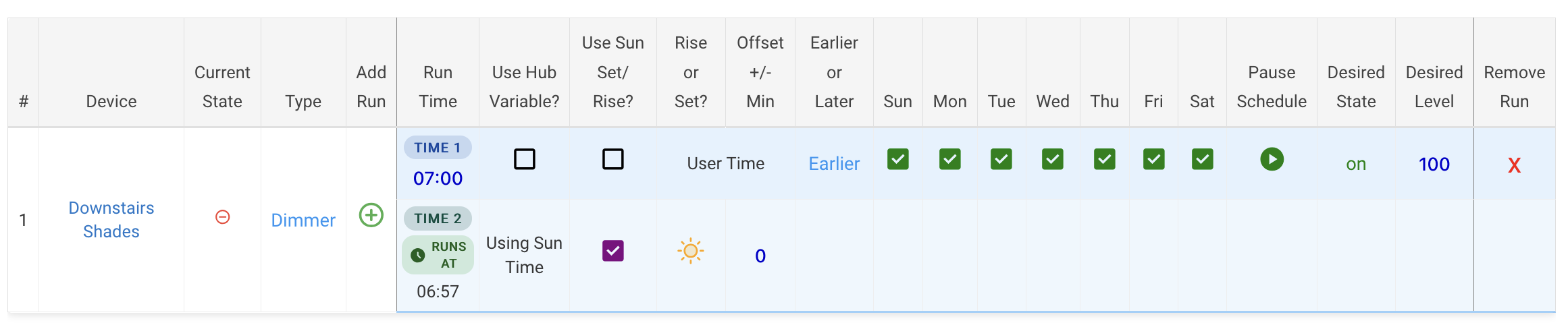
CC: @John_Land
2 Likes
Having trouble with the App, when I click on a run time to edit it, the popup opens with the Enter Desired Time box with the bold outline showing, but after a second or two the time entry/editing box closes, leaving the box shown in the attached screenshot. You can't enter or edit a time. Also happens if I create a new run, the time entry box closes by itself after a very short delay so you cant actually enter or edit a run time. Ive tried with Safari on macOS and iOS, and Chromium on Linux, same issue on all.
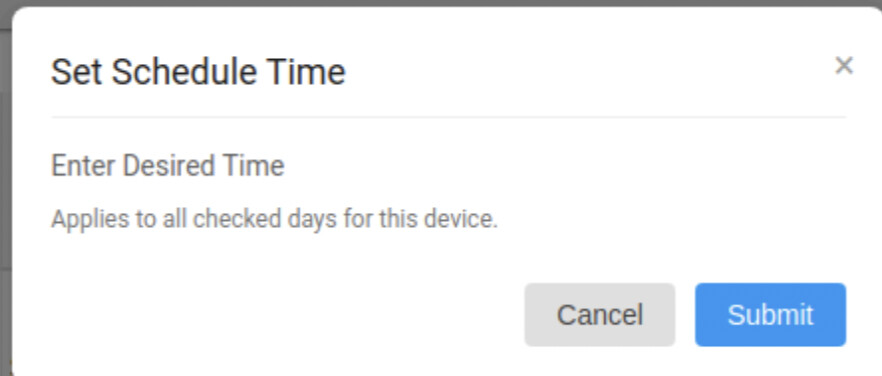
At the point the time box closes, it appears the table of schedules reloads, in case thats an indicator what may be going on.
here's a gif video screen rec showing the issue
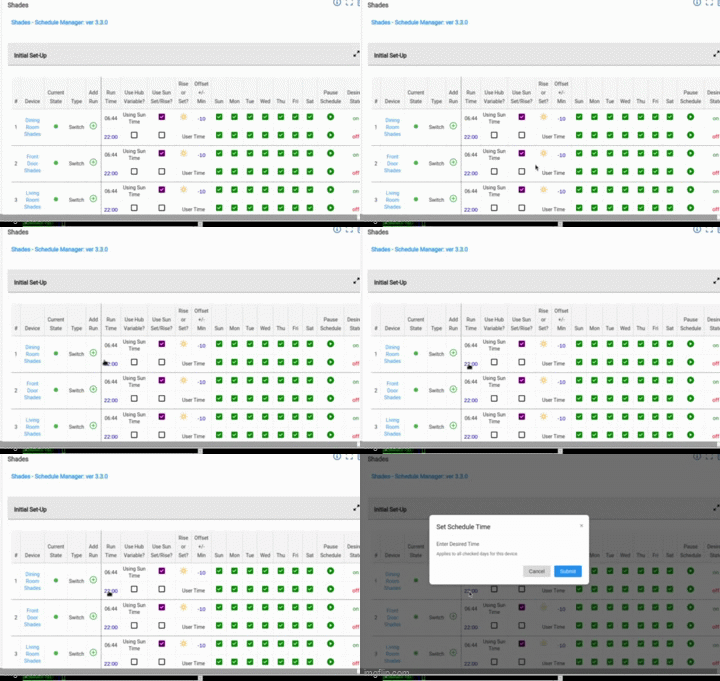
Hmm, I'm unable to reproduce on mac or ios with various browsers. Could you enable logging and give me the output? Also, are the any browser logs or network calls happening then?
Do you know if this is occurring after the latest update or whether it was working at all after that? We could roll you back to the previous version to see if that fixes it in order to narrow the scope a bit.
Release 3.4.0 - 2025-11-13
- Add advanced option to configure schedules not to run if device is already above/below scheduled level
- Ex: Set shades to 50% if current value is below, else leave at current value
- Bug fix for c-5 hub: prevent page refresh when popup is opened
cc @jon1
Just starting to try this app. I have a question on sunrise/sunset schedules. I have lights I want on overnight. The app won't let me add a sunset run followed by a sunrise run. Does the order of the rows matter? Is there any crossing of date logic in the app to be aware of? Thanks
Welcome! The order of the schedules does not matter, it’s just sorted by time. So for on at sunset, off at sunrise the schedule would first show off and then on. As long as you have that running every day then it won’t matter.
If you only wanted that on weekends, for instance, then you’d check the sunset schedule for sat, sun and the sunrise schedule for sun, mon (since the sunrise off would have to be the next day).
Hope that helps!
1 Like
Release 3.5.0 - 2025-12-08
- Add advanced option to turn off devices when mode changes to an unselected mode
- Add advanced option to restore devices to latest schedule when mode changes to a selected mode
cc: @dcaton1220
This app is working well. The grid layout makes the schedules easy to see and understand. A few requests:
- For lights allow choosing of either CT and RGB values as well as dim value. Maybe similar to the 2 row Desired State column for button pushes
- Include locks and garage doors
- Allow buttons to be restored at boot
Thanks for considering.
Thanks for you feedback @bill.d! Those are great suggestions, I've created tickets for each of them.
3 Likes
Been using this for several weeks now, and it's working flawlessly. Thank you! I've been able to move a lot of things out of RM and RL. I really like the interface that Schedule Manager presents. So much easier to see everything laid out logically and in one place.
Of course, I have a couple of feature requests  .
.
"Only run schedules when a specific switch is set"... would be nice if you could choose whether the switch is on or off. Then you could create a set of two schedules where one set would run if the switch in on and the other if the switch is off.
Use case: the lights in our guest room go on and off on a schedule. But if we have guests, the lights only go on automatically, they have to be turned off manually. When we have guests, I have a "GuestMode" variable that's set to true.
Taking that a step further, it would be nice if you could pause individual schedules using a hub variable (either true or false). That would allow the above use case without needing multiple schedule apps.
And one more... The "don't run if value is" feature is great. Would be nice if that was allowed on "off" schedules as well.
Use case: I have a few lights that are scheduled to turn off at sunrise. They're turned on at level 1 at sunset, but only if the level is not greater than 1 (meaning someone manually turned them up higher prior to sunset) and normally turned off by a mode change (to sleep mode). The off schedule at sunrise turns them off if the mode changes to "home" prior to sunrise.
The problem is, what if someone intentionally turned the lights higher than 1 prior to sunrise. In that case, I'd like to prevent the off rule from unconditionally turning them off, by specifying that they only turn off if the level is less than 2. Does that make sense?
And finally, are you going to quit your day job to work on this?
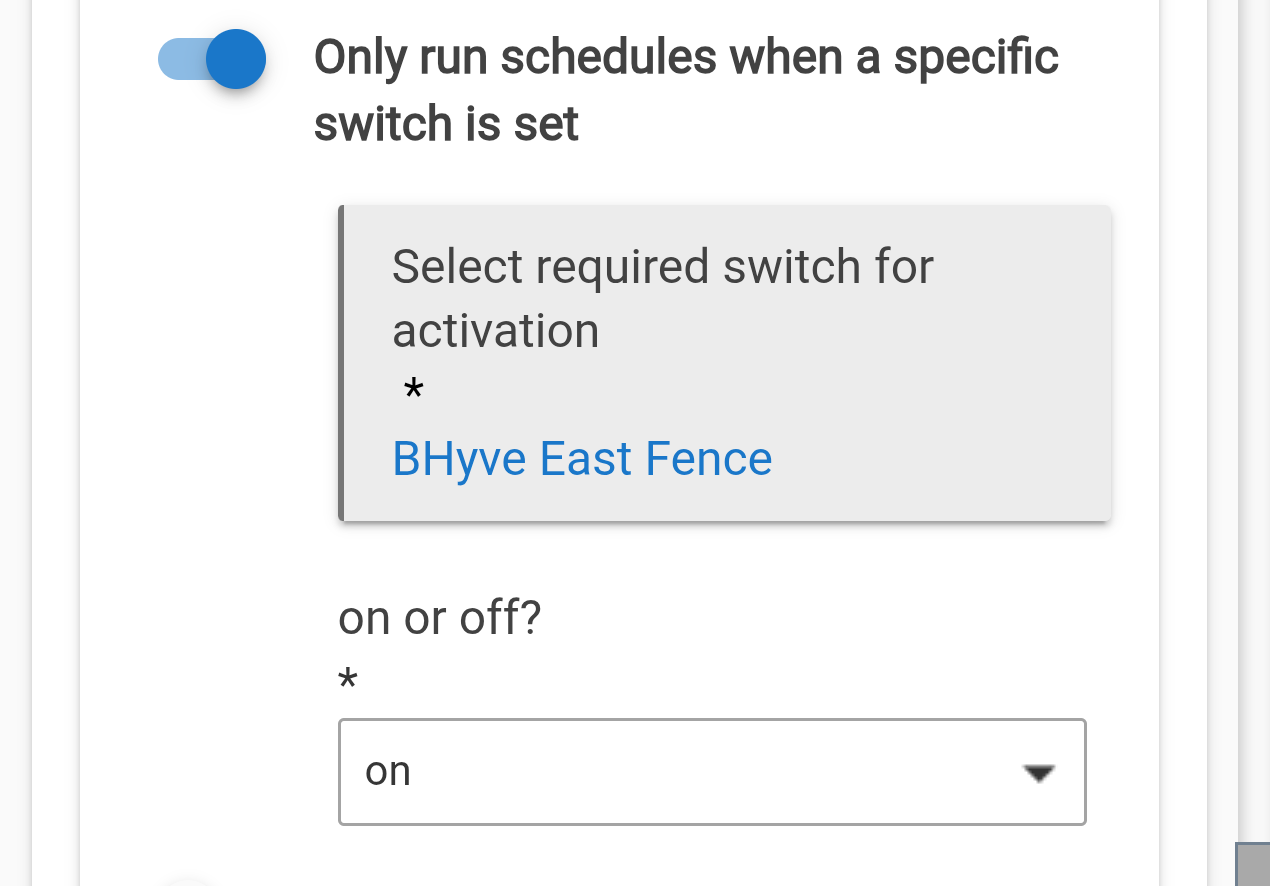
I'm talking about the individual on/off schedules within an instance of the schedule manager app. You can only enable or disable the whole collection of schedules.
There's an issue with skipping a schedule if the current level is greater or less than the specified value. If the level is greater/less than the value but the device is off, the schedule is skipping. I don't think that was the intent, was it? I made this change in the child app, which seems to work ok.

haha, if only I could quit my day job!
Sorry for the delay, been pretty busy lately. I'm glad it's working well for you.
Thanks for the suggestions! If I'm understanding correctly
- Add a new column for "Only run schedules when a specific switch is set" so it may be set per schedule, not on the instance as a whole
- Would be nice if this could be a hub var and not just a switch
- Enable "Don't Run If Value Is" column when the "Desired State" is set to 'off'
If so, these seem like reasonable features and I can create issues for them, although the hub variable piece may be a bit complex so may or may not do that.
Also, I'll take a look at that bug. Hoping to get my next release out soon so I'll just bundle it with that.
Release 3.6.0 - 2026-02-05
- Ability to restore buttons
- Add support for locks and doors
- Advanced option to lock/close when mode changes
- Support for restoring button devices after hub reboot/mode change
- Bug fix for 'off' switches using current val greater/less than desired
I would like to have the scheduled lights slowly fade on and off, can (could?) schedule manager do that?

