They stopped going away after I stopped editing remotes. I have a strong suspicion that editing 2 remotes in 2 tabs and then removing one is having unforeseen consequences.
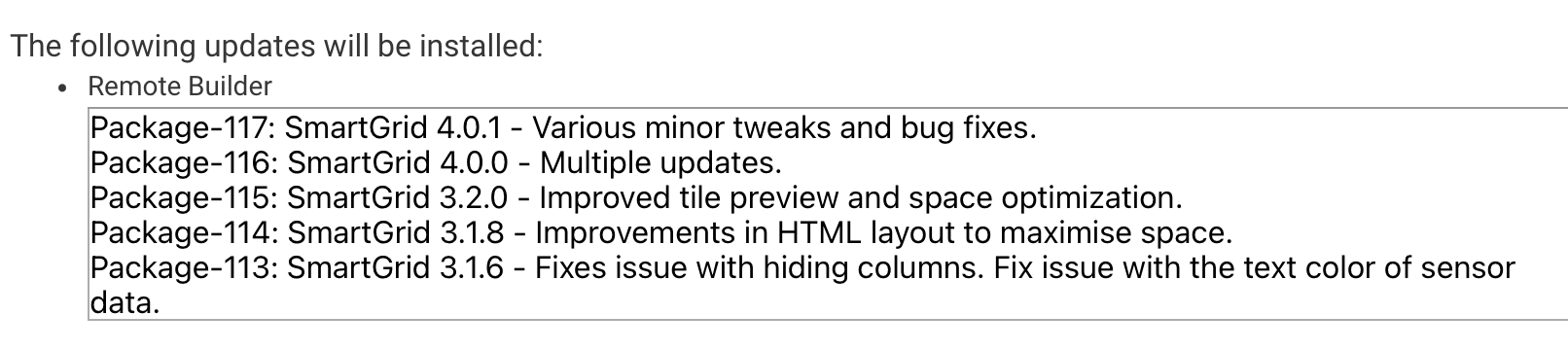
HPM says there's an update to Remote builder. When I try to run the update, I get this error:

Here's the update version info:
2 Likes
Same for me.
1 Like
I discovered a significant bug and I was not sure if it was Remote Builder or the Platform so I pulled it until I could figure it out. The bug details are documented here.
It affects the display of cloud endpoints, but it does not affect local ones. I don't know how long it will take them to fix it, but if you stick to using local endpoints you won't notice it.
I posted version 4.0.2 which added a few lines of logging to SmartGrid and a few improvements to the Remote Builder Storage Driver to help me troubleshoot the issue.
So it should now be available through HPM now.
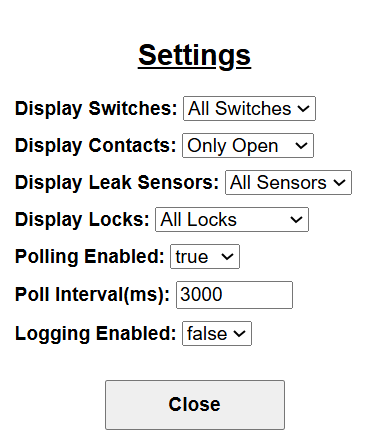
I was going to work on the docs this past weekend but got diverted by the bug. But I will be working on them this week. There are a couple of things that are not obvious the main one being that you can modify the runtime settings of a SmartGrid by doing a 2 second touch event on the Name header (finger or mouse) where you can modify a few settings. This allows you to use the same SmartGrid but have it appear slightly differently in different settings.
2 Likes
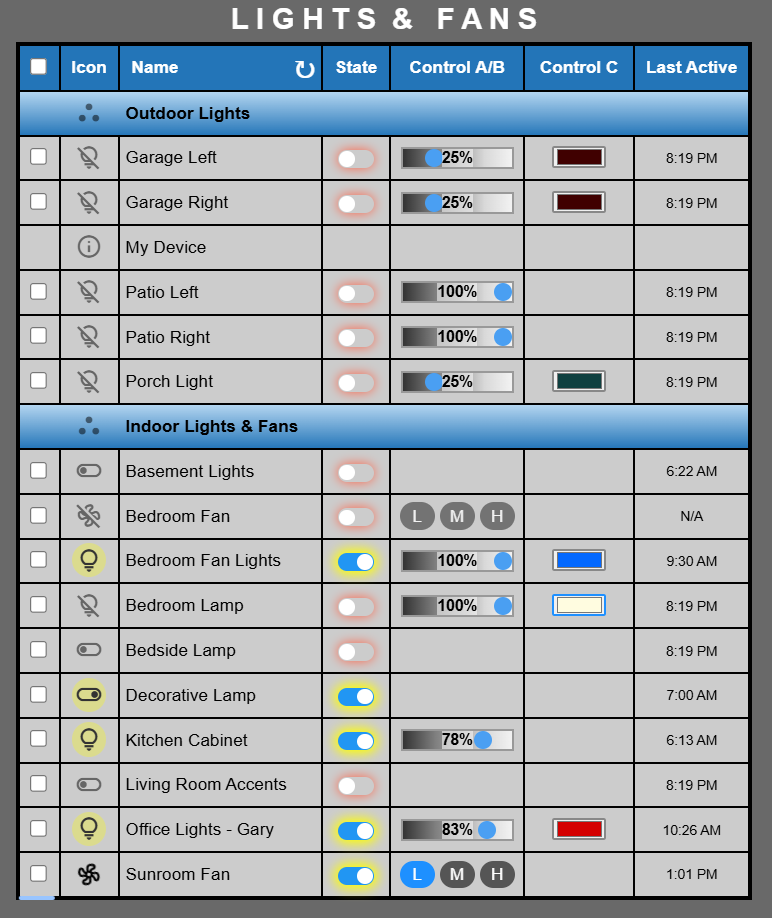
I have released SmartGrid 4.0.4 via HPM. There are lots of changes from version 3.2.0 so these are just the biggest ones.
- Group Headers
- Variables drawn from device attributes and Hub variables
- Custom rows (🛈) using static text and variables.
- Custom Sort order using Drag and Drop
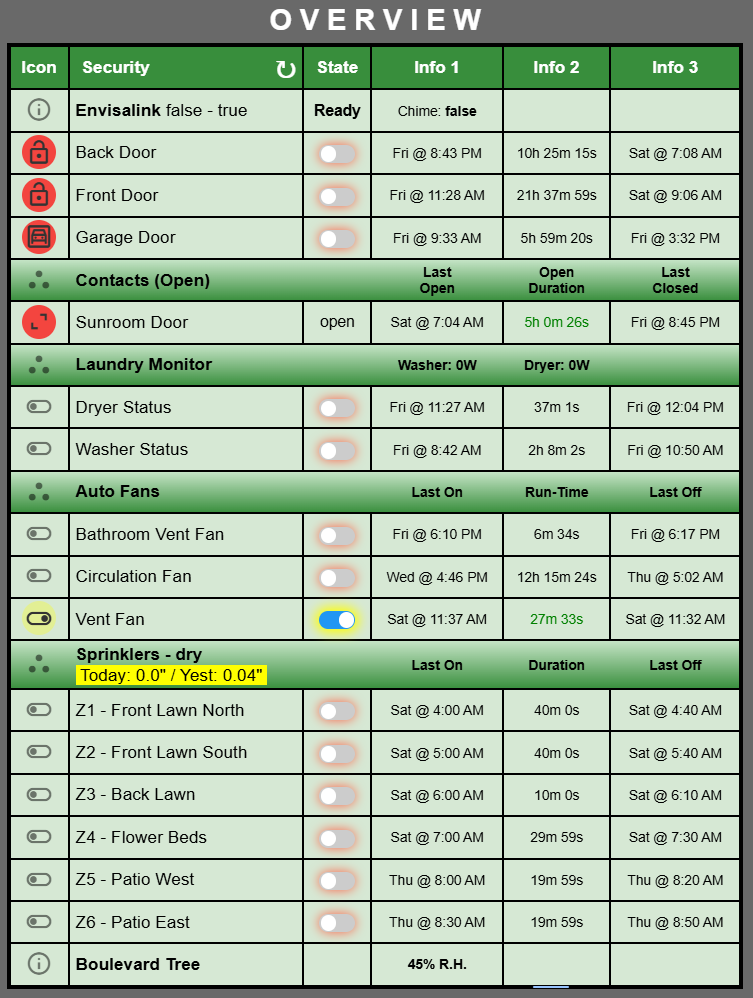
- Re-designed layout of SmartGrid composer for better space usage.
- Offload shuttle animation to GPU for low CPU utilisation
- Color Schemes.
- Run-Time settings for filtered views (Long press on Name header)
I have broken out the help file for SmartGrid into it's own file which you can find here.
There is one issue related to a platform BUG that is documented here which pertains to cloud endpoints accessed via a Hubitat Dashboard. It does not affect Local endpoints in any capacity, nor does it affect Cloud endpoints accessed outside of a Dashboard.
One more example:
3 Likes
I just released SmartGrid version 4.1.0 which adds these small features:
Added Hub Properties as a source for Variables.
Added Capitalization option for Variable string data
Variable numeric data now adheres to global Decimal Places.
Added formatting for [mark] tag and added optional [m1] tag on Experimental tab.
Moved Device Renaming to separate tab for easier access.
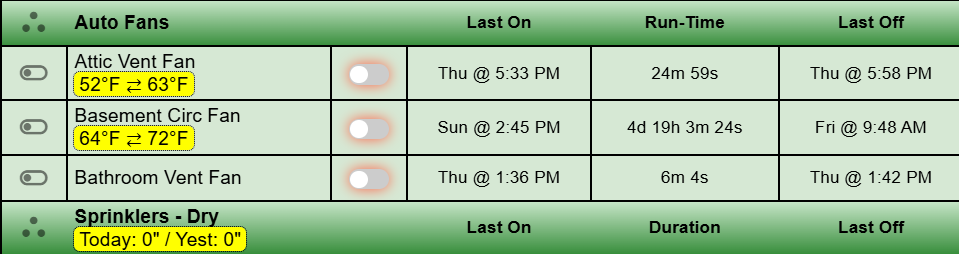
Best feature is you can now place variable data within the Device Name Columns using the Device Renaming feature:
I can now show the temperatures that control an automatic fan within the grid so I can check their operation.

The [br] tag does a line break.
The [mark] tag adds the yellow background.
The end of the table cell does an implied closure so I don't need a [/mark].
The attic and outside temperatures are now shown.
2 Likes
hey @garyjmilne
I have waited since your last post but im still not seeing version 4.1.0 added to HPM. Are you aware of this?
No I was not, but I see the issue. The App code says 4.1.0 and the HPM version control file says 4.0.4.
I have another small update to release, probably tonight or tomorrow and I will bump and sync those two and notify everyone.
Thanks.
Version 4.2.0 of SmartGrid has been released to HPM. See this post for more information.
1 Like
Is it possible to change the "min" setting on a SmartGrid slider (specifically the level-slider)?
I have fat fingers, and on a smartphone it would be easier to dim a light to a very low level if the min was not 0. I often end up turning a light off by accident because I move the slider to 0.
I know what you are saying. There is an option on the general tab to increase the size of the controls that makes it easier to do those finer movements. Give that a try
I did do that and also increased the row padding. Those adjustments did help some. Thanks
1 Like
I posted an update to SmartGrid which you can read about here if you are interested.
Is it possible to have the fixed or custom 6 button remote push buttons in the built-in button controllers app? Or, be able to select a button on a pico?
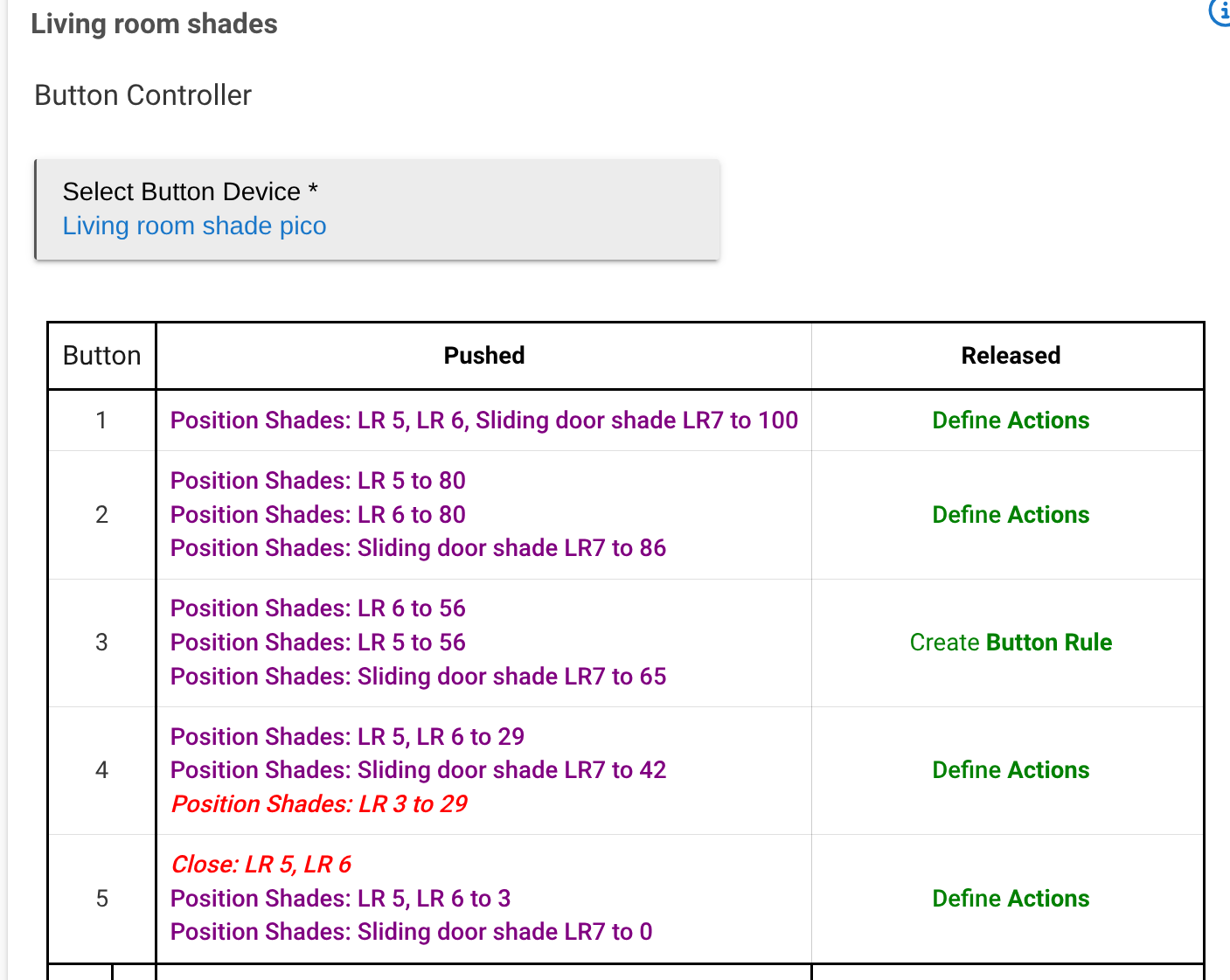
I use a virtual button controller like this.
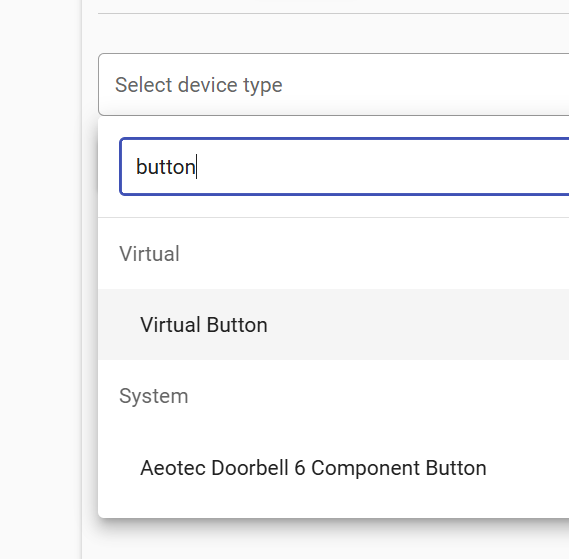
Define the actions that you want the virtual button controller to do in the Advanced Button Controller software.
Once you have all of that working then just use the Remote Builder 6 Button to push the buttons on the virtual controller, or on the Pico for that matter.

In my case it looks like this for the first two buttons.
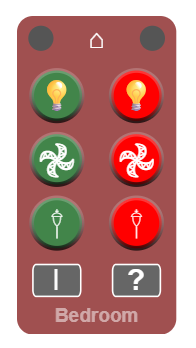
The buttons created by the button controllers app are not discrete devices that can be selected in your app. Same for the pico. It appears as a single device. What would be great would be the ability to expose the individuals buttons.
If I'm missing something, let me know, I'd be willing to give it another go. In the meantime I'll look at the advanced button controller app. The stock button controllers had met my needs up to this point.
I think we are talking about different Button Controller Apps.
I'm talking about the Advanced Button Controller App which looks like this.
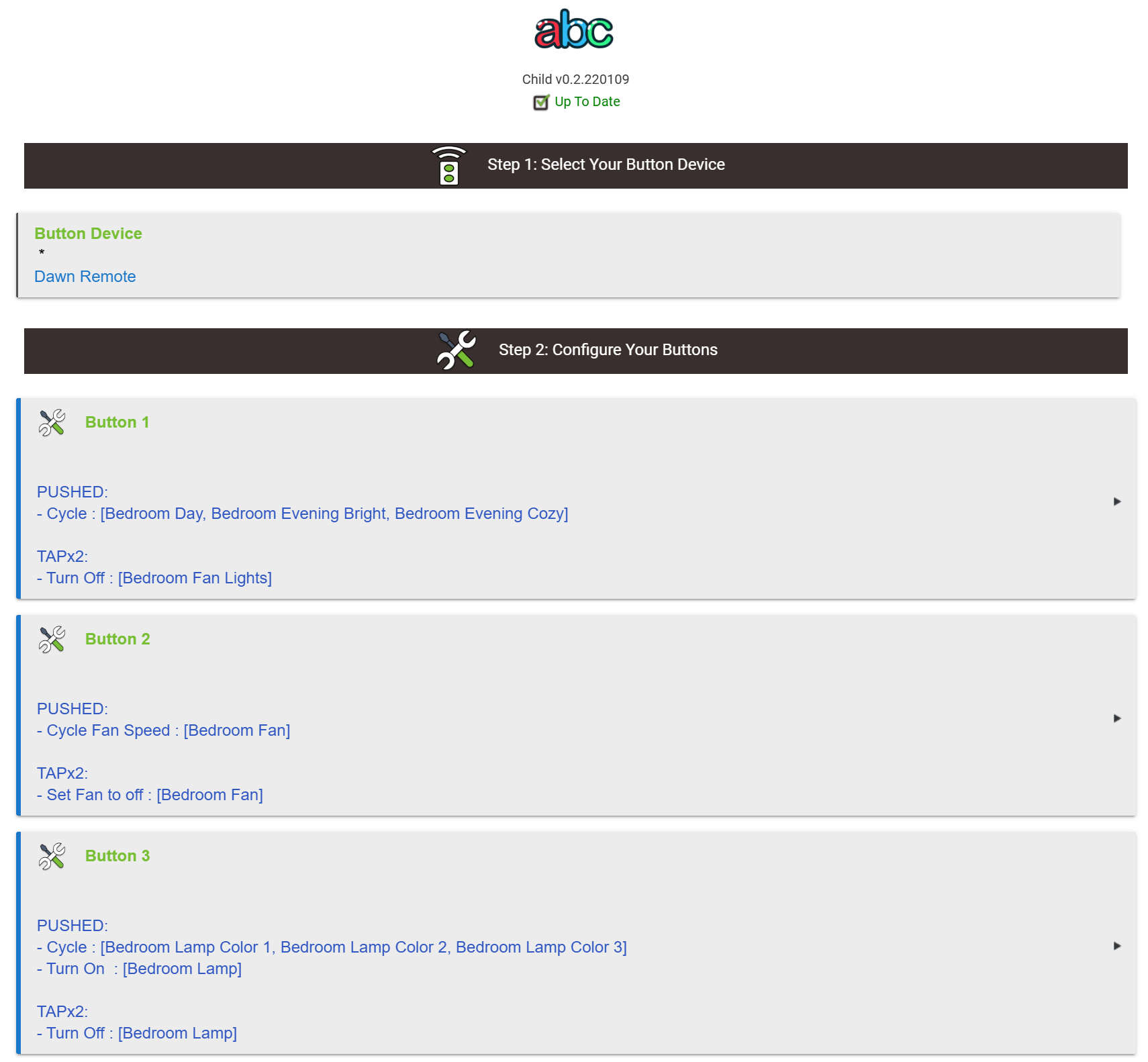
Here you define what happens when a button is pressed on a linked button device, real or virtual. In this case its a physical remote called "Dawn Remote".
Once you have that working as you would like it then you can use my 6 Button Remote to click the button on the "Dawn Remote" and then you will get the action you programmed into the Advanced Button Controller App.
It was suggested this might be what I was looking for and it sure looks like it; I already use the Advanced TB stuff. 
Something I'm doing wrong? Never had a 404 in Hubitat before.
I have a storage device created and connected.
Tried to install the 6 button remote and keypad and got:


That error occurs when the module code is not installed. Go to Hubitat Package Manager and modify the install to add the code for the modules you want to use.
Ok, this thing is sick! 
Perfect but one question.
I set the Tooltip so I know what button does what but I can't seem to see anything on the remote.
If I press ? and then the button, per the docs, nothing happens.
I did Compile and Publish.

