Platform Version 2.4.1.164
Hardware Version C-7
This is my test hub but I have also observed this on my C-8 Pro. I have simplified this post as I have learned more.
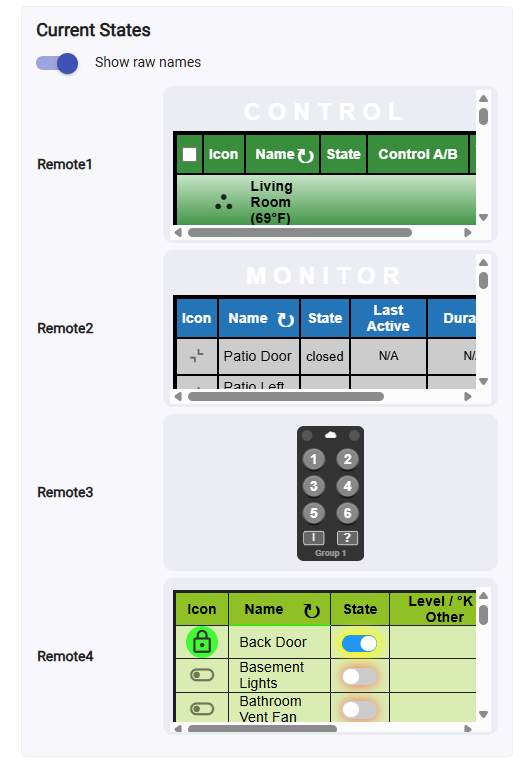
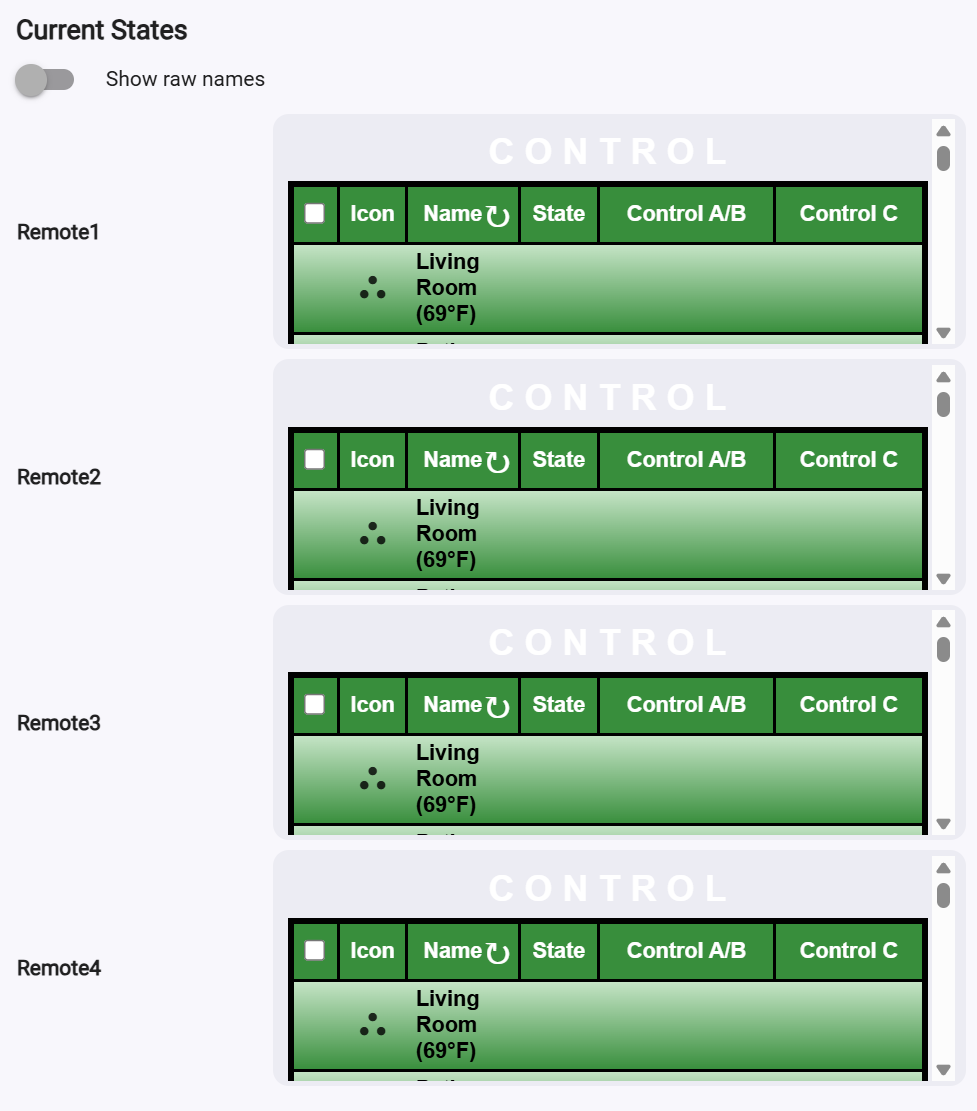
I have an app that writes HTML links to attributes within a device driver. If I write 4 unique links to four different cloud endpoints then the driver displays them all as being the same, as shown below, when in fact they should all appear differently.
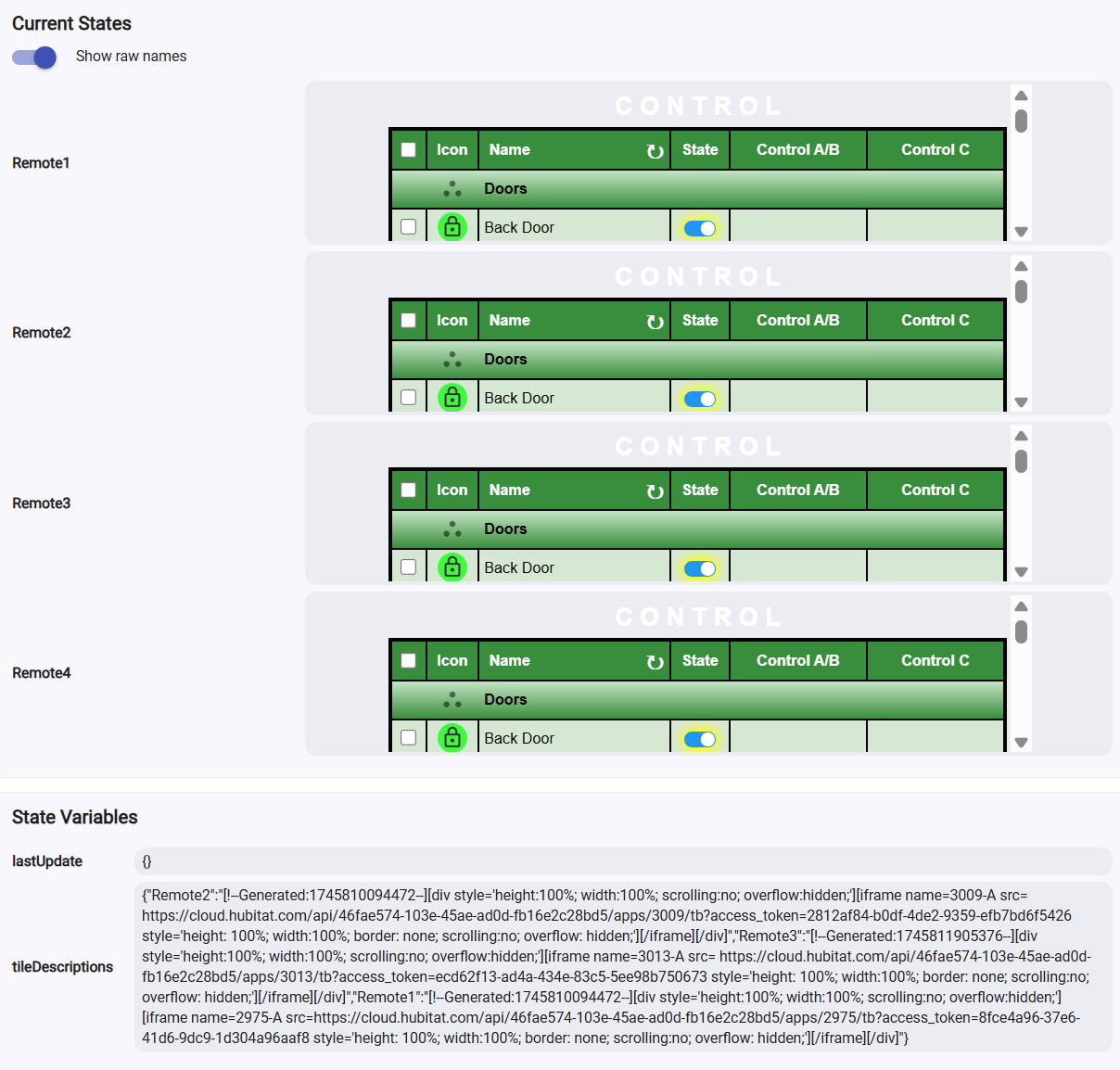
This behaviour even extends to providing the wrong information to the dashboard if it is linked there.
I'm using the most current version of Chrome, Version 135.0.7049.115 (Official Build) (64-bit). I've also tried Edge and get the same results. So I can only assume that this is a Hub caching issue and that it only matches a certain length of a link before it deems it a match.
You should be able to easily reproduce this error using this simplified driver code. Install it as a driver and click on the createErrorConditions button.
// Remote Builder Bug Test Driver

metadata {
	definition (name: "Remote Builder Bug Test", namespace: "garyjmilne", author: "garymilne", importUrl: "https://raw.githubusercontent.com/GaryMilne/Hubitat-RemoteBuilder/main/Remote_Builder_Storage_Driver.groovy", singleThreaded: true ) {
        //capability "Variable"
    }

    attribute "Remote1", "string"
	attribute "Remote2", "string"
	attribute "Remote3", "string"
	attribute "Remote4", "string"
    command "clearAttributes"
	command "createErrorConditions"
}


void createErrorConditions(){
    	state.tileDescriptions = [:]

        HTML1 = "[!--Generated:1745810094472--][div style='height:100%; width:100%; scrolling:no; overflow:hidden;'][iframe name=2975-A src=https://cloud.hubitat.com/api/46fae574-103e-45ae-ad0d-fb16e2c28bd5/apps/2975/tb?access_token=8fce4a96-37e6-41d6-9dc9-1d304a96aaf8 style='height: 100%; width:100%; border: none; scrolling:no; overflow: hidden;'][/iframe][/div]"
        sendEvent(name: "Remote1", value: toHTML(HTML1) )
    	state.tileDescriptions."Remote1" = HTML1

        HTML2 = "[!--Generated:1745810094472--][div style='height:100%; width:100%; scrolling:no; overflow:hidden;'][iframe name=3009-A src= https://cloud.hubitat.com/api/46fae574-103e-45ae-ad0d-fb16e2c28bd5/apps/3009/tb?access_token=2812af84-b0df-4de2-9359-efb7bd6f5426  style='height: 100%; width:100%; border: none; scrolling:no; overflow: hidden;'][/iframe][/div]"
        sendEvent(name: "Remote2", value: toHTML(HTML2) )
    	state.tileDescriptions."Remote2" = HTML2

    	HTML3 = "[!--Generated:1745811905376--][div style='height:100%; width:100%; scrolling:no; overflow:hidden;'][iframe name=3013-A src= https://cloud.hubitat.com/api/46fae574-103e-45ae-ad0d-fb16e2c28bd5/apps/3013/tb?access_token=ecd62f13-ad4a-434e-83c5-5ee98b750673 style='height: 100%; width:100%; border: none; scrolling:no; overflow: hidden;'][/iframe][/div]"
        sendEvent(name: "Remote3", value: toHTML(HTML3) )
    	state.tileDescriptions."Remote3" = HTML3

        HTML4 = "[!--Generated:1745810094472--][div style='height:100%; width:100%; scrolling:no; overflow:hidden;'][iframe name=2966-A src= https://cloud.hubitat.com/api/46fae574-103e-45ae-ad0d-fb16e2c28bd5/apps/2966/tb?access_token=a09deced-86d0-47a7-9f45-aa8ebb49d05e style='height: 100%; width:100%; border: none; scrolling:no; overflow: hidden;'][/iframe][/div]"
        sendEvent(name: "Remote4", value: toHTML(HTML4) )
    }

void clearAttributes(){
 state.tileDescriptions = [:]
    sendEvent(name: "Remote1", value: "None" )
    sendEvent(name: "Remote2", value: "None" )
    sendEvent(name: "Remote3", value: "None" )
    sendEvent(name: "Remote4", value: "None" )
}


//Convert [HTML] tags to <HTML> for display.
def toHTML(HTML){
	if (HTML == null) return ""
    myHTML = HTML.replace("[", "<")
    myHTML = myHTML.replace("]", ">")
    return myHTML
}

//Convert <HTML> tags to [HTML] for storage.
def unHTML(HTML){
    myHTML = HTML.replace("<", "[")
    myHTML = myHTML.replace(">", "]")
    return myHTML
}
I hope this helps.
Hi Victor, I'm tagging you as this seems to be a Hub issue. I'm not sure when this bug was introduced but sometime in the last few months is my guess.
@gopher.ny