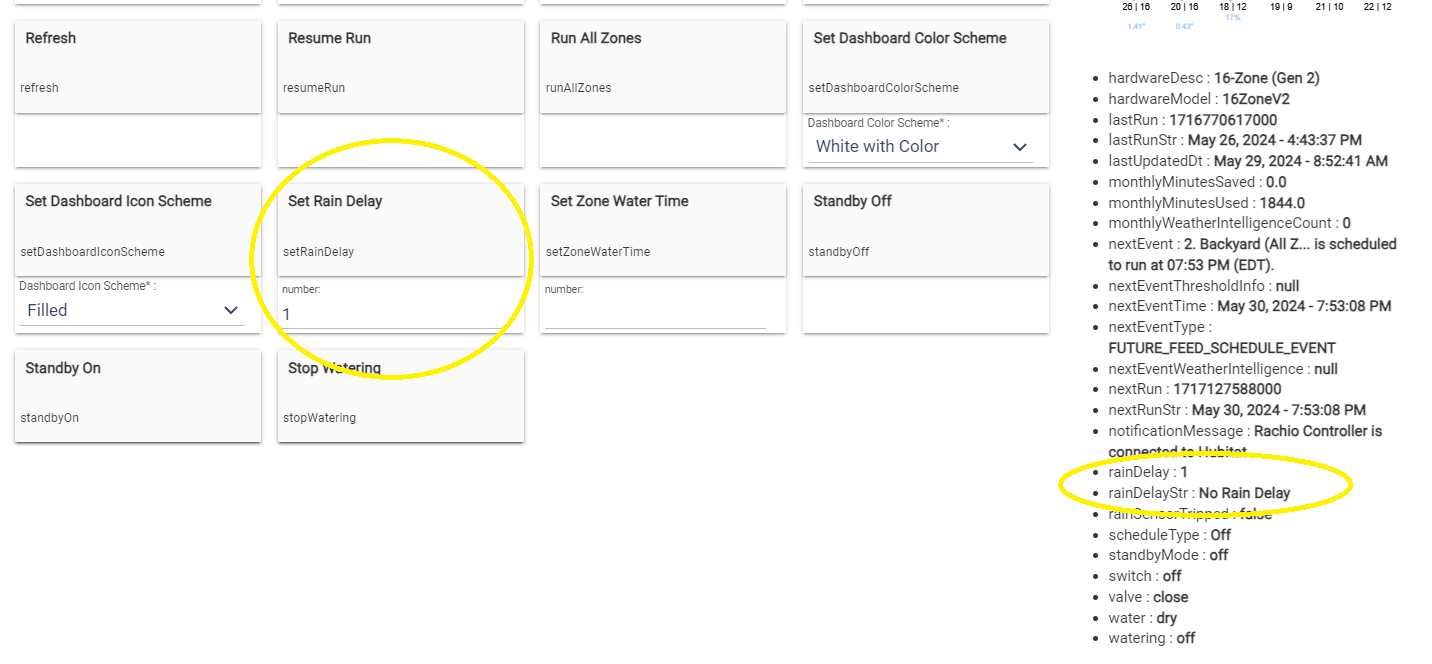
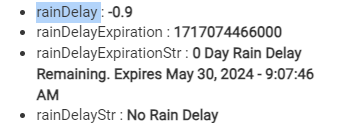
Any idea what might be causing this? Just as an FYI, I've been using Webcore to set rain delays based on OpenWeatherMap data because the local weather stations available to Racino are not very accurate. I discovered this issue while trying to build a dashboard.
I'll have to look into it. Rachio weather works well for me, so I don't set rain delays this way and therefore haven't happened upon this issue. And I've never messed with any of the rain delay code, so this is an issue that must be a relic from the code this custom integration inherited from days of old.
'rainDelay' should accurately reflect the number of days set and remaining for the delay, regardless of whether it's set by Rachio or the user (irrespective of the action button used).
'rainDelayStr' should reflect the current status of 'rainDelay' in a text string.
For example:
No Rain Delay:
rainDelay: 0
rainDelayStr: No Rain Delay
Rain Delay:
rainDelay: 1 (or 2 or 3…)
rainDelayStr: 1-Day Rain Delay or 2-Day Rain Delay
In an ideal situation, 'rainDelay' would decrement based on the number of days remaining.
rainDelay: 1 (or 2 or 3…)
rainDelayStr: 1-Day Rain Delay remains or 2-Day Rain Delay remains
I appreciate your consideration of these suggestions.
How would you want to handle partial days remaining though? For example, if the rain delay is set to 1 day, rainDelay is set to 1 at first, but after 13 hours, what should rainDelay be set to? At the moment, if there is less than half a day left, rainDelay shows as 0. That may explain why sometimes you are seeing rainDelay = 0. Setting rainDelay in units of hours would perhaps help some. But it's still going to end up being an issue with less than 1 hour left, depending on how granular you want this field to be and what it's used for.
One option would be for this field to instead show the timestamp when the rain delay will expire. Or, to maintain backwards compatibility, perhaps add this as a new field?
Thank you, @JustinL, for your insightful points and for taking the time to explain the logic behind the current implementation. I appreciate your thoroughness in addressing the intricacies of how rainDelay functions over partial days.
The confusion for me (and quite possibly for other users) arises from the screenshot I provided, which was taken approximately 23 hours and 45 minutes after setting the rainDelay. At that time, the display showed:
rainDelay: 1
rainDelayStr: No Rain Delay
Additionally, when rainDelay reports 0, it can be unclear.
Based on your feedback, I have a few suggestions for your consideration:
Unit Adjustment: Setting rainDelay in units of hours or possibly in decimal fractions of days could provide more granularity and make it easier to identify that a countdown is occurring. While the Rachio app currently allows setting rain delays in whole days, it does display the schedule for zones that will run if they fall outside the delay period on the calendar.
Status Reflection: Modifying rainDelayStr to reflect the current status of rainDelay in a text string, including the remaining units, would enhance user understanding of the delay period.
Timestamp Addition: Introducing a new field in the "Current States" that shows the timestamp when the rain delay will expire would provide great information and reinforce the completion of the delay.
Please note these are only suggestions, and as the developer of the current version, I greatly appreciate the effort so far and the work required for any changes. I believe these improvements will certainly enhance the usability and accuracy of the rainDelay feature, but I do not want my suggestions to turn this into an unnecessary make-work project.
I just pushed v3.1.1 to address these issues with the rain delay.
@DGBQ you must have been the only one using the rain delay, because it wasn't working at all and nobody has complained until now ha. Here is what you need to know:
How rain delay works
The rainDelay attribute reflects the current number of days remaining of rain delay. This will update at the polling rate or if some other poll occurs from some other event (no web hooks dedicated for expiration of the rain delay).
You can set the rain delay from Hubitat in two ways:
(1) use setRainDelay command - this works as you would expect
(2) use the Decrease Rain Delay or Increase Rain Delay command. This is where you've run into some confusion. When you increase or decrease the rain delay, the value of rainDelay attribute changes to reflect what the rain delay will be set to once you apply the update by then pressing Do Set Rain Delay command. This allows you to press Decrease/Increase Rain Delay multiple times to set a multi-day adjustment and then apply the rain delay value when you've reached your desired set point. So, when you press Increase/Decrease rain delay to make a change, the value of rainDelayStr is set to "Set New Rain Delay" in order to notify you that a pending change needs to be applied. Once you press "Do Set Rain Delay" that will apply the pending change and revert back to what you expect.
Enhancements with this update
rainDelay is now allowed to take on decimal values. The value is rounded up so that it will only be zero if there is no rain delay remaining at all. So when there's 10 seconds left of a rain delay, it will show as 0.1 days left, until there is literally 0 seconds left at which point it will show 0.0 days left. This sort of update should still maintain backwards compatibility on the off chance someone else was using this attribute for something.
rainDelayStr was fixed to what it was originally intended to be. Simply No Rain Delay if there is no rain delay left at alll, Rain Delayed if there is any rain delay at all, and "Set New Rain Delay" if there are pending changes that need to be applied with Do Set Rain Delay. This maintains backwards compatibility.
rainDelayExpiration is a new attribute that contains the epoch timestamp of when the rain delay will expire. This timestamp can be used in rule machine easily.
rainDelayExpirationStr is a new attribute that contains a human readable string with information about the rain delay expiration. For example, it may read "0.2 Day Rain Delay Remaining. Expires May 30, 2024 - 1:41:13 PM"
Thanks for bringing up this issue with rain delay. Let me know if you see any other issues.
This was actually quite timely, as I was just rebuilding my old irrigation dashboard in Sharptools and was already trying to work around some of the existing attributes. So, thank you!
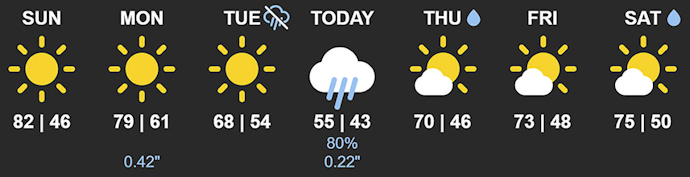
One question I still have, though, is the dashboard image provided. In the top post, you display this image:
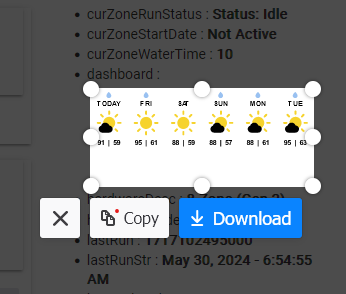
but what I get is this, with all extra blank space below the actual image
Not sure. You might have to play around with the tile dimensions in Sharptools to match up the sizes. Is the blank space extra space in the Sharptools tile or is it literally the image output by this app?
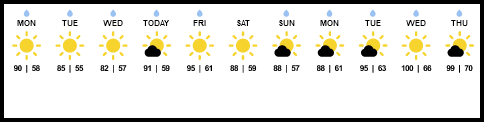
One challenge you'll find though is that you need to size the tile on your dashboard to accomodate both weeks that have rain (like your top example pic) and weeks that don't have rain (like your bottom example pic). So eliminating all blank space may prove difficult.
I can look into it a little. But is it going to get you anywhere? Won't you still have to have a larger tile to accomodate if it rains one day, meaning that you're going to have blank space no matter what when it doesn't rain?
It's distorting the placement of the image in the media tile. There's no way to center the image in the tile properly, whether I set it to fill, contain, or cover. Is it a disaster? Absolutely not. So if it's not an easy fix, I'll work around it or discard the idea of using that image.
Thanks! I had just updated to the latest and was seeing a bunch of errors in the logs. Going into the app and hitting Done fixed it!
I did notice when turning one of my zones on using the Hubitat device -> on the following showed up in the logs (technically, I added the device to Google Home and turned it on via voice so I think it's just calling the on method but could be wrong)
The zone did turn on just fine however
app:7372024-05-30 06:12:05.402 PMerrororg.codehaus.groovy.runtime.metaclass.MissingMethodExceptionNoStack: No signature of method: user_app_lnjustin_Rachio_Community_431.handleWateringSched() is applicable for argument types: (java.lang.String, java.lang.Boolean) values: [922b0d74-4e7b-48c0-87df-720cf3d9201f, true] (handleWateringSched)
LOL! Thank you for the prompt update and the additional features in v3.1.1 to address the rain delay issues.
I appreciate the detailed explanation of how the rain delay works and the new enhancements. The changes to the rainDelay attribute, including the ability to take on decimal values and the improved rainDelayStr, seem like valuable improvements. The new rainDelayExpiration and rainDelayExpirationStr attributes will certainly be useful as well.
I will test these new features next week and will let you know if I encounter any issues. Thanks again for your support and quick response.
This is a follow-up on your recent fixes, changes, and improvements to the Rain Delay reporting. Below is a screen capture I quickly took this morning of the Current States after pressing the Refresh button. Currently, there is no rain delay set within the last 24 hours; however, I have noticed an oddity in the attribute 'rainDelay'.
As an FYI, after updating, I did open the app and selected "done" to ensure all the functions and data were updated.