If I add a rule that ensures that when I arm HSM it sends the arming command for qolsys, couldn't that work?
Does Security Keypad capability offer any options for greater integration?
I would think so. I don't use HSM though.
I have lots of automations that are triggered off of the alarm arming state, but the only way we arm and disarm the alarm system is at the alarm panel, or by unlocking one of the exterior doors (they all have z-wave locks paired to the alarm panel.
I looked at that a while ago, but it really didn't make much sense to me and I have no idea what type of device it was originally created for, let alone if anyone is really even using it. Could be some capability that was implemented for compatibility with SmartThings devices that were ported to HE.
The armAway and armHome commands don't take any parameters, so it would be kindy of hacky to get them to work, and would require the driver to store at least one alarm code.
Likewise, getCodes, setCodes, etc. couldn't be implemented as there is no way to set or get codes from the QolSys panel. There's also no attributes for alarm status.
Frankly, nobody ever asked for this before so it's not something I really gave much thought to.
Probably something like this (or something that emulates it): https://ring.com/ca/en/products/alarm-keypad-v2 -- it's just a keypad, not a full-fledged alarm.
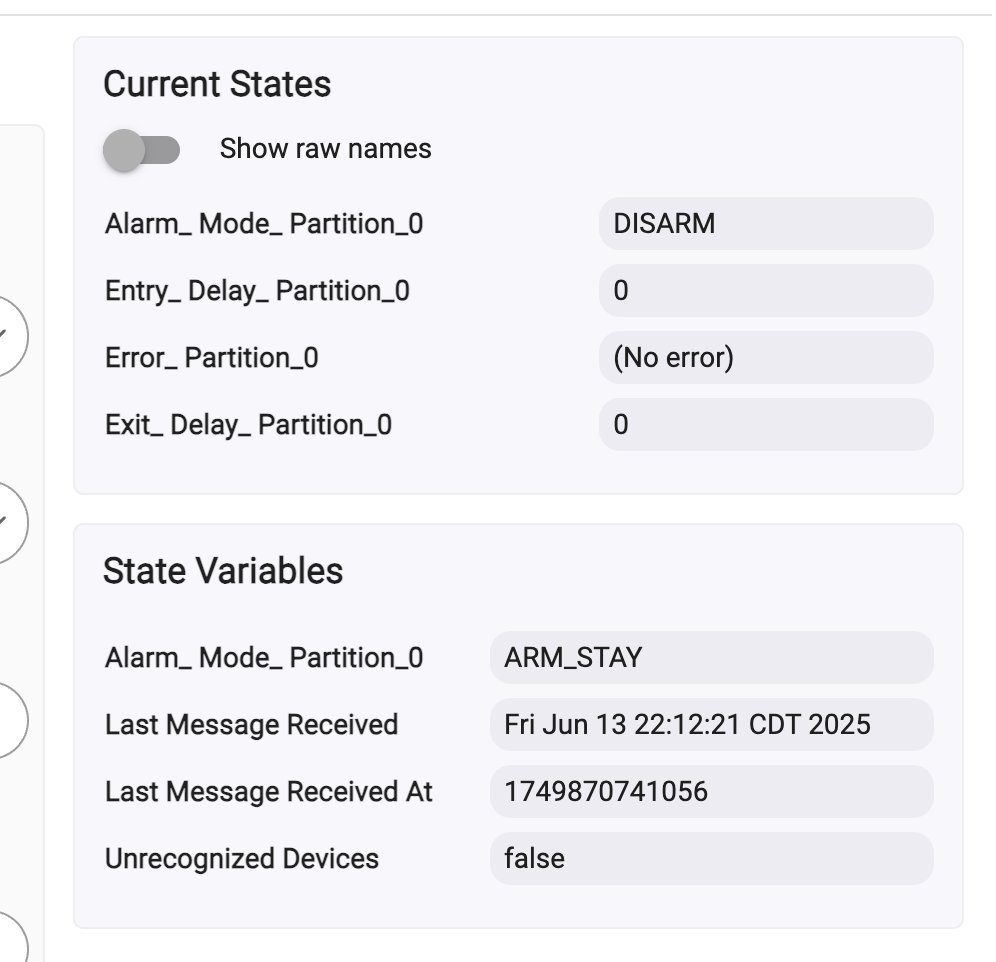
I had a few problems recently with this driver and integration. I have some rules set up and noticed they were not firing. It seems in the wifi devices / 3rd party settings, the remote access option is unchecked. Is this supposed to be checked? Is there an issue where it will uncheck itself?
Second, the screenshot shows my alarm state after arming it for stay. The state variable shows ARM_STAY, which is correct, but the Current States shows DISARM. When I look at my rule, it shows DISARM which is why I dont think its firing. Any idea why there are two different state options? How do i fix this or change the rule to use State Variable instead of Current States?
You mean to say on your qolsys panel the setting required to use this driver or control4 became disabled?
Sorry for the delay. I used the instructions for this driver to set up my panel and hubitat. Everything worked flawlessly but then for some reason my automations ended (earlier this year). When i was looking at the panel settings, i think the control4 setting got disabled (unknown how). I fixed the issue and it started working again.
Fast forward to this past Saturday and i was doing some testing with my hubitat. I noticed the automations I have set up to run with the alarm system were not working. I looked at the settings on the panel and the Control4 setting is still checked. There is another setting called allow remote access (or something similar) a few below the Control4 tick box. That setting was not selected. I did testing with this setting on and off but it didnt resolve the issue.
Looking at the main alarm system device in hubitat, i noticed those two different boxes Current States and State Variables. For some reason, Current States does not update with the alarm status chane. If I set the alarm to arm stay, the Alarm_Mode_Partition_0 under "State Variables" changes to reflect the alarm status but Current States does not change. I think this is what is breaking my automations since they trigger off the current states status of Alarm_Mode_Partition_0. I cant figure out how to fix this.
This could have happened if someone flipped it back to 4-digit codes -- just putting that possibility out there.
As for your continued issues, I've found that the panel doesn't like to have more than one active "Control4" connection, and if one process doesn't close it cleanly, the next could be blocked from connecting. The only solution I've found to this is to reboot the panel. If you use any other HA tools like Home Assistant that may be connecting to the panel, this could be the conflict causing this.
Sorry for the delay. I was traveling and not able to troubleshoot the issue at home. No, the panel was not switched back to 4 digit code and I dont have any other connections to the panel or Control4. The only connection is the Hubitat
I have returned from vacation and can now troubleshoot my issues I am having with this driver. Can someone please try to help me since I cannot seem to find out what the solution is.
I have automations built that uses either the alarm status or whether a sensor opens (or stays closed for X hours/days). It seems these automations are broken because the connector has Current States and State Variables. The Current States does not update like it used to. It seems when the alarm changes states, it only updates the "State Variables" section and i cant figure out how to change the automations to use this new "State Variables" information. See screenshot I added. You can see the "State Variables" shows ARM_STAY but the Current States show "DISARM".
EXAMPLE: If I have an automation that send me an app notification when the alarm turns to ARM_STAY, it will never fire because the Current States Alarm_Mode_Partition_0 never changes from DISARM.
This driver hasn't changed in a very long time, and I've been using it daily for many years (I'm the author). A significant part of my home automation is built around the alarm mode, at least indirectly. I have a rule which changes the HE mode based on changes to Alarm_Mode_Partition_0, then the corresponding HE mode changes trigger lots of things.
Only thing I can suggest is to go into the alarm panel device and under the Device Info tab, change Type to Device and Save. Then go to the Commands tab and there will be a command named Clear State Variables, or Clear Data or something like that. Click that and it should clear out all the information in the HE database for this driver. Then go back and set the device type back to QolSys IQ Alarm Panel.
Before you do this, go into the Preferences tab and make note of the IP address and access token because you will have to reenter those. Also copy the Device Network ID. I don't recall how that's calculated so you might have to edit the id after you clear everything out. If you restore the current DNI, then your rules should continue to work.
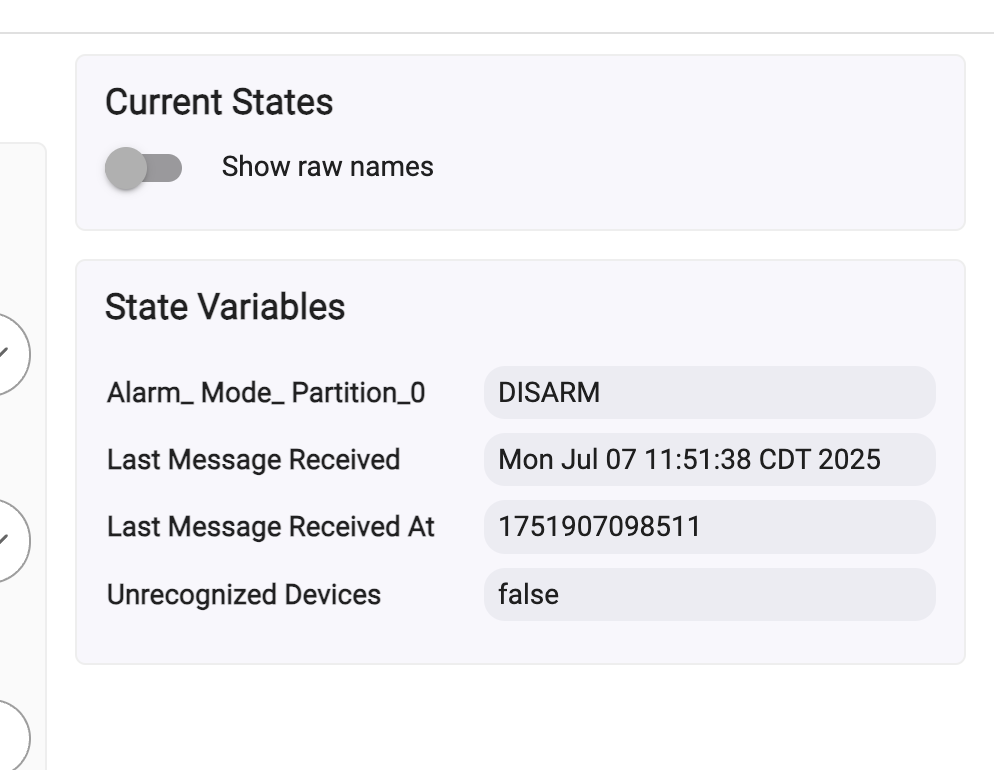
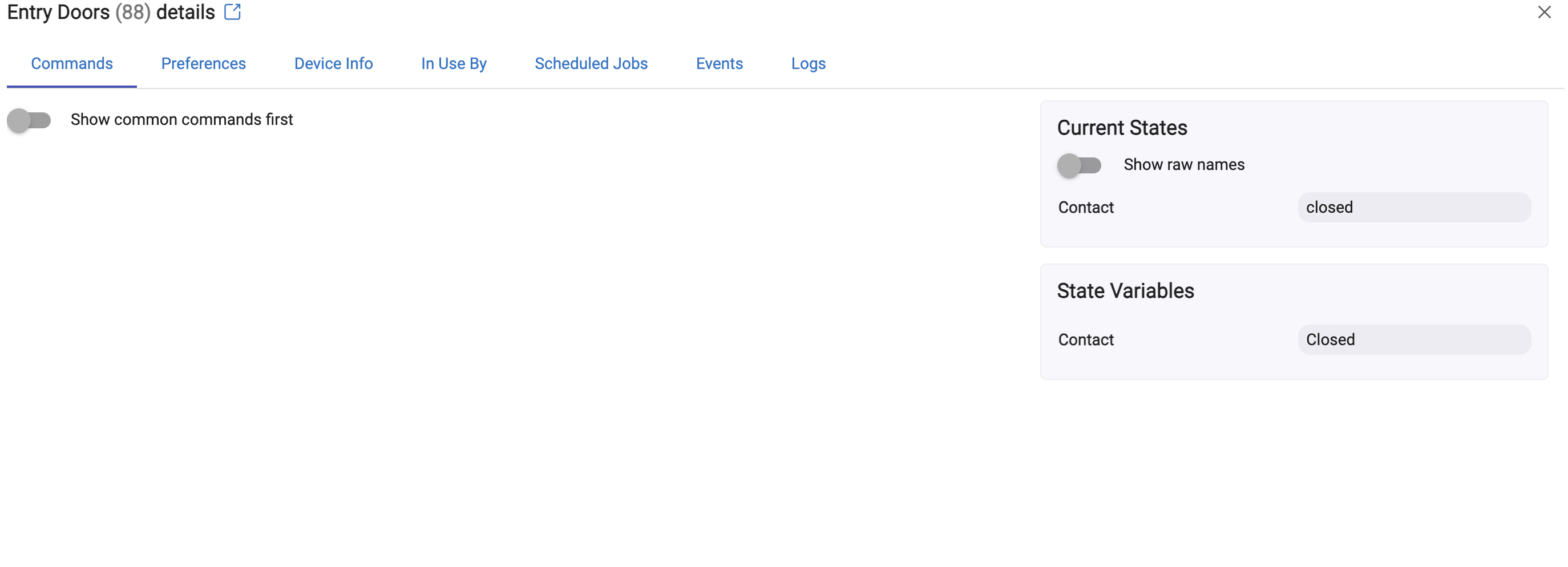
Ok, I think this helped. I now only see "State Variables" in the right side of the alarm device and when I set the alarm, it properly updates.
How do I now do the same thing for the sensors attached to the alarm system? When I go into those devices, I still see two states boxes "Current State" and "State Variables". When I go to my entry door and open it (keeping it open) and refresh the screen, It never changes to open. It always remains closed. I wonder if I have to remove the entire alarm and then re-add it.
Delete all the child devices and then click on the Initialize button on the alarm panel device. If you correctly restored the DNI for that, then the child devices should be restored with same DNIs and everything should be as it was.
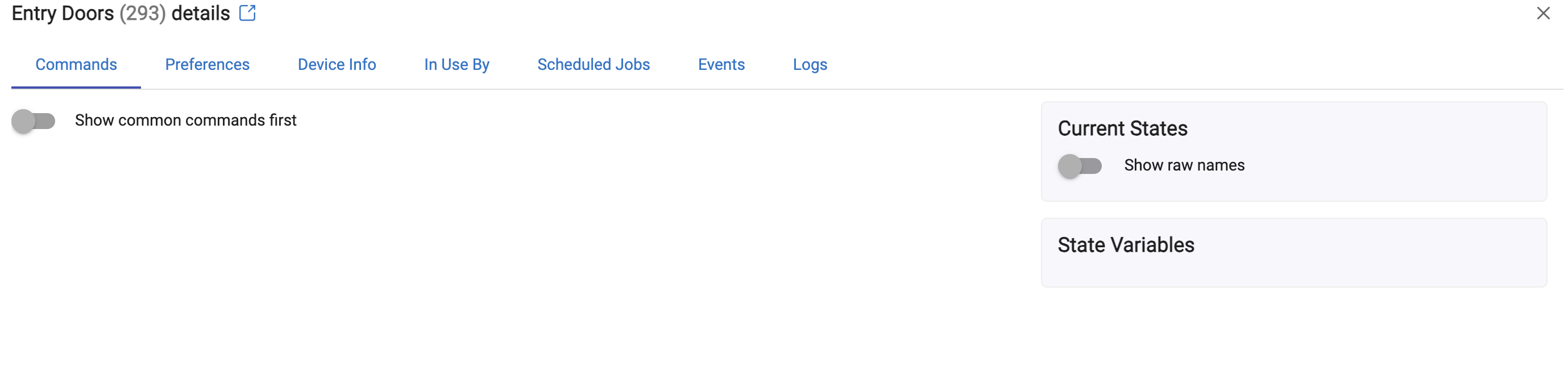
Thanks. I made sure the DNI was the same and did as you instructed. When the child devices populated, they all seem to be missing attributes now. I opened the doors but nothing seems to show in the attributes section (see image)
Applied the most recent hub update and that seemed to solve my issues after everything. Odd that I would have the issues with a version that was still working but all is good now. I will just keep an eye on everything as this is the second or third time I seemed to have dropped connection with my panel.
Another question - When my alarm is armed and goes off, it shows a status of "ALARM_". How do i build automation rules around if the alarm status is "ALARM_" if there is not an option for this status in the rules? Should I add "ALARM_" in the code for variables?
Yeah, I think I had a report about that. I may have fixed it in the version I'm using but never pushed it out on github or HPM. I don't recall offhand. but I think I changed it to ALARM without the underscore. For now, just add it in the list of enum values for that attribute.
I'm away for the summer and we don't have an alarm system here to test with. When I get back in the fall I'll look into this and post an update.
The installation instructions indicate that there a setting that automatically changes the HE mode when the alarm panel's status changes. Where is this setting (it's not under the preferences tab), or do I need to create a custom rule for this?
It should be there but don't use it, it will be removed in a future release as it can break if you add or rename HE modes.
Just create a custom rule. Trigger on any change to ALARM_MODE_PARTITION_0 then do whatever you want based on the current value of that attribute.