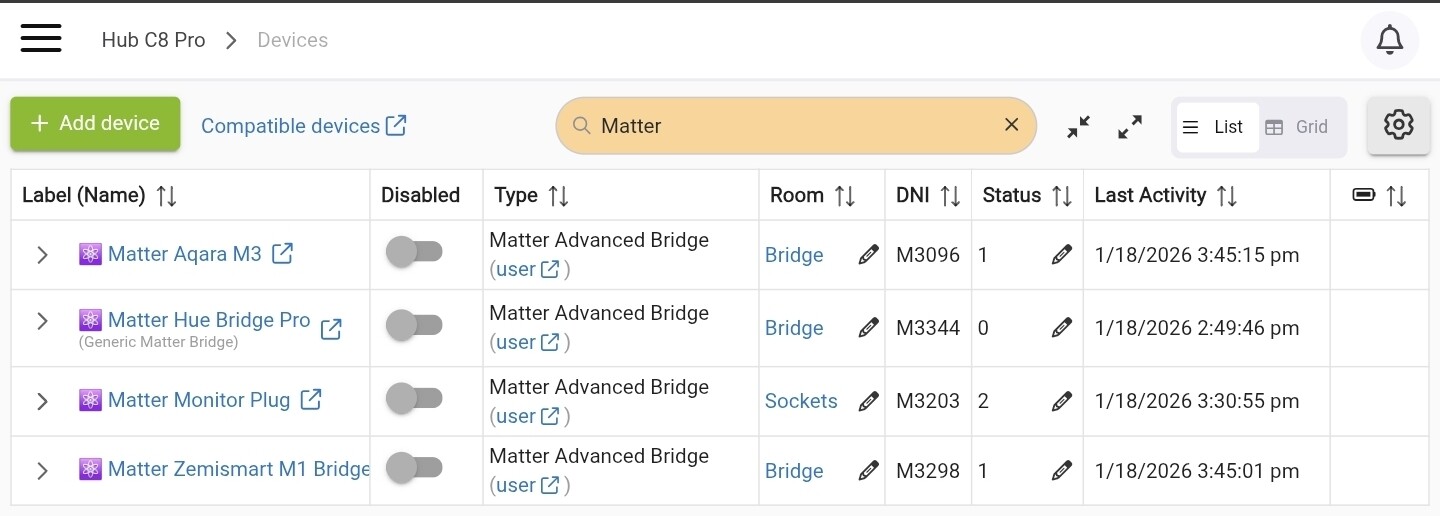
Matter Advanced Bridge v1.6.0 is now available for an update via HPM.
This release includes many internal improvements compared to the previous version (1.5.6), focused on reliability and better device support:
Highly optimized Matter attribute subscription algorithm (using wildcards)
→ Improves stability with large Matter bridges, especially Philips Hue bridges, where attribute updates could sometimes stop reaching Hubitat.
Improved device type detection and better handling of RGBW bulbs
Enhanced Matter Button support
→ More reliable event processing across different button models
Automatic detection of Water Leak sensors
→ Correct child driver assignment with proper water wet/dry events
Refactored Matter Lock implementation
→ Foundation for PIN codes and user management (still work in progress)
After updating via HPM, please run a new “Discover All” operation so the updated Matter subscriptions can take effect.
Thanks for another excellent update and your continued support!
I can confirm buttons and water leak sensor is working for me!
I currently have 3 Matter bridges working great with MAB driver, just need to figure out what is wrong with SwitchBot Hub 2 as it won't pair with Hubitat anymore.
Krassimir, I managed to pair a Matter/Thread Level Bolt lock to my Zemismart M1 this evening, and MAB subsequently added two child devices.
The first: Bridge#289 Device#1 appears to be a battery.
The second: Bridge#289 Device#4 is the lock.
MAB seems to track the state (locked/unlocked) just fine but I see no evidence of lock/unlock commands in the logs or events, although "ping" returns data.
*I was running 1.54, I'm now on 1.60, and I see lots of data in the debug logs" retesting.
Anything I can provide in the way of data that may help?
Honestly, I expect this may be on the Zemismart M1 end, as it is pretty flakey in terms of executing open close commands as well. Their GUI is unbelievably bad!
S.
Update: with retry logic on, lock commands sometimes get through. Weird.
Another thought. I'll move the lock closer to the M1, I read that Matter/Thread devices can suffer from link issues if hub and dev are too far apart....
You may need to add at least one mains-powered Matter over Thread device (plug as an example) in between the TBR (Zemismart M1) and the lock to improve the Thread network :
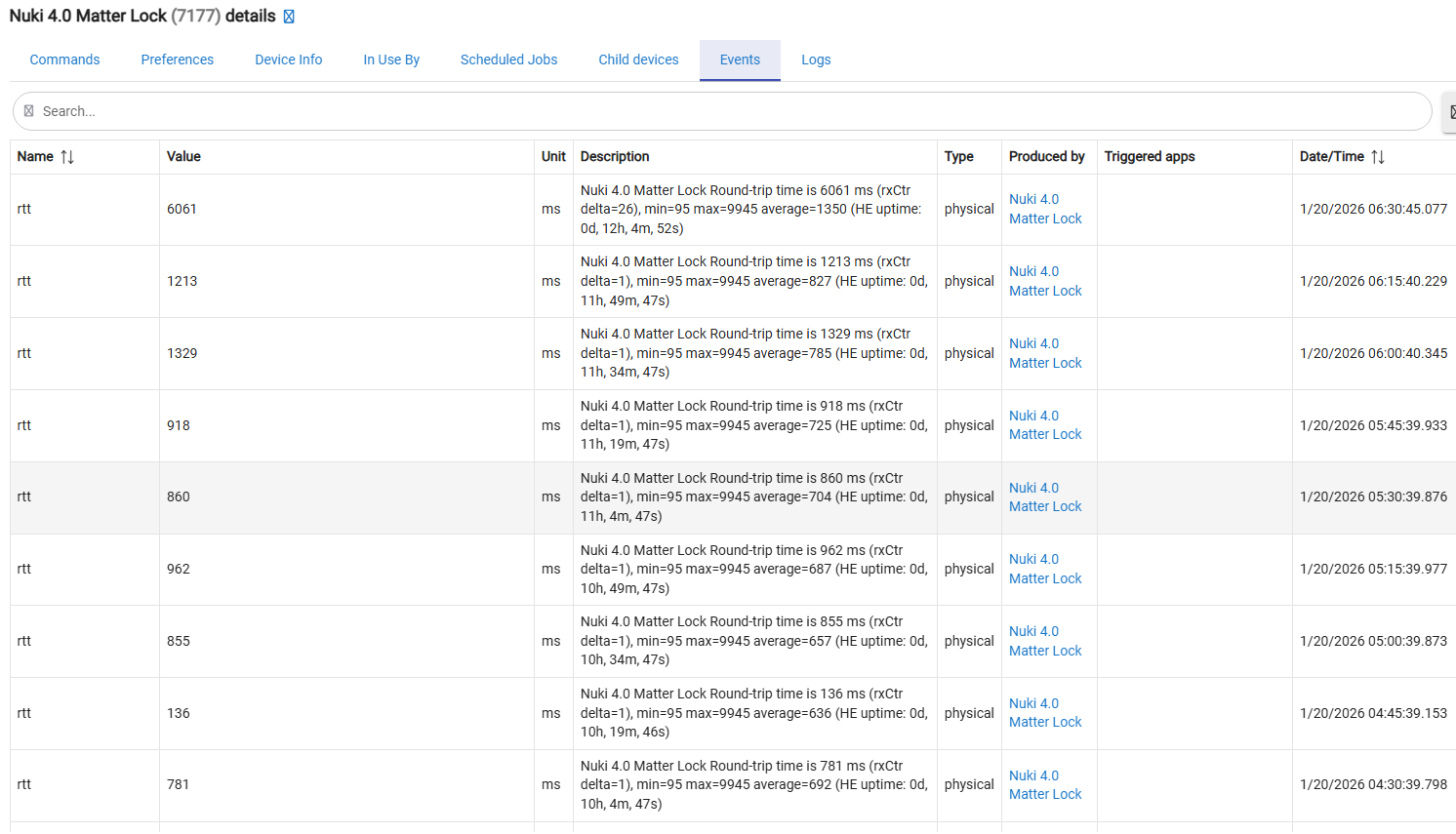
…and the MAB suite definitely needs better diagnostic functionality. We should be able to see some real numbers reflecting the Matter network statistics, along with knowledge on how to interpret that data. Currently, only the ping statistics are available.
dev:3172026-01-20 05:13:32.516 AMinfo
Bridge#289 Device#04 (Level Home Level Bolt (Matter)) [FFFD] ClusterRevision: 6
dev:3172026-01-20 05:13:32.497 AMinfo
Bridge#289 Device#04 (Level Home Level Bolt (Matter)) [FFFC] FeatureMap: None (Mandatory features only) (0x00)
dev:3172026-01-20 05:13:32.475 AMinfo
Bridge#289 Device#04 (Level Home Level Bolt (Matter)) [FFFB] AttributeList: [00, 01, 02, 21, 23, 25, 26, FFF8, FFF9, FFFB, FFFC, FFFD, FFFC, FFFD]
dev:3172026-01-20 05:13:32.451 AMinfo
Bridge#289 Device#04 (Level Home Level Bolt (Matter)) [FFF9] AcceptedCommandList: [00, 01, 03]
dev:3172026-01-20 05:13:32.431 AMinfo
Bridge#289 Device#04 (Level Home Level Bolt (Matter)) [FFF8] GeneratedCommandList:
dev:3172026-01-20 05:13:32.393 AMinfo
Bridge#289 Device#04 (Level Home Level Bolt (Matter)) [0026] SupportedOperatingModes: Normal, NoRemoteLockUnlock (raw:FFF6)
dev:3172026-01-20 05:13:32.374 AMinfo
Bridge#289 Device#04 (Level Home Level Bolt (Matter)) [0025] OperatingMode: Normal (raw:00)
dev:3172026-01-20 05:13:32.334 AMinfo
Bridge#289 Device#04 (Level Home Level Bolt (Matter)) [0002] ActuatorEnabled: disabled (raw:00)
dev:3172026-01-20 05:13:32.292 AMinfo
Bridge#289 Device#04 (Level Home Level Bolt (Matter)) [0001] lockType: deadbolt (raw:00)
dev:3172026-01-20 05:13:31.985 AMinfo
Bridge#289 Device#04 (Level Home Level Bolt (Matter)) getInfo: reading all supported Door Lock attributes: [00, 01, 02, 21, 23, 25, 26, FFF8, FFF9, FFFB, FFFC, FFFD, FFFC, FFFD]
dev:3172026-01-20 05:13:18.053 AMinfo
Bridge#289 Device#04 (Level Home Level Bolt (Matter)) Your lock Bridge#289 Device#04 (Level Home Level Bolt (Matter)) does NOT support PIN codes/users management (FeatureMap=0x00)
dev:3172026-01-20 05:13:18.051 AMinfo
Bridge#289 Device#04 (Level Home Level Bolt (Matter)) driver configuration updated
dev:3172026-01-20 05:13:08.807 AMinfo
Bridge#289 Device#04 (Level Home Level Bolt (Matter)) Your lock Bridge#289 Device#04 (Level Home Level Bolt (Matter)) does NOT support PIN codes/users management (FeatureMap=0x00)
Yeah, I figured I may need to add a device. Unfortunately (right now) the lock is the only Thread device I've acquired. I'll have a look at the data you linked and find something mains powered to throw in as well. Thanks!
Thanks for looking at this as well!
Scott
p.s. I ordered an Onvis plug which should be here tomorrow, and an Inovelli White Dimmer...which might come at the end of the month!
The reason for the lock/unlock operations failures could be this :
In the next update, I will add a warning log message when trying to open or close the lock when the device reports 'actuator is disabled'
I suppose the lock battery is good, and it was not in a jammed state?
The reason for this error could also be errors / lost Matter communicaiton.., The result of sending lock/unlock commands in this 'actuator disabled' state is not strictly determied by the Matter standard, as I read it... The lock may activate or not activate the actuator.
II have seen a Jammed attribute value on my Nuki lock; I think it was the lastLockOperation state, although I am not 100% sure. I will try to simulate jammed states with my lock and see what would be the best way to report or alarm on them. The result of a lock/unlock operation must be reported very reliably by the driver—this is a security device, after all.
No, certainly not jammed. It's sitting on a counter for testing. Nothing to impede. Im thinking it's the hub distance. I'm in the midst of a internet issue at this very moment, but I'll dig into it shortly and see what else I can learn, and report back.
Moving the lock near the Zemismart M1 improved results overall.
Both HASS and the M1 can now open and close the lock with 100% reliability. The hubitat can see the Lock State from the Zemismart connection with apparent perfect fidelity, but commands don't appear to do anything. In a few minutes of testing, Hubitat engaged the lock once, would not open it at all, and appeared entirely unaware that it should be doing anything at all!
Strange. However it's very clear I need thread repeaters or to relocate the hub!
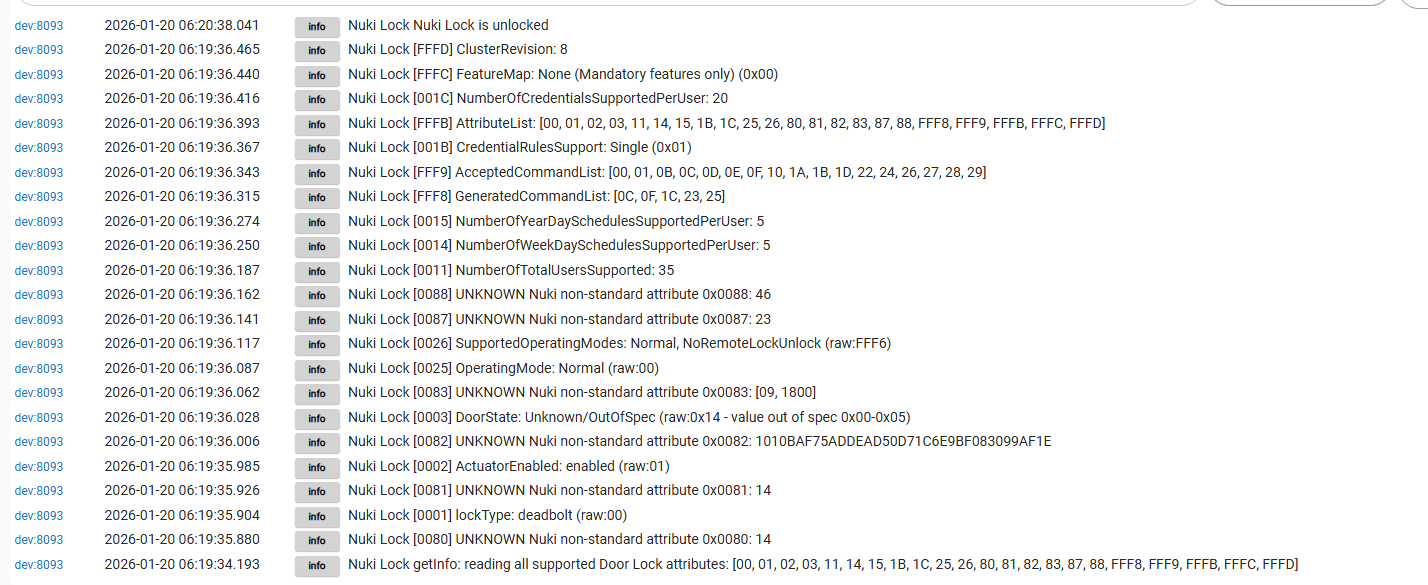
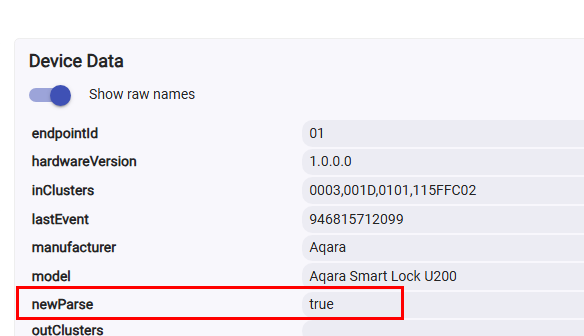
Matter lock commands and responses are quite complicated. I had to start using the newParse option, which effectively enables Hubitat’s new parser.
Enabling the new parser makes it a bit more difficult to switch back to the Hubitat stock drivers (either the “Generic Matter Bridge” or the “Generic Matter Lock” drivers).
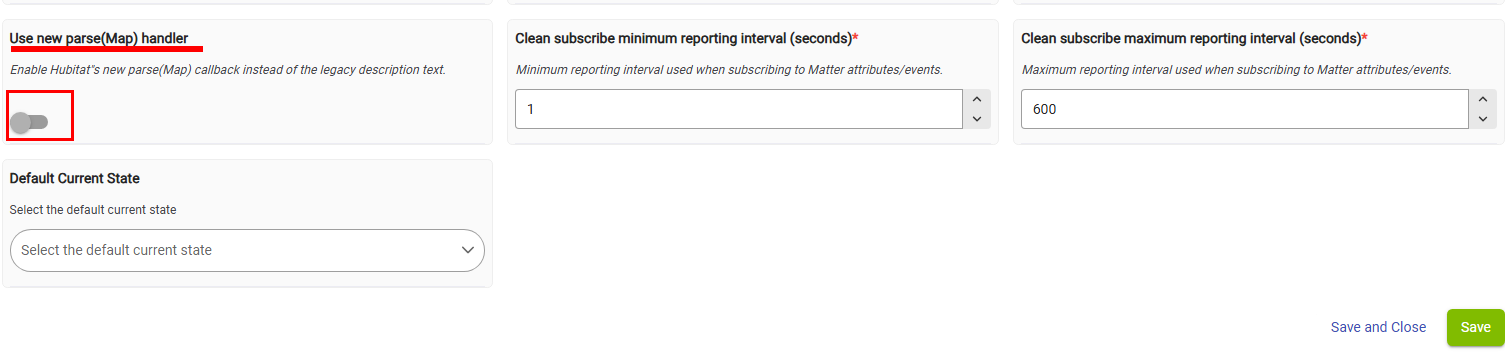
For now, the workaround is to add a new 'Advanced option' that allows switching between the old and the new Hubitat parsers:
If someone decides to switch back to the Hubitat stock drivers, this option must be toggled off. Just FYI.
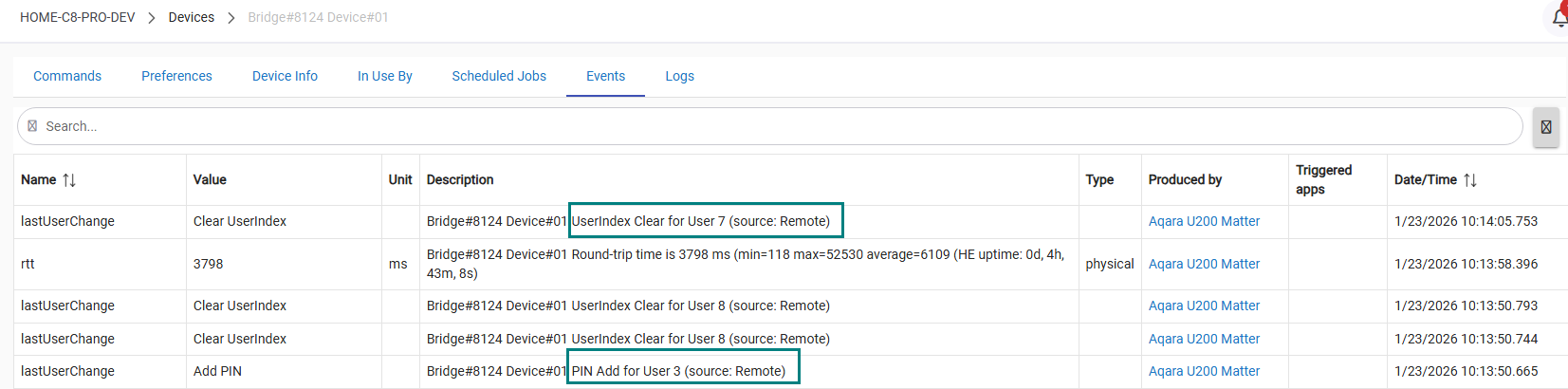
A sneak peek at some successful PIN/User commands, although there’s still a lot of work to be done before the next beta version is ready for publishing:
Over the past 10 days, I’ve been working on some major changes to the MAB suite code. The result is beta version 1.7.1 (last edited 2026/01/26 at 11:59 PM).
There are many internal changes; a brief and incomplete list includes:
commented out the code attempting to bring support for Matter Locks PIN/User management - HE platform is not ready for this yet...
added newParse(Map) toggle. A lot of code refactoring to future-proof and to keep backward compatibility between the 'classic' Hubitat parse(String description) and the new unofficial parse(Map msg).
added CarbonDioxideConcentrationMeasurement
tested ALPSTUGA Air Quality Monitor support
improved BasicInformation (0x0028) decoding
added ping() delta calculcation
added cleanSubscribe Min/MaxInterval preferences;
added matterCommonLib.groovy library for common functions;
reduced debug/warn logging;
Best Name auto-label for all child devices @iEnam (active during new devices discovery only, the existing child device names/labels are not modified).
various small bug fixes;
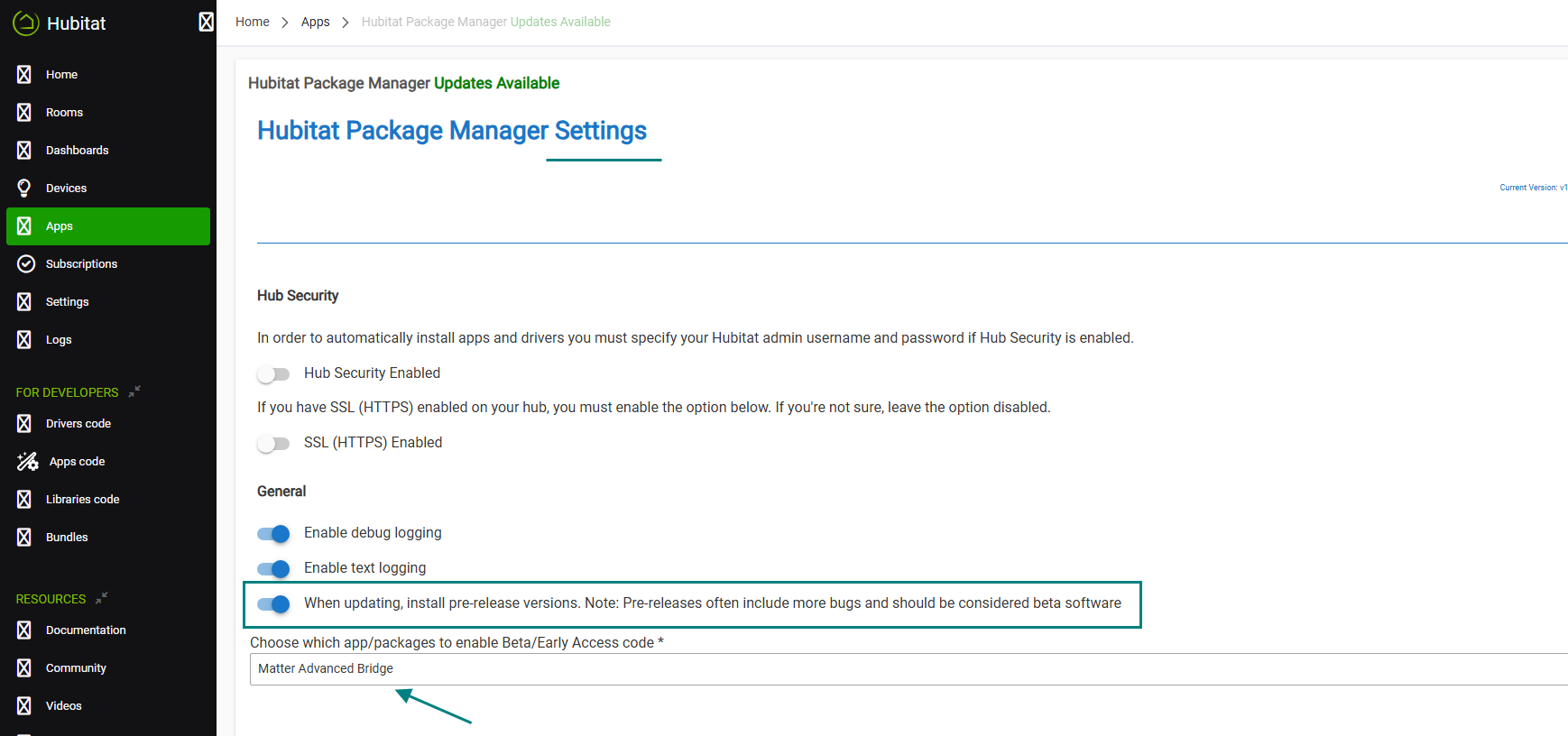
This beta version 1.7.1 can be installed using Hubitat Package Manager version 1.9.8 or later. Be sure you’re running HPM 1.9.8+ before installing.
Then, in the HPM settings, enable the “Install pre-release versions…” option and add the “Matter Advanced Bridge” suite to the list of authorized drivers and apps:
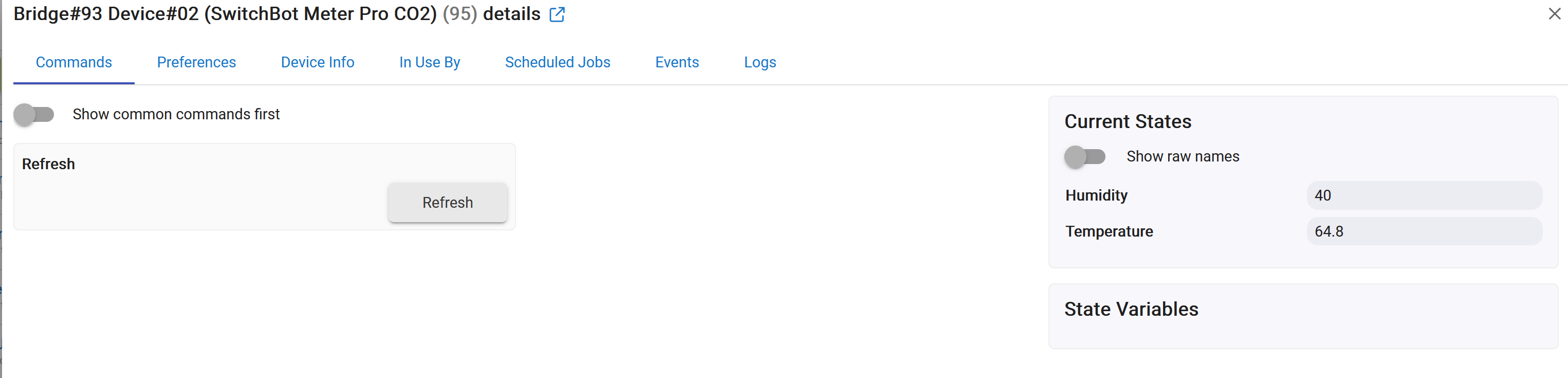
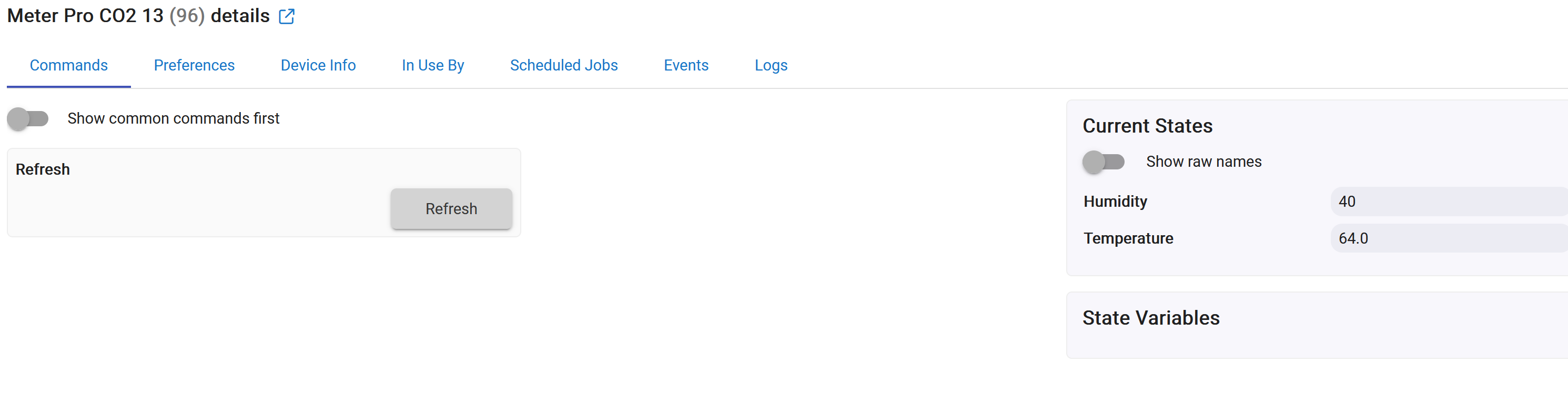
I finally got my Switchbot hub mini to connect to my C8 hub, and got my Meter Pro CO2 to be discovered using the "discover all" button. It seems to show temp, and humidity, but I was hoping I can get it to show CO2 levels. Long story short, I'm trying to use this to trigger a few fans to improve air quality in a bedroom.
I appreciate the help, and all the work that went into getting switchbot to seemingly play nice with HE. Was about to give up trying to get it connected to HE, but eventually did.
The Carbon Dioxide Concentration Measurement feature was added a week ago in the BETA version. Can you try it? See the post above on how to enable beta version updates via HPM.
Perfect, i'll try that. Do I need to completely remove the current non-beta package in HPM before adding the beta bundle? Also do I need to remove the switchbot from HE, and re-add it through matter? Thanks
All existing devices will be preserved. However, if new device types are discovered that were not recognized or supported in the previous version, those will be created following the new discovery.
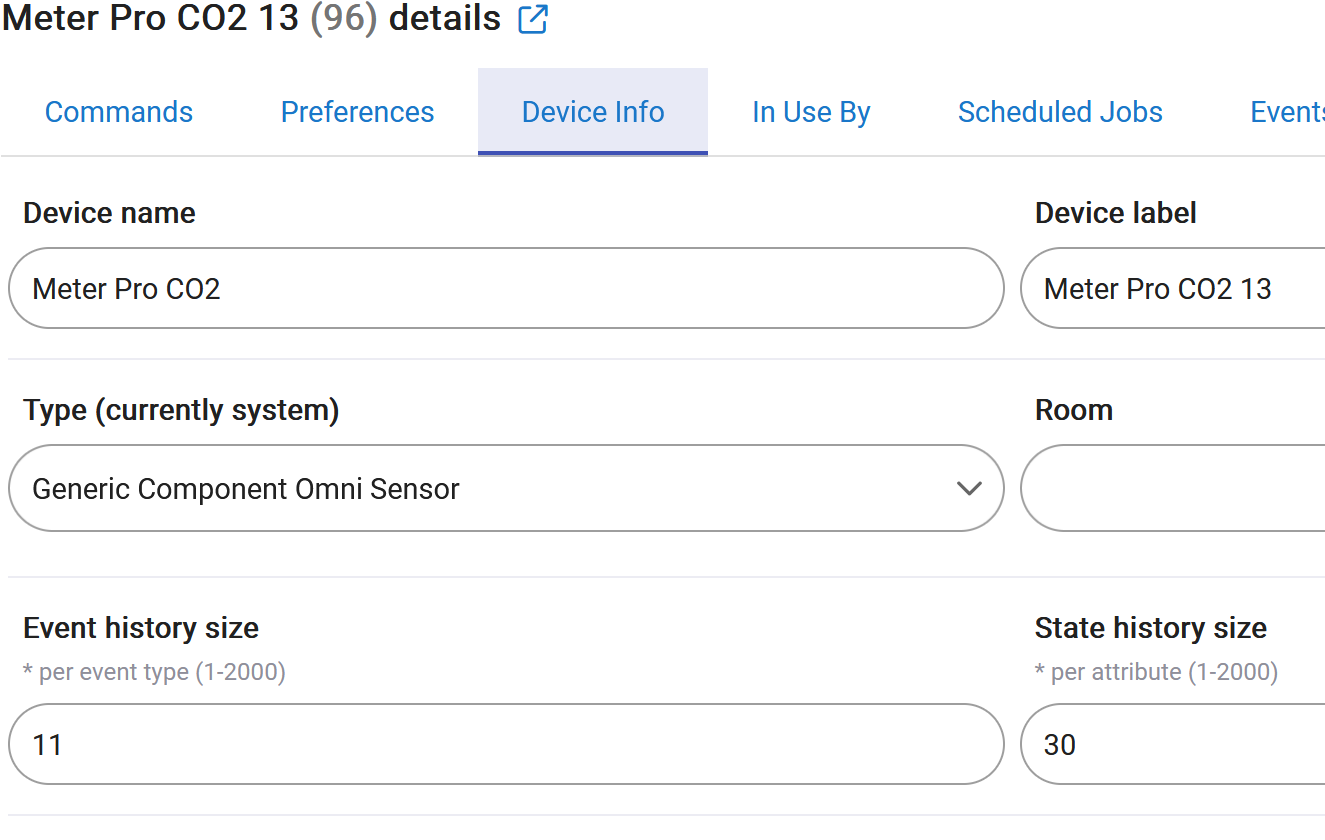
Got the beta version updated. I then clicked discover all afterwards but the meter pro still just shows temp and humidity. I then removed the meter pro, went to discover all again in the hub mini device page. It then shows as Meter Pro CO2 13. I refreshed the device page, with still just temp and humidity. Do i need to manually change the device type, in the Meter Pro CO2 device info to something else? Thanks!
I did a quick search, and a lot of sources state that, unfortunately, the CO2 sensor is not exposed in the Matter interface ... As an example, this is from ST forum :
If you temporarily change the 'device type' to the HE inbuilt 'Device' driver and click on the 'Get Info' command button, we can confirm this by examining the device fingerprint that should appear in the live logs.