[RELEASE] Matter Advanced Bridge (limited device support)

FYI for the HE compatibility in the Dashboard.
I installed your fix but had to patch to this link I posted to get the blinds to show properly in the HE Dashboard.

Change 34 and 35 to this
@Field static final Integer OPEN = 100 // this is the standard! Hubitat is inverted?
@Field static final Integer CLOSED = 0 // this is the standard! Hubitat is inverted?

And tick this Pref
image

You get the HE standard:

1 Like

Aqara Climate Sensor W100 (Matter over Thread interface)

Aqara Climate Sensor W100

Using Aqara Home app, switch the W100 protocol to Thread :

Thread Border Router used - Ikea DIRIGERA hub :slight_smile:
(for some reason, the commissioning via Aqara M3 hub and via Apple Home (HomePod Mini) failed after I paired it once, but then deleted the device, tested Zigbee, switched back to Matter, and tried to pair again?)

image

Then use the new Matter QR pairing code generated from the ecosystem where W100 was commissioned first (Ikea DIRIGERA in my case) to pair it as a Matter device in Hubitat.

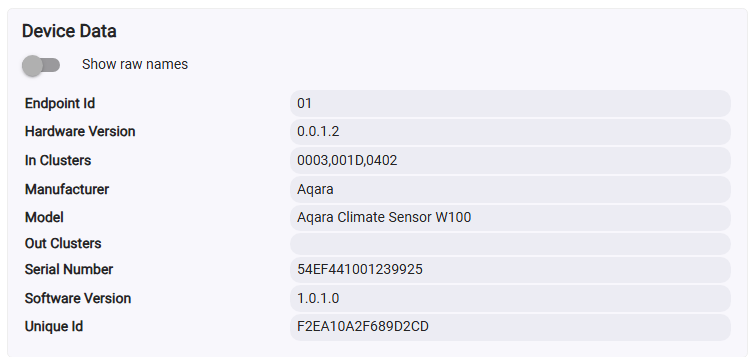
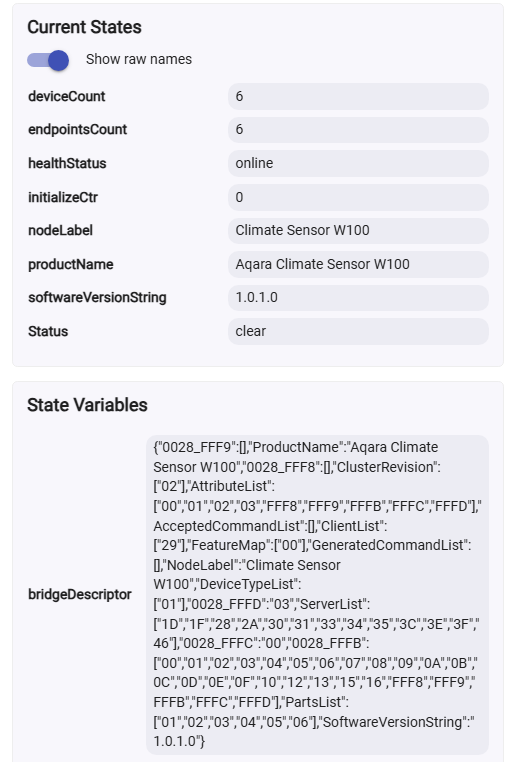
These are the Matter endpoints as obtained from the HE inbuilt 'Device' driver :

dev:76872025-07-25 20:32:46.314infofingerprint endpointId:"06", inClusters:"001D,002F", outClusters:"", model:"Aqara Climate Sensor W100", manufacturer:"Aqara", controllerType:"MAT"
dev:76872025-07-25 20:32:46.313infofingerprint endpointId:"05", inClusters:"0003,001D,003B", outClusters:"", model:"Aqara Climate Sensor W100", manufacturer:"Aqara", controllerType:"MAT"
dev:76872025-07-25 20:32:46.312infofingerprint endpointId:"04", inClusters:"0003,001D,003B", outClusters:"", model:"Aqara Climate Sensor W100", manufacturer:"Aqara", controllerType:"MAT"
dev:76872025-07-25 20:32:46.311infofingerprint endpointId:"03", inClusters:"0003,001D,003B", outClusters:"", model:"Aqara Climate Sensor W100", manufacturer:"Aqara", controllerType:"MAT"
dev:76872025-07-25 20:32:46.310infofingerprint endpointId:"02", inClusters:"0003,001D,0405", outClusters:"", model:"Aqara Climate Sensor W100", manufacturer:"Aqara", controllerType:"MAT"
dev:76872025-07-25 20:32:46.308infofingerprint endpointId:"01", inClusters:"0003,001D,0402", outClusters:"", model:"Aqara Climate Sensor W100", manufacturer:"Aqara", controllerType:"MAT"


dev:76872025-07-25 20:32:33.941debuggetting device info in 10 seconds...

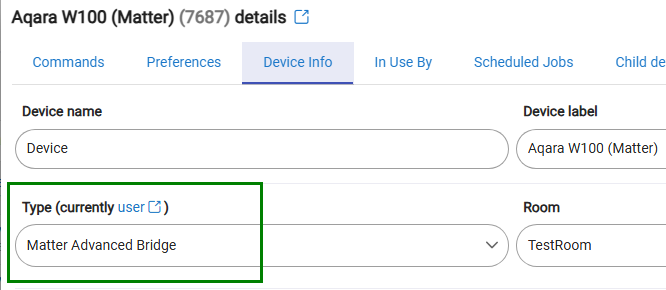
Set the device type to this driver, Save and Close :
image

Run the Discove_All command,

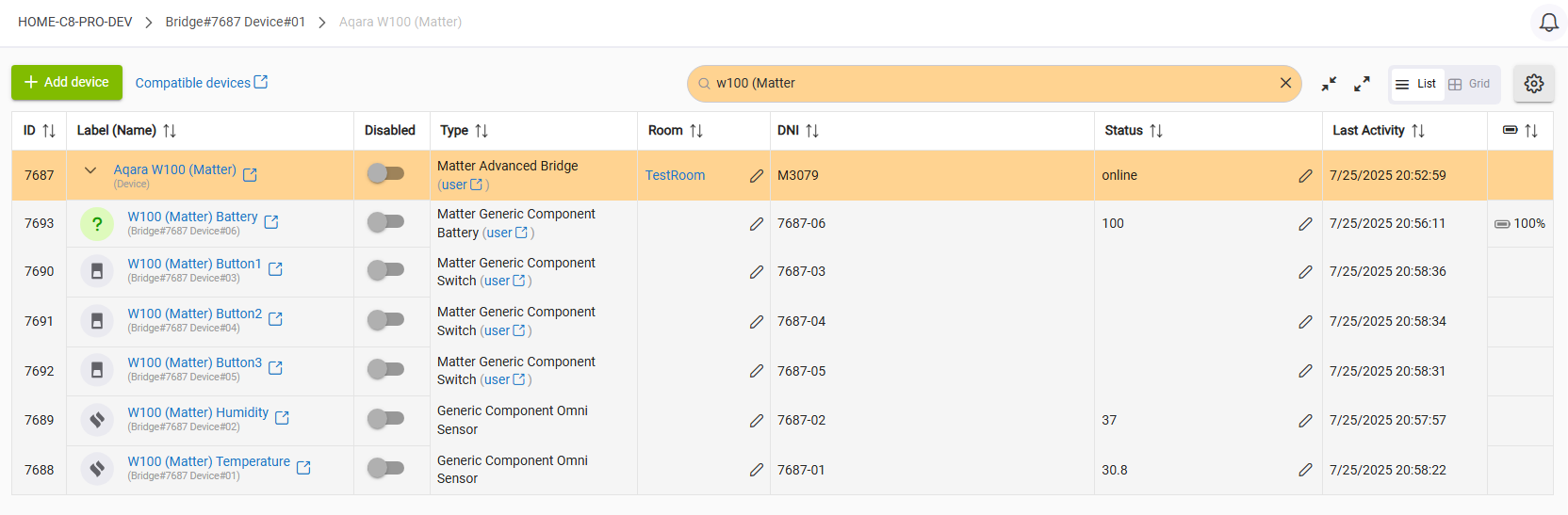
six child devices should be found and created :

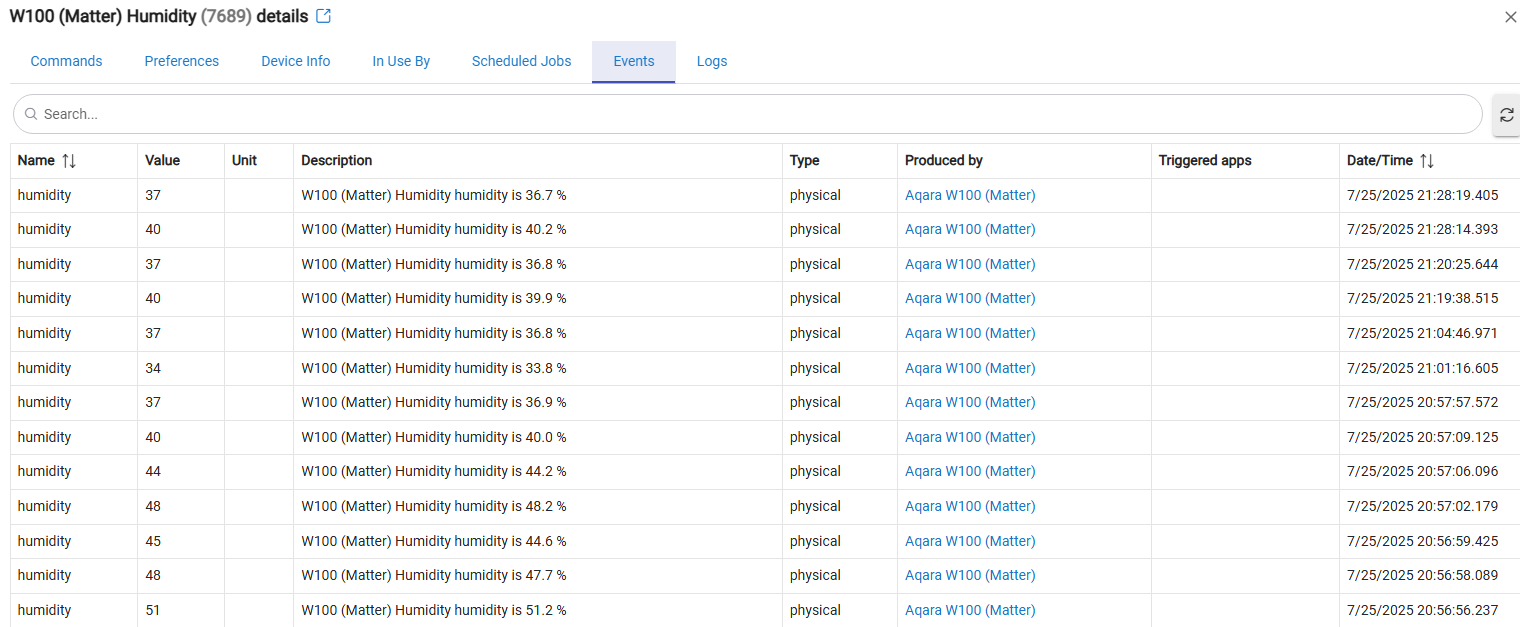
The Temperature, Humidity, and the Battery status are working OK :

The three buttons are NOT working at this time, but the debug logs indicate that they are sending events when single-clicked, so theoretically the buttons could be used via Matter as well. Aqara W100 buttons support will require an update of this driver.

Of course, the Aqara W100 Zigbee mode provides much better control and advanced functionalities, so for now I have no plans to further enhance this driver for W100 better support. I was just curious whether it will work using this driver or not...

A better approach would be Hubitat to create a dedicated inbuilt driver for this device. However, since it operates using Matter over Thread, an additional hub that functions as a TBR will be necessary.

4 Likes

Still loving this driver since beta till now, it is still the most Advanced Matter Bridge driver! :grinning:
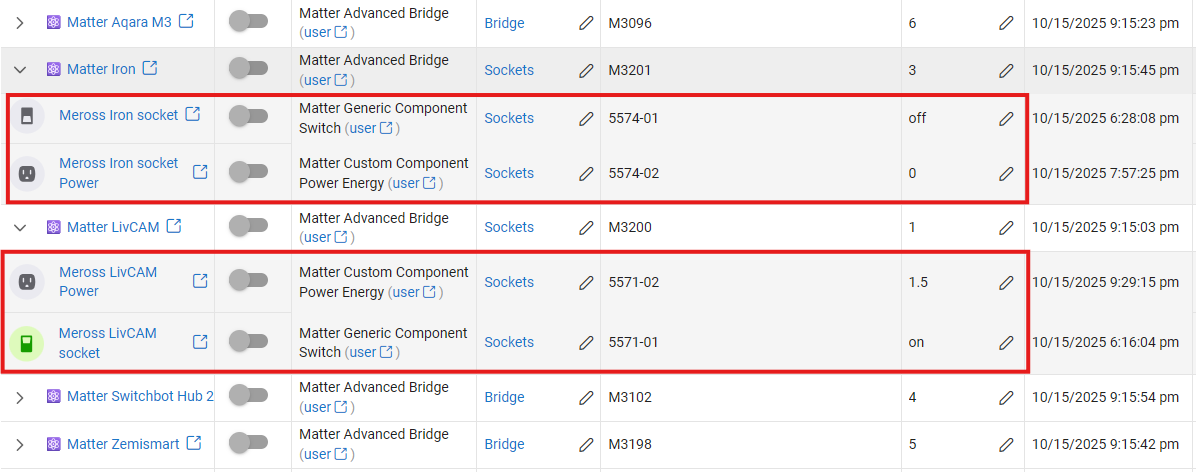
Just noticed that "Power" is also now supported for my old matter socket, finally can use it in automations!

1 Like

I was able to use this driver to bring over a handful of Aqara Water Leak Sensors (SJCGQ11LM) attached to an E1 hub, however they come over as "Generic Component Contact Sensor".

Is there any way to change them to a leak sensor so they can participate in the same rules as my other leak sensors?

Try clicking on each of the water leak sensors individually and opening up the command page. Then click on Save and Close in the lower right hand corner of the command page. Then click on the water leak sensor again and open it back up. After that go to the Device tab and under the type field try choosing the Generic water Sensor or something like that. Then save it and see if that works.

This may work. Not sure but it is worth a try.

1 Like

"Save and Close" doesn't exist on the command tab of the device. The only options are "Disable" or "Remove"

You are correct. I was thinking of the Hubitat native Generic Matter Bridge. I have several brought in through this matter bridge. My apologies.

I have an M2 hub brought into HE via matter using the Generic Matter Bridge.

I will give the native Matter bridge a try and see if it comes over correctly. Thanks for the suggestion!

They will come over as contact sensor in that bridge as well but if you will follow the steps I outlined it will let you change them to water leak sensors.

2 Likes

Anyone try this with the Yolink Local Hub YS1606?

I noticed this Lorawan hub supports local api, but also Matter. Curious if we can enjoy Yolink Lora sensors in Hubitat totally local via this matter bridge.

Update: found this thread

I am still trying to wrap my head around Matter and Thread. I know I am not a fan of adding a "complicated" device into my setup for a TBR and I would like to add something that I can ideally set and forget.

I was having a conversation about this with Gemini (as one does these days), and it pointed me towards the gl.inet GL-S200. It is not cheap, but I know from experience that gl.inet devices run great.

So, could this be a good basic TBR setup? Would I need some kind of driver to get it to integrate well with Hubitat?

I would not recommend a standalone TBR device like the GL-S200. Not sure how you could even get it working with Hubitat, and there is no mention of Matter.

The easiest way to use Matter over Thread devices with Hubitat is to use an Apple TV 4K (gen 3 with Ethernet) or an Apple HomePod mini. Both of these support Matter TBR duties, and easily allow you to pair Matter over Thread devices with Apple Home on your iPhone. Then, you can share that Matter over Thread device with Hubitat via Matter.

If you don’t have iPhones or iPads, you could use a Google Home or Amazon Echo device that supports bring a TBR. Be sure to look up which models of these devices support being a TBR, as not all of them have a Thread radio.

3 Likes

Totally agree with Ogiewon (Dan) - If you want to do Thread development with OpenThread, then the GliNet devices are great, you can roll up your sleeves and get your hands dirty, and get into the real details, work with SDKs, dev boards - That's pretty much the opposite of "it just works/set and forget".

Also, agree that a great OOBE is an Apple HomePod mini - I bought one explicity for this purpose, and it's small and works seamless with Apple Home for provisioning, and generating additional pairing codes for HE. - An AppleTV should work as well (but a new version of that is about to just be released) - so older devices may come down in price shortly. - An AppleTV also can be a media streamer, if you want that, as well as supporting a hardwire connection to your LAN

Also, if your not an Apple home, then Google Home Hub is a good alternate choice - All depends on if you team IOS or team Android for your phone, as to what's the better direction for you. - I would personally avoid Matter/Thread with Amazon/Echo products - They are way behind on Matter version support, and don't interoperate as well with the others ecosystems, IMHO.

Finally, regardless if you pick Google or Apple, consistently use one of these for the original provisioning, to avoid having multiple different fabrics in your home. Basically, pick one as the master, and consistently provision new devices there - Then you can generate additional pair codes to add to HE, HA, etc.

Finally, there is no HE driver or App needed for a TBR - You just enable Matter in HE settings, add a device, and enter the pairing code. - Let Apple or Google handle the heavy lifting of distributing certs/credentials/etc.

3 Likes

Thanks for the enlightenment. I might take a look at the Google nest mini, apparently this has TBR functionality. I have the original Nest devices, but these are not compatible.

1 Like

When the Aqara Radiator Thermostat E1 is paired to an Aqara hub, you can bring the TRV to Hubitat using this custom driver.

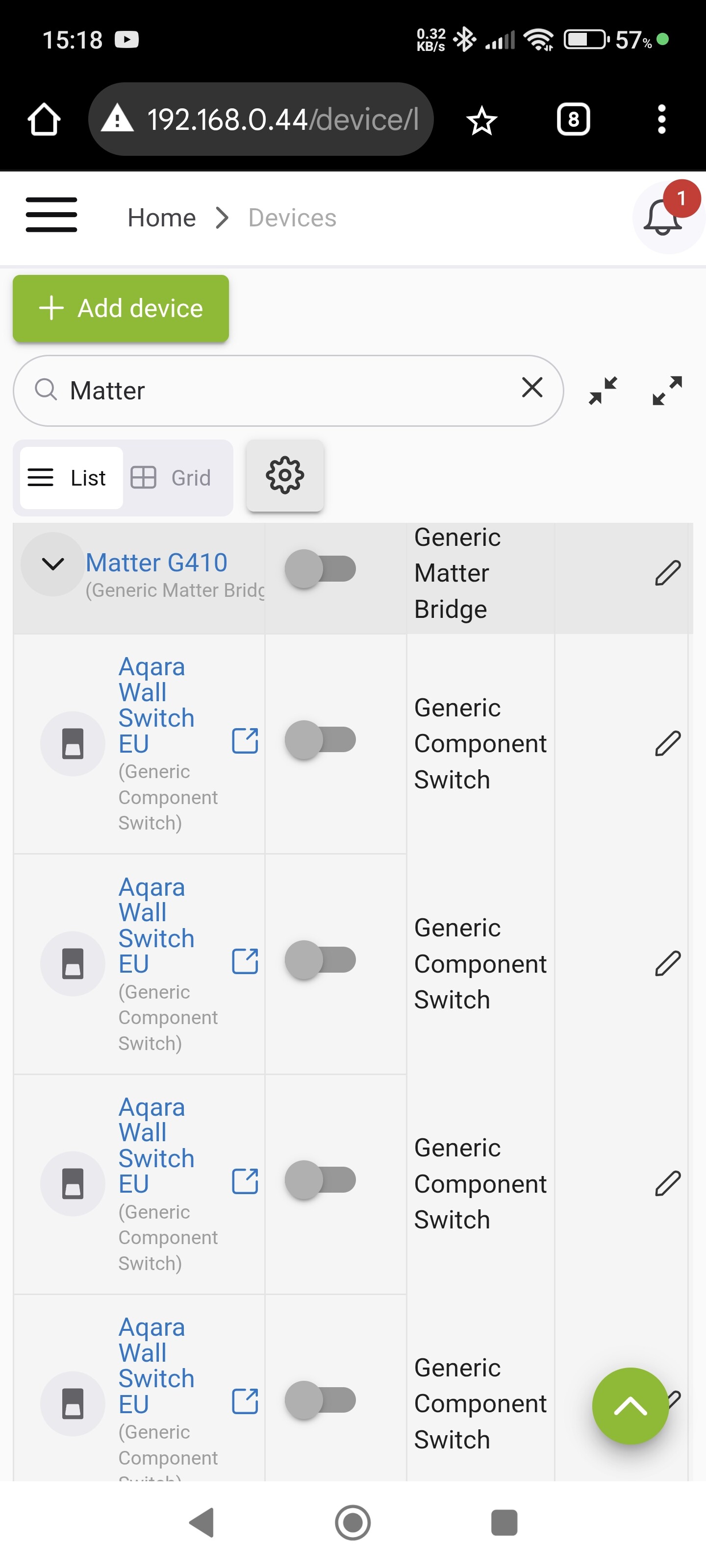
Hi, how do I bring it to HE? It doesn't show as a child device when I use matter. It's almost like my Aqara G410 hub doesn't wish to present the E1 as a device via Matter. I.e. I can't see the device in HE to actually assign your drive @kkossev. See below, the E1 is missing as a child device

You need to install the ''Matter Advanced Bridge" package first from HPM :

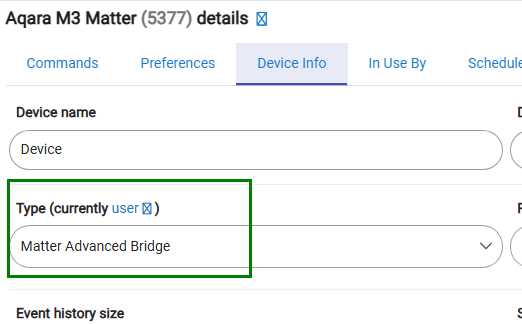
Then, change the "Aqara G410 hub" device type :

image

and click on the 'Discover All' command.

This will replace the stock 'Generic Matter Bridge' driver and will create new child devices.

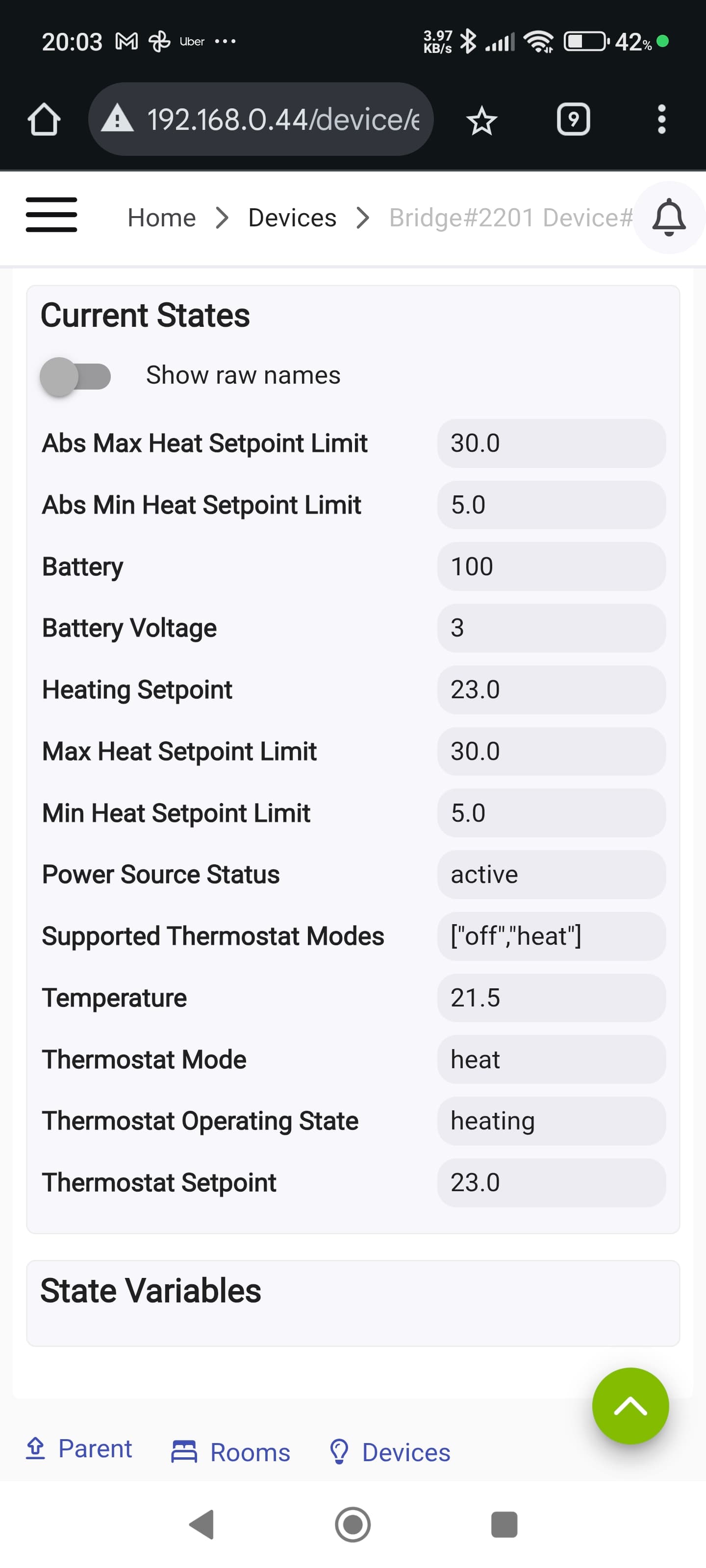
Oh Wow, I'm almost there, this is amazing! It appears to be working with one exception. The set point is updating as expected but the room "temperature" is incorrect and doesn't appear to update. Do you know why this might be?

See images where in HE the room temperature is 21.5 but in Aqara it's actually 22.5 degrees


1 Like

Does the temperature update correctly when you click on the Refresh button?

Hi, no, it remains on 21.5. I've noticed that the states list has increased in size though