I use Google Home. What exactly are you trying to control? 
Google is pretty limited on what it can support out of the box for Bluelink, as it needs to fit within one of their defined Device Types and/or Actions, which isn't really the case here. Also, Hubitat implements the bare minimum support for Google Home with their built-in App (mostly just lights and switches), but you should install the Google Home Community app to really unlock the power of Google Home on Hubitat, as it will let you customize your custom Google Home device to match what you want to control in Bluelink.
I've automated a command to warm up the car via voice via the following steps, which is simple enough to be done without the Community app if desired:
- Create a Virtual Switch device in Hubitat.
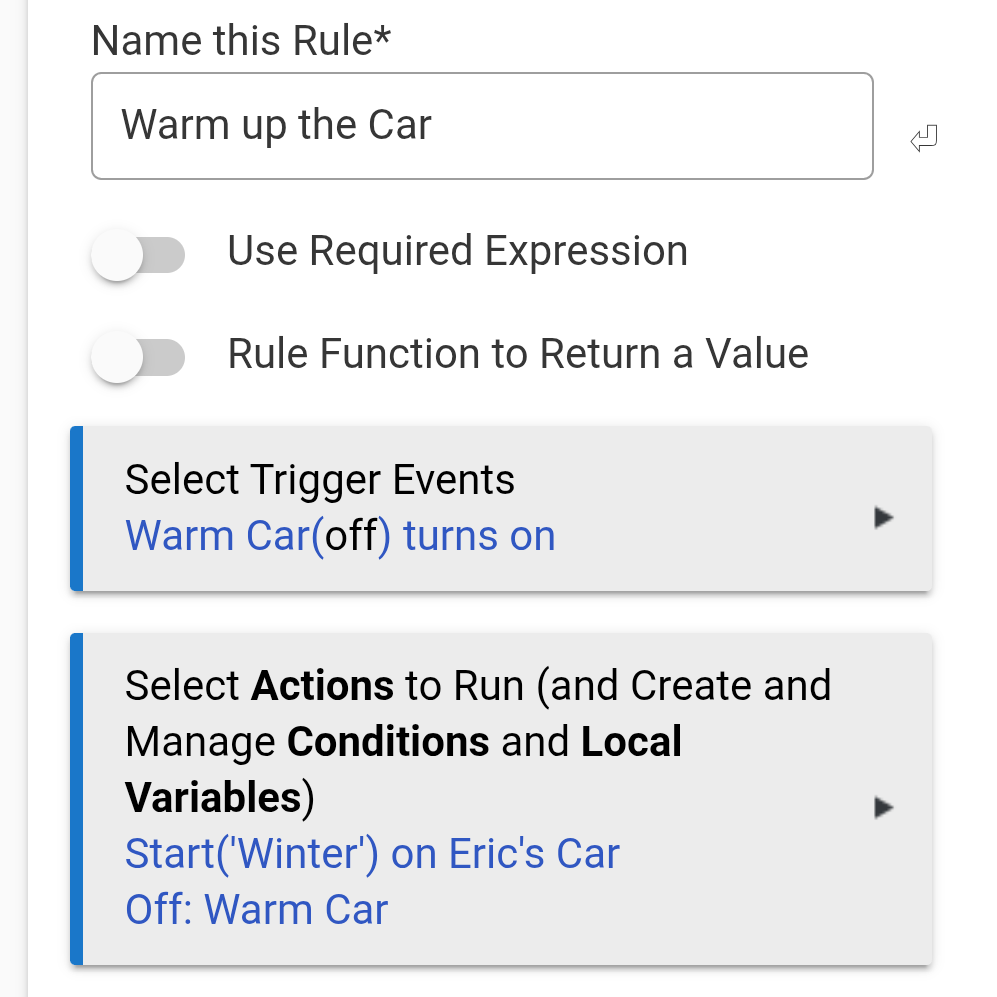
- Create a Hubitat Rule that does the following when the switch is turned on:
- Call the Start action with my desired profile as a parameter on the car device.
- Turn off the Switch (effectively making it a Momentary Switch).
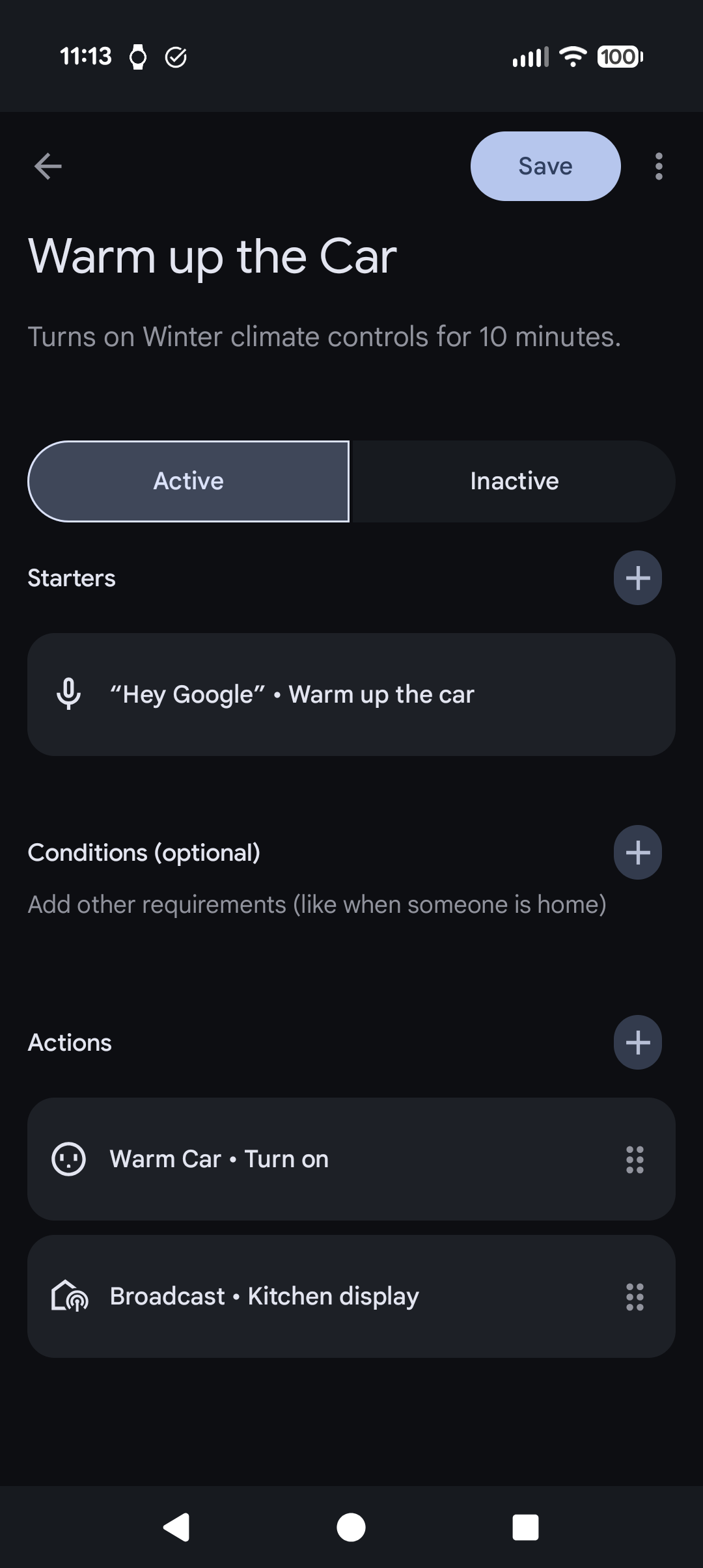
- Expose the Switch in Hubitat's Google Home app.
- (Optional) In Google Home, create a custom action to turn on the switch when a phrase is uttered (such as "Warm up the car.").
- You could also just say "Turn on <name_of_switch>", but that isn't wife-approved in my house.