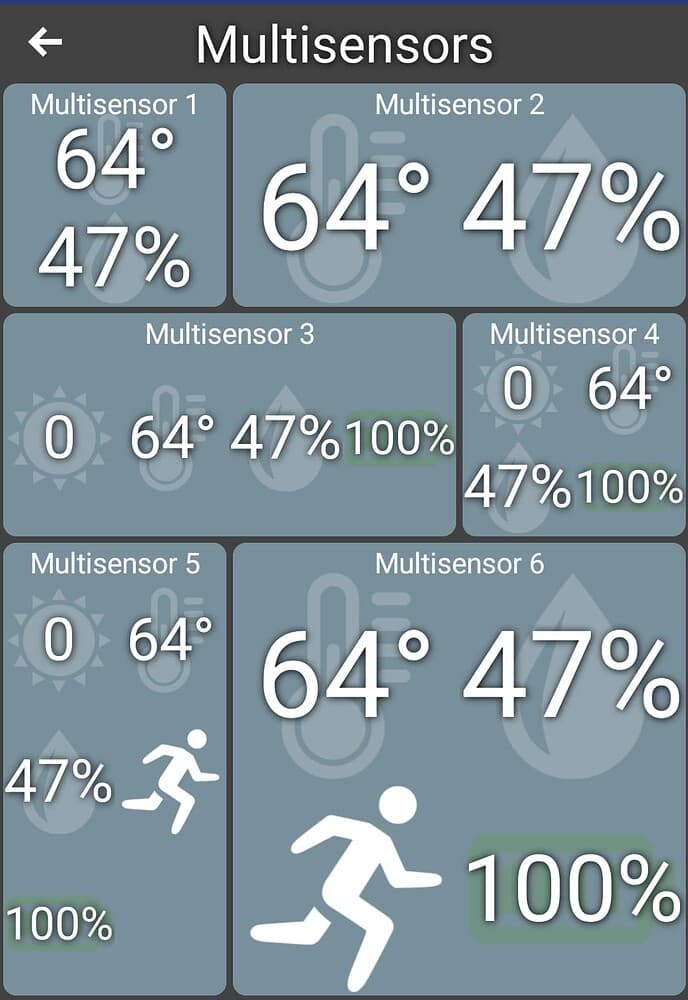
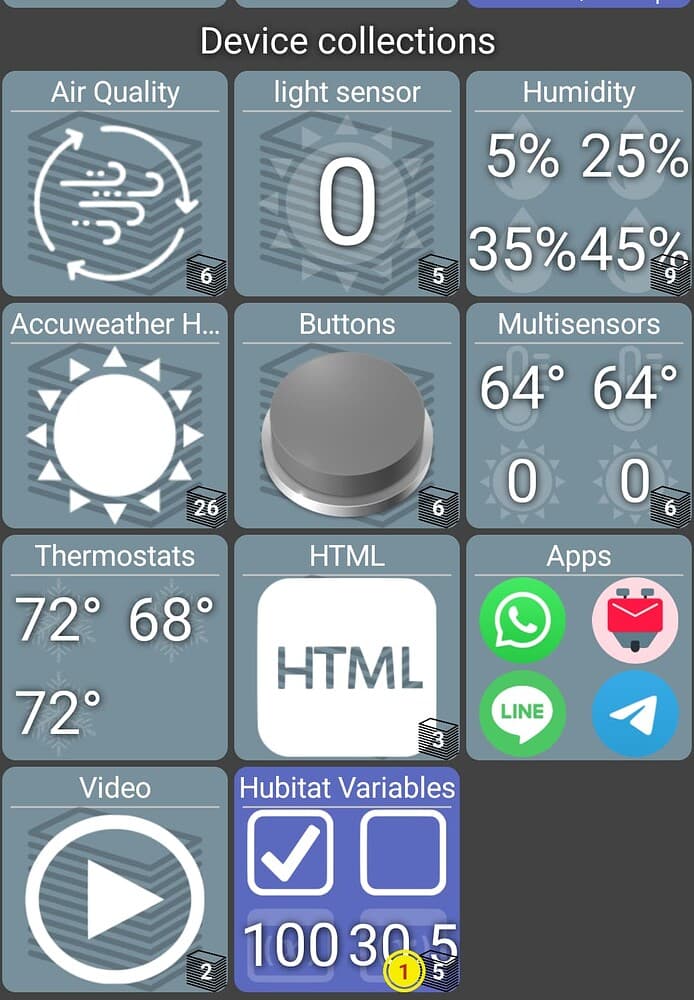
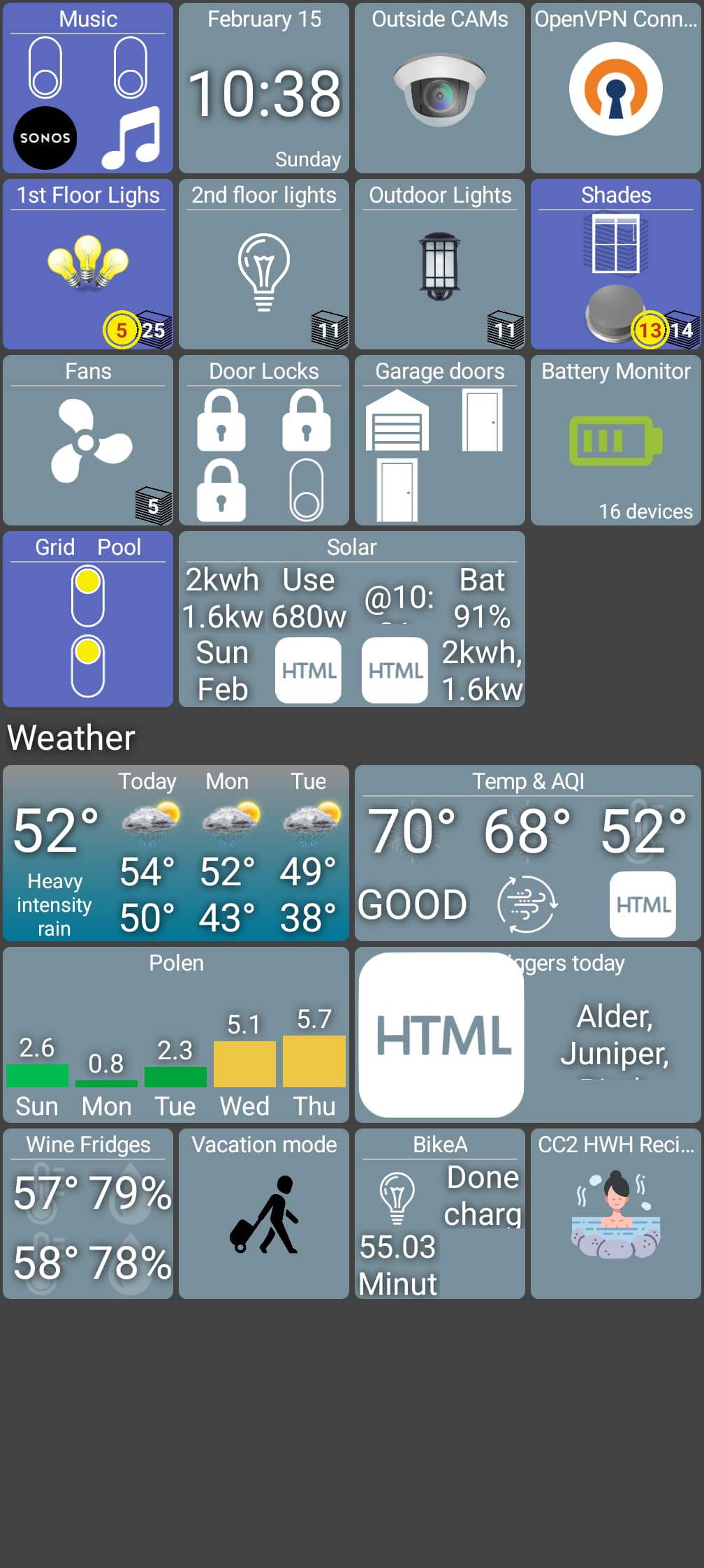
support up to 16 items (4x4) on folder and custom device type
support / feedback now uploads logs to secure server instead of requiring email client configured on device
Only a couple of changes in this version - primarily to folders and multi-sensor devices. I merged the logic between the 2 device types to make things consistent. In doing so I tried to make sure nothing broke but there's a lot of edge cases that had been handled before so I could have missed a few things. Just let me know and if it makes sense I'll support it.
Screenshots below how this should look. A 1x1 tile will still only show up to 4 items. If you make the tile larger though more devices can be displayed as seen below.
The other change should help me debug issues a lot better. If you need any support with a device or see an issue, send me a device log (About -> Support/Feedback). The log gets uploaded to a secure server and I'll take a look. Let me know about it in this thread and if there's something I can reproduce or see I'll reply back here.
(I'll see if I can add a way to include a screenshot in the future as sometimes that shows the problem better than anything else)
Last note -- this (and all) changes go to the Google Play Beta channel. I'm going to push the previous beta version to production so if you see any issues you can always switch to that too in the meantime
With the new Beta release, tiles that are 2+ wide display the info in a single line, not two lines. It's the same on my phone (Pixel 9) and tablet (Pixel tablet).
Edit: Folders use the wrong icons when the device uses a custom icon.
Ver: 1.0.2781
My Folders no longer have icons showing, only the folder name.
However, I notice that while the folder contents are in the folder, the items are also back on the home screen as well.
So it appears that the despite managing (adding items) to the folder does show up in the folder itself, it also doesnt remove them from the home page.
thanks for the screenshots -- I don't see any logs though. Looking though the code I see I forgot to set an environment variable in the auto build (github actions).. meaning it worked when I tested locally but not in the apk that was uploaded.. damn! I just pushed a fix for that now.
I could really use those logs to help figure out some of the issues you're seeing. Hopefully you won't mind re-trying with the new version which should be coming soon.
In the meantime I'll try to go off the screenshot to figure out what I can. I can already tell there's going to be some people who want to show 4 items on a 2x1 tile and some who will want to display 8. I might have to add a setting to this.
This kind of highlights the biggest problem I have pushing changes today.. there's so many different configurations out there that it's difficult to change anything without changing the way it works for someone else. Ideally that's what Google Play production and beta versions are meant for.. beta gets changes first and hopefully any issues can be figured out before going out to everyone. The downsides are that Google Play is SLOW to get updates and not even available on Fire tablets..
Anyway, please re-send logs if you can. That's going to be the biggest help to me to fixing issues. You shouldn't have to make any changes to your config though
Update: Previous log was an event log. I just uploaded the verbose device log (all) with the tag "marc-260215-device-log", so you should now have both the event and device logs.
A heads-up that when I hit "OK", the app did not pop up any type of confirmation message. If it is supposed to do that, then there may be an issue doing the upload.
Below is original msg:
A setting that limits the max # of display items would be very helpful for me. There are times when I only want 1 or 2 items display; other times I want 4.
I am going to try uploading the log again right now. I also want to confirm I am doing it properly:
about->logs->. I entered the value "marc-260215" and hit OK.
If I need to do something different, let me know. Anything I can do to help I am happy to do.
This doesn't work in the previous version (see note above). I just installed the latest (1.0.2782) and it does work. If you have the app installed via Google Play though it's going to take some time to update
second bug.. you have this setting (Display Options) disabled.. not something I ever normally turn off so that would have taken me a while to figure out.
I just pushed some changes which should go a long ways towards restoring what was there previously.
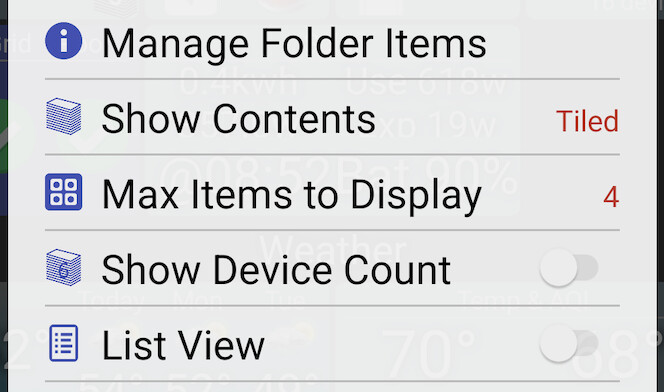
1 new setting was added and it shows up in the Folder -> Edit dialog when you have Show Contents set to "Tiled". It now defaults to 4 (which was the max before). You can use this to show more items on a folder OR fewer items -- something you couldn't do before.
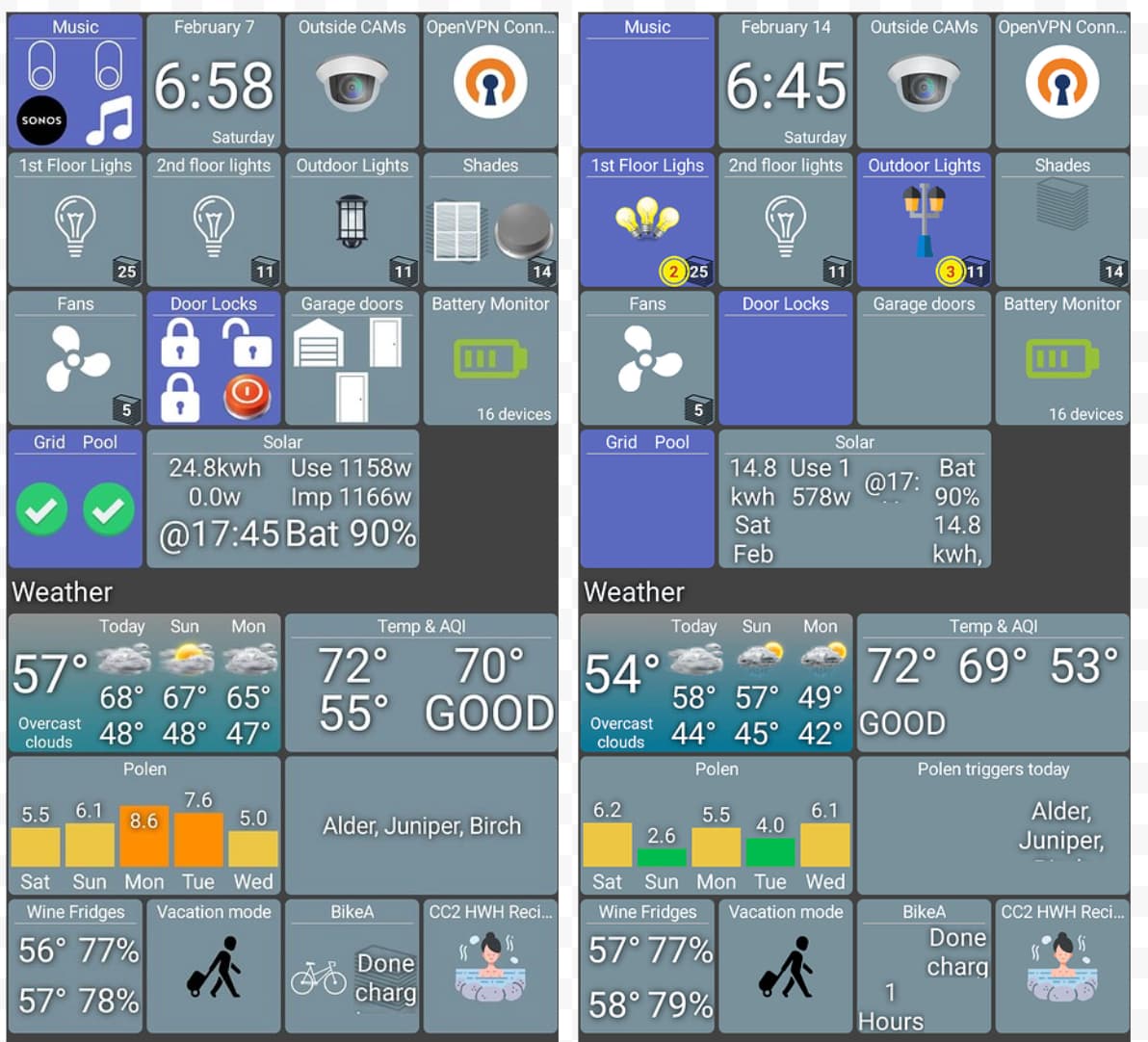
It's not exactly as before but I'll need to think about how to handle some of those cases.. using your before and after screenshots combined with the logs was VERY helpful btw!
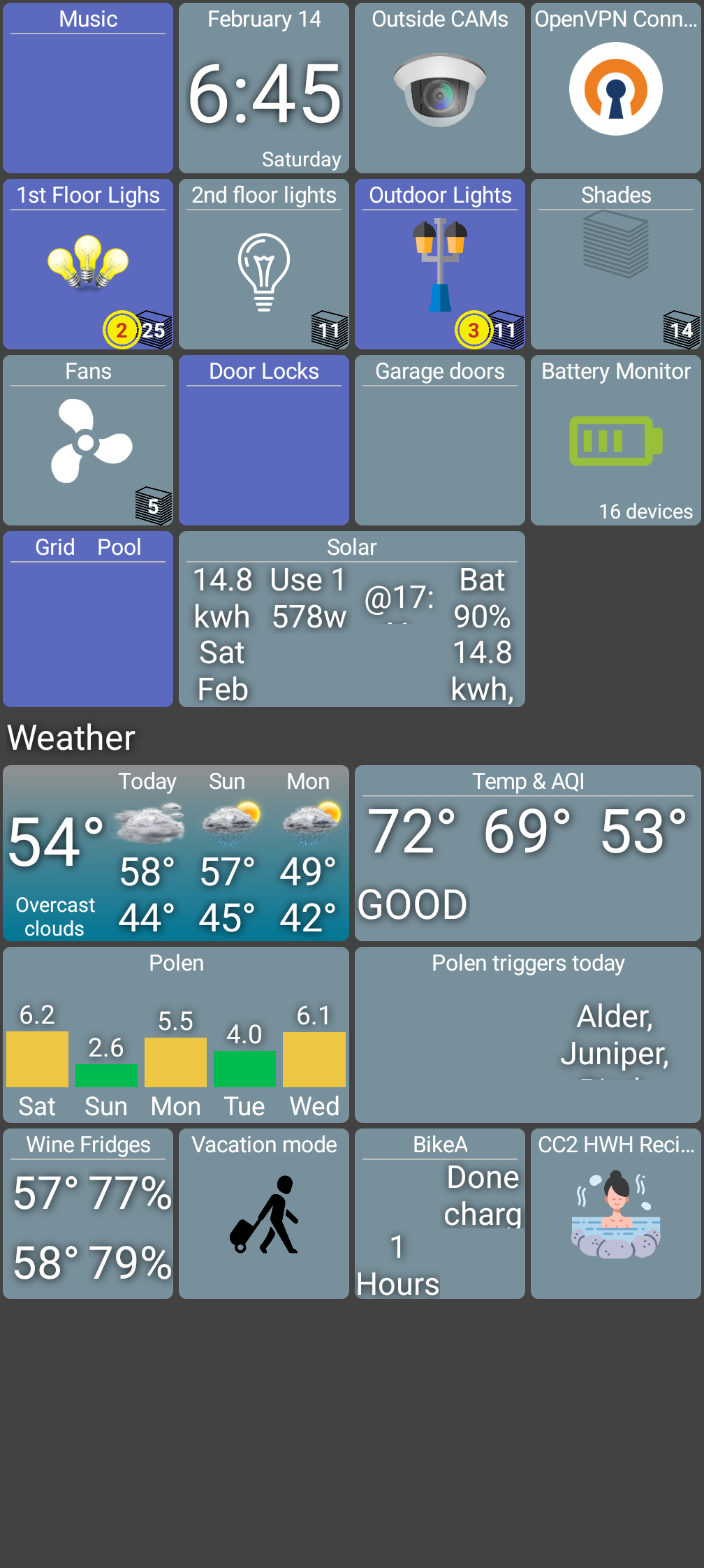
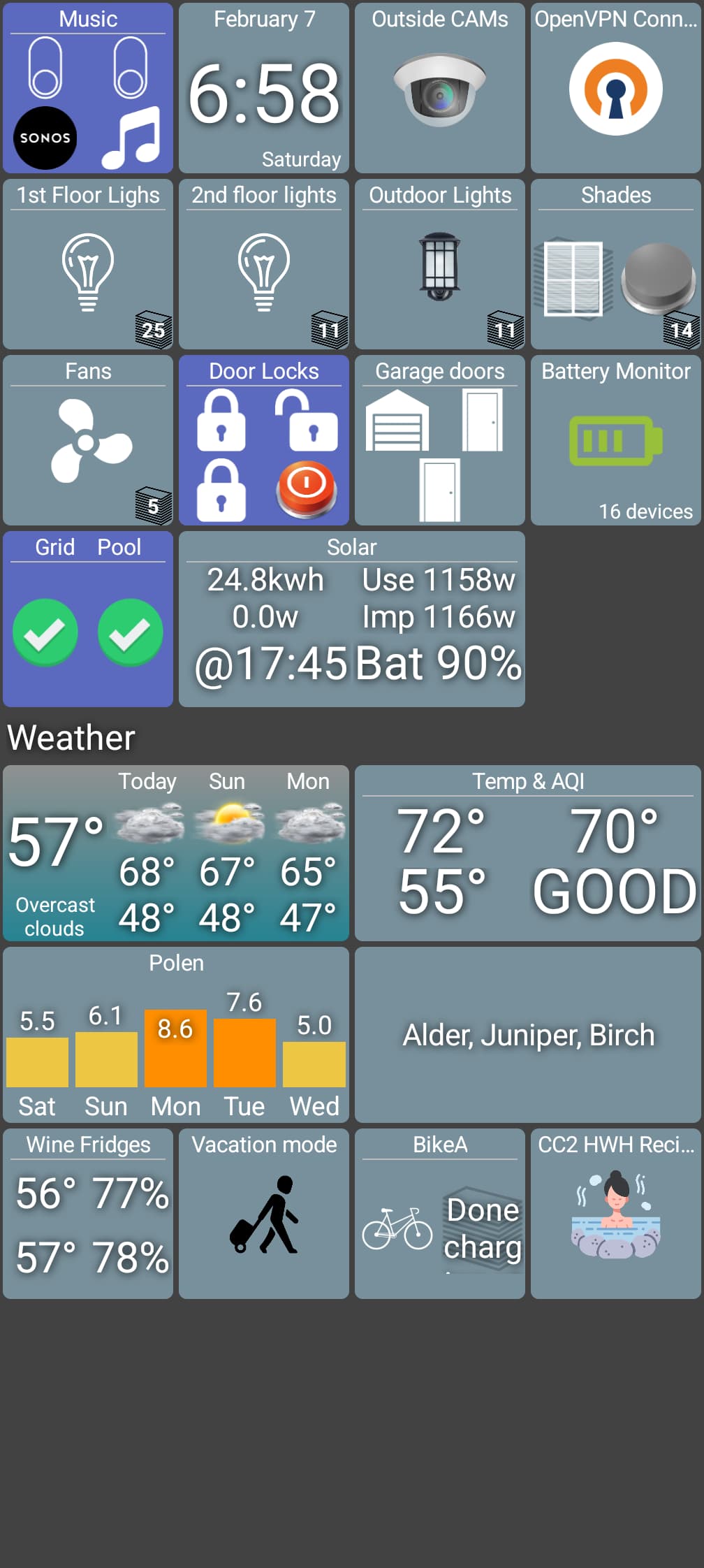
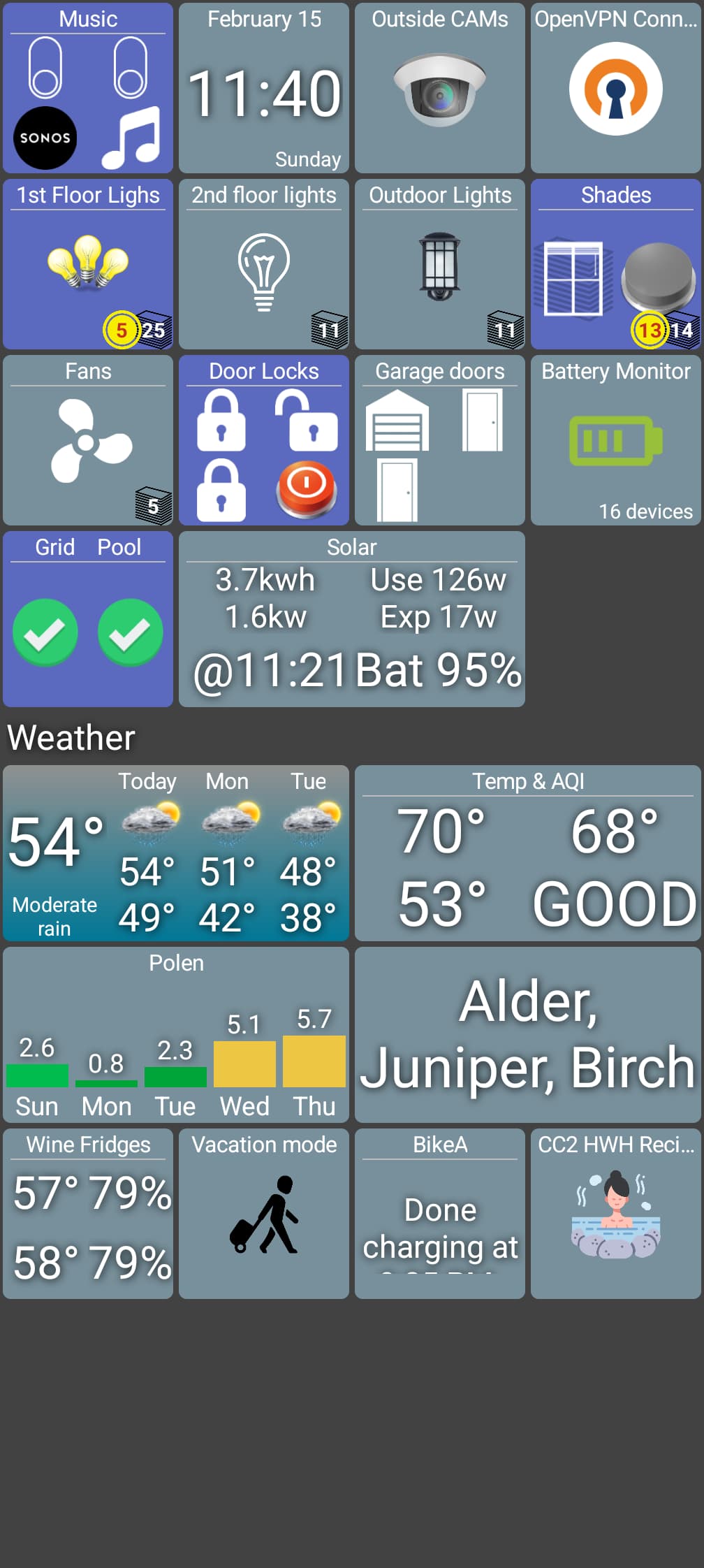
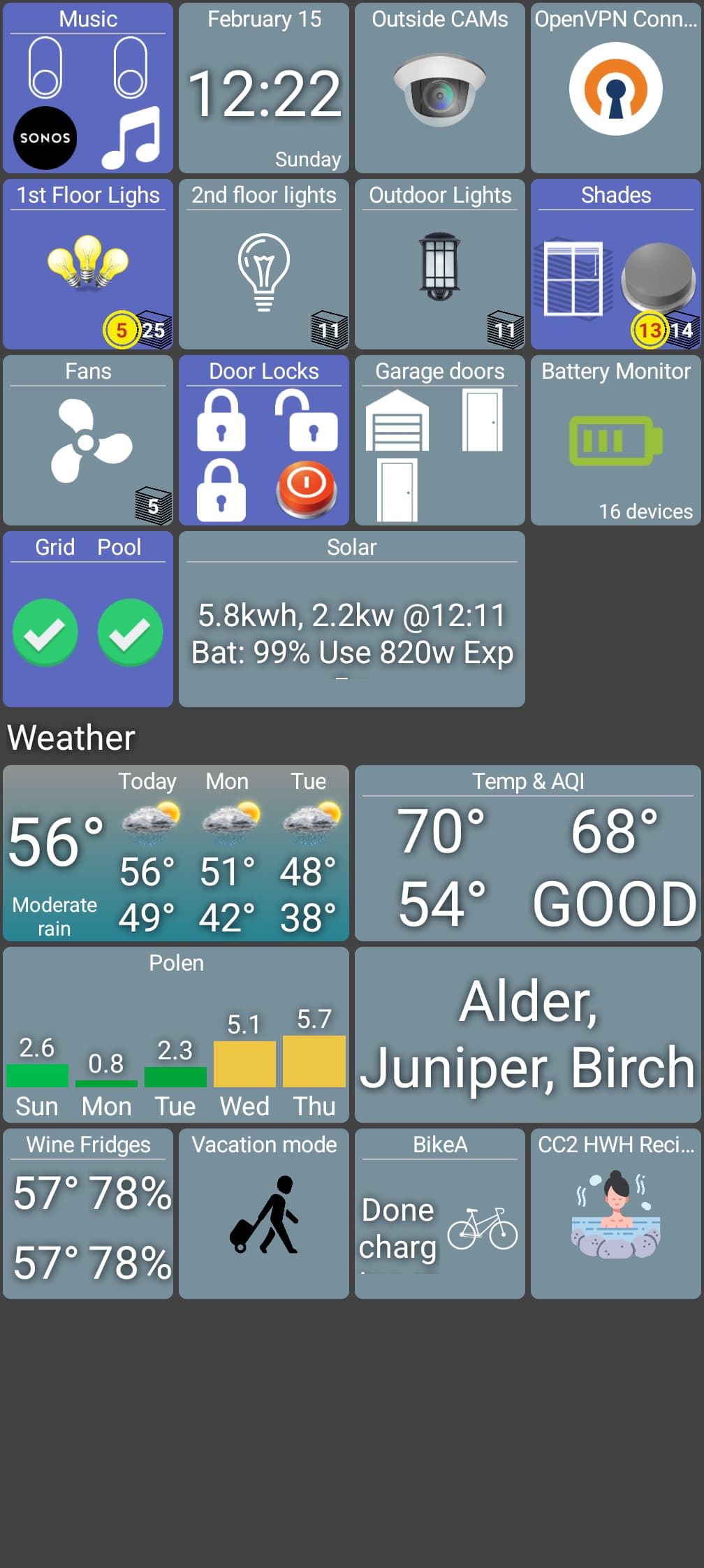
(this is your BEFORE and AFTER screenshots, not what it'll look like with the latest changes -- I just copied them here to help view things)
Let me know how the next version looks. Here's what I think still remain and why I haven't changed it yet:
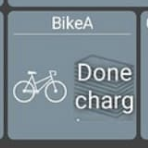
this tile is showing 2 or more 'text' files stacked ("Done charg...") but it's not really possible to 'stack' multiple text tiles. So, this was really a bug before and you'll now see 3 or more items on this folder. BUT, if you only want to show these 2 items you can do that using the new setting (see above)
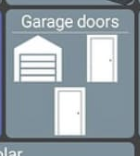
an odd number of items now aligns a little differently than before. When there was only 4 total items it was easier to center that last one. But, now it's harder with up to 16. So, that 3rd door will show up aligned under the garage door
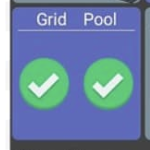
this isn't different but I'm using it to illustrate something. Previously, folders would display 2 items side by side where multi-value devices would display them on top of each other. I need to pick one or the other since I'm sharing the logic now. I went with side-by-side so this will look the same.. but, it's a change for the multi device tile FWIW
There is one odd thing: The tile named "Garage doors" used to all be garage door icons. I am not sure why 2 of them became regular doors. I don't recall when the 2 of them changed icons, but it may have had something to do with when I migrated those sensors to a different hub. I believe that is why I happen to have had a recent screenshot of what it was like "before" the update. I will update those 2 icons manually.
I am going to do some more testing and will post an update in a bit.
@jpage4500 I did some more experimenting and things look good!
I do have a request. One of my tiles displays text. The tile is 1 high, 2-wide. The line of text is sometimes 3 lines long, but only 2 get displayed with a tiny bit of the 3rd line showing through.
Would it be possible to have it display all 3 lines? It seems like it would fit.
It would also be amazing if I could instead line-breaks into the text
It's the tile named "Solar". When I tap on the folder, the text block, which is also 1x2, shows the exact same way.
@jpage4500 I did some more testing and I think I found a bug.
It looks like the "text size" setting doesn't have any impact on the size of the text when displaying text on a tile on a tile. In my case, I've selected a single customer attribute of a device whose device type is "Custom"...