Yes.
I did push the beta version to production last week but nothing for a while before that. Are you able to send me the device logs? The URL that's failing should be in there and I can see if it's accessible. I see that drive link -- is that a public URL?
1 Like
I'll send them now.
I'll PM you
They should be supported - I've got several of them. Just make sure they're added to MakerAPI and they should show up. If not I can look at it -- what would help is the output from MakerAPI which lets me replicate what you're seeing
Feature suggestion
Auto-close a Web Tile (or maybe any tile?)
I have a web tile to control my air-conditioning, which I use several times a day. Quite often I forget it open (and so does my wife), the when I go to the dashboard to do something else, firstly I need to close it before doing what I want. If I just want to check something from a distance, I can't.
Even when I don't forget to close it, there is still the need to click a small button in the corner, which takes some time. I would rather adjust what I need and leave it there to be auto-closed.
I know it may sound unimportant, but several times a day, several days a year, it adds up.
I never use it for more than 20 seconds, so it would be great to have the auto-close feature with some predefined options, like: 'Off', 10s, 30s, 1m, 3m, 5m, 10m.
Sometimes we also long press a regular tile, generally a dimmer bulb for it is sometimes hard to adjust from the smaller bar, and we also forget them open from time to time. The same option here is less important to me, but it would be a nice to have. If a generic option for any tile makes sense, it could be the way to go.
Can you se if this does what you're looking for? It'll auto close any open dialogs and return to the top of the main dashboard after some predetermined time (30s by default)
Hello @jpage4500!
I have just tested it here, it doesn't work for my scenario.
I have 5 Fire HD tablets and 2 old smartphones as fixed dashboards around the apartment.
For example, in the Office I keep the 'Office' folder as my default dashboard, with the main dashboard having just folders for all rooms and a few other devices. I have organized the default dashboard (folder) of each device in a way that I have everything I need to control from that room (including some devices from other rooms), so I almost never go back to the main dashboard, which is what the 'Auto Return Home' does.
Could we also set the color of the Thermostat tile to match the mode of the unit? "Cool" = Blue / "Heat" = Red / "Off" = Transparent (no set color) | "auto" = IDK green?
Every night I have to check the state of the air conditioner because the Hubitat does not control it well through automation scripts for some reason.
I had to lookup how this works today since it's been a while and I don't have a support page for it (but will add one).
Anyway, today the temperature text/icon is highlighted when the AC/heat is on. The idea was to be able to tell at a glance when it was running. There's also a different background image used when the mode is cooling/heating
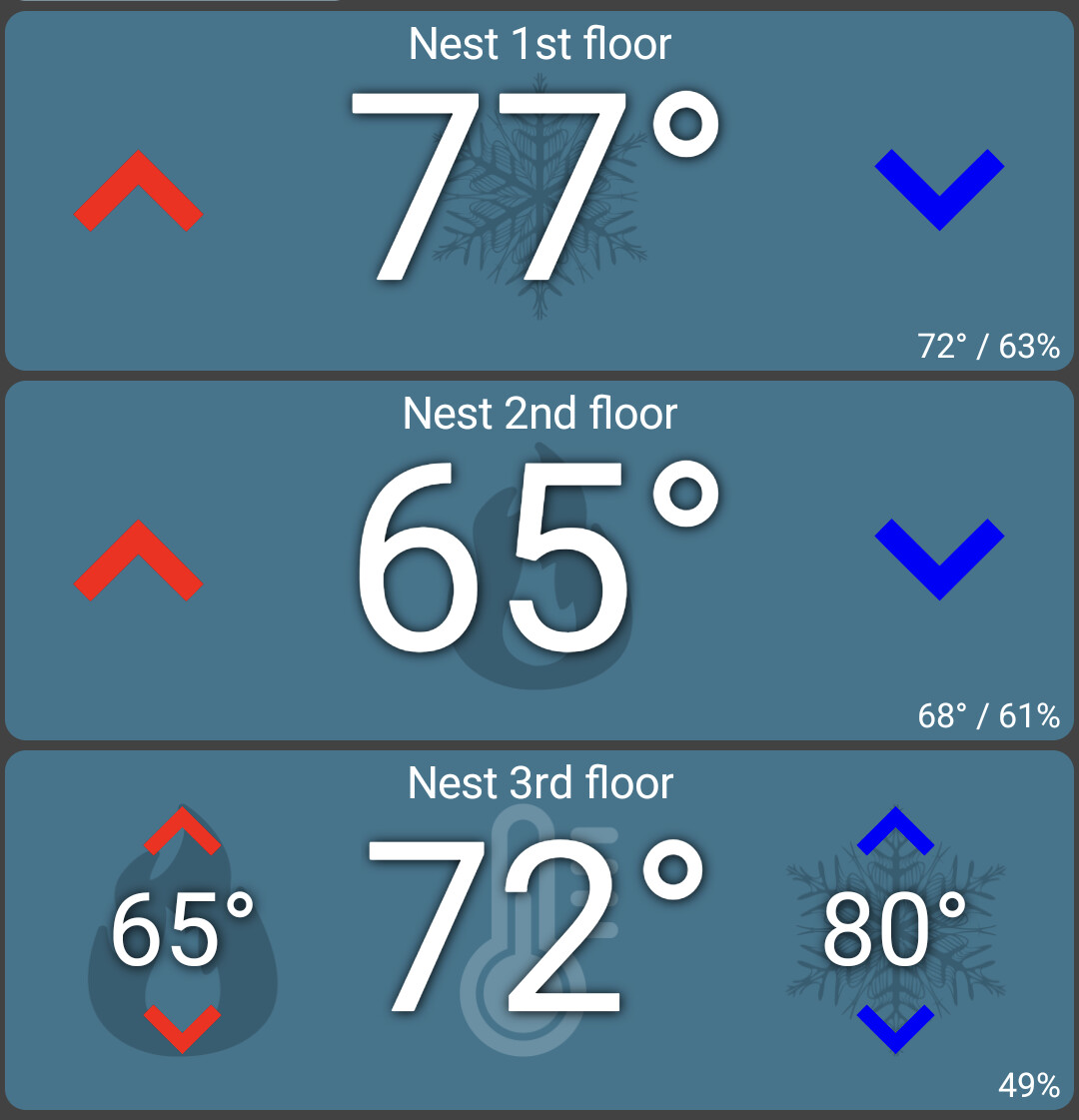
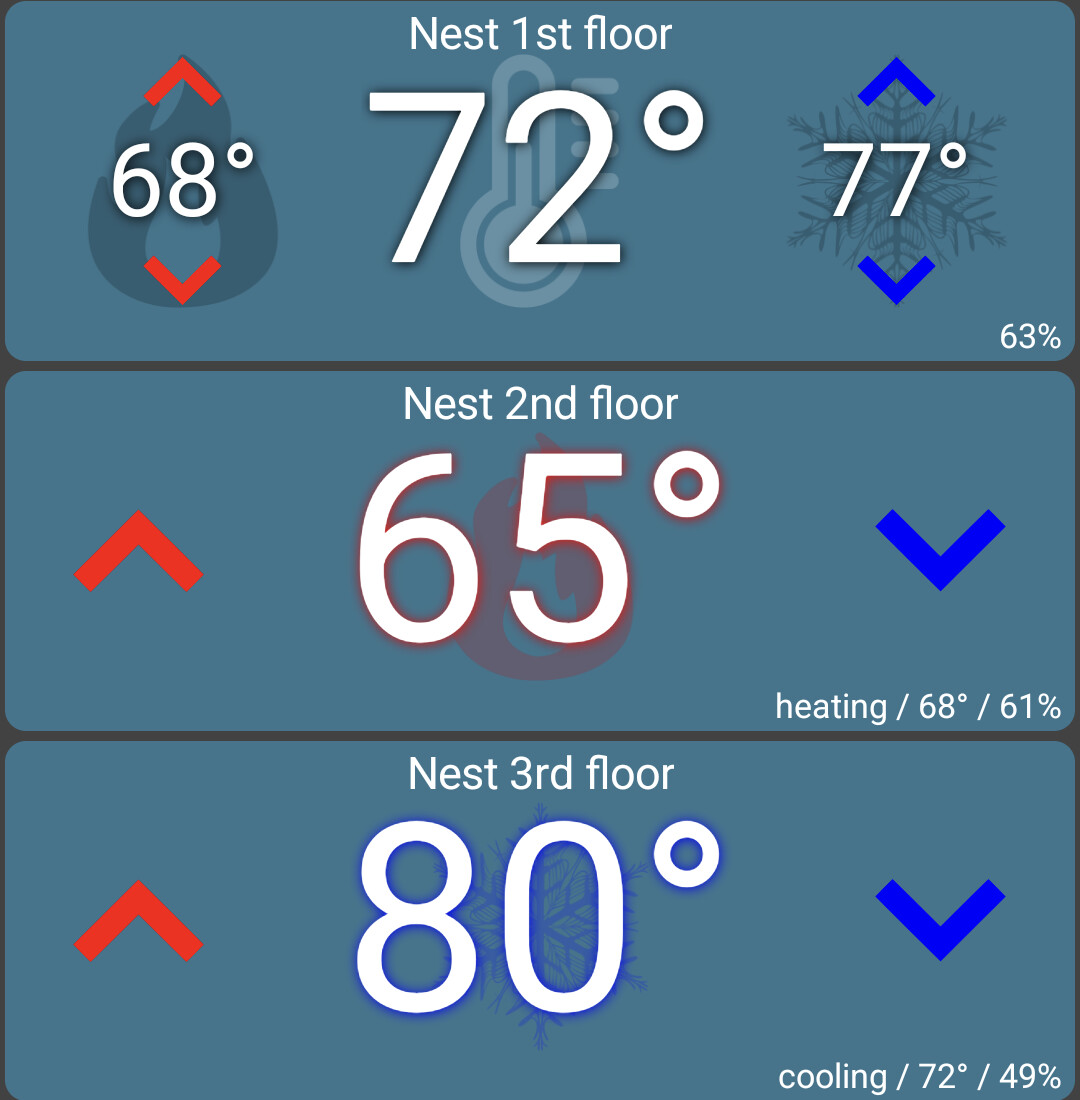
-- image on right has heat and cooling ON
I know that's not exactly what you're asking for though... For the tile background, you can set it to any color but unlike lights/switches/etc you can't pick a color for 'on' and a color for 'off'. I don't see why I can't add that though. It'd look like this:

fwiw - i love the function of that tile highlighting as it is now...
@jpage4500 I know this is a less common use case, but would it be difficult for HD+ to be able to automatically operate in local mode when a particular VPN is connected?
Edit: I'm really only interested in the ability to change the layout and save to hub while on a VPN.
I should be able to detect when the device is connected to a VPN; Is the issue that HD+ thinks the device is remote and using the cloud URL's?
If you're always connected to the VPN could you add the wifi access point SSID that you're on? Or, set Cloud Mode to 'Local Only'?
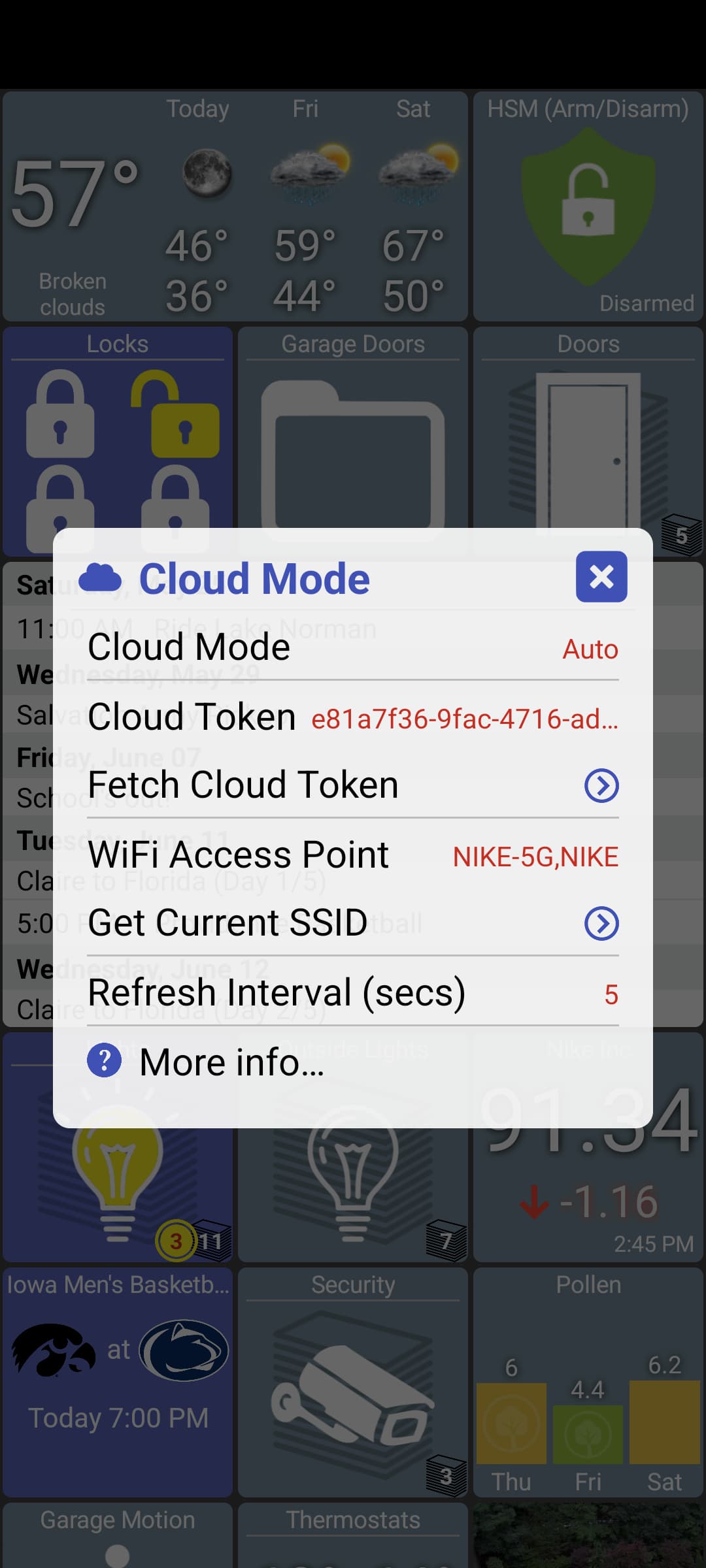
I'm really only after what I mentioned in my edit:
In order to do that, I'd rather not have to change cloud mode, save to hub, then change cloud mode back. Maybe you can just make the save to hub option available when the device is connected to any VPN? (Obviously it will only work if the device is connected to the right VPN, but I figure that a user who's advanced enough to use VPNs at all will be able to understand that.)
Has anyone else noticed video freezing recently? I have not changed anything for months, but for the last several weeks my video keeps freezing. I have to close HD+ and reload.
Did you ever get this to work?
I guess this must be a camera specific issue if it's not working locally. I have an RTSP stream running permanently on all of my dashboards, but they are local. I doubt it would work remotely, as user:password@ in the url is generally blocked by browsers etc.
@jpage4500 - is there any way to block the 'touch and hold to edit tile' as it's stopping buttons working (correctly) when added to the dashboard?
I've added a virtual button (6 buttons) to Hubitat to control one of my WiiM Amps (media players) directly with each button mapped to a function. I've put the single 4x4 size button in its own folder on the dashboard. The issue I have is that I can only use the 'pushed' function of the button. 'Double tapped' doesn't seem to work which is fine as I thought I could map 'Held' to a function. Unfortunately if I 'Hold' button 1, instead of the associated action occurring it pops up up the edit dialogue, I then have to 'Hold' the button on that pop up dialogue to get the function which is a little long winded/counterintuitive.
Two options I'd love to see in HD+ would be:
1 - Menu option to globally enable/disable that action of holding the tile to edit it/see further information.
2 - An option to globally enable/disable the activity asterisk. With a lot of devices and activity it's flashing on various tiles constantly which can be a distraction on wall mount tablets.
1 Like
All cameras are local as is the NVR. I can get it to work with VLC. But I cannot get video into HD+ for some reason. I'm sure it is a syntax issue. Or, I don't have the NVR set up properly. But the syntax for VLC works perfectly. IDK
Edit : So, VLC on my computer works. VLC on my pad does not.
I have (and always have had) some virtual contacts on my HD+ dashboards. The virtual contact devices follow the status of some contacts on my alarm using mqtt. These tiles have always had no function other than to show whether the contacts are open or closed. Today I've noticed that touching the tile (that used to do nothing other than possibly present a pop up where I could check history) is now incorrectly changing the state of that contact attribute (commanding it open or closed). IE the contact is correctly showing closed but if I touch the tile it changes to open. Is this a HD+ or Hubitat/maker api issue?
Edit: I can make the tile 'read only' but I'm sure it was never this way previously. It seems that if the device type of the virtual contact tile is 'Door' it toggles the status when clicking it, whereas if the device type is 'Window' or 'Generic Sensor' it behaves as it should and just pops up the details page.
I'm pretty sure HD+ looks to see if a given device supports certain commands like switch and if so it'll send the on/off command when clicked. Is it possible the device driver changed (assuming it never worked this way before)?
1 Like

