One of the other drivers like ExoPlayer might support it.. video isn't an area I've tested a ton partially because I don't use it on my dashboard. I really should change that though..
I've mentioned this before but what would be ideal for me is:
dashboard tile that shows a snapshot (image) from a camera which is updated every 15 or so seconds
when you click on the tile it shows full-screen live video/audio
I haven't figured out what's easier.. to create a new tile type or just use the video tile and offer an option to show just the auto-refreshing image on it.. anyway, it's on the TODO list!
Well well well... I have no idea what's happened. First I lost remote access completely. A reboot fixed that for Hubitat. Unfortunately HD+ seems to be in a tizzy. I tried to change token in Maker API and regardless of what login I use After trying to restore a dashboard I get logged out again. (When logged in using connect to hub or advanced using token all I see are 2 devices. By logged out I mean I am returned to the Login to Hubitat screen. Also I have no access whatsoever remote.
I'm so upset after spending all week to configure....
Any help would be appreciated.
I'm guessing that the token was tied to the backups. I've done things over and saved to a new folder.
Did you do a backup to the device or Hub? A backup to the hub (local only) is the easiest way to access it. If you did, find the backup here and download/open it in a text editor. You should be able to update the token or cloud token from here and then do a restore.
Thank you sir. I did backup to Hubitat.
Now I will know if it happens again.
It seems repeating all the steps and doing things over wasn't all that bad. now i am better at it.
Yes. Cloud access is enabled. I can connect to the hub and request cloud token. It tells me that cloud token is set. I then disconnect from wifi and it will not connect.
Is there any additional configuration like ports to open or a url I can whitelist on my ad blocker? I tried disabling the adblocker and it didn't help.
Yeah sorry that's what I meant. You can find it in the text file and just replace it with the new one. Otherwise you can't open and restore the app as the token in the previously backed up file won't match the one in maker on the new hub.
could you send me a device log? The only things that pop in my head are:
hubitat web service temporarily down (but there'd be lots of other people also not able to connect remotely if that's the case)
cloud token not valid
MakerAPI not responding to the request.. if you have a lot of devices this could be possible although HD+ should adjust to work-around it (in the newer beta versions)
Yes, set to auto. I get a notice that cloud mode is enabled when logging in and confirmed it in settings. I tried removing the app and re-adding. Really struggling why I'm having trouble
Sorry, I usually send this link to help get device logs
Before you get them, please first enable debug mode. There's a section in the link above about how to do that. Then, just reproduce the issue (ie: refresh in cloud mode) and send the logs.. you can email them to me from your phone or upload them to the hub (in local mode) and fetch/send from there
Received - and I see an http:504 response coming back from an individual device request. I just recently had been dealing the 504 errors and learned that cloud mode can only return 128k per request (link)
But, I can't imagine a single device request like the one below would be that large. I'll reply to your email with the full link -- see if you can view it.
07-02 15:37:47.712 18813 28502 E HD_CustomInterceptor: HTTP_ERROR: 59) http:504 10268ms https://cloud.hubitat.com/api/SNIP/apps/1077/devices/716, RESP:null
07-02 15:37:47.712 18813 27468 E HD_HubitatManager: onFailure: Garage Door, 716, RetrofitErrorEvent(errorCode=504, errorMessage=No response from hub)
I went to Google home and noticed all of the devices I share with it are unavailable. I reboot the hub and both Google home and remote access for hd+ are available.
So weird that the time I want to access hd+ remotely is when my hub loses internet access. Weird.
Thanks for the help and looking forward to using the app!
I've never tried playing a video inside a web/html tile. It does seem like Android's WebView doesn't work well with video though as I found this project which tries to fix that.
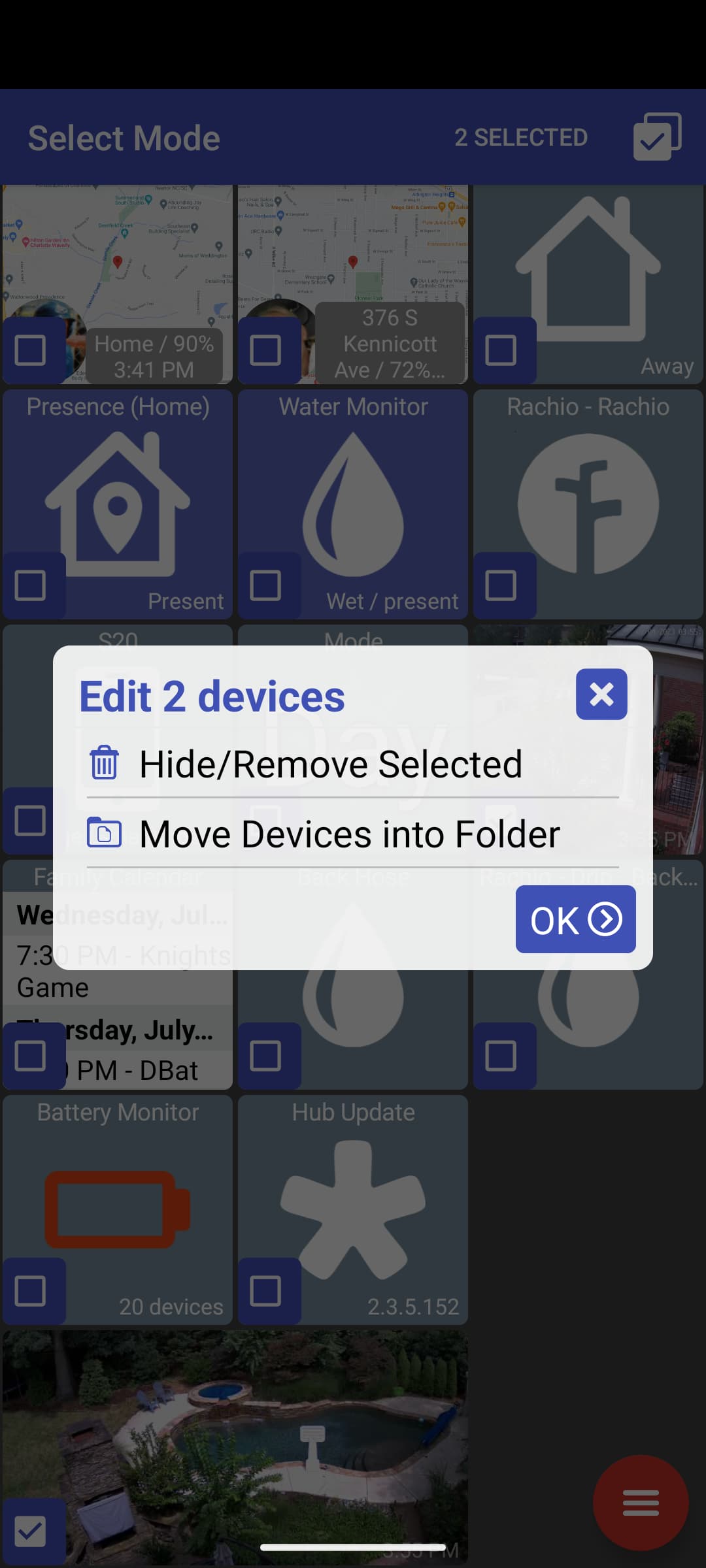
add option to select multiple devices and perform actions on them (hide/move)
support self-signed SSL connections for local IP cameras
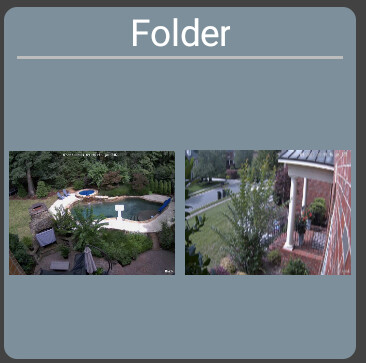
fix showing images in folder
BACK button in folder will show nav drawer first, then back out to main dashboard
The biggest change in this version is allowing multiple tiles to be selected. This can be done in Edit mode, click on the middle (chekbox) icon. Right now you can only hide multiple tiles or move them into a folder but I can add other actions later.
I got a new Reolink camera and the 'image' URL requires https. But, the image wouldn't load for me. It turned out that Android won't accept self-signed SSL certificates like the Reolink camera uses. I made a change so this will load now.
I also noticed that when in a folder I could never open the nav drawer. Someone may have mentioned this before but I don't think I understood it at the time. Anyway, now the BACK key (or swipe) will first open the nav drawer and than a second BACK key will back out of the folder.
Lastly, I noticed when I had multiple images in a folder they wouldn't display on the folder/cover. That should be fixed now too