Thanks again for including the Maker API fix!
1 Like
@ritchierich, the searches are working great, but sometime in the last year, the switches fail to automatically turn on/off at the scheduled time. The variables are getting set properly and calendar entries parsed for future events, etc. The switch just doesn't get turned on or, if I turned it on myself because it didn't turn on, doesn't get turned off.
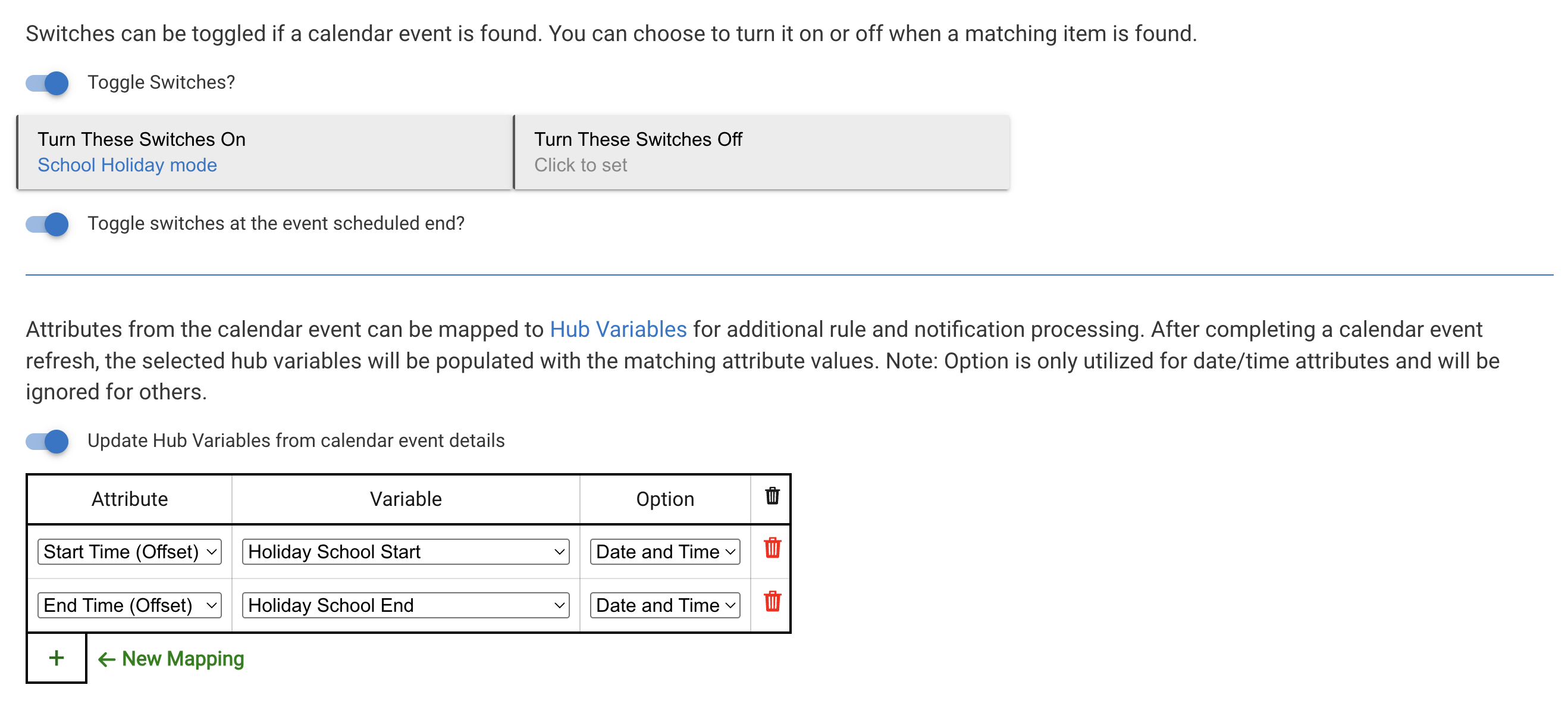
Which switches? The child GCal switch or the additional action ones?
The additional switches.
In this case, I have calendar entries that specify that there is a school holiday. It's an all day event and there is an offset of nearly -500 minutes. That way, at about 4pm the previous evening, School Holiday mode is supposed to turn on, and that switch affects things like bedtime, thermostat adjustments, wake up alarm, etc.
It's the switch at the top of the screenshot.
I have the same thing for Guest at Home, Holiday (for the adults), and Vacations. All of them stopped turning on the switch at midnight with -500ish minute offset.
Is it possible that something on the platform changed and the app is no longer able to schedule the switch to turn on weeks/months in advance?
Thank you for the additional information. I will attempt to reproduce and see what I can find. Won’t have time until early next week though.
No problem. No rush.
FYI, these calendar searches don't have a constant stream of entries. So, the next scheduled event for a school holiday might be weeks away. Holiday and vacation are rarer. And guests are less than that.
Just a thought: either the scheduled events are not sticking through various platform beta updates, reboots, or just not getting scheduled. I looked at the Scheduled Jobs and I see on/off for additional actions on various switches, including the next Guest at Home in early April. I didn't see them earlier. Maybe a beta thing?
For the school holidays, are these the correct scheduled jobs?

1 Like
Yes
I setup a quick test and mine worked OK. If you have scheduled jobs as far out as March 8th then I might need to see your search trigger settings to replicate.
Curious your need to search out that far versus a day or two ahead of time.
The main reason is just to get the next event to display on the dashboard. Doesn't need to actually schedule it that far in advance.
Have been tweaking the app settings just to see what's going on. Anyway, we had an improptu snow day tomorrow. Added it to the calendar and what do you know, it started working again. Despite not working for all of these months. 
So, I just opened all of the calendar search apps, made a superficial change, saved, undid the change, saved again. Looks like the next event in each search has appropriate scheduled entries. I'll monitor and get back in a few weeks.
1 Like
Question:
Should I ignore the following error messages:
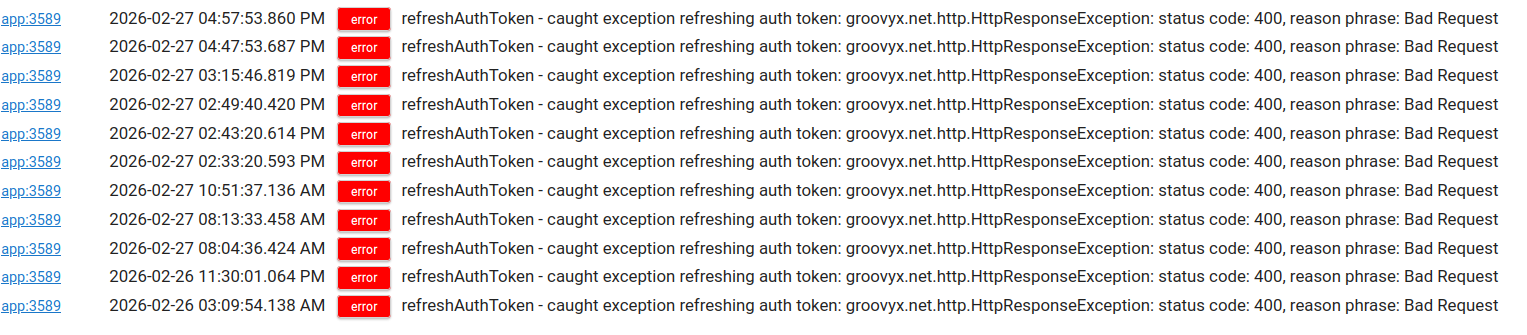
I don't know why it's giving me these messages.
However, if I re-authorize, they go away for a while.
Ideas on how to implement this, please.
I want to trigger the car to pre-warm 10 minutes BEFORE:
- a calendar event to where I have to drive
- include driving time in the calculation. If the driving time is 45 minutes, then it should trigger 55 minutes in advance.
So, the switch shouldn't be scheduled for an online meeting, something without an address, etc.
I was considering that the search would look for words in the description to trigger the switch "turn on prepare the car". It's not something I add currently, but could if that's the only way to implement this. I also considered just having the start time added to a variable and a rule to fire it off, but still don't know how to calculate driving time.
A second request for ideas is to somehow have calendar events (or some other trigger) where I can list out a bunch of times/dates, like warming the car before dropping kids off to school. But this is not strictly set. It can vary.
That is very strange. How long has this been happening? I haven't seen this before. Occasionally I will get an error if my internet blips but not a bad request error.
Definitely rule machine looking at the various attributes of the calendar events. I have a Vacation search trigger and if the notes contains "Parents only" then certain automations stop and if it doesn't then additional automations stop.
So you will need some sort of data point within the invite to look for with the rule to accomplish what you want to do.
Have you seen @JustinL's app? I don't have any experience with it but it might work for you
1 Like
@jtmpush18 I have looked back at my logs and I haven't seen this error on my production hub with 10 search triggers. I spent a little time and looked at the Google API docs for the OAuth token refresh and made a few tweaks that might solve it - not sure since I cannot reproduce the error.
Would you be willing to try this version of the code? Go to Developers \ Apps code \ search for GCal Search (not trigger) and open the code \ click the 3 dots beside Save and choose Import \ Paste in this URL and click Import
https://raw.githubusercontent.com/HubitatCommunity/Google_Calendar_Search/refs/heads/main/Beta/GCal_Search.groovy
Please let me know the results and I can publish this for the community if it solves it. Thanks!
1 Like
This is amazing! Trying to figure out the rule logic and initial implementation.
1 Like
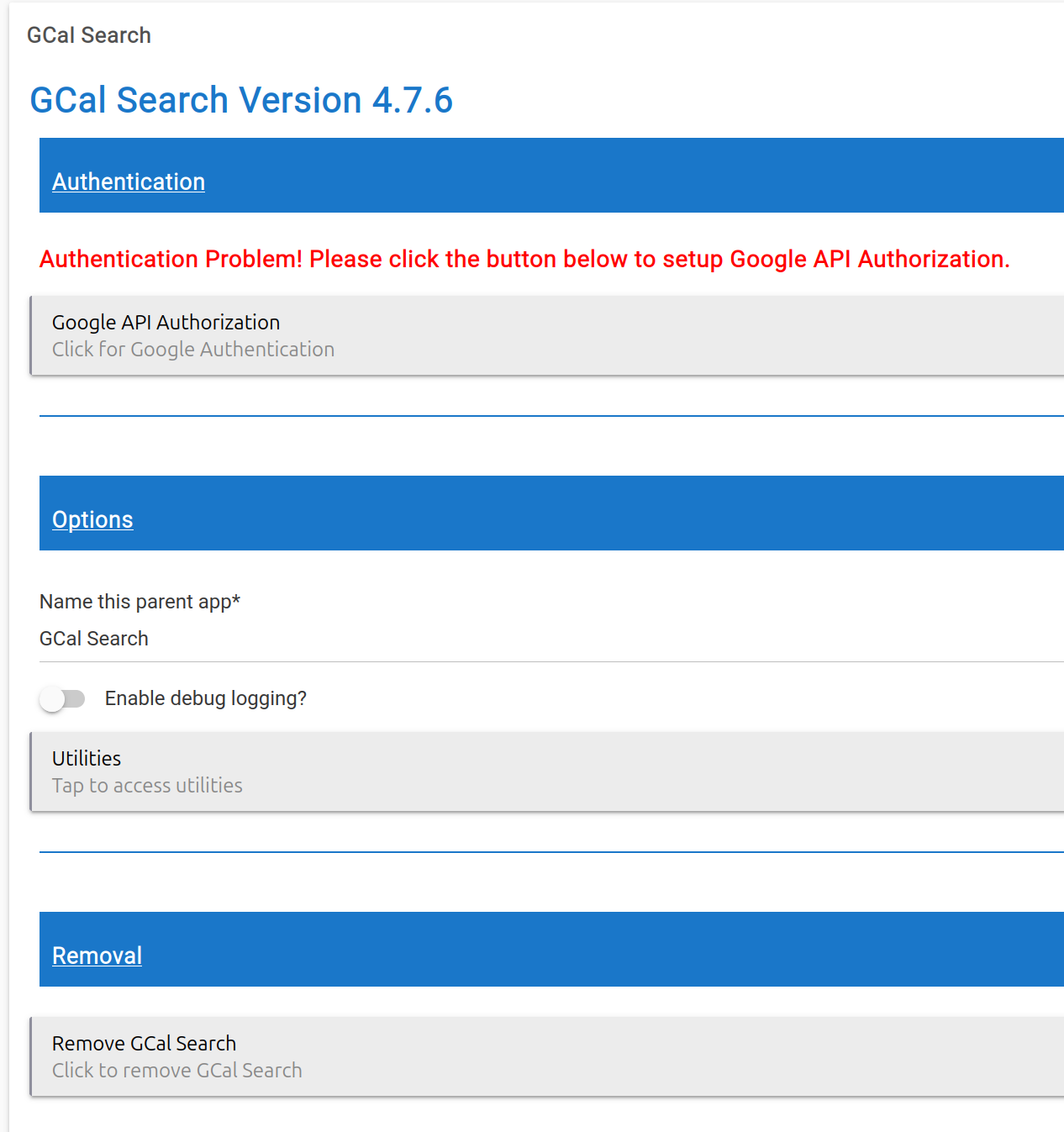
I have inserted the new code. Version 4.7.6.
I will monitor and check to see if the error message persists.
Thank you for the original, and thank you for this update.
1 Like
@jtmpush18 curious if you received any more errors with this beta update.
While we wait for @jtmpush18 and his log entries, I would like to say that I got the DriveTime device/driver working, created a Gcal search that only searches for a location that's NOT a video link, a couple hub variables, and two rules - one to submit the origin and destination to drivetime, collect info about the drive, and back calculate when the car should warm and a second rule to trigger at that calculated time and flip my existing car warming routine.
@ritchierich, thank you again for this app. It does so much! I have over a dozen calendar searches. And I've not even tapped into the gmail and task side of things!
1 Like
I'm having trouble with getting anything to set into a variable. I've tried Number and also String as the variable type. The variable doesn't change.

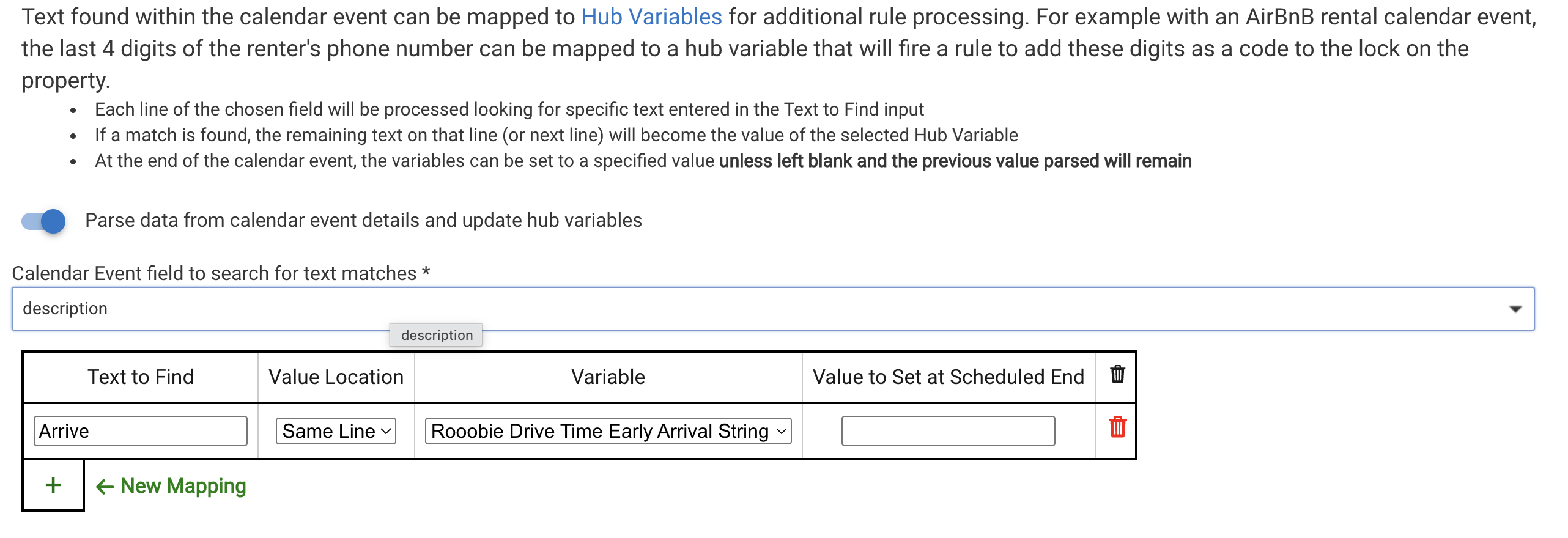

@neerav.modi I just tried to reproduce the issue and my variable updated based on the value in the event. I am heading out of town on vacation tomorrow and won't be able to look into this further for another week and a half. Feel free to PM me screenshots of your example calendar events and settings and I can try to reproduce.
Bummer I really don't know what is causing it. Do you run GCal Search on only one hub or multiple? Curious if this is only affecting one hub or many.
1 Like

