You will see results both in Current States and the system log.
Should be no difference between the drivers. Suggest you turn on debug and check the logs.
You will see results both in Current States and the system log.
Should be no difference between the drivers. Suggest you turn on debug and check the logs.
Yes, that was the first thing I did. No update on status in the logs until the moment that I perform a Refresh, then it is reporting all valid states of the controller and tilt sensor on the device page and the system log.
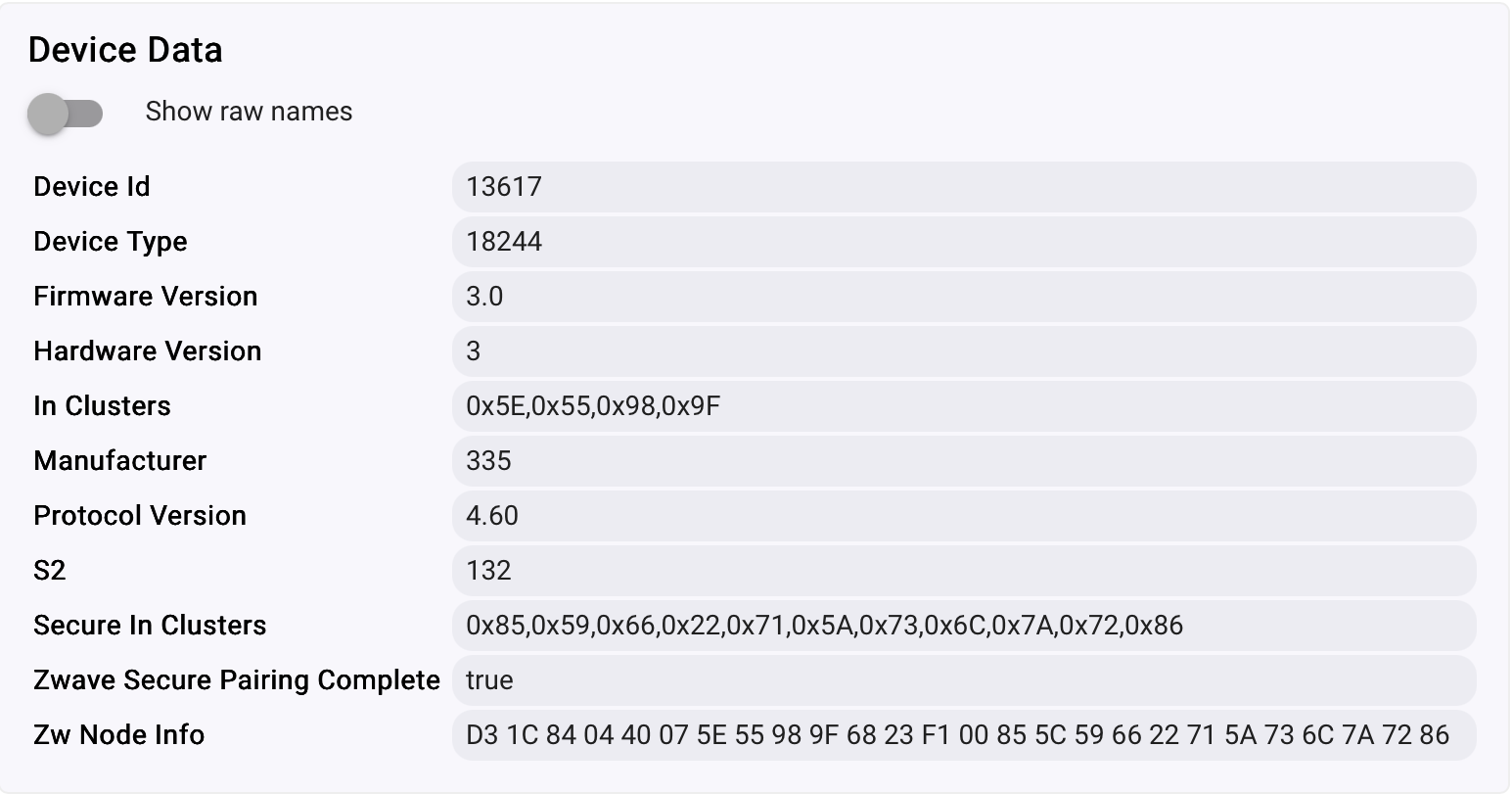
Do my Device Type and Firmware Versions appear compatible with the driver?
I should note that I did NOT exclude and re-include the device in my ZWave network as part of the driver update. I only changed the driver selection in the pull-down, Saved the configuration, then went through several open/close cycles. If you think a Hub reboot might help I'll try that too.
You should not exclude/re-include the device. Reboot (power cycle) of the hub and the GoControl are reasonable ideas, but I cannot assure you that it will change anything.
In terms of communication, there is no difference that I am aware of between the built-in driver and my driver. The only thing I could think of is that the built-in driver is performing polling, but to my knowledge this should not be required with any of the GoControls.
Questions:
For reference, here is Device Data from one of my GD00Z-8 units:
Yes, that's what is showing
I do not know what those are so I assume I'm not using them ¯\_(ツ)_/¯
I did reboot the hub but that didn't have the effect of automatically updating the contact and door reporting; hitting Refresh is still required for them to update (and to trigger the other routines I have connected to those events.)
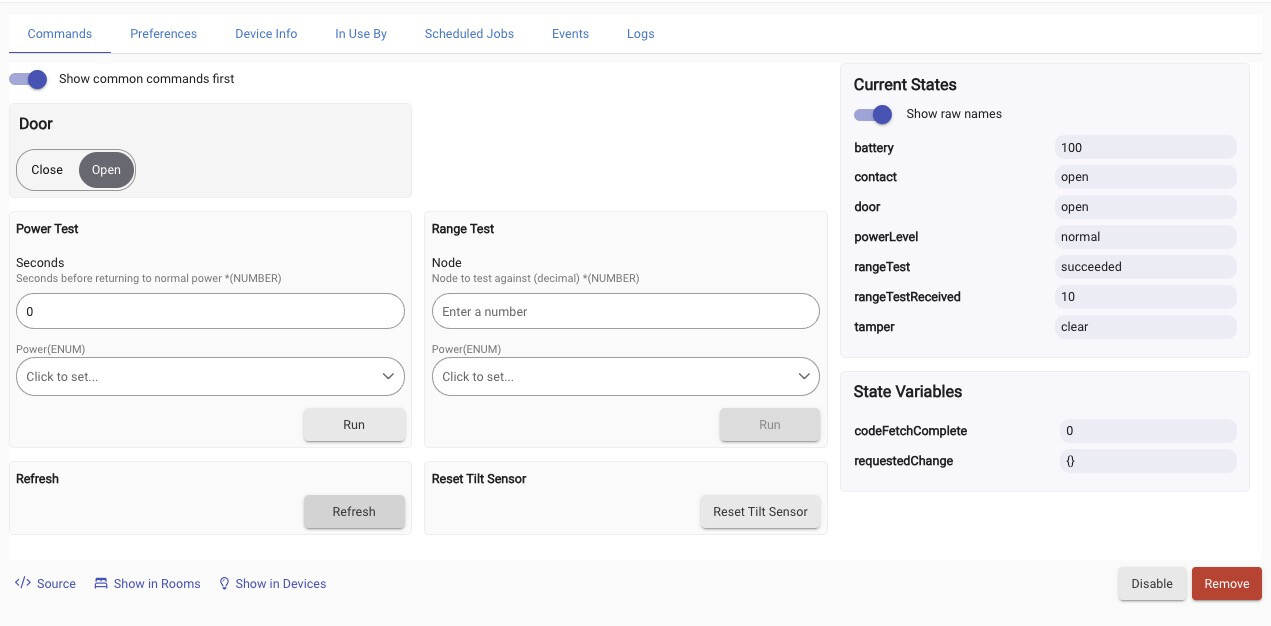
Also, before rebooting the hub I tried the Range Test and Power Test features and they appear to be reporting good values. But they also appear to be running each time I open or close the door - how do I disable them?
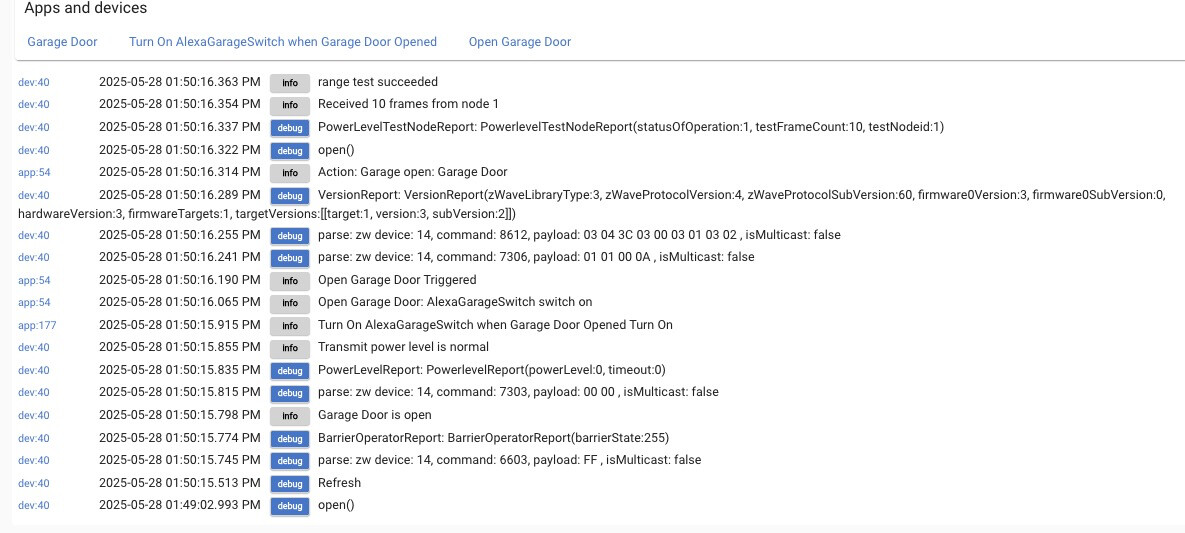
@dennypage Here are some more details from my system log of the sequencing of driver operations with Debug logging and DescriptionText logging enabled on the Garage Door device.
At 1:49.02 I clicked the Open button in the Garage Door device panel. At that time the physical garage door actually opens, even though the log entry indicates only "open()".
I waited until 1:50:15 to hit the Refresh button, at which time there are a sequence of actions and log messages, including another entry "open()" as well as a dump of ZWave commands. (Note that the door was already open before the Refresh.)
You can also see the Range and Power tests firing off.
Does this look like the behavior we should expect to see or is something else going on?
OK, I power-cycled the GD0004 itself, waited awhile (was not cured immediately) and now I am getting expected behavior, with door status sequencing from "closed" through "opening" to "open" and contact status following correctly. As a bonus, the extraneous Range and Power tests have stopped.
Not sure if the anomalous behaviors were to be expected but thanks for pointing me in the right direction!
i have an external sensor and wifi switch on the doors for just this reason
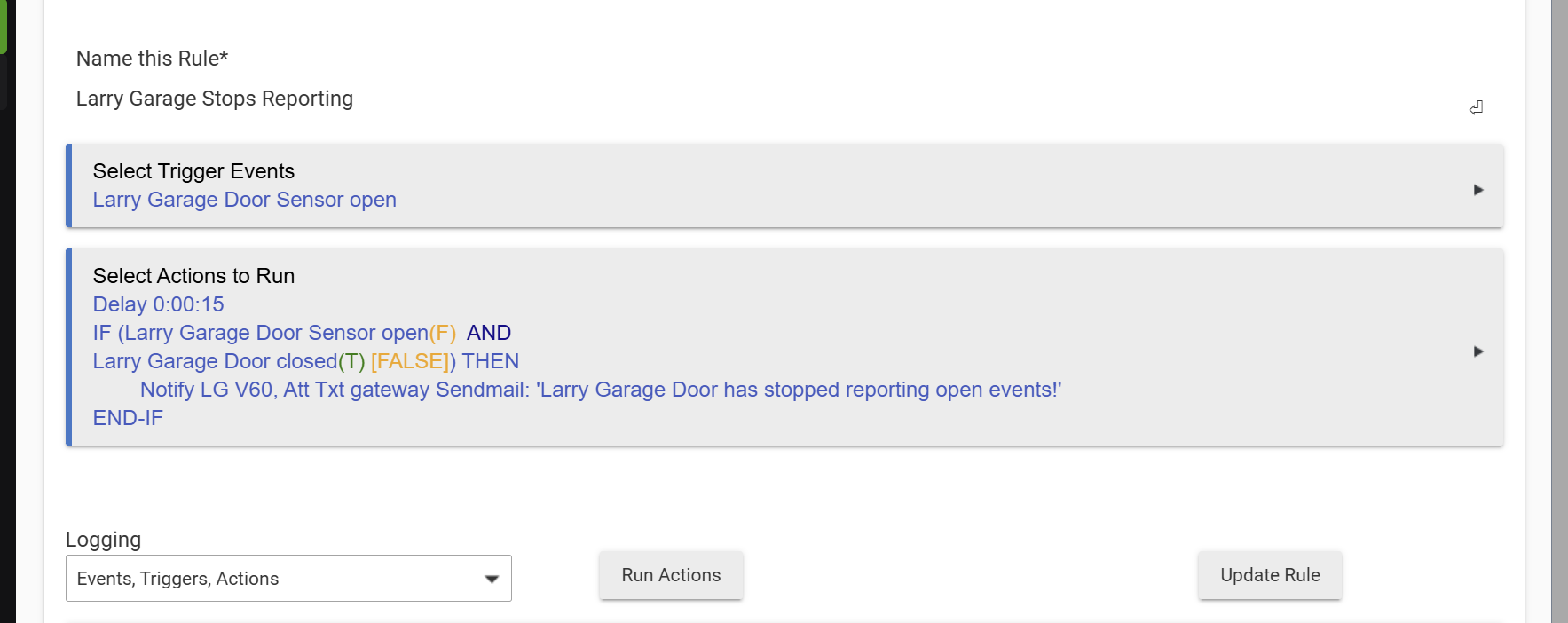
at least once a year it seems to get out of sync and i have to power cycle it to get it working in sync again.. this is my rule to alert me of the case
Wow I had no idea this might be necessary. I thought the flaky behavior was just because of the dead contact sensor.
Have you ever seen a situation where the garage door spontaneously opened without being commanded? It has happened to me a couple of times this year and freaked me out - I'd be glad to know it was just the GD0004 going haywire and that it could be cured with a power cycle and not some deeper issue with my automation system or somebody who had cloned my opener.
My only speculation would be a synchronization error with Z-Wave supervision.
Glad you have it sorted.
I have a the garage doors registered via Simple Idle Alert for the same reason. That said, I don't believe I've actually experienced the issue since replacing my GD00Z-4s with GD00Z-8s.
I've had one of these for like 7 years or so and never had a single issue like being described here. So I don't think this is an everyone problem.. 
A community of one? 
Lol, my wife has always said I'm out standing in my field.
Hey Denny, I have three GoControl GD00Z-8-GC's and have been using your driver for a while now... Two of them are at home and one of them is remote. The remote unit is working fine but the two at home stopped opening the garage doors. The unit does the flashing / beeping thing, but the door never opens or closes for that matter... In the device page, with your driver, it shows opening or closing, but never actually opens or closes and eventually goes back to the same status it originally was.
Nothing has changed or been moved... It seems like the units are not sending the trigger signal through the wires, but again, nothing has changed and both units are not working. Its not like one failed...
To troubleshoot, I unplugged the units, unplugged the garage door openers, and then even removed and repaired both units... Everything seems to be fine except the damn doors won't open or close.
Have you ever seen or heard of this? Any ideas?
I'm on a C8 version 2.4.3.164. The only thing I have not tried is switching drivers, but your driver has worked perfectly for a very long time...
EDIT:
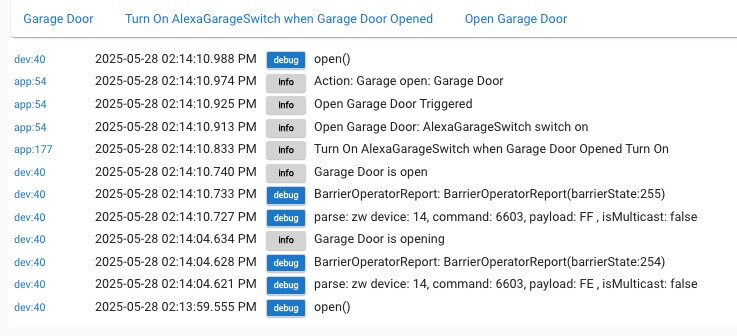
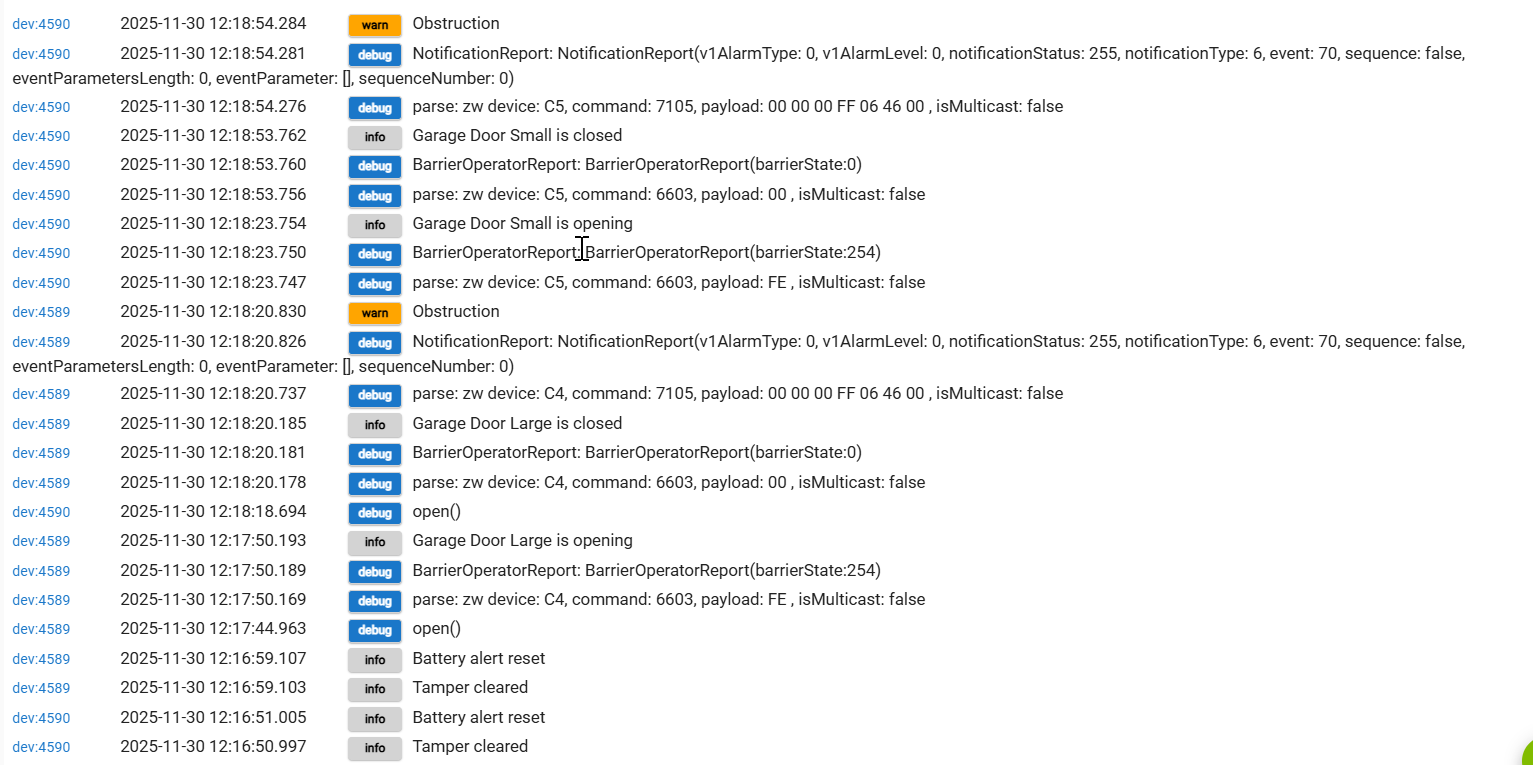
I enabled debug logging and reset the tilt sensors on both... Here is a screen cap of when I tried opening both of them...
So it looks like your doors wont open as they think there is something in the way; the IR beam is broken, aka interrupted.
Did you clean up the garages and bump the alignment? 
Don't know why both of them would do this.
I have the same controllers on both my garages and am on .164 as well; all work fine.
I believe that obstruction note in the log is the device trying to figure out why the door didn’t open…. My button on the wall and all the vehicle remotes operate the doors normally… So there isn’t any obstruction as far as I know….
Ah, righto.
There is an issue with the LED in these things and compromising the operation.
It is a crucial part of the main board operation. Search the forum for the specifics; I forgot what it impacts.
Maybe there was a power spike to the house and the controllers were affected.
Just checked again and both LED's and Beeps are working on both units. I send the open command from Hubitat, the LED flashes and it beeps like it will open and then nothing...
If the LED flashes, and the alarm sounds, I don't think there is anything wrong from a driver or Z-Wave communication POV. It kinda sounds like a wiring issue. What I would do if it were mine:
If that fails, I would disconnect and reconnect the wires connecting the GoControl to the opener. It's possible these have become loose due to thermal expansion/contraction (hot/cold cycles).
Ok, I got them working... I checked all the wiring and it was good... From reading both the GoControl and LiftMaster manuals, I figured it must have something to do with the tilt sensors or obstruction sensors.. Even though they seemed to be working, I repaired both tilt sensors to each GoControl... That didn't help... Also, the obstruction sensors appeared to be working fine as the doord would open and close manually.
As a last ditch effort, I unplugged both garage door openers and both GoControl units... I plugged them back in and one of them started working! The other one did not... I unplugged the other GoControl/LiftMaster combo on the other side again and let it sit for a few minutes.... Plugged them back in and that side is now working also!
So for anyone in the future reading this, something inside of the unit got out of whack and unplugging it for a bit did the trick... Crazy.... As mentioned above, I even unpaired and repaired them to the hub... It had to be a shutdown...
Download the Hubitat app