I updated and used the graph helper to get some values. I don't have a feel for how the app responds to different curves, but I selected some values that cause the curve to cross the abscissa at approximately the maximum reading of my sensor. I will play around with it over the next few days. Thanks for all of your enhancements and tweaks.
Sounds great. I'll look into it later for I'm busy right now. Looks like it takes some time to setup this great app of yours.
Out of curiosity, how does one get the status "developper" in this community? How does that work? Who do I have to hypnotize? 
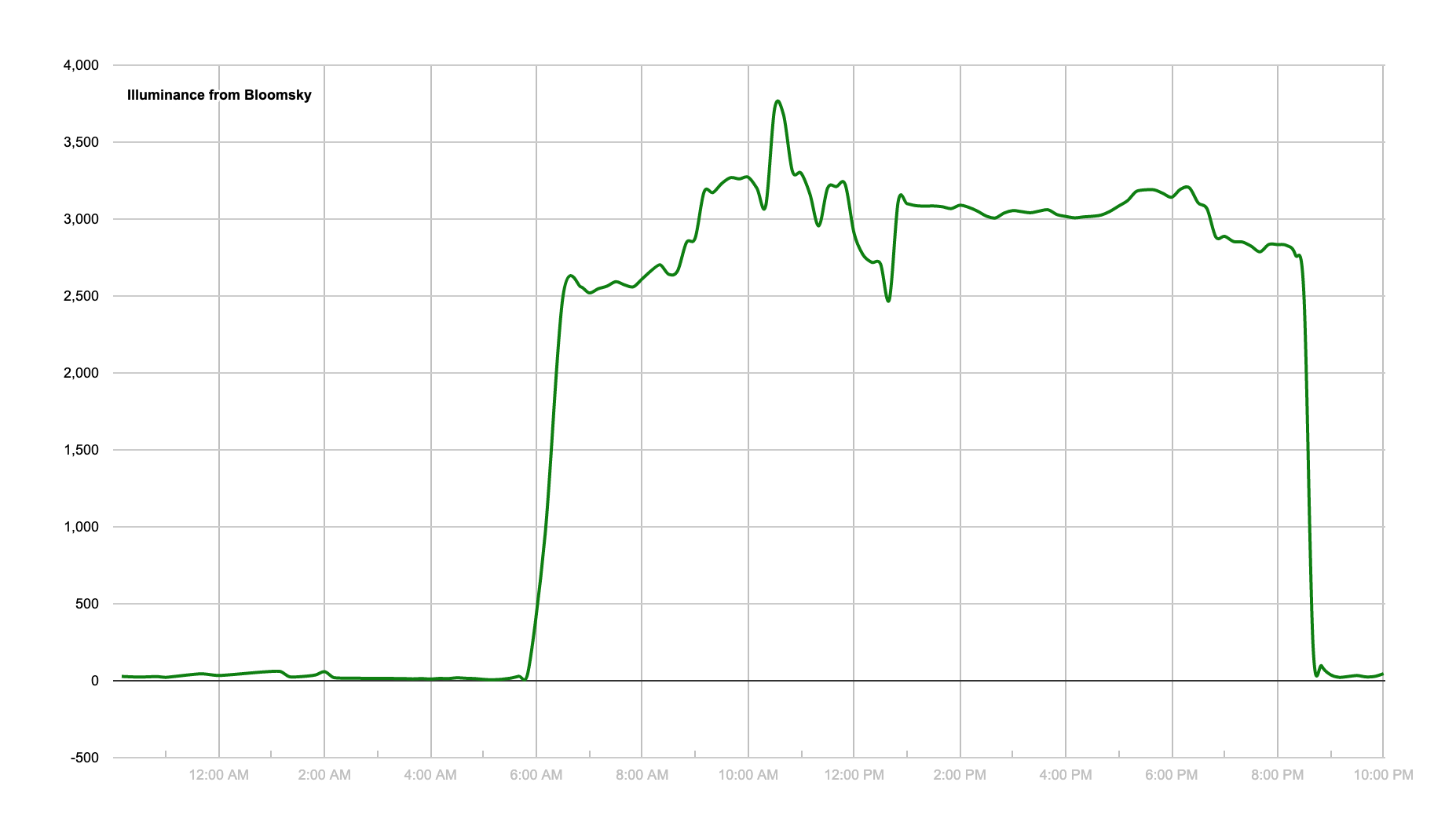
The "graph helper" is a brilliant settings aid in my case. It allows me to fine tune the settings for my peculiar situation, an outdoor luminance sensor on my property tied to my indoor bulbs. I am adapting your app to have a sensitive response so that when tropical thunderstorms pass over my house my lights come up to offset the temporary darkness. I'm seeking a quick response in a very narrow range of illuminance. Here are the settings I am testing now. The max reading on my sensor is just under 4,000.

Here's a typical sunny day luminance curve at my house. I need a day with passing storms for further refinement.
1 Like
Would it be possible to change the order of the inputs for logarithmic numbers in the app to match the order on the graph? That would ease some of the pressure on my tired old brain cells.
Done. 
Thanks. Now, it would be really nice if the documentation in "Graph helper" followed the same order. I don't mean to sound like I am nit picking. I love the app. Just giving feedback as a user on the workflow when setting it up. Thanks again for your terrific response in supporting your users.
Just copy and paste this. I've rewritten the order for you.
- Settings:
a. Cursor named "m" is the multiplier. It changes the curve's shape more drastically.
b. Cursor named "a" is an offset. it moves the curve up and down, without changing the curve's shape.
c. Cursor named "b" is the logarithm's base. It changes the shape of the curve by making it slightly steaper or flatter
2. Make sure the curve meets the abscisse (the horizontal line) at the level of your sensor's max lux value (unless you want your lights to never turn off).
3. If your curve ends up crossing the abscisse and go into negative values, those values will be ignored:
lights will be set to 0 as soon as your sensor returns a value corresponding at the point where the curve crosses the abcissa.
5. Once you've found your ideal curve in the graph helper, simply report the values of a, b and m here.
Suggested values for an environment of 1000 max lux (most indoor sensors):
m = 70 (multiplier; sets the gradient of the curve)
a = 300 (offset)
b = 7 (sensitivity as log base)
Did something slightly different than what you suggested: I have renamed "m" to "c" so as to have a clear list "a,b,c" of variables to improve user experience. If you update with this last push, you'll need to update your settings as well. You might need to redefine "c" with the value of what you had under "m" before.
Hope this helps.
Thanks. That sounds like it clarifies things. I will update and test it out. So far, I am very happy with your app. I just need to tweak the curve and I am getting close on it. Thanks for your work on this. It's great!
1 Like
I continue to love this app. Once the curve parameters are tweaked to my luminance sensor it works beautifully. One enhancement that would make it really nice would be a mode or time associated ability to dim the controlled lamps to a constant preset level. I am feeling the need to be able to dim the controlled lamps to a low level when everyone is in bed. Thanks so much for creating this fun and very cool app.
1 Like
Hi, and thanks for your great feedback. There is already such an option in the settings. Take a look and let me know if this is to your liking. I still have to work on the whole settings' overall layout, but it's all there. Just take a look! 
I have tried your newest version and am getting the below errors. I still have one of your previous versions installed working great. It is currently paused.
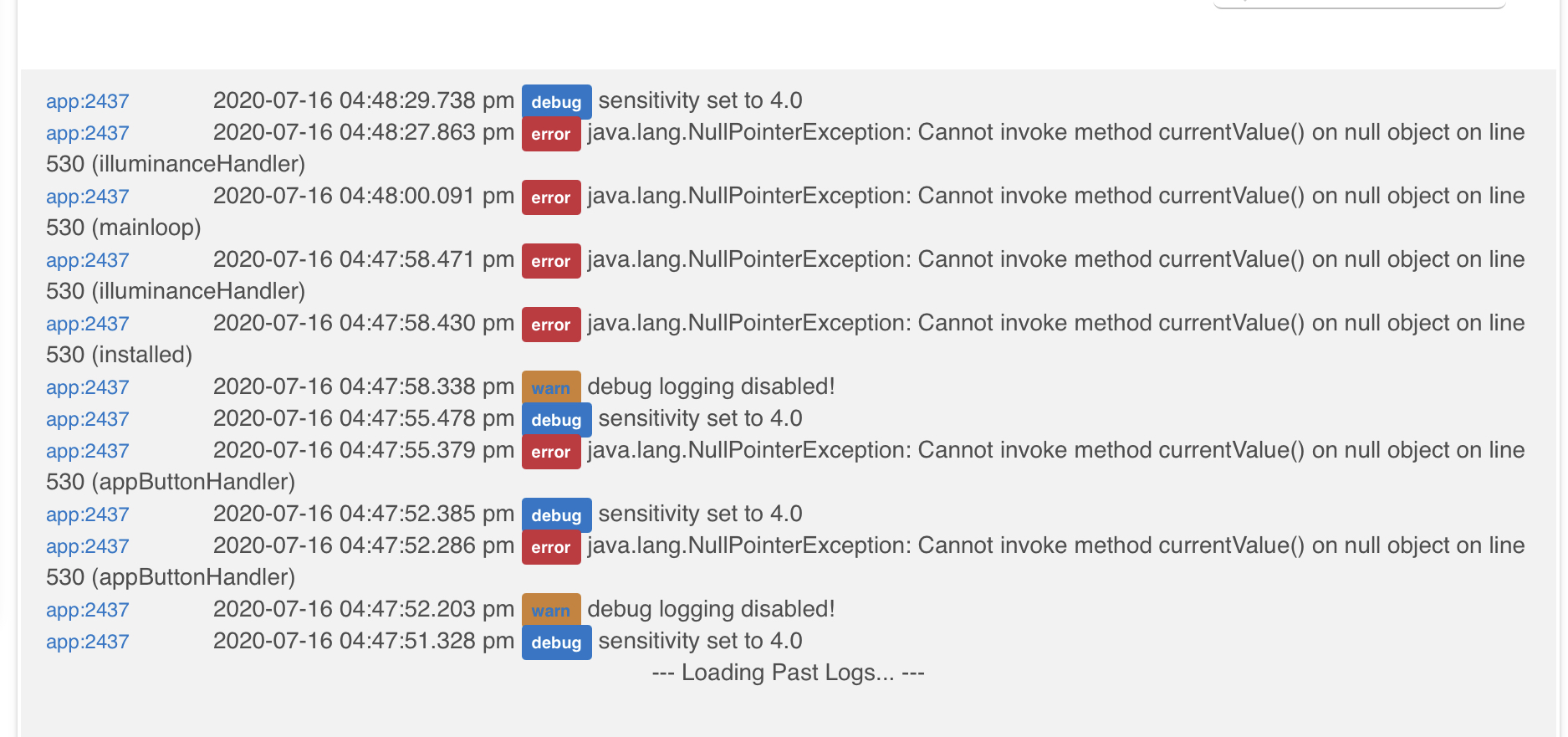
Hi, sorry for the delay, I'm in a middle of a moving. I think I found out what is causing this and pushed an update. If you still get an error message, please send a snapshot of your settings so I can investigate further and, also, enable the debug option in the settings so you can get more detailed logs.
Thank you for your precious feedback.
Seems to be working great. Just trying to figure out the logarithmic settings. Thanks
I installed this app for the first time last night and configured it to only work in the day time. Woke up this morning to find errors repeating in the log.
The first one I saw was this repeating in multiple of 5 min (sometimes every 5 min, sometimes every 10 min, etc).
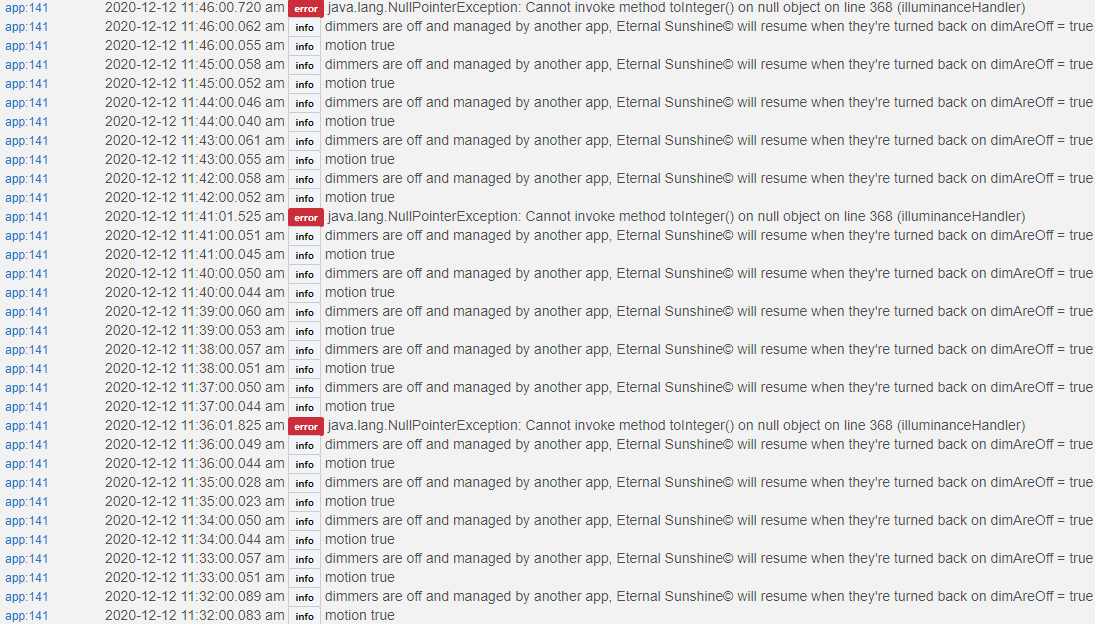
I enabled the "These dimmers are turned off by another app", because they are controlled by my Pico remote that I have set up through the Button Controllers app. Not sure if that counts and if I should disable this option.
When I did turn the lights on via the Pico remote, I started seeing a different repeating error (every 1 min).
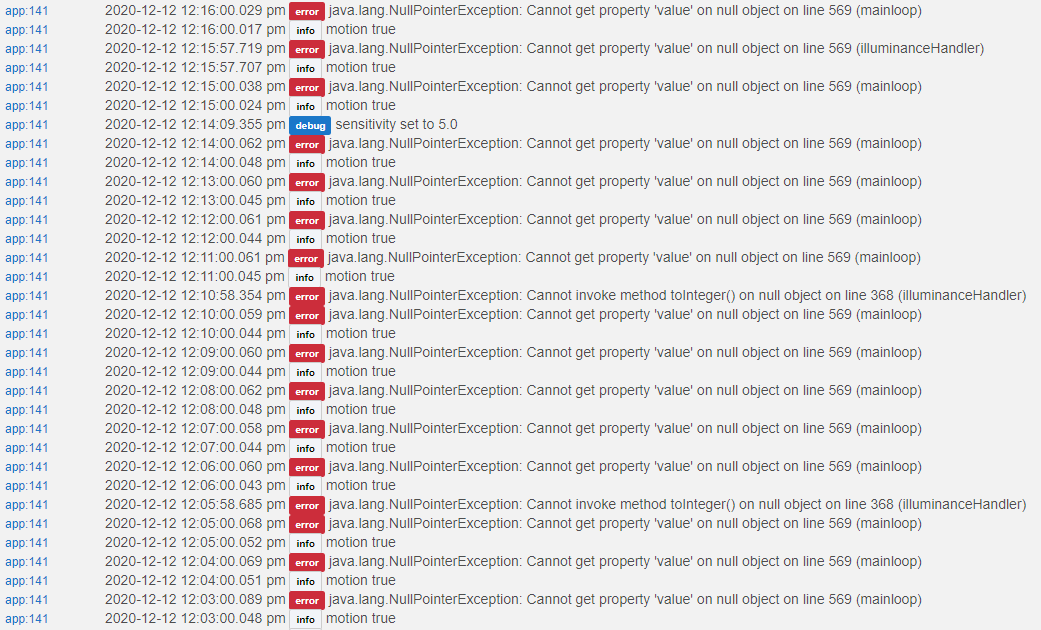
Here's how I have the app setup.
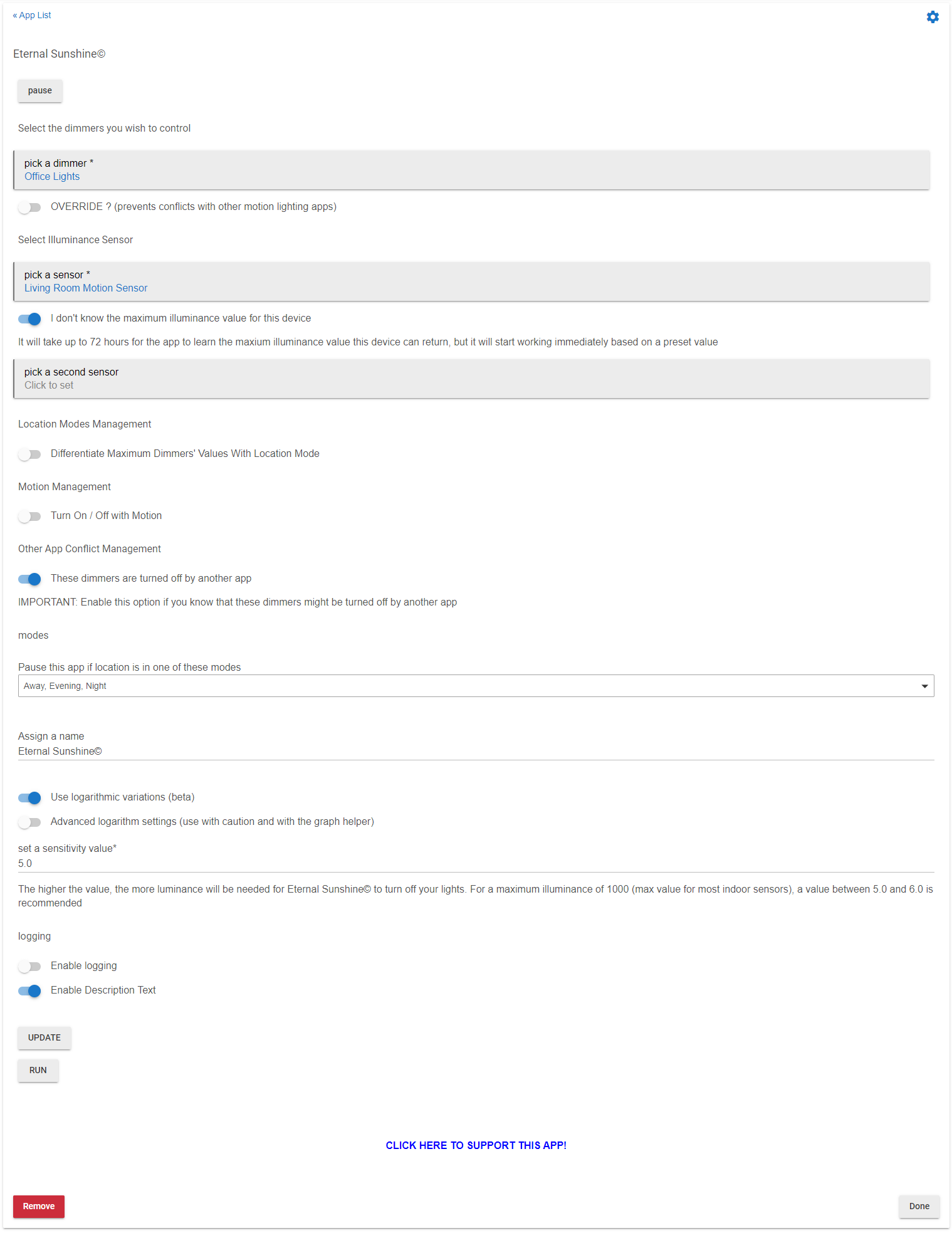
And I'm not sure if it matters, but my office lights is a group of 4 lights. Currently 2 of them are set to 50% and the other 2 are set to 100% brightness.
Lastly, have you considered adding your app to the Hubitat Package Manager?
Thanks for the feedback. I’ll look into it very soon.
Hi,
I was able to reproduce the error message. It is due to the fact that you probably enabled the mode option "Differentiate Maximum Dimmer's Values With Location Mode", selected modes but did not define any value and then disabled the same mode option.
Thank you so much because this was a situation I should have expected in the code and now, thanks you to you, it's fixed.
I just pushed an update, everything should work now, fingers crossed! Let me know.
Elfege
Thanks for the quick turnaround!
I uninstalled the old version earlier today. So I had to reinstall the new version fresh. I didn't mess with the "Differentiate Maximum Dimmer's Values With Location Mode" option this time, so I don't think I'll get the error again. I'll let you know if I do encounter anything though.
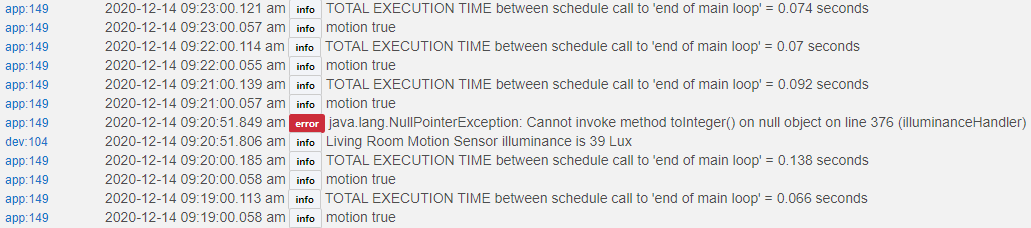
I've been watching the illuminance go up on my sensor this morning and the lights dim down accordingly--sweet! I do see an intermittent error in the logs sometimes when the lux value changes, but it doesn't happen every time. For example:
But here's an illuminance change with no error:
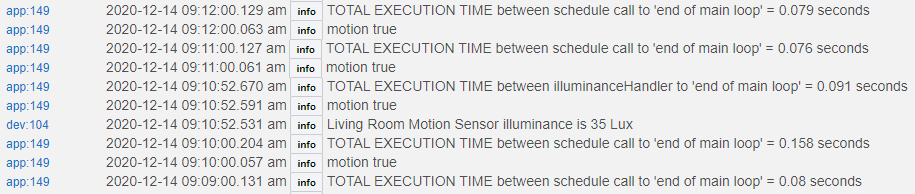
Overall the app seems to be working now, so I'm not sure how big of a deal the error is. Let me know if you need more logging data for the error!
As for the sensitivity, I set the value to minimum (3.0) and I still think it's keeping my lights a bit higher then I'd like. I've started to mess around with the Advanced Logarithm Settings, but can you clarify what values I'm looking at for the graph helper (i.e. what are the x and y axes)? From the instructions it seems like the x-axis is the lux sensor value, so does that make the y-axis the light's dimmer level? I'm a bit confused on how to read the graph. 
Hi, and thanks again for taking the time to try this app and to report.
I would need more debug data (enable debug in the app) but I think I was able to guess the cause of the error message. I just pushed an update. You'll need to go to the app and click "update" in order for this to work properly after you updated the code.
As for what regards your individual settings, it's quite impossible for me to help you since I don't have access to your configuration. However, I can suggest that you play around with the graph using the link provided in the app. If you read the full description in the app, that should help to.
X is the number of lumens reported by your sensor
Y is the desired dimmer values corresponding to lumens reported by your sensor
So, what you need to do, is run the cursors as to have the curve meet the x at the exact amount of lumens at which you want your lights to be off. If you want your lights to be set to a higher dimming value for a certain amount of lumens, move the cursor b, then adjust the other cursors a and c (go slowly, maybe even type your values manually instead of using the cursor) until it looks like it matches your needs. Then you just have to report the values in a, b and c fields into the app's settings.
If you need to start over, then just refresh the page on desmos.
Beware of the fact that everything depends on the maximum lumens your sensor may return. So, if you use the logarithm function, the "I don't know the maximum value" will be disabled in the last version I just updated.
usually, indoors values are rarely beyond 2000 lux and will mostly range at a max of 1000 lux, while outdoor values can go up to 15K lux or more. So it all depends on whether you're using an indoor or outdoor sensor/data source.
1 Like

