[Release] Envisalink Security (Vista ONLY) - Native Hubitat TPI Driver (No Proxy Required)

After years of running the smartthings-nodeproxy integration (Option #2 in the old thread), I've finally replaced it with a fully native Hubitat version — no proxy server, no Raspberry Pi, no Node.js. The Hubitat hub connects directly to the EnvisaLink device over TCP.

This is Vista ONLY, no DSC support (sorry, I can’t test it so I can’t support it).

What changed

The old Option #2 required a Linux machine running 24/7 to bridge HTTP commands from Hubitat to the EnvisaLink's TCP socket. This new version does that entirely on the hub using Hubitat's native telnet API. The EnvisaLink EVL-3/EVL-4 speaks a simple TCP protocol (TPI) on port 4025 — the hub now connects to that directly, authenticates, and receives panel events in real time.

What's included

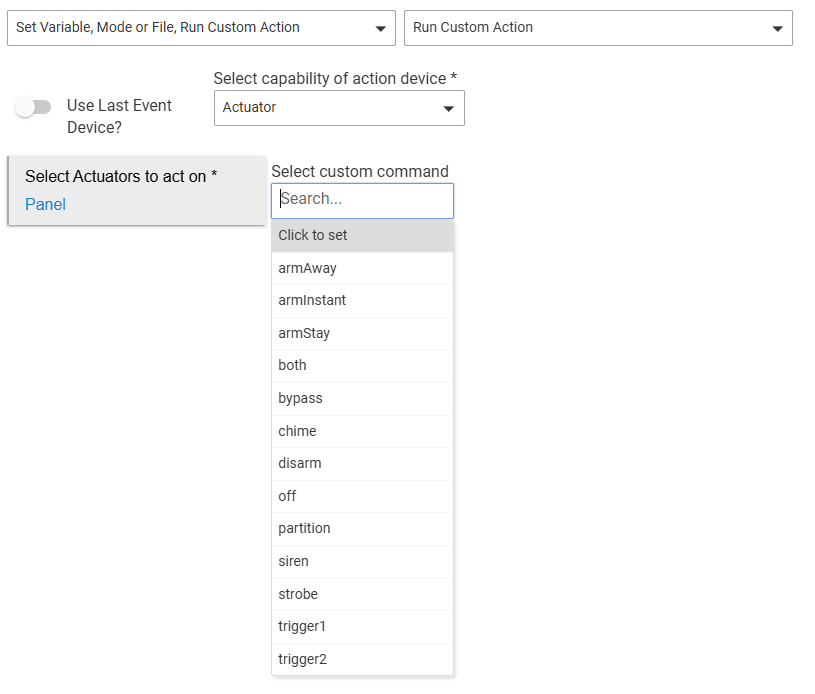
  • Arm Away, Arm Stay, Arm Instant, Disarm, Chime

  • Relay trigger outputs (17 and 18)

  • Zone bypass (from device page or Rule Machine)

  • Bidirectional HSM sync — disarming/arming in HSM arms/disarms the panel, and vice versa

  • Zone types: Contact, Motion, Smoke, Water, Carbon Monoxide

  • Auto-reconnect if the connection drops

  • Up to 64 zones

Requirements

  • EnvisaLink EVL-3 or EVL-4

  • Honeywell/Ademco Vista panel (tested on Vista 20P)

  • Single partition only (same limitation as before)

Installation via HPM

Search for "Envisalink" in Hubitat Package Manager, or paste the manifest URL directly:
https://raw.githubusercontent.com/bdwilson/hubitat/master/Envisalink/packageManifest.json

Then: Apps → Add User App → Envisalink Security → enter your EnvisaLink IP, network password (default: user), panel security code, and configure your zones.

Migrating from the STNP version

The new app and drivers are completely independent. Install them alongside the old setup, confirm everything works, then remove the old Honeywell Security app and its child devices when you're ready.

I've been running this for a few days without issues. If you hit anything, open a GitHub issue or reply here.

GitHub: https://github.com/bdwilson/hubitat/tree/master/Envisalink

2 Likes

Great work.

I had always planned to bypass the SmartThings proxy someday; now that you have created this native implementation, I can cross it off my bucket list. :laughing:

Thank for your time and effort in developing this. I have been using the native Hubitat integration Option #1 by Doug with an EVL4 and a Honeywell Vista 20P panel for some years now. It has been ok, but the telnet link is chatty, so I assigned it to a dedicated Hubitat Hub. I only use it to arm and disarm the alarm system from Rule Machine automations.

I am interested in your app because the original app is no longer supported. Is your app much different from Doug’s original app?

If I install your app, do I have to uninstall the original app first?

You can just disable his integration and try this one. You will end up with duplicate devices for the sensors. The debug logging stays on if you turn it on, so once you’ve got it working, I’d make sure to turn that off. When I stop making little tweaks, I’ll adjust the debug logs to auto-disable after a period of time.

In terms of how similar it is to Doug’s; I did give Claude his last repo that I cloned and redloro’s STNP repos to review, as well as Envisalink’s TPI documentation. Here’s what the details say:

Code Provenance Breakdown

From bdwilson/hubitat_envisalink (Doug Beard / CybrMage, ~2228 lines)

Borrowed directly:

  • The 16-bit flag bit positions — 0x8000 (armed_stay), 0x4000 (low_battery), 0x1000 (ready), 0x0004 (armed_away), 0x0001 (alarm), etc. These are just the hardware spec, but Doug's driver confirmed the exact values work.

  • The overall Hubitat telnet skeleton: telnetConnect(), telnetStatus(), parse(), sendHubCommand(new hubitat.device.HubAction(..., Protocol.TELNET)) — this is the API proof-of-concept the reference provided.

  • The initialize()connect() lifecycle pattern.

  • The addChildDevice() approach for zones (though we use custom drivers instead of Hubitat's built-in Virtual sensors).

Not used from Doug's driver (~80% of his code):

  • All DSC panel support (his driver is dual-mode DSC/Vista, ours is Vista-only)

  • His %01 / %02 / %03 handlers (we intentionally skip those)

  • Installer code programming, user code management, setDelays

  • Tamper alert, glass break, polling commands

  • His zone state machine (he uses per-zone state directly from %01 bitmaps; we derive everything from %00 sweeps)

  • His child device model (he uses hubitat:Virtual Contact Sensor built-ins with autoInactive timers; we wrote custom zone drivers)

  • His partition/HSM handling


From redloro's STNP (Node.js — repo is now gone)

This was used as the protocol reference, not code to port. Key things derived from it:

  • The confirmation that Vista panels use {securityCode}{digit} keystrokes rather than TPI command codes (2=arm away, 3=arm stay, 1=disarm, etc.)

  • The philosophy of ignoring %01/%02 and driving all state from %00 alone

  • The %FF zone timer dump format (256-char hex, 64 × 4-char little-endian timers, <30s = open)

  • The login handshake sequence ("Login:" → send password → "OK")

  • The %00 field layout: partition, flagsHex, userOrZone, beep, alphaText, checksum

Since it's JavaScript and we're in Groovy, nothing was literally copied — it was pure protocol documentation.


Written from scratch

  • The zone sweep timer mechanism — the tick counter that detects when a zone stops appearing in %00 and closes it. No equivalent in either reference.

  • The reconnect loop fix (unschedule("connect") in the "OK" handler) — a Hubitat-specific race condition, original diagnosis and fix.

  • The checksum stripping (msg[0..-2]) — not handled in either reference.

  • The HSM bidirectional sync — the entire hsmHandler / updatePartitionState / state.lastHSMStatus logic.

  • The re-arm debounce (state.cmdSentAt in the connection driver) — original fix for the panel state lag problem.

  • The App / Connection / Partition / Zone driver architecture — the separation into 8 files with the app owning the connection device and connection device owning the children. Doug's driver is a monolith; STNP is a Node process with callbacks.

  • Idempotent zone sync — the add-only approach in syncZones() that preserves existing devices.

  • All zone drivers — Contact, Motion, Smoke, Water, CO with proper Hubitat capabilities. Doug's code uses Hubitat's built-in Virtual sensors; we wrote typed drivers.

  • The packageManifest.json and HPM integration.


Rough percentage estimate

Source Contribution
Written from scratch ~65%
Doug's driver (protocol proof + flag values + telnet API skeleton) ~20%
redloro STNP (protocol reference / Vista command vocabulary) ~15%

The most valuable thing Doug's repo provided was proving telnetConnect() works in a Hubitat driver and confirming the flag bit values. The most valuable thing from STNP was the %00-only philosophy and the Vista keystroke command format. Everything architectural — the reconnect fix, zone sweep, HSM debounce, the 8-file structure — was new.

2 Likes

Very detailed and informative explanation. I will give it a try. Thank you!

The app is working fine, thank you. Great work! I have one request for future tweaks. Under the child devices could you add “Enable description Text logging” under Preferences? I would like to be able to monitor when certain doors are open or closed.

Added. The test would be the same as device name, so not sure the value since they would be the same.

1 Like

Thank you for the quick response. Much appreciated. Will this change to the device drivers be uploaded to HPM?

Yes. They should be in HPM

1 Like

Excellent work. Will try this soon.