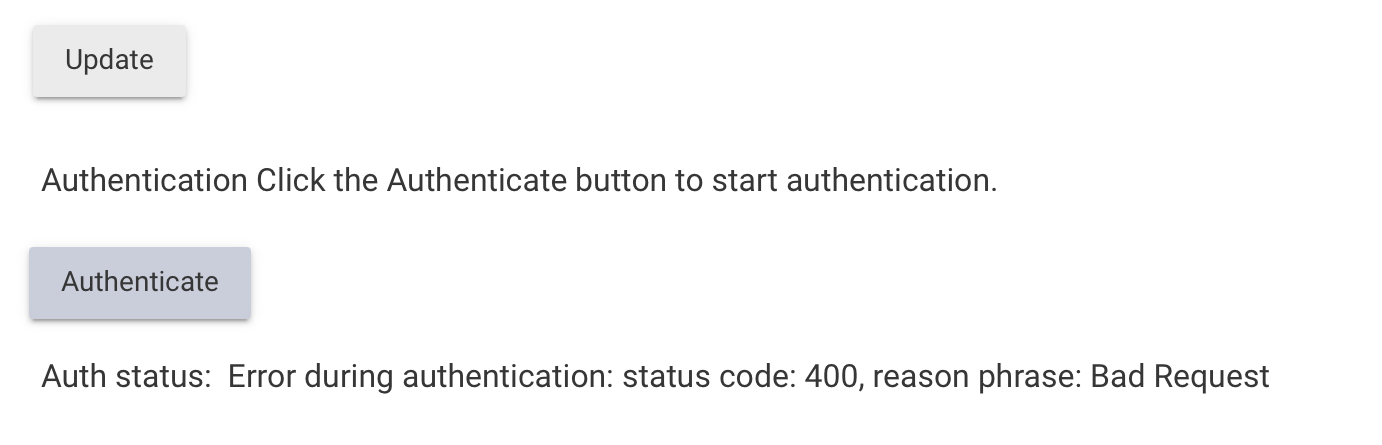
I logged out of the iPad Emporia app and logged-in again with the same credentials (copy/paste) and it worked, so I can confirm that the credentials are valid. Anything else that I should try when I’m back at this tomorrow evening?
Emporia Vue Integration for Hubitat – v1.1.4 Released
I've just published v1.1.4 of the Emporia Vue Integration for Hubitat.
This release focuses primarily on reliability and compatibility with recent Hubitat platform updates.
What's New
Hubitat Platform 2.5.1.x Compatibility
Recent Hubitat firmware versions changed how JSON HTTP responses are returned in some cases. During token refresh and manual authentication, Cognito responses are now received as already-parsed Map objects instead of the response format used previously.
This caused failures such as:
No signature of method:
java.util.HashMap.getText()
Version 1.1.4 now supports both response formats, making the integration compatible with both older and newer Hubitat firmware versions.
Improved Authentication Reliability
Authentication and token refresh have been refactored to provide more robust response handling.
Improvements include:
Compatibility with parsed Map HTTP responses
Compatibility with legacy response formats
More resilient Cognito response parsing
Improved HTTP 401 recovery
Better handling of temporary network/server failures
Internal Improvements
Shared response parsing logic
Code cleanup
Improved long-term maintainability
Additional compatibility work for future Hubitat platform updates
Existing Features
For anyone who hasn't updated recently, the integration now also includes:
Automatic token refresh
Automatic recovery after HTTP 401 responses
Fetch health monitoring
Configurable notification devices
Custom failure and recovery notification messages
Configurable alert thresholds
Single notification per outage
Recovery notifications when communication resumes
AutoRetry Edition
The repository also includes an optional AutoRetry edition.
Unlike the standard app, it continues background token refresh attempts using a slow exponential backoff after manualAuthRequired=true, allowing unattended recovery from transient authentication or platform issues.
I get this when trying to authenticate my account. My credentials work properly when accessing the Emporia Vue website:
Auth status: Error during authentication: No signature of method: java.util.HashMap.getText() is applicable for argument types: (java.lang.String) values: [UTF-8] Possible solutions: getAt(java.lang.String), getAt(java.lang.Object), keySet(), keySet(), get(java.lang.Object), get(java.lang.Object)
Edit: It turned out I had both the old and new code installed. After deleting the former, authentication works appropriately.
Thanks in advance for the work on this. I just found this integration and have a question about functionality before I install... Does this integration include functionality for Emporia Smart Plugs? I want to be able to receive a simple notification if a Smart Plug detects power use. This feature is absent from the native app for some strange reason.
Hi @claywhitenack ,
To be honest, i do not know the answer to your question as i do not own a smart plug so i could not test it. Also note that this is a cloud integration that uses poll requests from Emporia servers at set intervals thus you will not detect power until the next poll request (my setup uses 1 minute intervals).
Amit
Thanks for the reply. My guess is that it will work. The smart plugs report energy usage just fine but Emporia didn't add any notification functionality. And the delay based on polling intervals will be just fine...I don't have to know instantly. Sounds like it is worth trying!
Just popping back on here to say that it works great with the smart plugs. This integration will do exactly what I was wanting. Thank you for your work on this!
One request...is it possible to add something like a "live power use" state? Something that gives you the current, live power use. Right now, looks like it gives you the power use for the interval you have chosen? That is good info to have too, but that doesn't tell me if the device/circuit is currently in use. It could have been in use earlier in the interval but now it is off.
ETA: Nevermind. I see that this isn't possible due to the Emporia API. I'm sure I can get the job down by setting up some conditions to refresh the device(s) if needed.