HE handles same three modes plus resume to “current hard selected program”. See my post back about 3
1 Like
yep, HA has resume also. I mentioned that in a prior comment as well. I was only talking about the setting of modes as opposed to resuming the currently scheduled mode.
I knew the options should be the same, since it is home kit. I just wasn't sure how they were called on HE. My point was, that as far as I know, you cannot create a custom comfort setting/mode, and call that out through Home Kit. I got the impression that @jaredeaves might be trying to use more modes based on his HE modes.
You can just set the temperature settings and the device goes (from HE view) to “temp” mode.
To exit this, you can change temps, resume, or set one of the three supported modes.
I.e., create your own “temp” mode(s) based on temp settings.
I don't see a "setHoldScheduleMode" anywhere. I've gone into custom actions and don't think I have that.
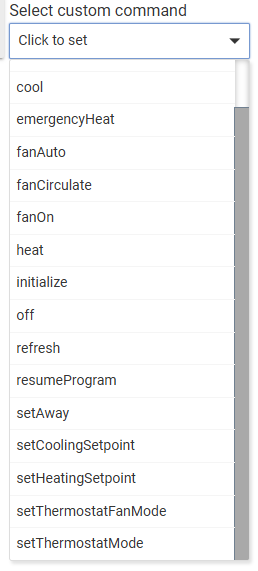
I can't find any way to change the comfort settings. In Ecobee Suite, it's labeled setThermostatProgram.
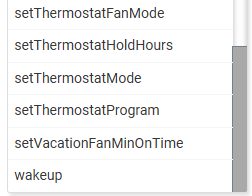
I feel like I'm missing something though. If the built-in app can resume the program, it should be able to change the program.
I only adjust temp in night mode and daytime (I have a few other modes, but it stays through morning, daytime, and evening). When all the lights turn off, the mode changes to night. I want it to change program on ecobee to sleep to use the smart monitoring for the bedroom sensor and not the rest of the floor. When lights start turning on in the morning, it changes to daytime mode and I want it to resume the "home" program.
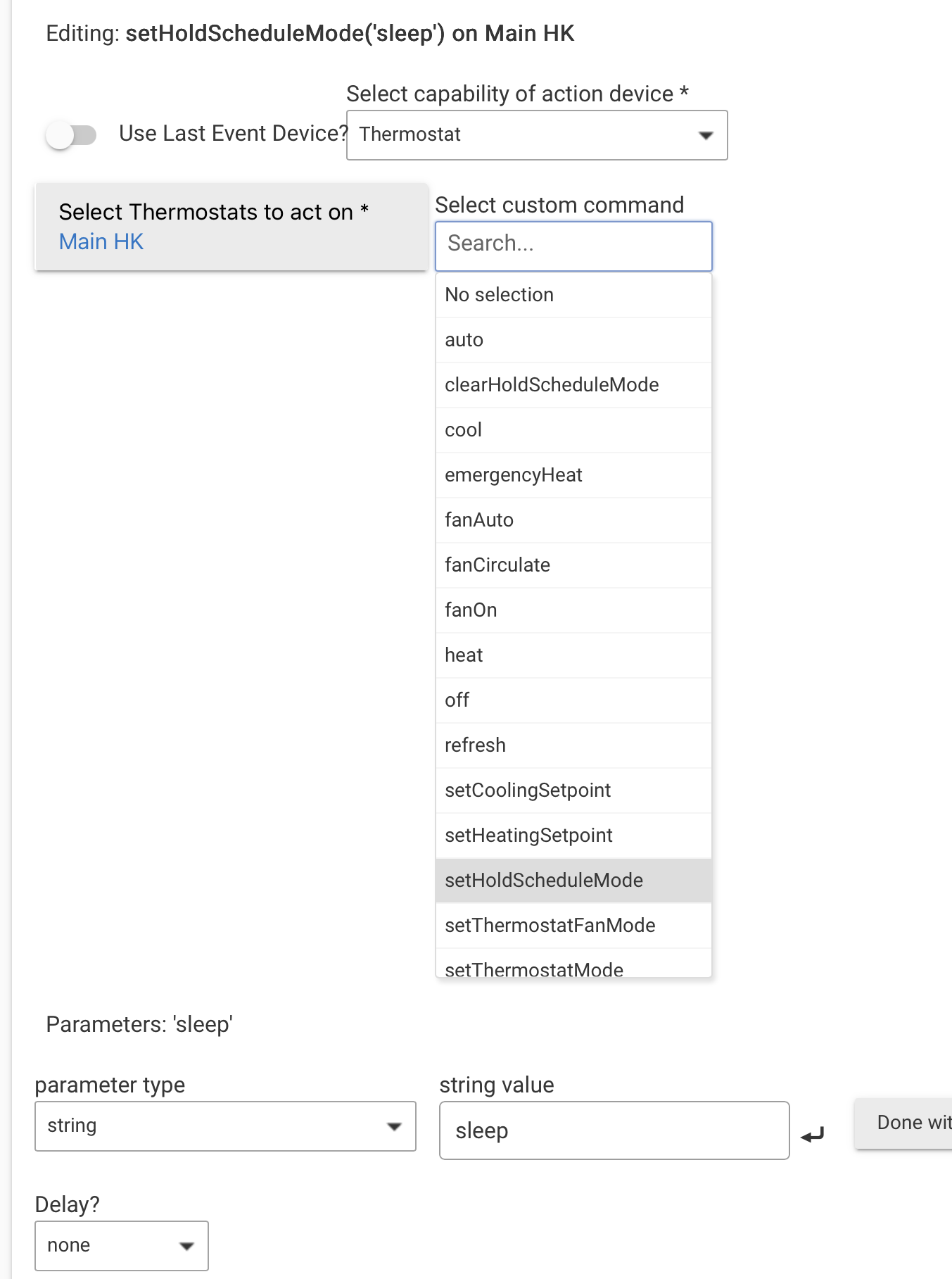
Make sure you run the command on the Child thermostat device.
Yes, that is how I use it for the custom temps I use with extreme temperatures. But, you cannot use a custom mode on the ecobee and have HE or HA set that program. You can only "resume" to it if it is during the scheduled time.
Sounds like you are trying to agree with me.....
Yes, I think we agree.
My point is if you want full control via HE, then “force” the change you want. Set Ecobee to “hold indefinitely “.
Never use “resume”.
If you want to use the remote sensor selection then you need to use sleep, home.
But I don't want full control through HE or HA. I want more of a hybrid approach.
And it sounded like that is what was wanted, with the exception of potentially needing more modes.
You can't set up or control what sensors ecobee uses for a mode anywhere else but in the settings that have to be set up from the ecobee directly. So, unless the two built in modes (Home/Sleep) are all that is wanted, it might not be possible to trigger any extra custom modes.
I can't recall if using the setpoint from HA or HE uses all sensors, or whatever sensors are used for the home mode. But, you can't set a setpoint and tell it to only use the bedroom sensor. You can only set sleep mode and have that mode set up on the ecobee side to only use the bedroom sensor.
I got exhausted searching. I’ve been using the ecobee suite manager for humidity. As anyone who uses this app you know only the thermostat measures humidity. I bought a couple of ZSE11 4 in one sensors to get more global humidity measurements. I cannot figure out how to add them to the sensors in the ecobee suite. Any help?
Good evening everyone,
I recently purchased several Ecobee Premium thermostats and installed Ecobee Suite Manager hoping it would allow me to detect the state change of the device Thermostat Operating State variable.
I am trying to use rule machine to trigger when the thermostat changes from idle to heating but it never triggers because the driver(s) and apps (including the HE built in app) always show the driver state as idle.
Can this app help with this? I am lost and am not sure how I can use this or if someone has any other help they can provide.
Thanks,
Don
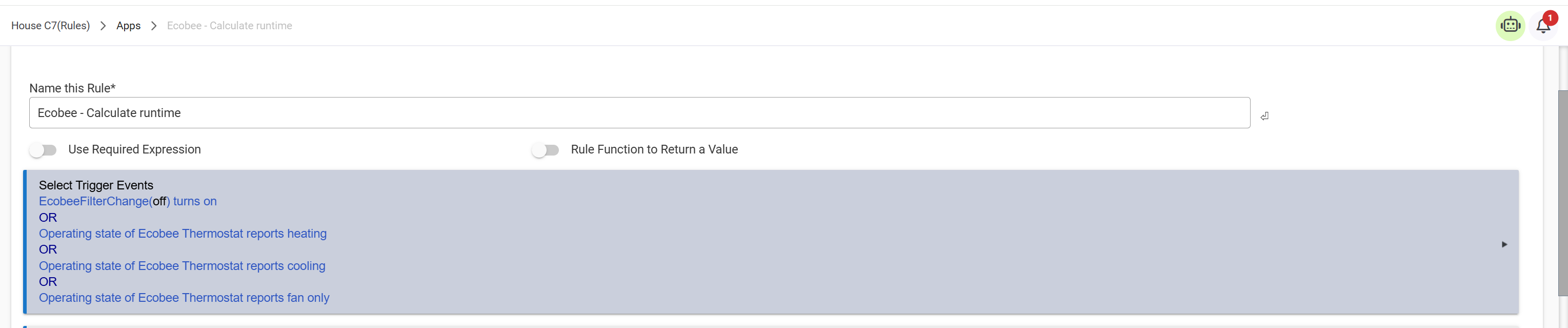
This is the trigger conditions from a rule I use to calculate runtime of the various states. I track Heating Cooling and fan only.
If you have a C8-Pro hub, you may find that using the hub's HomeKit Controller feature a slightly better fit for your stated use-case. Both the original built-in Ecobee integration, as well as the Ecobee Suite, utilize the cloud to connect to the thermostat. Thus, they rely on polling periodically to keep things in sync. A change that occurs locally on the thermostat may take many seconds/minutes to show up on the hub, depending on how frequently the Ecobee cloud is polled. The C8-Pro's HomeKit Controller directly connects the thermostat to the hub over your LAN. Thus, status updates are near instantaneous. The HomeKit integration is not as full featured as the Ecobee Suite, but it is 100% local.
Also, this is not a case of either/or. If you want to use both integrations at the same time, that is possible as well. Just have to keep track of things to understand which Hubitat devices are local (HomeKit) versus cloud (Ecobee Suite.)
Thank you. Unfortunately I have 2 C8s. Looks like I am going to have to migrate to C8-Pros at some point. Sooner rather than later.
Just wondering if a newer hub model is on the way. Probably not as a C9 hub with a c9 silicon chip since I believe I have read Silicon Labs has no intentions of releasing a new chip anytime soon but rather to continue to enhance the c8 chip.
I am thinking maybe HE will release a new hardware update with more features if I can hang out that long. Winter is almost over so I have some time to hold out :-).
Thanks for much for the intel.
- Don
1 Like
Thank you. The problem I am having is the rules never triggers because the driver is not detecting the state change of the one HVAC from idle to heating. I have tried multiple drivers, apps and hardware and the only one I have ever been able to get to work is the 2GIG-STZ1-345 (again, thanks to the community). I works like a champ.
So why didn't I leave it alone lol. I am in the process of hopefully getting a 22kv Generac and have installed 2 Ecobee Premium therms (also made by Generac) in preparation for it. I still am holding on tight to the 2GIG therm. If push comes to shove I will re-install it in the living room where the noise condition occurs; however, after some great intel from the community it looks likes 2 C8-Pro are in the future. Since winter is almost over I am going to wait for a hardware upgrade from the HE gods :-). Maybe one will be out by then.
Thanks for your help!
- Don
1 Like
It should. My Ecobee is pretty old now, bought and installed back in 2019. May be there is an issue with the newer ones.
As @ogiewon pointed out it is cloud based and there can be a slight delay from the time the actual unit switches and when it get reported to HE, but I have never found it to be signifcant.
1 Like
Is there any way to incorporate other temp and humidity sensors besides the ecobee sensors into the suite? I’ve got several multi sensors around the house and it would be great to incorporate their data into the behavior.
For Hubitat 2.5.0, can this line be added to the app definition around line 107, so that this shows up in the new Integrations menu (like the built-in Ecobee API integration)?
menu: "Integrations"
Until recently, I had been using the alertsUpdated state in webCoRE to make me aware of maintenance notifications from the thermostat. I just walked by and happened to notice there was an alert notifying me to change the filter but I never received anything from Hubitat. The last time this state changed was back in March. Is this just a fluke and it should still work, or is there some other state I should be using instead? I see statInfoUpdated changed around the same time as the filter notification from the thermostat. Should I be using this instead? Is there a better way to do this?
I want to do some simply fan control (circulate) based on indoor air quality. I'm thought I could just use fanOn() and fanOff() in WebCORE to do that, but I realized those do not quite exist as I expected them to.
Is "set fan to on" and "set fan to Auto" what I should be using for this? If I "set fan to on" - will it mean that the HVAC can take over and start heating/cooling, but if I send that command again through automation it would STOP heating/cooling (would it start to fight eachother)?
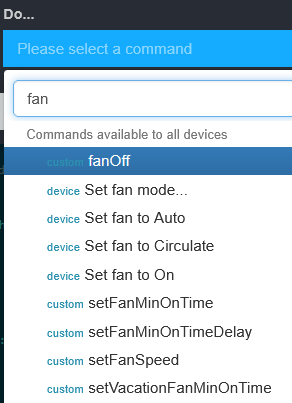
My intent is to use a simple availble command to "turn on the fan until I tell it to turn it off" from webcore, while let the HVAC still heat/cool as it wants. My second idea here was to somehow figure out how to play with the circulation time (60min/hour vs 0min/hour) - but i'm not sure what is going to get me the functionality I'm after. Screenshot below for all "Fan" commands in webcore right now.