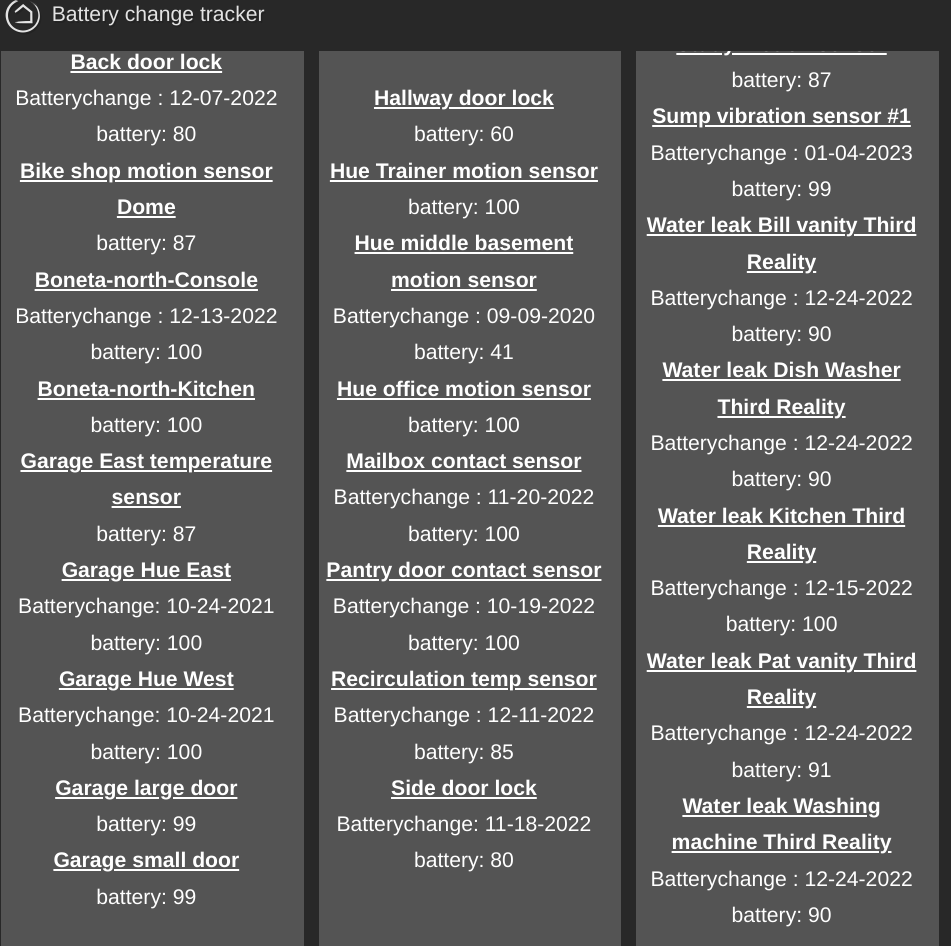
I'm tracking battery change info and this is working very well for me. I do have a question about the hub resources used when tracking lots of devices. 24 right now. Is it of concern?
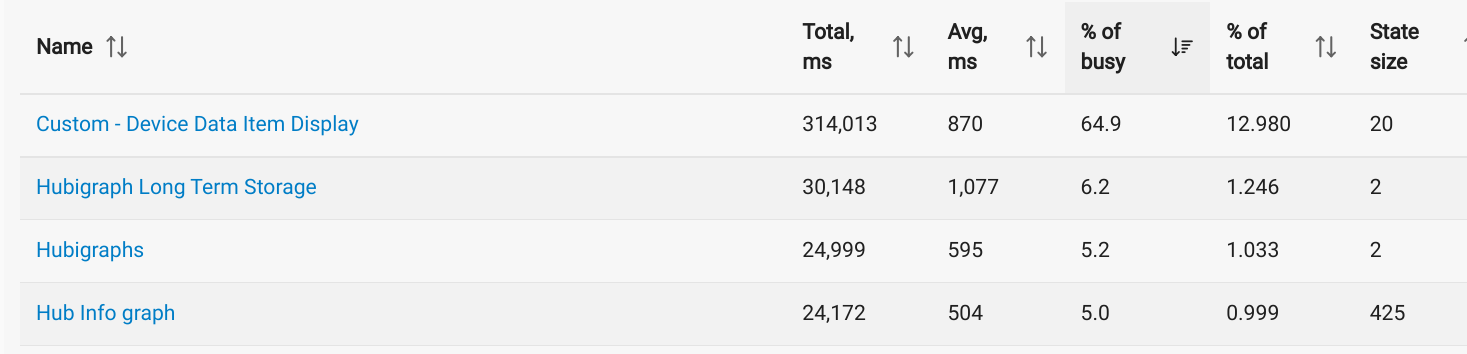
13% is getting up there, but depending on the rest of the load....
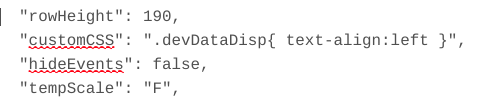
I tried this had there was no apparent effect. Did I do it incorrectly?
Just piling on...
Great tool.
Just had to use it to find all devices of a specific manufacturer and make. Exported the needed fields to CSV, opened in spreadsheet, filtered, and voila!
Thanks!
I just discovered this App yesterday!
This could save me a lot of time in pulling info from the Devices page into Excel (currently done via copying selected columns, pasting into Google Sheets to fix some oddities, re-copying, pasting into Excel, then running an involved VBA macro to clean up more oddities).
However, I currently get the following fields with my process that I don't seem to be able to find with this App:
- Type (which includes whether a driver is User or not, and Linked or not)
- Room
- Net ID (the first 4 characters of the Devices's DNI field)
- Zigbee ID (the rest of the DNI field)
Am I missing how to get such info, or is this info just not available in the App at present?
Old app, predates rooms, but wouldn't take much to add some more fields.
v1.3.5 is up. Adds the option to pull Driver Type, DNI, Zigbee ID, Rooom Name, and Controller Type for each device selected.
The new version is great, thanks! But I'm stuck on one item: type (as in driver type).
Here's what I get after scraping HE's Devices page and formatting into Excel using my old method:
ID Label Name Type Room Net ID Zigbee ID
20011 Gas Sensor - Garage Explosive Gasses TU (Heiman Zigbee Gas Detector) Homi/Heiman Gas Detector (user ) Garage 1E96 2C1165FFFE1CBDC5
This is derived from the HE display:
The part I can't seem to find in the your new App version is the driver type: "Homi/Heiman Gas Detector", in this example.
I've tried selecting on "Device Name", "deviceType", "driver", "driver" [2nd instance], "type", "zoneType", "driverType", but nothing retrieves "Homi/Heiman Gas Detector".
Is there some other term I should select on?
I’ll have to pull in another data source to get that - device object has the driver id, but not the name. I hve some code around somewhere that does that just need to remember which app it’s in.
v1.3.6 should have the driverName in it now.
Works perfectly for me! My life is now nearly complete!
Loving the app!
If you find the time and the inclination, please consider some minor settings tweaks that will help me be lazier:
-
An option to automatically list all devices as "Devices of Interest".
- I gather info on all devices for each hub, write it to a CSV file, then import and manipulate the info via VBA macros in Excel.
- Currently, I need to open "Selection Criteria", then click on "Devices of Interest" and "Toggle All On/Off" and "Update" to ensure that any new devices are taken into account before downloading the CSV data. I really want all devices selected every time for my purposes.
-
An option to store a complete filepath (with filename) in the "Download CSV Data" screen that is used unless the user over rides it before clicking on the "Download CSV" button.
@thebearmay Your Device Item Data Display app is consistently at the top of my C7 hub’s App Stats (% of busy time). See screen shot. Most of my other apps are well below 10%. I use your app infrequently (once every month or so) to show me a report of custom device notes like BatteryType, BatteryDate and battery level for all my battery powered devices.
What can I do to reduce the cpu utilization short of disabling the app and then only re-enabling when I need to view the data?
FYI: “Hub Info” is a legacy dashboard displaying static hub data from your Hub Information v3 driver and “Watchtower” app is collecting and graphing frequently changing temperatures, humidity, air quality, etc data.
Not sure I'd be worried about a hub load of 0.38% (31.8% of 1.2%)...
OK. Did not realize that the busy time is a % of a %. Sorry. Thanks for the great apps you create and support.
Is there a way to have this run periodically automatically...
either every time a device changes or every day (overwriting the last or rotating between a few).
this is an awesome app and trying to handle a crashed C7 and want to have a good backup
I can add a periodic function or even a endpoint without too much issue but unsure what you want the app to do at that point. Easiest would be to save a JSON record to the File Manager but not sure if that will accomplish what you need.
A CSV would be preferable to me ...but possibly an option for other users. If it could save to the hub with the same name on a periodic basis, i could script something to copy off and keep the last 2 or 3.
Does the endpoint solution allow it to be called from a windows program and return the data (i,.e. csv) so the windows program could save it?
Thanks so much for your help!! Tim
Added 4 endpooints, 2 display and 2 download. Source is at
You'll need to enable OAuth - click on the stacked dots:
At the bottom of the screen there is a new section:
You'll want the one with /csvDown. If you want to use Windows PowerShell to pull it down the command is:
wget <endPointUrl> -UseBasicParsing -OutFile c:\users\<downloadDestination>
THAT is SOOOOO COOL. Thank you very much ...incredible how fast you made a solution!
Thanks again
Tim