Hope it heals soon!
2 Likes
Cheers, it’s on the mend and I did such a good job of breaking it, I didn’t need surgery to pin it back together.
2 Likes
I thought it was just urban myth that you could break your arm on the big Fosters cans.

2 Likes
No one actually drinks that ■■■■, the stuff we send overseas labeled as Fosters is actually Carlton Crown - it’s an ok beer, but orders of magnitude better than real Fosters.
Yeah, I know! Just messin with ya.
1 Like
I now have over 48 hours of data, and the updated dedicated FP300 driver seems to be working well with the new FP300 firmware. I am going to continue to watch it and if all goes well, I will release it in another day or two.
3 Likes
Dan - but you would STILL recommend NOT upgrading the firmware and continuing to use the older driver right? In other words, with the older firmware on the fp300 - should we use your updated driver when released?
I see no reason to upgrade the FP300 firmware at this time. I have not noticed any significant change for the better or worse, but my testing has has been much more about simply keeping the FP300 connected to the HE Hub.
"If it ain't broke, don't fix it!" seems like the safest path for now.
That's a very good question. I'll need to test the new driver on an old firmware FP300 before I can answer that.
4 Likes
For those wondering, I have two FP300 units both were brand-new in the last few weeks so I had no choice but to use the new firmware.
My first sensor never worked properly out of the box so as far as I can tell everything works really well on the new driver with the current firmware. I don’t have enough experience with the old firmware to know if there’s any difference.
1 Like
Is this version 1.2.2?
I will test when I get home, as I already have one on the new firmware. Annoying that you can’t bypass the firmware update. Though I will try clearing the cache of the app and disabling the internet on my phone next time with a new device. Currently they are £41.99 on Amazon UK today
Yes, in my GitHub repo's Development Branch.
Do you have to exclude and rejoin the devices to change to that driver? If not, I could run it and see how it works on the old firmware.
If you do, not sure how it could be tested on old firmware since it updates as part of the exclusion/rejoin process
The FP300 only updates its firmware if you use the Aqara mobile app to change between Zigbee and Thread, or if you have it paired to an Aqara hub which can perform an OTA firmware update.
If one Removes a FP300 sensor from Hubitat, and then presses the button on the FP300 sensor 10 times quickly, the sensor will perform a factory reset using whatever firmware is currently installed on the sensor. I have done this probably 100 times while debugging the driver code.
I just updated the Dedicated FP300 driver on my Production C8 Pro hub to perform some testing with the two old firmware FP300 sensors paired to that hub. Will let everyone know how that testing goes. So far it seems fine. But I haven’t run through an exhaustive list of tests, yet.
3 Likes
Okay, I thought we had to go back to the aqara app in order to re-pair. (Wasn't an issue when the zigbee firmware was stable)
All,
I have released v1.2.2 of the Dedicated FP300 driver. This is now available for manual upgrade or via Hubitat Package Manager (HPM).
- Requires Hubitat platform version 2.5.0.157 or newer!!!
- Adds support for the recent Aqara FP300 firmware version 0.0.0_6542.
- Changes the default behavior for the "Use Aqara Presence Detection Algorithm" from disabled to enabled for new installations. I believe this will result in a better first-time user experience as the PIR sensor on these devices reports too many false positives for it be relied on to trigger the Hubitat "motion" attribute without the mmWave sensor also detecting a moving object in the room. Users can always disable this feature if desired.
Huge thanks to @kkossev for figuring out the necessary tweaks to keep the device connected to the Hubitat hub when running this new FP300 firmware!
I have successfully tested this driver without issues under the following conditions:
- Upgraded a FP300 sensor firmware, and then paired it under v1.2.2
- Upgraded the driver to v1.2.2 and ran with FP300 that still has old firmware
- Upgraded the driver to v1.2.2 and then paired an FP300 that is still running the old firmware
In general, I do not see much of a difference running the new FP300 firmware. However, the one sensor that I upgraded is only used for development and testing of this driver. Thus, not much 'real world' experience. YMMV, of course.
I am choosing to leave my two other FP300 sensors running the older version of the firmware. I believe that is probably the safest path for now. Obviously, if you're experiencing significant issues with your FP300 sensor, and you want to see if upgrading its firmware will help, at least now you have that option available to you.
I would also like to thank @dJOS for his assistance in testing this new version of the Dedicated FP300 driver!
For those that decide to upgrade the driver version, or the FP300 firmware version, please report back and let us know the results.
3 Likes
So if we DO decide to upgrade to the new FW, and we're unhappy with the results, can the device FW be "rolled back"? (I'm assuming that's not the case, and it's a one way upgrade).
Just trying to decide, if the upgrade is worth the effort.
The only way appears to be through Aqara support - and the success rate I have heard so far for them providing the downgraded firmware is zero.
But, it is theoretically possible
3 Likes
That is a very good assumption. As mentioned by @tray_e, while it appears to be technically possible to roll back the FP300 firmware, very few have ever been able to get Aqara support to do so.
2 Likes
Thank you, Dan and @kkossev Lovely work! 
2 Likes
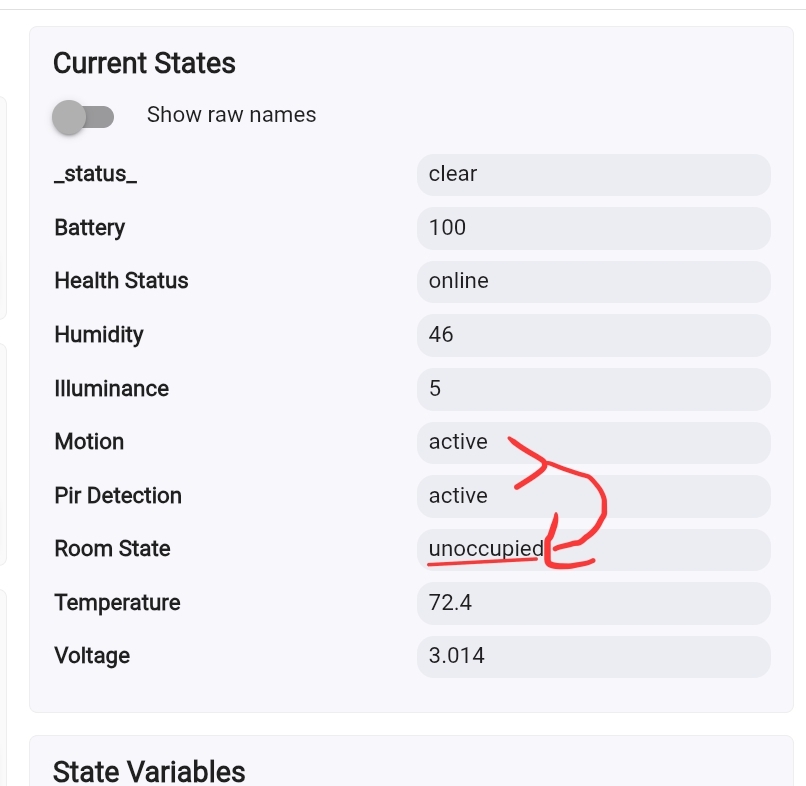
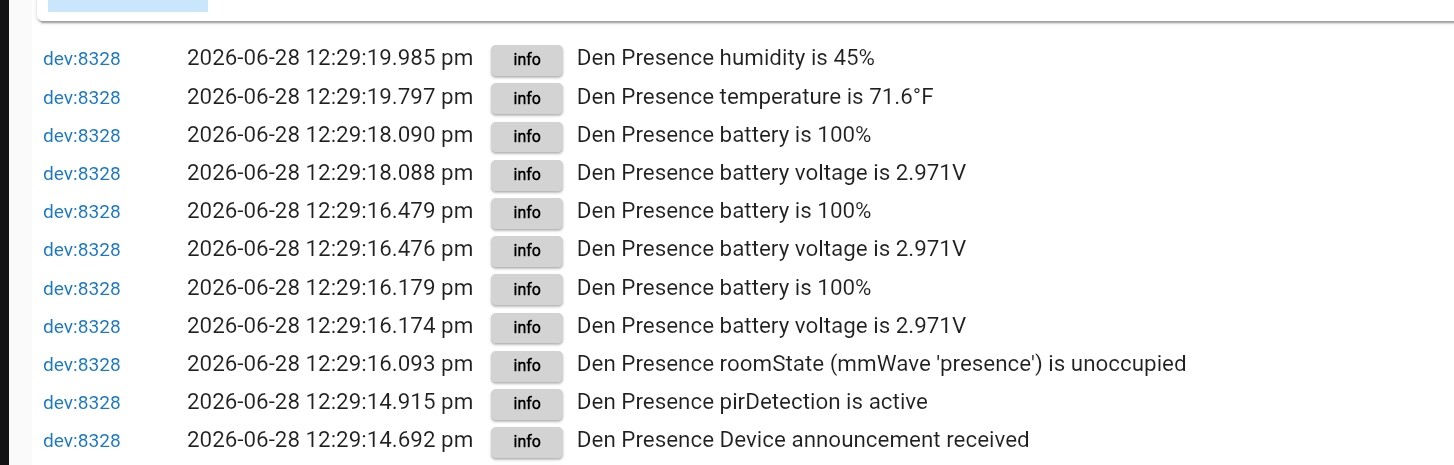
Okay, so weird behavior on ONE of my devices. The PIR and The mmWave show active, yet it still shows unoccupied. The issue is intermittent. I noticed that my rule for turning off lights was turning them off while I was sitting here. So, I looked to see what was the issue.
I have tried:
Redoing the spatial learning
Restarting the device
Initilizing the device
It is definitely awake and updating. I waited for it to show inactive on both PIR and mmWave, then verified they trigger to active (watched it happen realtime). However, it did not switch room state to active
When I press the button to restart, etc. It does go to occupied. However, once it becomes unoccupied, it will not go back to occupied even when both sensors report active.