Yes, I’ll see if I can get that out on my lunch break.
Mark,
I didn't see the description notes for the video on YouTube. Did you post them?
I ordered some generic cheap tiles ot bag trackers that I hoped will work with the Pi. Two of the three did work and that was good enough for me. One is a "naked" beacon tag which needs an enclosure so I can secure it to my cat's collar and the other should connect with little effort other than a cat getting rambunctious and scratching me. Yeah, take collar off, secure tag, replace collar. But Toby can be pissy sometimes, lol.
I was able to get everything working up until the end of your video. Sitting pins and needles waiting for the next episode. Now that the US is on Daylight Savings Time, I should be able to access your next video an hour earlier. LOL
Cheers,
Norbert
Hi Norbert.
i had to restart the upload and so the notes wernt included because i didnt want to spend the time typing them out if it wasnt going to work again..
Figured youd be smart enough just to copy what i was typing on the screen 
i thought you were way ahead of me and wouldnt need the vids any more and so they took a back seat, ill get the final one finished up today and posted.
1 Like
Mark,
Yeah, I’m a n00b as far as HE and Raspberry Pi are concerned. I used BASIC and MSDOS back in the day so I have maybe 1/2 a clue when it comes to the Linux commands. I had to Google about deleting a file as I typed it I wrong. GUIs are so much easier, lol. I’m going to need all the help I can get.
Two of the tags I purchased this week that arrived report well with the check_presece_beacon.py code. So I’m going to use those as the test. For this “Cat Tracker”. One though was right next to the post and reported AWAY for one round which was not encouraging, however I’ll press on with the experiment.
Thanks for all the help. Your instructions are excellent. But one thing that might help those of us that are unfamiliar with RPi, is perhaps explain how to stop the program after we start it. I had to Google it and later on in your video I did hear you say to hit Control+C but don’t recall if you mentioned that this was the command to stop the program and return to the Command line. For those who have no clue, that would be a great help, but perhaps this should not be the first foray into RPi. Lol
Great job, I look forward to the next installment.
Cheers,
Norbert
cheers , ill amend vid to say that, its all very helpful thanks. im just finishing the last bits of recording now, this is the second time, the first i didnt notice the mic was turned off! DOH!!
last vid.
1 Like
Just like to say a HUGE thank you to every one on here, especially those that actively helped me get this working.
I have now achieved 100% presence using 4 raspis around my property, combined with joewetzels combined presence app it only reports away when all 4 monitors say im away but reports home as soon as any of them report as home.
my door locks are opening flawlessly every time we get home.
i may one day incorporate something like life 360 for earlier warnings but at the moment i dont have a need for it.
thanks everyone.
1 Like
Mark,
After working on this all week with you I still do not get any "reporting" from Hubitat. The pi reports on the boot up script that the check_beacon_presence serivce is running. I know that when I use the test beacon file the pi sees the beacon enter the room and leave the room however my Hubitat does not seem to want to tell me that it has entered or left. DO I need a rule to check that or something? How is it supposed to tell me on the hubitat interface itself or alert my phone? I'm at a loss and getting discouraged with my abilities. I have no doubt that the system is capable and I'm probably a heartbeat away from success but not sure where I'm failing. I have copied in the device handler code, I've copied in the app code, followed every entry as you did (using my parameters for tag names) and just having no success.
Thanks for your great video tutorials.
Norbert
You have virtual devices on Hubitat? And the BTLE Multi-User Presence App installed?
You need to be rigorous on your Naming too. Using Brian's Example data:
       ["Brian","fe:31:0b:b0:xx:xx",30,0,"Home",SWITCH_MODE],
        ["Amy","c8:ae:c6:e0:xx:xx",30,0,"Home",SWITCH_MODE]
The word "Home" is critical, as are "Brian" and "Amy"
Using the example, a pair of virtual devices named "Home-Brian" and "Home-Amy" would need to exist. They are selected within the BTLE Multi-User Presence App. The App also provides a very specific URL that must be pasted into the rPi check_beacon_presence.py file.
Thus... with the rPi working, check_beacon_presence, will shoot out a message each time to the URL embeded within. It will include the two fields I highlighted above... The App will get that message and look for a device in it's list that matches. If a match is found, that virtual device will be updated. No match, no update.
So.. bottom line, something's not matching  and you'll have to crawl through the config to fix it up.
I haven't been following along on your journey except at a very very high level. If you've done all these steps, I apologize for repeating.
csteele,
No worries, you are not repeating that which does not need to be stressed. I did make some errors in the beginning and I have been corresponding directly with Mark for the last week with respect to getting the rPi zero w up and running. There were mistakes made and lessons learned. I was successful with getting the rPi up and running and getting a verification that everything was loading as expected after redoing EVERYTHING, lol. I am a n00b to rPi and Hubitat. The rPi is now starting the proper check_beacon_presence service upon reboot and using the test_beacon python code I can see that it recognizes the two tangs I want it to see and when I remove them from the room it recognizes they were gone and when I returned them to the room it recognized that they have returned. Great, now to just get Hubitat to let me know that it is talking to the rPi.
Here are some screen shots of my devices names what the app is looking at, the URL info and an excerpt of the python code I had to copy the URL and tag info into it.
I believe that I have the proper naming of the virtual devices in the python file as seen here:

I copied the URL from the device portion (local not cloud URL and pasted it into the python code in between the apostrophes. While I had hoped to get my phone and my wife's phones (mac addresses are correct) but apparently they are not ever recognized. Should I remove the phone items and just leave the "Naked_Beacon" and "Toby_Tag" data?
I am not opposed to blowing things away and starting from scratch. I know that a misplaced " " somewhere in code can cause everything to halt. I did select the RAW when going to Brian's code, do the CTRL+A to select everything, CRTL+C to copy, then switch to Putty, in the text editor Left Click to activate it, Right click to paste and then the CRTL+O to write out. I got quite good at that actually doing it a few times, lol. But Mark's video was pretty good for helping me figure out the rPi stuff. Have you reviewed his video? As a n00b, I was appreciative of the step by step approach.
Well, anything that you can suggest would be greatly appreciated.
Regards,
Norbert
I don't have to restart the Hubitat to get things working do I? Like having to reboot the rPi after getting everything programmed to get the service up and running on reboot?
Norbert
First, delete or modify that screen cap with your URLs.. you're displaying a PUBLIC path into your Hubitat that anyone can exploit. It's the Token that you shouldn't be displaying. Delete the image, then alter it and put it back OR, just leave it off.
No.
10-4
I notice that you have a mismatch in the two screen shots...

Maybe it's just timing between when you made the edit and the capture, but that "URL_HUBITAT = " must be exactly what the app shows. And yes, the 2nd one (If for some reason you want to use the Internal URI it would be ..." is the correct one to start with.
Sorry, that was taken from the text file I was using to get things ready for placing into the rPi text editor. I did go back in the rPi editor and paste in the correct local URL.
My apologies on this posting error.
Norbert
If you have Security (ID/pw) to get into your Hubitat hub, then you'll need to tell check_beacon_presence:
HUBITAT_USER=''
HUBITAT_PASS=''
Once all check_beacon_presence is edited, yes, you'll have to restart it.
You can put your virtual tag devices into the "wrong" state, do the reboot and as check_beacon_presence discovers the tags, it will change the state.
Have you monitored the logs just after a restart of check_beacon_presence??
Right click on the Logs item in Hubitat's Left Menu and select Open in a new tab. It will be empty. Logs appear AFTER the tab is open.
Csteele,
I do not have the user and password set as I have a bookmark that goes directly to the IP Address of the hubitat and it fires right up. I did a reboot from the hubitat interface and waited a bit. I put the tags (Toby_Tag & Naked_Beacon - it does not have a cover) in the back room in a drawer for a little bit and then retrieved them.

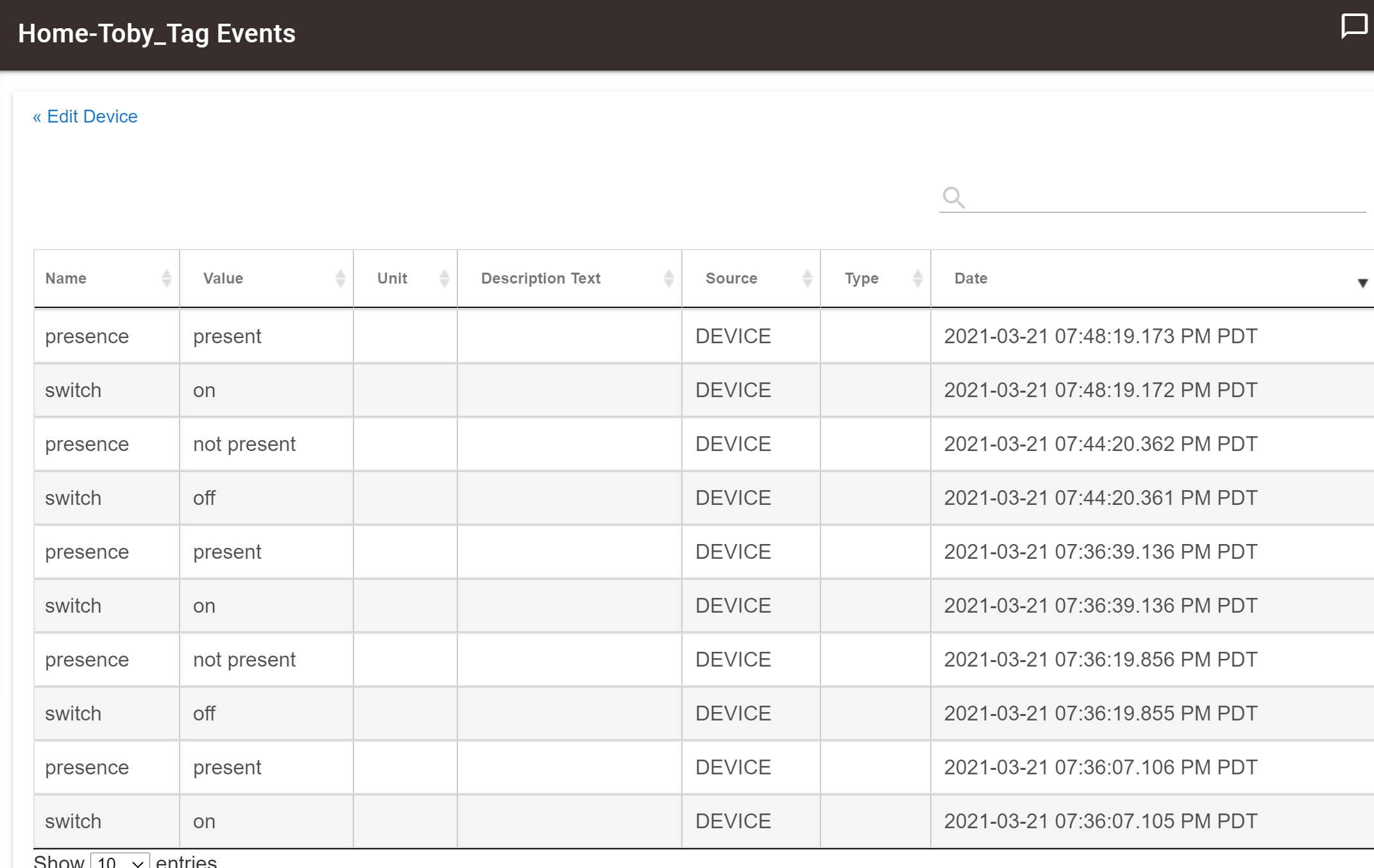
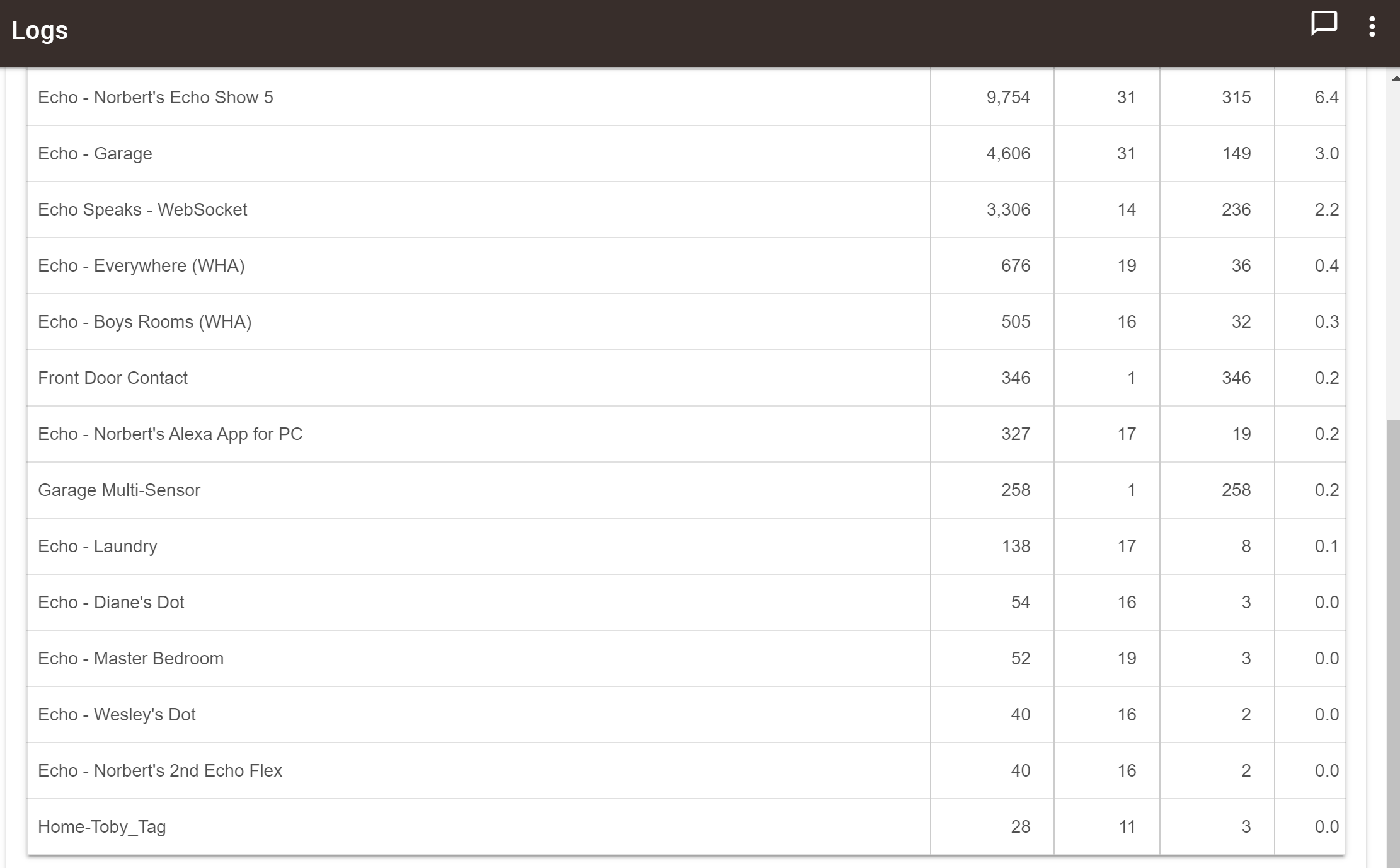
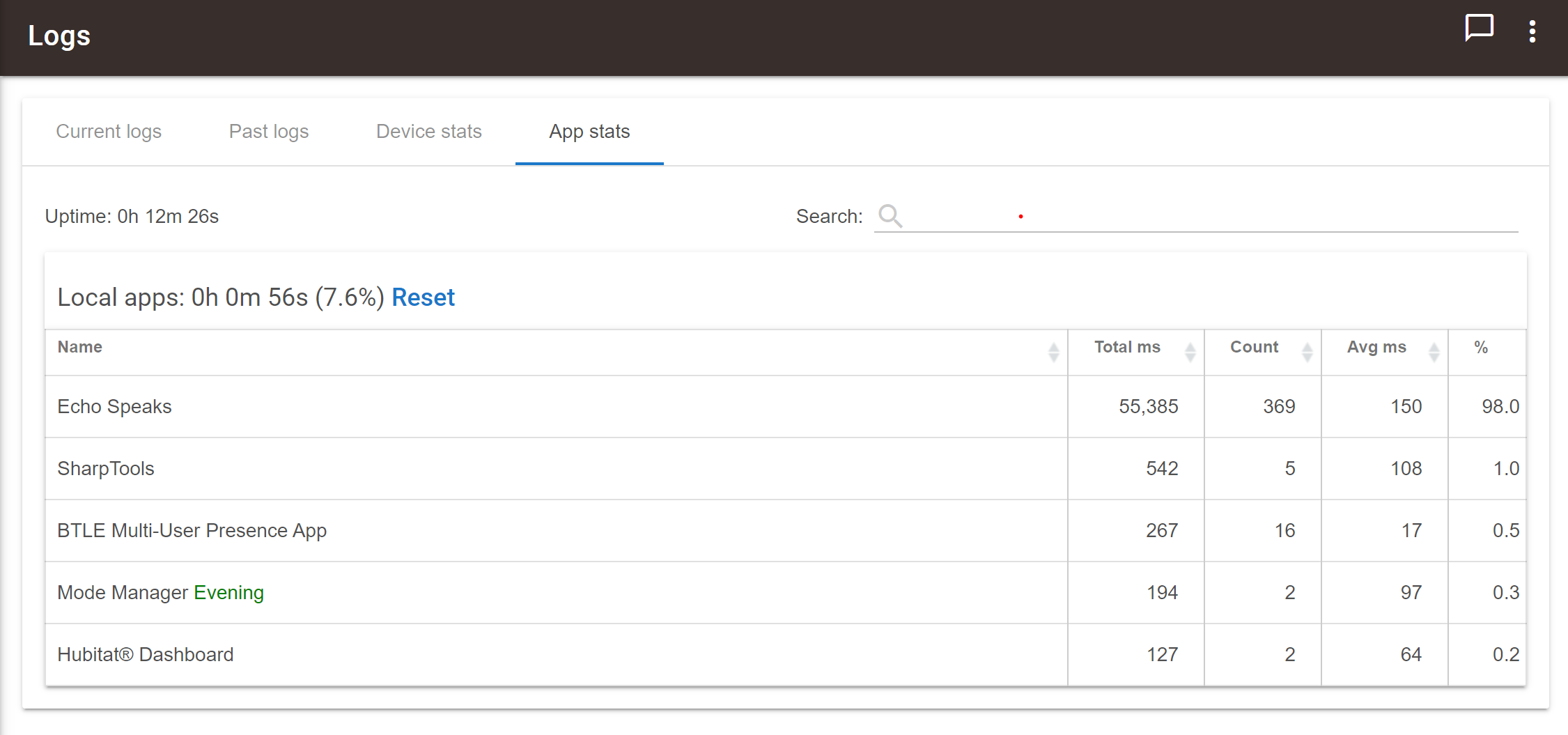
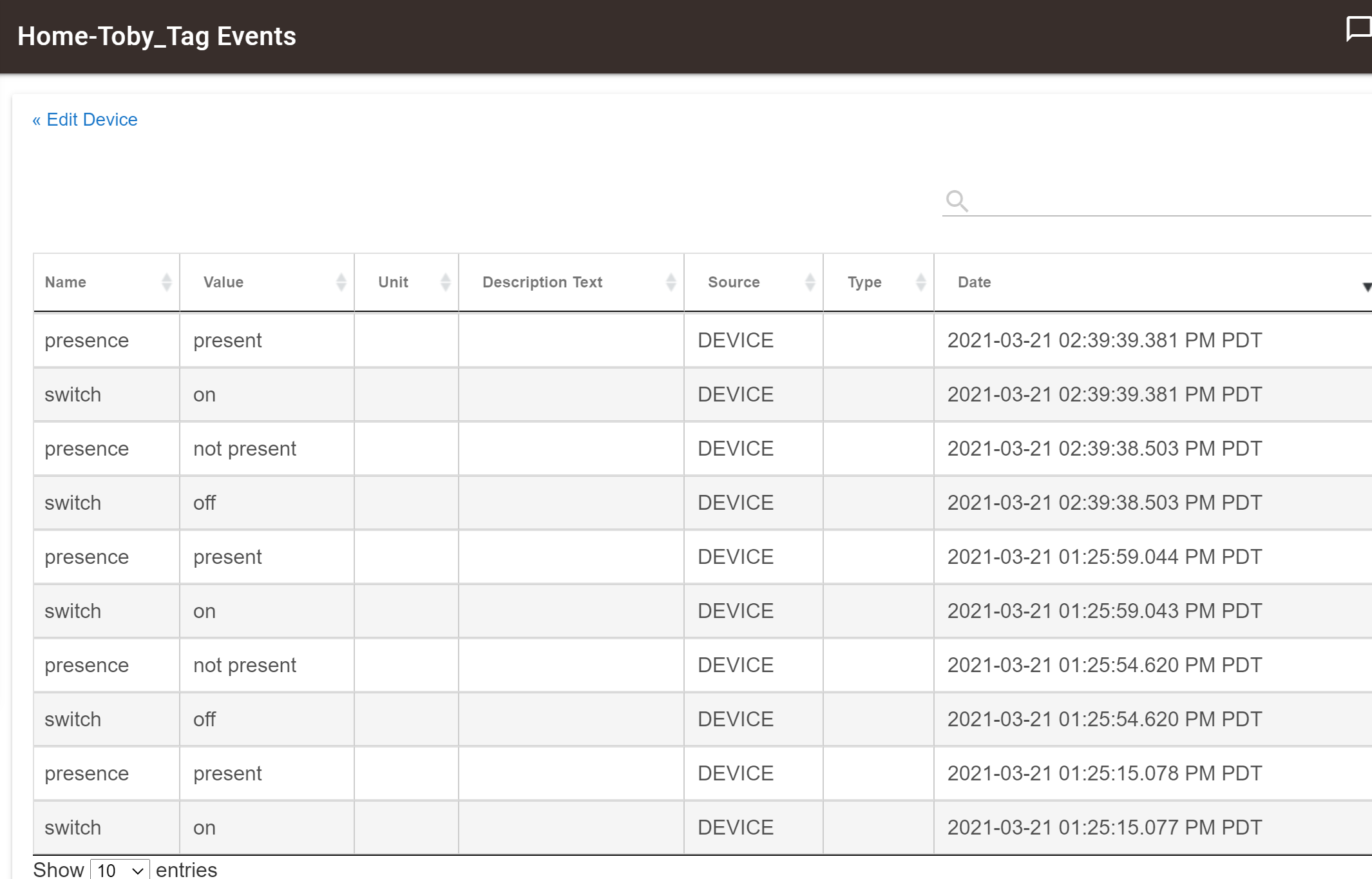
No so "logs" since reboot other then the "events" from the device itself.
The Hubitat can clearly see that the tags are leaving and then returning, but why is it not notifying my phone? Was there something else I was supposed to do to have an alert on my phone? I have the mobile app for the iphone running (restarted the app several times). I get notifications from my door contacts all the time when they open and close, what do I need for notifications on the phone? Did i forget something or do I need to add something?
This has probably been covered, but should the tile mate device show up in the presence python script it it has been connected to the tile app on my phone or tablet?

