Oh, if it is only a Pi Zero, yeah definitely do not run desktop on that, that is designed for embedded purposes only, say for a smart mirror or for a network sink-hole or for a print server or for a basic OctoPrint server (stretching specs for that one) etc. I would recommend something beefier for your home automation server because while you might start with just something simple, you are likely going to expand.
At the same time if you are just using this as a beacon receiver then it would be fine for that.
@norbert.h.davis BTW if you are using a windows PC to set up the wpa_supplicant.conf file, you may need to use something like notepad++ instead of the built in notepad app to edit the file (notepad should work though) if it doesn't set up your wifi correctly.
Also I'd save the 32gb card for other purposes - a 16gb card would be more then sufficient.
Lets do baby steps. RPi’s are new to me. I figure if I can keep my network up, deal with easy to medium Home Automation, I ought to figure this RPi stuff enough to make it work. I’ll keep in mind a RPi 3 or 4 if I want to do much more than track a beacon (pets). Lol
100%, just making you aware of what is out there, you are currently at the edge of a very deep but also very rewarding pool so just take it as slow as you need and if you run into issues feel free to ask.
unfortunately my internet connection is not fibre!! its very slow! i did the youtube thing on setting up pi and found nothing that covered what i wanted to do which is why i decided to make a vid. if you follow it step by step it will work for you, because what ive recorded is a live actual installation. So if it worked for me it will work for you.
do yourself a favour and save yourself the frustration that i suffered! it literally takes 20 mins from start to finish when you know how.... get it working and do the pi research later....
ive since set up a 3d printer for which i use another pi, so ive gone for 0 pies in the house to 5 in 2weeks....
normal notepad works fine for this file or at least it has for me, i had to use notepad+ for octoprint but not this.
ive used 8gb, the program/OS only uses half of it of that 4Gb would probably be big enough for this...but i havnt checked, raspi lites only 2gb i think.
Nope, been using the Sneaker.net method of transferring files. Quite secure. LOL If this goes well, I'll have to look at doing it. I have heard it's quite convenient, my Wanhao v2 (monoprice maker select V2) is another subject. Good machine but dated. Might look at a larger volume machine like an Ender 3 or something of the like.
Watched the video, got the lite version up and running and the password changed. That is where your video ended. So now where do we go from here? Rabbit hole is open...
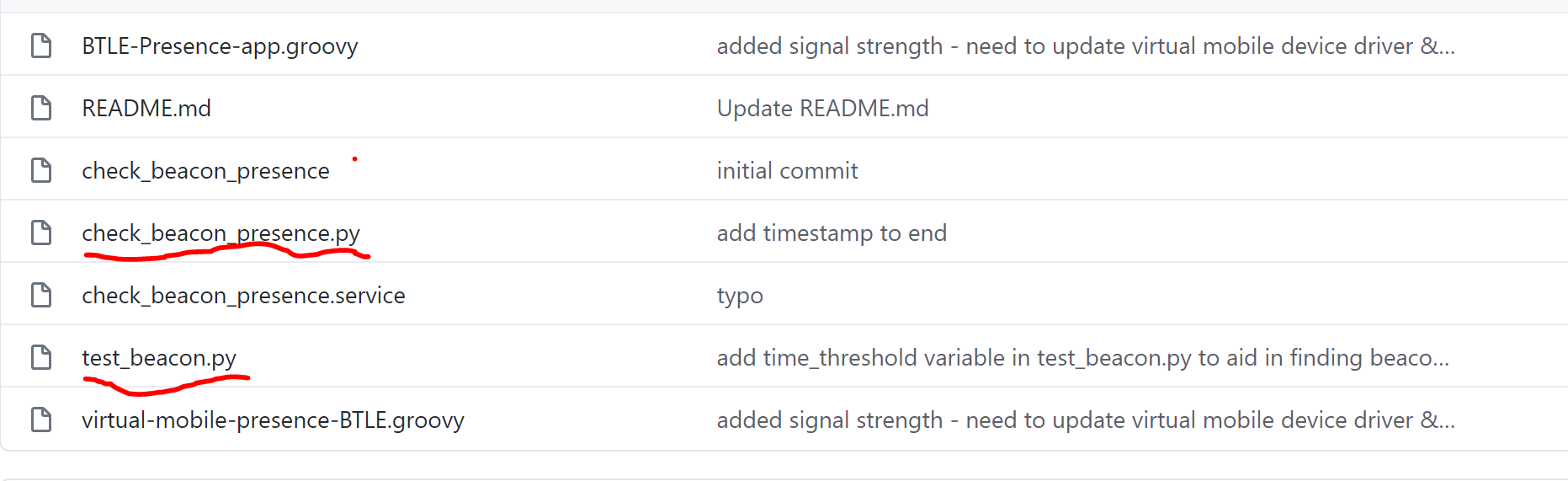
I'm guessing that I probably need the underlines python files on my RPi zero, correct?
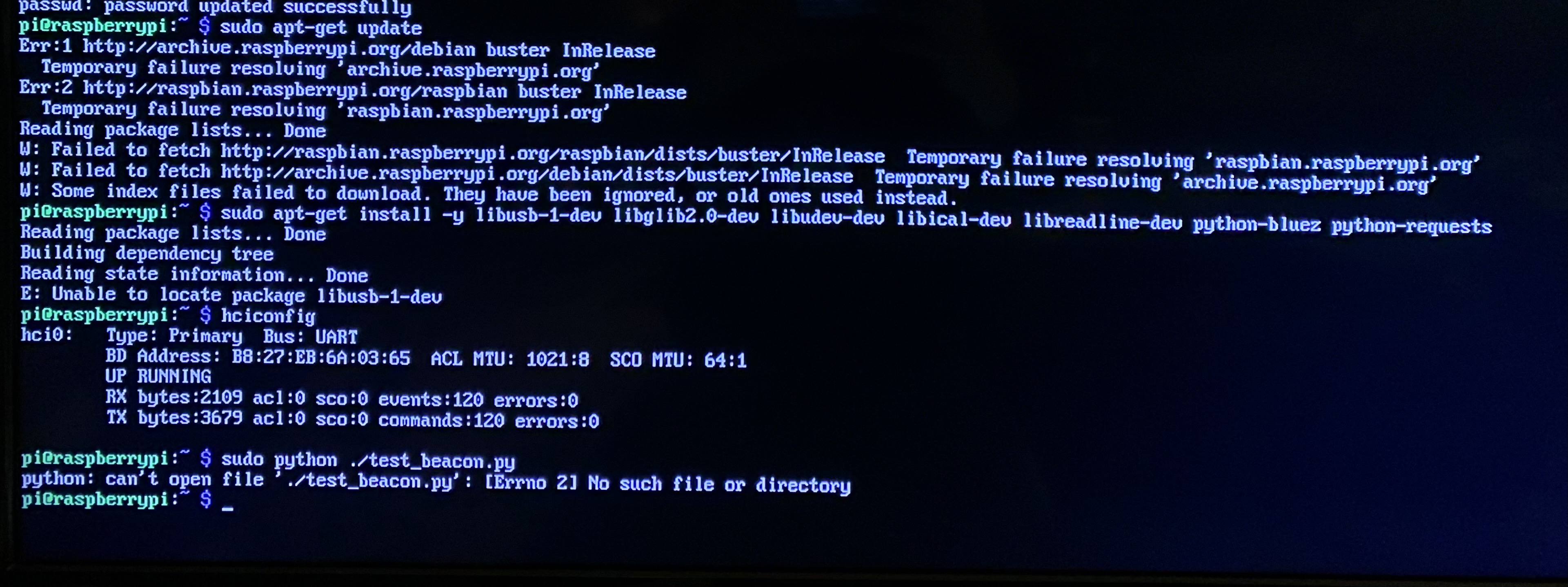
I started doing what looked like a system check from your Github description for Pi installation. I got to item 5 and had some errors. Not sure why but too a picture of the screen (my TV) and here is what I have,
Not sure where to go from here. The libusb-dev file apparently was or is not on my Pi and obviously the ./test_beacon.py line did not work. I can access my Pi directly with keyboard and TV. I was not able to PuTTY in to the Pi. I spotted the Pi on my router but apparently it quickly fell off or is reported to be offline. Maybe because it is inactive or something but there was something about failing to "fetch" and having issues resolving "raspian.raspberrypi.org".
Since you are able to get to the CLI (by SSH?) make sure you run sudo raspi-config and check your time zone is set correctly and try again
If you are accessing the pi directly (ie connected monitor and keyboard) run ifconfig and see if it has a proper IP address on your network, If not you will have to set up your pi from scratch again or follow this guide
The problem was with the "wpa_supplicant.conf" file. Apparently, if you are in the US and you put in the country code as "US", then the Raspberry Pi Zero W apparently has a hissy fit and will not recognize your WiFi.
network={
ssid="your wifi network name here"
psk="your password here"
}
I removed that line after doing some research and it worked like a charm. It saw my network, I could ping it. Perfect!
Now to get the ython code loaded onto it and then jump to the HE code.... then I wait for the slow boat from China with my BT beacons. But I will play with the BT on the phones for testing purposes.
Fun times having NO FREAKING clue about the RPi zero w and solving an issue. Thanks Google and fellow geeks sharing your problem solving issues!!
Check out my post where I share a potential issue for US based users,
Just a possible tip for any US based users who may have a problem getting the RPi zero W from connecting to their WiFi. Otherwise it was a great video. Spot on.
Norbert you cant really go any further until you have your tiles or whatever your using. the only thing you can do is install the libraries and update the pi with theses 2 commands.
The next stage is to test the tiles and find there MAC addresses, and you cant do it without them. ill have the next part of the vid up hopfully today, but it takes hours to make them, please have a little patience!
do you have your tiles yet? in a previous post you said they would take a couple of weeks.
My tiles are on the slow most from China and won’t be here for a while, but Brian has code that will allow me to possibly “see” my iPhone. I’m gonna attempt that later today after work.