Control your Apple TVs from Hubitat: turn them on and off from scenes, rules and dashboards, with live power state, and nothing extra to run. No Homebridge, no Home Assistant, no Raspberry Pi, no Python.
Now in beta: v1.0.0
Why
Hubitat’s AirPlay integration is great for sending audio and announcements to your Apple devices.This integration adds the other half: control of the Apple TV itself, starting with power on/off and live power state, with remote buttons, playback, volume and app launching to follow. Until now, getting any of that into Hubitat meant running a bridge on another machine. This talks to the Apple TV directly from the hub, using the same protocol the Apple TV Remote app and Control Center use.
What it does
- Finds your Apple TVs automatically over Bonjour, so there are no IPs or ports to type
- One app to set up all your Apple TVs, whether you have 1 or 10
- One-time pairing with the PIN shown on the TV
- One device per Apple TV with a standard Switch: on wakes it, off puts it to sleep. Works with scenes, Rule Machine, dashboards and voice assistants
- Live power state (asleep, screensaver, awake), including changes made with the Siri Remote
- Default names like “Apple TV - Living Room”, editable during setup, so the device doesn’t collide with other devices named after the room
- One encrypted local connection per Apple TV, so commands are instant. Reconnects on its own after reboots, network drops and IP changes
- All logs in one place under the app, with Errors Only, Normal and Full levels
Install (HPM)
- Open Hubitat Package Manager, choose Install, then From a URL
- Paste:
https://raw.githubusercontent.com/jdthomas24/Hubitat-Apps-Drivers/main/Apple%20TV%20Integration/packagemanifest.json- Integrations → Add User Integration → Apple TV Integration. Give it about 30 seconds and click Refresh. Your Apple TVs show up by name.
- Click Pair, type the PIN shown on the TV, and click Submit PIN
It will be added to the HPM search once the beta wraps up. Installing from the URL now still gets you updates through HPM.
Tip: to turn the TV on too, enable Settings → Remotes and Devices → Control TVs and Receivers on the Apple TV (HDMI-CEC). Waking the Apple TV then wakes the TV and switches its input.
Scope
This is for Apple TV only. HomePods and announcements stay with Hubitat’s AirPlay integration, which handles audio well. v1.0.0 covers power. Remote buttons, play/pause, volume and app launching are next on the list.Requirements
An Apple TV HD or 4K on a current tvOS version, on the same network as the hub. All processing stays local.Testers wanted
I’m looking for a few testers, especially with different Apple TV models. If you run into anything, set the app’s Log level to FULL, reproduce it, and post the logs along with your Apple TV model.Full details and troubleshooting are in the README: Apple TV Integration on GitHub
Credit to the pyatv project, whose protocol documentation made this possible.
I’ll have a go at it. Currently running tvOS 27.2 (24K5103f) on a Gen 3 (2022) Ethernet model, and in no danger of buying a Gen 4.
Yeah, I've been looking forward to upgrading to the Gen 4 and then saw that $299 price tag. Whoa! That's some chutzpah on Apple's part. I'm mostly a fan boy, but I have a few Rokus too and when you can get 90% of the features for about 15% of the price, well that's nuts.
I’m all in on this! Please keep us informed. I have three Apple TVs and would love to test with/for you. [MQD22LL/A and MXGY2LL/A models]
ATV HD and 4K, it will be nice to fully run my ATV automations on hubitat.
Quick update: the Beta 1.0.1 is ready.
I’ve updated the original post with the HPM install link, so you can install it now with Install → From a URL in Hubitat Package Manager. You’ll get updates through HPM as they come out.
If you give it a try, I’d love to hear how it goes, especially which Apple TV model you have. If anything doesn’t work right, set the app’s Log level to FULL, reproduce it, and post the logs here.
Thanks to everyone who’s shown interest so far!
Release: Apple TV Integration v1.0.2
Fixes Submit PIN not sending the PIN, so pairing could stall after the PIN appeared on the TV.
Problem:
After tapping Pair, the PIN showed up on the TV, but tapping Submit PIN sometimes did nothing. If the PIN was typed and Submit PIN was tapped right away, Hubitat didn’t always save what was typed (this happened most often over remote access), so an empty PIN was sent and pairing stalled with no error in the logs.The Fix:
- The PIN box now saves as soon as you finish typing, and a saved PIN is sent automatically when the page refreshes, so it always reaches the Apple TV.
- Tapping Submit PIN with an empty box now tells you to enter the PIN instead of doing nothing.
- Every pairing step is now logged at Normal (PIN sent, PIN accepted, paired), so it’s easy to see where things stand.
Action needed:
Update through HPM (Update, then Apple TV Integration). If pairing stalled on an earlier version, open the app, tap Pair to get a fresh PIN, type it in, then tap Submit PIN.
Great work… paired and powered on/off
AppleTV6,2
AppleTV11,1
URL issue in post:
Thank you - Corrected
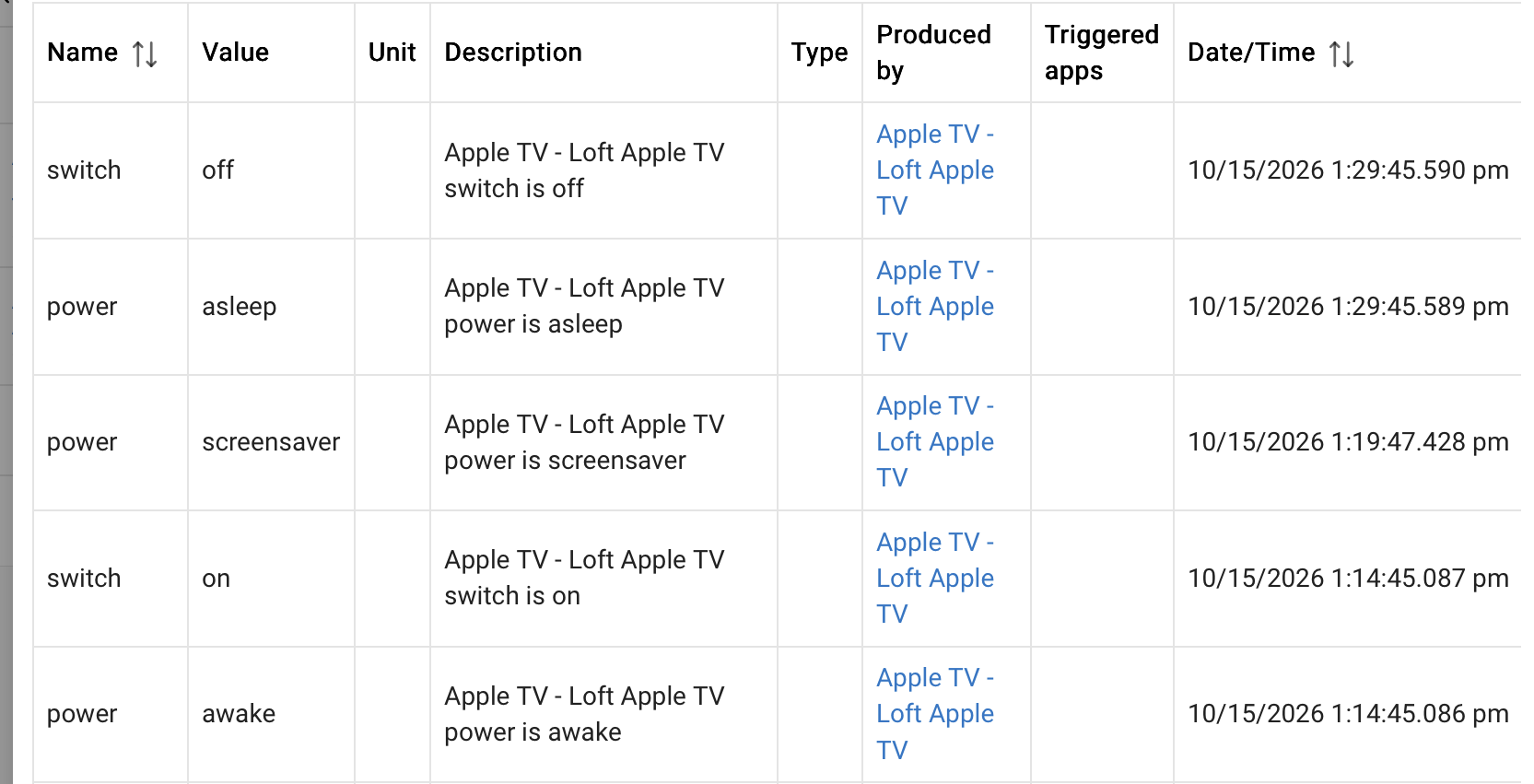
That’s the Apple TV’s own sleep timer, not the integration. The timing lines up: the screensaver starts after 5 minutes, then it sleeps X minutes after the last use.
You can change it on the Apple TV under Settings → General → Sleep After (options from 15 minutes up to Never). The integration doesn’t turn it off on its own, it only reports what the Apple TV is doing, so you’ll see power go awake → screensaver → asleep as it happens.
It installs as an integration, so it is
- Integrations → Add User Integration → Apple TV Integration
Other than that, installed and works perfectly so far. It did take a little more than a minute for it to see a Bonjour announcement but eventually it did.
Now, from the comfort of my man cave, I can turn off the wife's TV watching when I feel she's had enough. This is going to be awesome.
Stop and think... before you die.
I used to turn mine off when the kids started watching YouTube. Then I learned that I could just block YouTube on the AppleTV with my Firewalla Purple. They aren't happy; especially when they surprise me while I am watching YouTube on the AppleTV after having temporarily unblocked.
I am looking forward to being able to control more than just on & off. That will be one more integration that I can remove from Home Assistant.
@JdThomas24 Is "Currently Watching" status on the roadmap?
This is awesome! Thank you @JdThomas24 for the integration. This is going to let me finally retire Smartthings all together as passing the child device allows me to control it via voice with Google Home. I just needed On/Off functionality and this works perfectly.
I have to admit, knowing when the ATV has gone to screensaver is a nice touch that i don't even see in the HA integration. It's giving me some new automation ideas. 
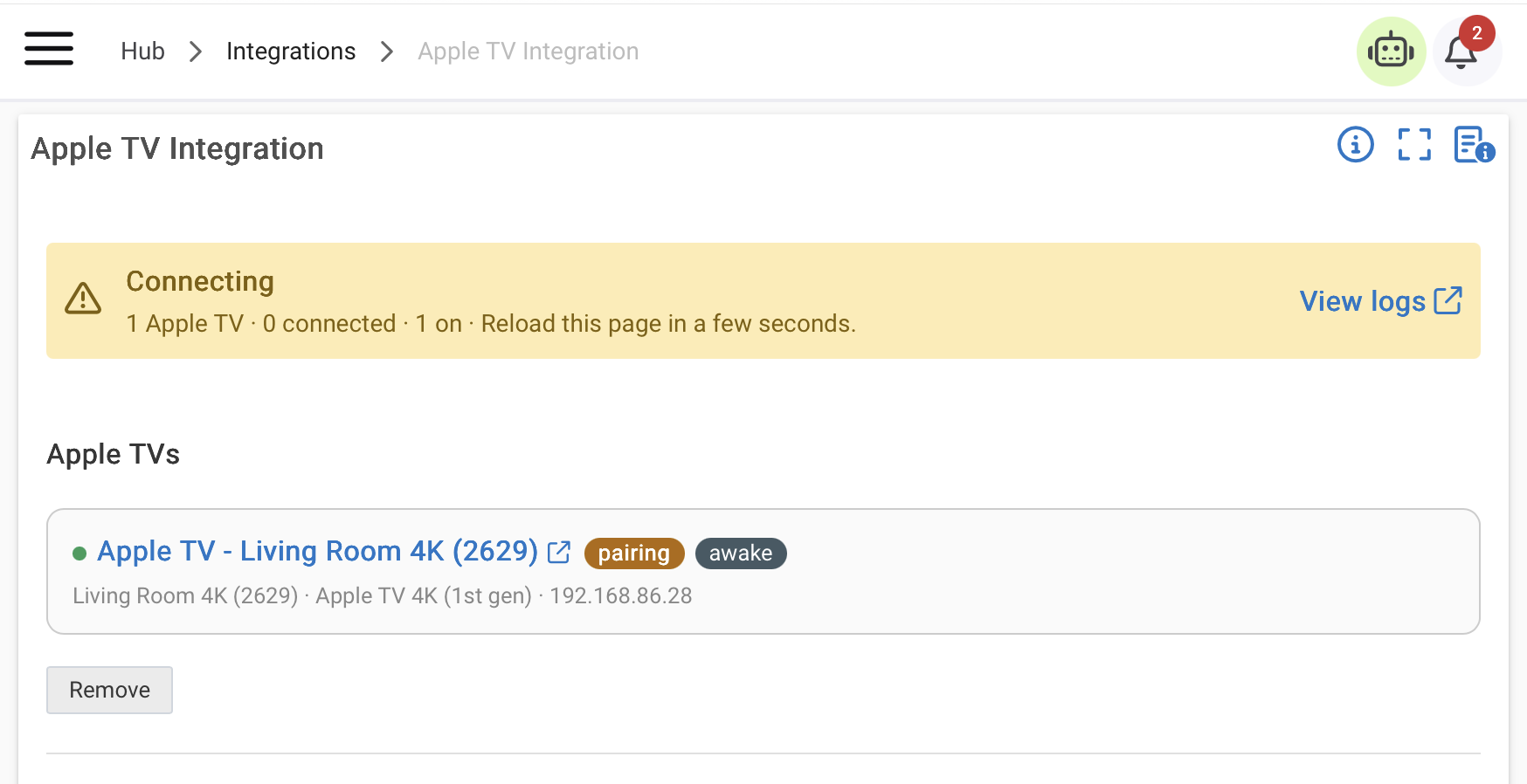
JD: Did this clear? If not, send me logs please.
@stephen_nutt Is "Currently Watching" status on the roadmap?
JD: Yes - Several items on the roadmap.
It installs as an integration, so it is
- Integrations → Add User Integration → Apple TV Integration
JD: This has been corrected in the OP.
Release: Apple TV Integration v1.0.4
Improves how Apple TVs are found on your network, and adds Add by IP as a backup. v1.0.3 went out briefly during testing and is included here.
Problem:
Some Apple TVs took a long time to appear under Found on your network, or never appeared at all. On one hub, Hubitat stopped reporting Apple TVs entirely after the integration had been removed and reinstalled a few times, and a normal reboot didn’t bring them back.The Fix:
- Add by IP. If an Apple TV isn’t listed, type its IP address under “Not listed? Add by IP” and tap Add. The app confirms it’s an Apple TV, then you pair it the same way. You’ll find the IP on the Apple TV under Settings, Network.
- Better discovery. Apple TVs that Hubitat reports without their full details are now checked and listed instead of being skipped, and Refresh actually looks for them again.
- Uninstalling no longer affects discovery. Removing the integration used to turn off Hubitat’s listener for Apple TVs. It now leaves it running.
- Better logging. At Full logging, Refresh lists every device Hubitat reports and why it was kept or skipped.
Action needed:
Update through HPM. If you removed and reinstalled an earlier version and your Apple TVs no longer show up, even after waking them and tapping Refresh, reboot the hub with Rebuild Database (Settings, Reboot Hub). A normal reboot won’t clear it.This 1.0.4 version won’t cause it again, and Add by IP works either way in the meantime.
What’s next:
Power on/off was step one. The same connection can do a lot more, so here’s what’s planned:
- Remote controls: up, down, left, right, select, menu, home and play/pause, so scenes and dashboards can drive the Apple TV like the Siri Remote.
- Now playing: the title and app that’s playing, for dashboards and rules (for example, dim the lights when a movie starts).
- Volume: up, down and mute.
- App launching: open Netflix, YouTube or any installed app from a scene.
No dates yet. I want the beta solid on power first. If one of these matters most to you, say so below and it’ll help me decide what comes first.
Thanks to everyone testing and reporting back!
