Release: Apple TV Integration v1.0.6
Quick fix: after pairing, the app page now shows your Apple TV as paired and connected without a manual refresh.
Problem:
After entering the PIN, pairing finished and the Apple TV connected, but the app page still showed it under Found on your network until the page was refreshed by hand.The Fix:
- The page now shows the Apple TV as paired as soon as pairing finishes.
- While it makes its first connection, the page updates itself every few seconds until it shows connected.
Action needed:
Update through HPM. Anything you’ve already paired keeps working as is.
Update to 1.0.6 but before then, reboot hub with rebuild database....
That SHOULD clear the issue.
EDIT: Remove Apple TV and re-pair
Any chance you can make that support (and store) a DNS Name, in addition to the new raw-IP address as a backup? I just tried the dns-name form in 1.0.5, and it gives the error:
Enter the Apple TV's IP address, e.g. 192.168.1.120.
This'll help reduce the overall hard-coding of IP Addresses within each HE... which brings it's own set of issues.
BTW: I was able to almost eliminate my dependency upon the Sonos Integrations using your app, it's very clear for my integration case (lights and blinds when watching movies). Looking forward to the Play/Pause/Stop support!
Thanks again, glad it’s working so well for your movie setup!
Next update will focus on controls like Play/Pause.
On DNS names: once an Apple TV is paired, it’s tracked by its permanent ID, not its IP. When discovery sees it at a new address, the integration follows it on its own, so for most setups a DHCP reservation is nice to have but not required.
Where a DNS name would really help is when discovery can’t see the Apple TV at all, for example when it’s on a different VLAN with no mDNS repeater. Then the integration relies on the IP you entered, and if that changes, it can’t find the Apple TV again.
I’m looking at adding DNS names in a future release for that case. The idea would be to type a name instead of an IP in the same box, as long as your router’s DNS knows it. .local names likely wouldn’t be supported, and the name would be checked when you add it, so you’d know right away if it doesn’t work.
| Situation | IP changes, what happens today | With a DNS name (future) |
|---|---|---|
| Bonjour sees the TV | Follows the new IP on its own, using the permanent ID | Not needed, already works |
| Bonjour can’t see the TV (VLAN, stuck hub) | Can’t follow. It stays offline until the old IP comes back or you re-add it | Follows, because the router’s DNS points the name at the new IP |
Perfect, if all service-disco is done by some sort of neutral id, then that's great.
Longer-term, some sort of hardware swap-out would get interesting to do a walk-through on, just to ensure that dependent rules (etc) are readily migrated when HW changes.
ie. I swap out my apple-tv-family (a 4k Gen 1) for apple-tv-family (a 4k Gen 4), and want all the rules to gracefully/automatically move over, even though the mDNS id's are different.
Yup, that's how I have my VLAN's configured, with mDNS bridging (and fwall rules) that allow that traffic to be disco'd, and traverse, the relevant edges. Mine probably isn't a typical home-config though, given the amount/capability of physical network gear involved.
Thanks again!
Release: Apple TV Integration v1.1.0
Adds playback controls, Siri Remote buttons, volume, app launching and now playing.
Problem:
Until now the integration could only turn your Apple TVs on and off.The Fix:
- Playback: Play, Pause, Stop, Next, Previous and Skip ±10s. Works in Rule Machine and dashboards as a standard media device. The Apple TV has no real stop, so Stop pauses.
- Play from the screensaver or sleep: Play dismisses the screensaver or wakes the Apple TV first, just like the Siri Remote.
- Transport Status: playing, paused or stopped, updated live, including when someone uses the Siri Remote.
- Remote buttons: up, down, left, right, select, back, playPause, and homeScreen, which goes straight to the app grid. Each takes an optional number of presses.
- Volume up and down, with an optional number of steps. It controls whatever the Siri Remote’s volume buttons control through the Apple TV, which in testing included a Denon receiver. Results may vary with other soundbar and receiver setups.
- Launch apps from a dropdown of common apps, or type any installed app’s name under Other. If the Apple TV is asleep, it wakes it first.
- The installed apps are listed in State Variables.
- Last Launch From Hubitat in State Variables shows the last app launched from Hubitat and whether it worked, like “Netflix (launched)”. Failed launches are also logged.
- App links work for apps that support them. YouTube web links are converted to the YouTube app automatically. The Apple TV asks you to confirm before opening a link.
- Now Playing: shows the title for apps that share it, like YouTube, Plex, NBC and Apple’s TV app. Netflix and some other apps don’t share titles. The title arrives when playback starts and clears when playback stops.
Action needed:
Update through HPM. No re-pairing needed. Click Refresh on each Apple TV device once to load its app list.Coming to HPM search: the integration will be searchable in HPM within the next update or two. If you installed it from the URL, you don’t need to do anything. Your updates will keep coming through as usual.
Wow - I played around with it this evening - this is just absolutely amazing! 
I’ll be honest, I probably won’t use this much myself. The topic came up in a discussion recently and I figured, why not? LOL. Once it initially worked, it was too fun not to share, and then dig further down the rabbit hole...
So I essentially built it to see if it was possible, then passed it on to the people who’ll actually use it.
It’s pretty awesome that you were able to do this for fun! And it works so well. It’s much appreciated that you shared it. Thank you!
I am posting this feature question here and on the new Android TV community integration....
Is there a way that the integration could send a text string when I have clicked in the Search field in AppleTV. I HATE typing using the arrows to use the on-screen keyboard but it would be cool if i could create a text field on my dashboard home theater remote that could be filled using phone's keyboard instead.
There's a newer OS driver for Control4 with some similar ATV functionality. You might find it useful.
Break this down for me, with controlled devices, so I can understand the use-case here.
Release: Apple TV Integration v1.1.1
Apple TVs show up automatically again when the hub’s discovery list misses them.(Second Pass)
Problem:
Sometimes the hub’s discovery list stopped including Apple TVs, even though they were on and working. When that happened, nothing showed under Found on your network, and the only way to add an Apple TV was Add by IP.The Fix:
The integration now also finds Apple TVs through their AirPlay announcement, which kept showing them when the other list didn’t. Apple TVs found this way pair exactly like before.Action needed:
Update through HPM. No Done or re-pairing needed.
you mean like how if you have an iphone/ipad when you click on the search field on an ATV it sends a push notice to the idevice to use the idevice keyboard instead of arrowing around with the ATV on screen keyboard? … but through hubitat?
Not even that complicated. I use Android so any kind of push would never work. I just want to be able to send plain text so that it is inserted into whatever field that has focus on appletv. I'm interested in Search field but there might be other opportunities.
I just installed this by using the link in the original post via HPM. Three out of four Apple TVs paired right out of the gate. The fourth one refused to pair.
TLDR: Here's another one for your troubleshooting pointers - you have to turn off restrictions in the Apple TV settings in order to get it to pair.
What follows was going to be my post originally but you'll see where I started to put the pieces together...
Even with full logs turned on within the app's pairing screen I'm just seeing a one-liner.
Apple TV Integration [Apple TV - Attic ATV]: pairing failed: pairing reply has no _pd
So I went and turned the ATV on and even checked to make sure the software was up to date and restarted it. Back in Hubitat I went back into this app and refreshed and then tried to pair again but got the same warning/error.
So I checked to make sure Airplay Access was enabled which is set to Allow Everyone so that should be fine. But I have restrictions turned on for that ATV which I realized when I had to authorize myself to check the Airplay settings.
So I turned restrictions off and rebooted the ATV and reopened this integration and hit the Pair button again. Back upstairs to view the Pin and entered it into the app. And it failed to pair.
warn
Apple TV Integration [Apple TV - Attic ATV]: pairing failed: no reply from the Apple TV
So I cancelled the attempt, exited the app for a minute, went back into the app and hit refresh and hit the Pair button again. This time I took my laptop upstairs with me and entered the Pin and the ATV decided to play nice finally.
I will add this to the tips section as well.
I hope to have all these small items fixed in the next update or two and release to HPM.
Looking for 2 to 3 beta testers: Apple TV “what’s playing” (experimental)
I’ve been experimenting with letting Hubitat see what the Apple TV is doing: which app is open (Netflix, Plex, YouTube, etc.) and whether it’s playing or paused. The goal is simple automations like “if Plex starts playing, it’s movie night.”
It’s working on my hub, and before I decide whether it goes anywhere, I’d like a few other setups to try it. This is an experiment, not a promise. There’s no timeline, and it may never become part of the Apple TV Integration.
It will be a separate standalone driver, installed alongside the current integration. Your existing Apple TV setup won’t be touched.
If you’re interested, send me a DM with:
- Your hub model (C-5, C-7, C-8, C-8 Pro)
- Your Apple TV model and tvOS version
- The apps you use most
- What you’d want to automate with it
I’ll pick 2 or 3 testers with different setups so it gets tested broadly. I’ll reach out once it’s ready, and thanks in advance!
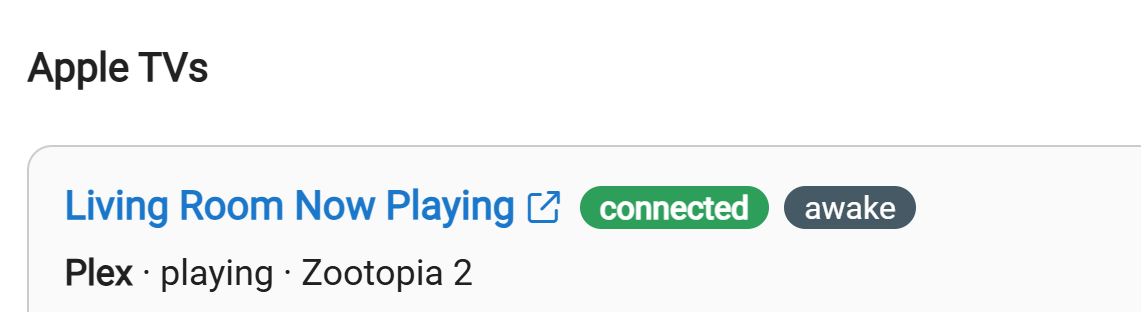
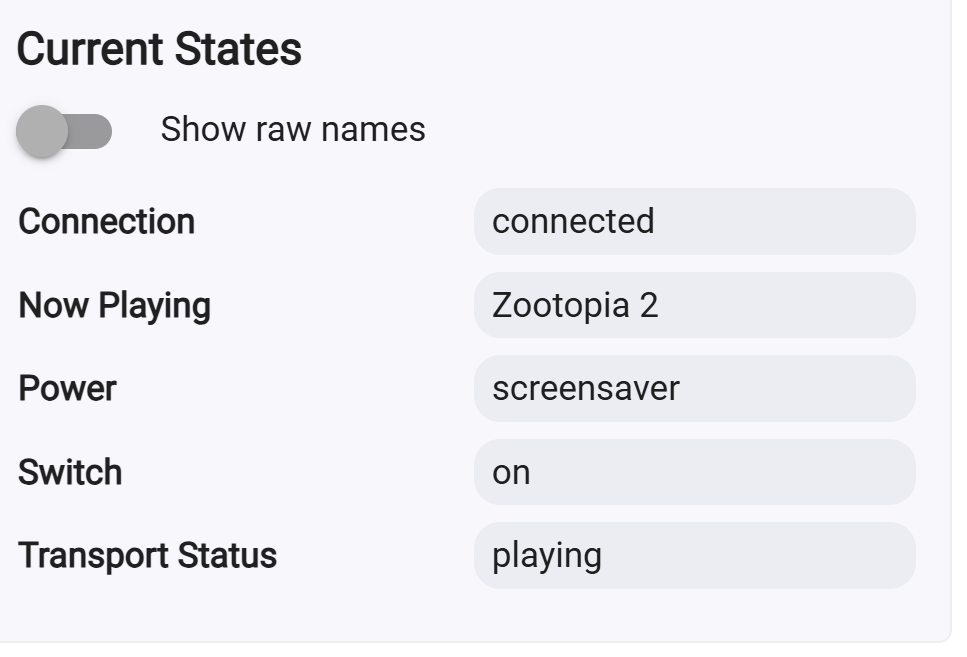
Example: I have Zootopia paused and screensaver going on ATV.