This is a community driver for FireBoard thermometers, accessing their official cloud API for general device status and allowing you to get that information (and alerts) into your Hubitat. This is not a new driver overall, as I provided it to various people in other threads that have requested it but only now realized I had never made a specific project thread for it. Although it does include new features that did not exist in those prior versions.
This driver has a parent and child driver (both required) available in HPM or from the links below:
Yes, it does count as an integration (I double checked my HPM repository page and it does have a category listing of Integrations). As for whether things changed, yes. There are a number of things that changed from the last version as a result of me working closely with @tinker3433 to help them with some feature requests, but since it was a new project I did not have my usual “update” post like my other driver threads. Main changes were:
Addition of Alarm attribute for child and Alarms attribute for parent
Additional data (and null data) handling in parent
Updated State & Event handling (parent & child drivers)
Cool
Not sure what I was thinking on the integration thing. It's a device driver, not an app....
One Issue I was having before was getting the battery to refresh. The only work around I have is to use a rule that forces it to "list all devices" every 5 minutes while I am monitoring it. This causes it to recheck the battery.
Everything works well as far as what @snell has done. They spent a lot of time fine tuning things to get the data from Fireboard to be usable for trigering alarms.
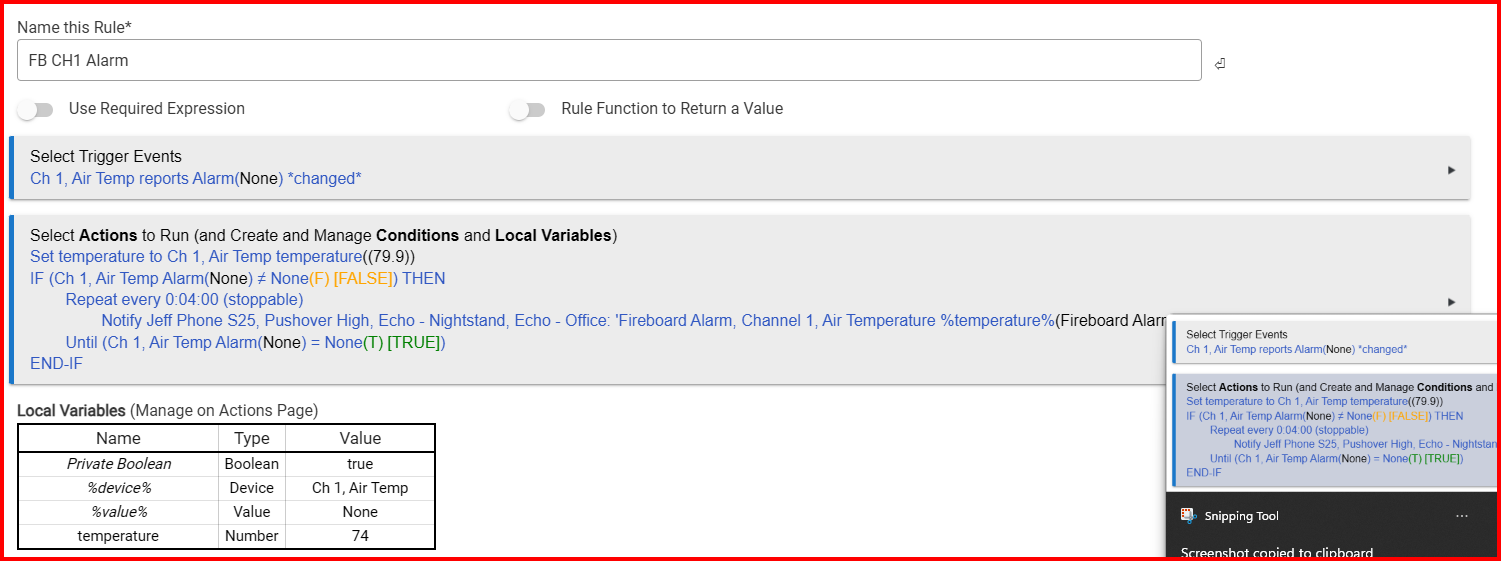
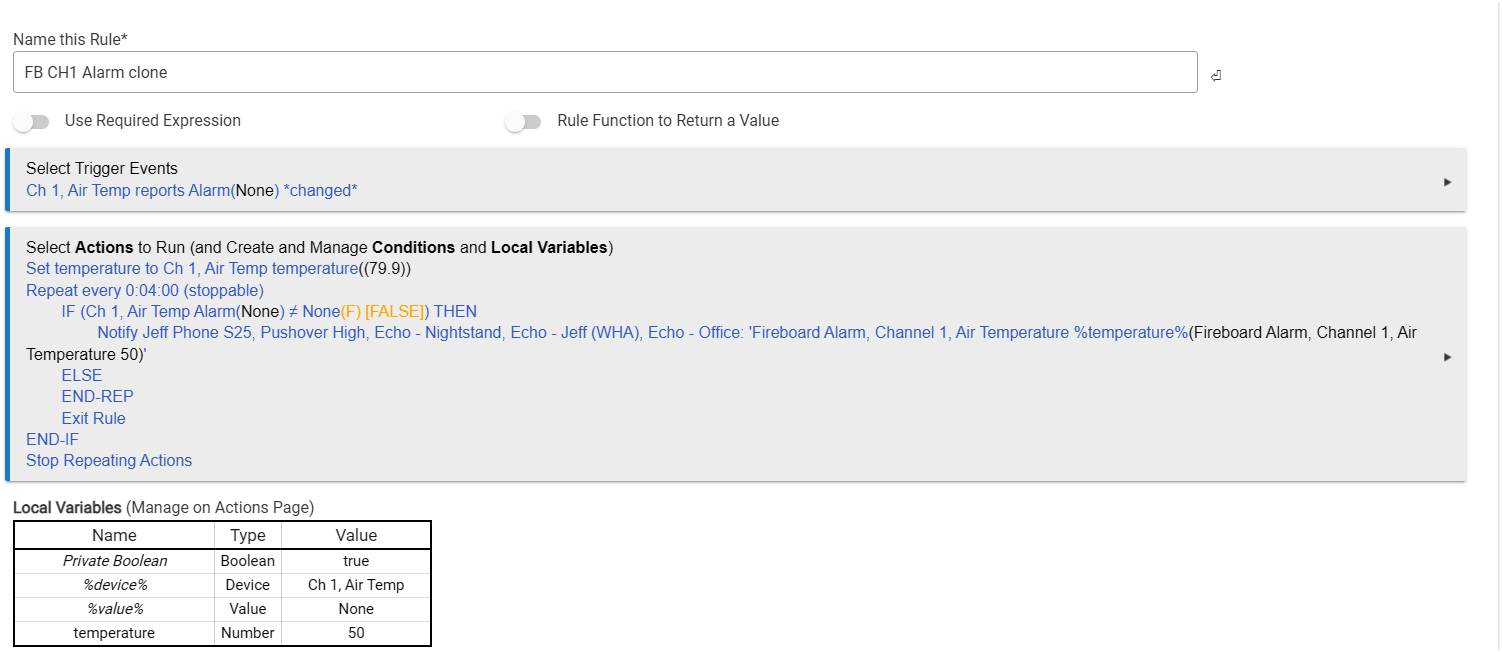
I am still having trouble to get the notifications to do what i want, but that is a problem at my end, the integration works perfectly.
I will attach the rules i have tried, it doesnt repeat, or cancle the loop as i want, but it at least shows the basic setup. I know they are wrong, i am not good at this stuff so i am just throwing things at the wall to see what sticks.
The Alarm (and parent Alarms) are new and meant to give you a string for when a temperature is outside the range specified (if any) within the FireBoard Alerts values. Nothing too special, but could be tossed through a speaker for an announcement if needed.
As for the battery value… ListAllDevices IS within the refresh, so it should happen at whatever your Refresh Rate is set for.
It was added to the refresh as part of the version now posted as the “beginning” of this thread (and in HPM). The Alerts and such are within that data also, so it was needed to make sure the Alarm would be populated correctly.
Okay, so my grill monitoring is having issues with this latest version.
I thought it might just have been that I needed to log in. I did that once, and it seemed to start working again for like 1 cook. However, it is not updating the temperatures anymore.
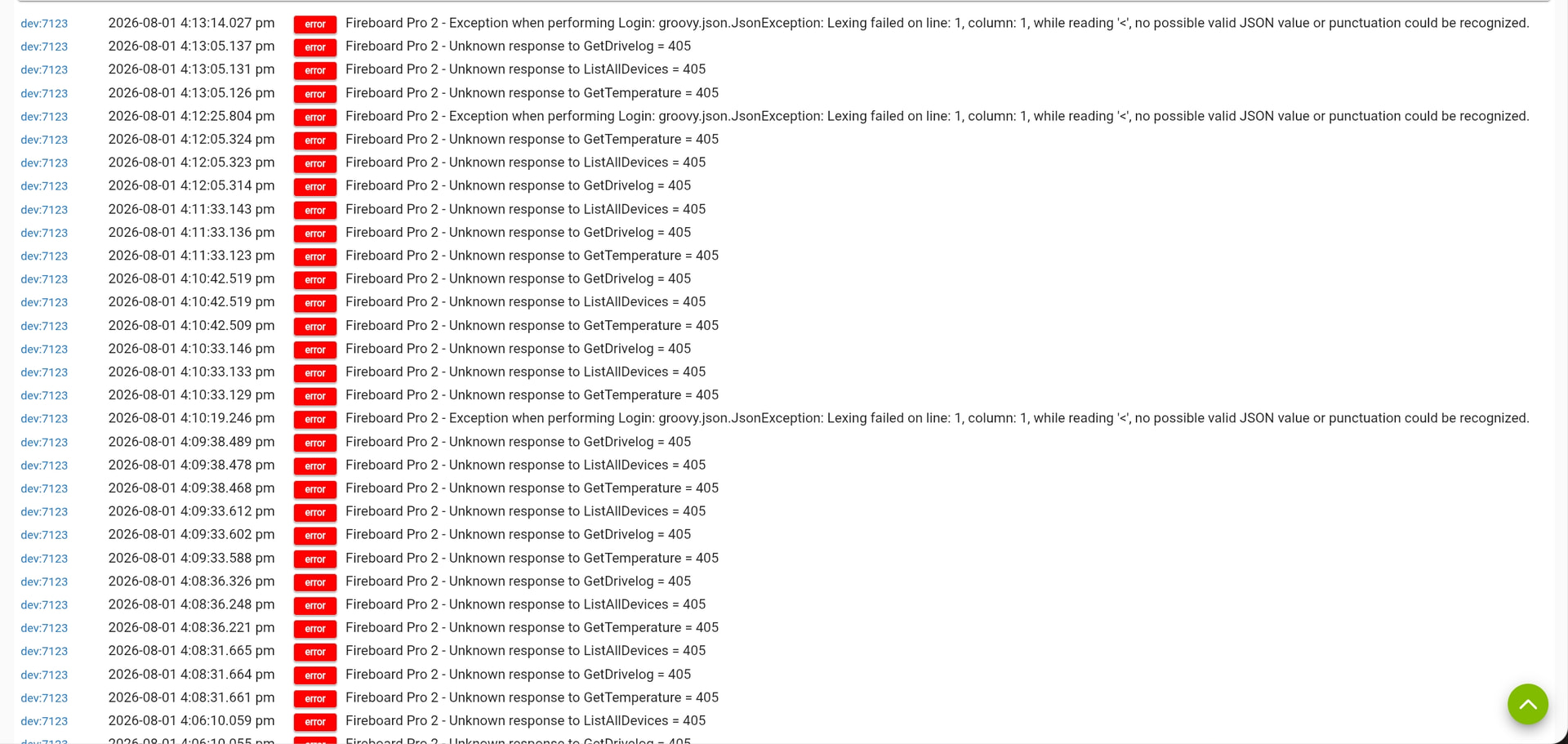
I tried clicking refresh multiple times and am getting multiple errors in the logs. Also getting login errors (verified username and password are correct)
Jumping back on to add an update.
Even though I had turned the switch in the parent device off and on multiple times, tried relogging, refreshing, and list all devices multiple times, it did not work.
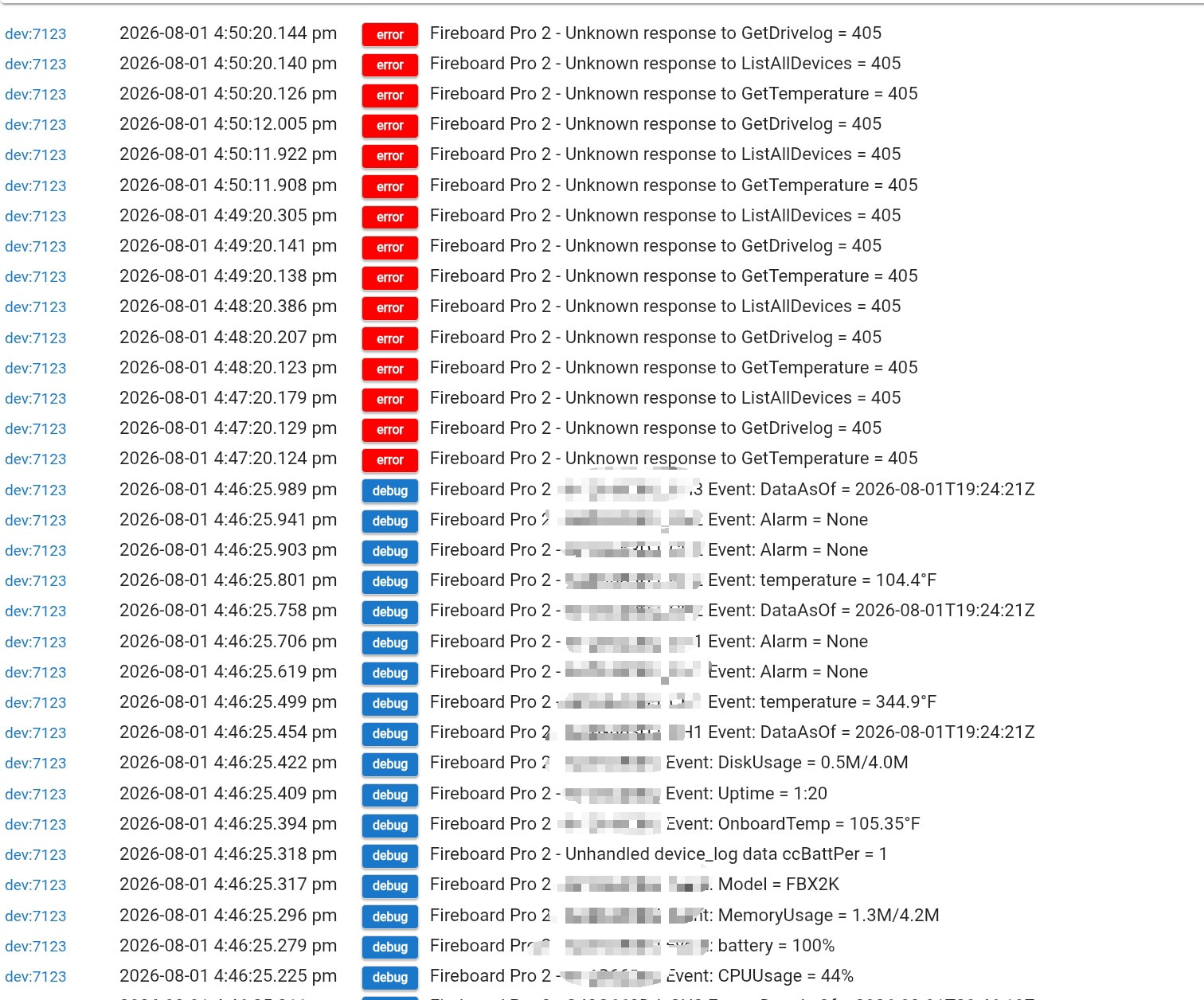
Figuring that debug logs might be helpful, I turned the switch off on the parent device, set logging to debug, and then turned it back on to catch some logs. It is working again this time for now.
If I wanted to increase the refreshes to less than a minute, would that create issues? (would like to issue refresh commands while grilling to 15 seconds - but not sure if that would cause an issue with rate limitations)
Second update - Just like that, it stopped working again
There is a limit to how often the FireBoard API is "OK" with queries. That limit is 17 queries per 5 minutes. If you hit that point it starts blocking queries, which is most likely causing the 405 errors (it hit their API too often). So I do not recommend switching the refresh rate to less than a minute. The refresh contains 3 queries as is, so if it runs once a minute it will be querying their API 15 times in that 5 minute timespan.
The debug does show your device has one new piece of data I have not seen before (the "Unhandled device_log data ccBattPer = 1) although I have no real idea of what that might correspond to.
In the meantime, I recommend switching your refresh rate to something slower, like once every 5 minutes, or even just pausing it (setting it to Manual) for a while so it can let the API reset how many queries your device has made.
I was using the default 1 minute until it had stopped responding. Then, I tried the refresh manually from the device. There was another post on a different app that mentioned there was some html weirdness (POST vs GET) going on with the latest update. I wonder if the two issues are related.
There were changes in the new Hubitat firmware version... But the refresh that did work showed it should be fine.
Has it started working again at all? Manual refresh performs the same checks as the automatic refresh, so that can easily surpass their limit. 17 queries in 5 minutes is an EXTREMELY low threshold for an API (I would have been shocked even at 17 a minute before this). But since they do not include all the info people want in a single query...
I think I can get what I want by switching to manual. Then I can call the gettemperature every 20 seconds when the switch is on. That should work out to 15 calls/5 minutes.
Just need to know if the refresh is called everytime the switch is turned on by default. If so, I need to delay the first get temperature call.
Also, e-mailed fireboard support. That 17 call limit/5 minutes is flat out ludicrous. Most allow more than that per minute. Doubt it will go anywhere. But I know where it will go if I don't ask.
Okay,
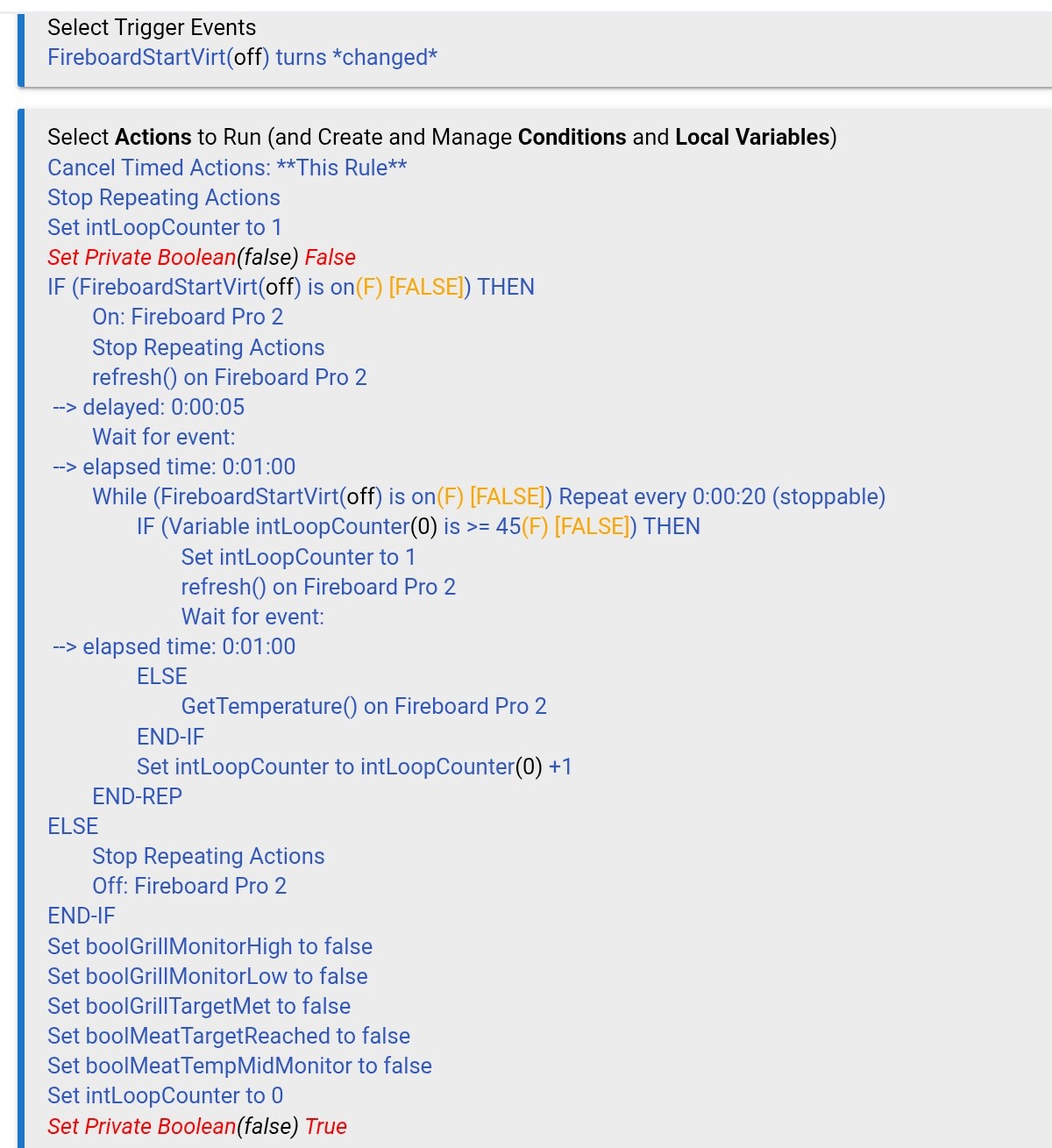
Tested my theories, and landed on a rule that lets me get every 20 seconds, and battery updates every 15 minutes without hitting the rate limit. The prerequisite is setting the preferences to MANUAL for the driver refresh time.
Updated rule - ignore the bool variables. They are used in other rules I use for announcements and notifications. I set the loop counter to 0 at the end. This way, if I see the variable is greater than zero, the loop is running.