I've been working on a new "Shelly Device Manager" app, with a full suite of drivers. It's an app that displays all the "discovered" Shelly devices on your network. If you have one or more Shelly Devices installed, and you've enabled the "Bluetooth Gateway" functionality of the app, it'll autodiscover Shelly BLU devices as well. It runs mDNS and a subnet scan for Shelly devices, and you can manually specify an IP address or dns name for it to probe manually, too, if needed.
It's just a single stand-alone app. No drivers to install. When it discovers a device it'll grab the latest driver from the ShellyUSA GitHub repository where this project is hosted, install it on the fly, and create a device in Hubitat using that driver. If you remove a device and it's the last one using a driver, it'll clean up the installed drivers. The app auto-updates at 3AM, so once installed there's no further management needed on your part.
Looking for some community feedback to drive the direction of this development before I wrap things up and put out an official release.
Anything anyone want from their Shelly devices that doesn't work on Hubitat? Any missing features? Any devices lacking proper support?
So far I've added device support for practically every Shelly device made, WiFi and Bluetooth. There's even drivers for the Shelly Sense and the Shelly BLU TRV. So far this is what I've got put together:
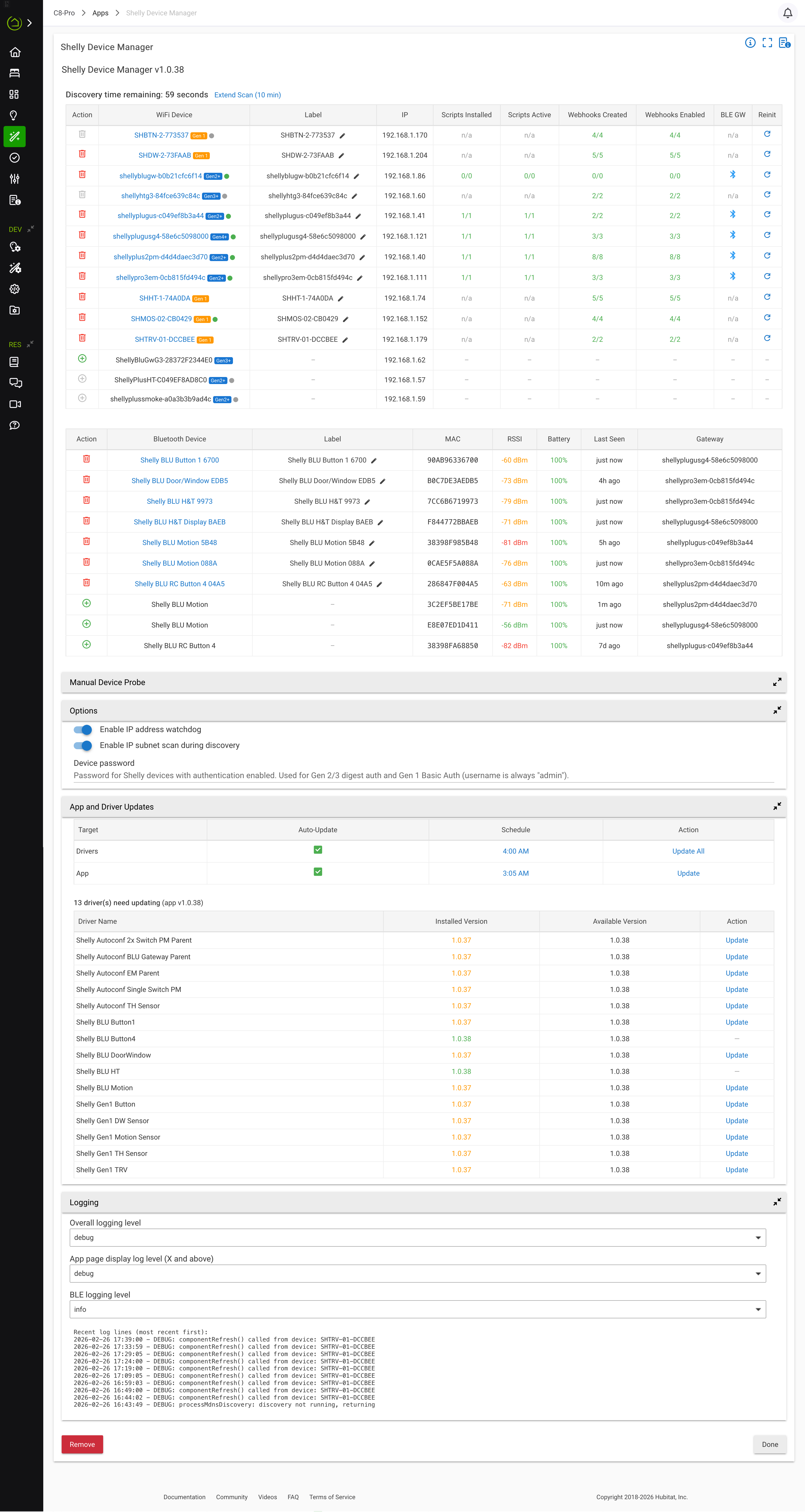
Edit: Still pre-release, but anyone wanting to test out specific devices they use/care about and willing to provide feedback/bug reports would be appreciated. To install, click on "Apps Code" on the left sidebar of Hubitat, click on "Add App" along the top of the screen, then click on the 3 dot menu in the upper right, and click on "import". Then paste this URL: https://raw.githubusercontent.com/ShellyUSA/Hubitat-Drivers/refs/heads/master/Apps/ShellyDeviceManager.groovy and click on "Import":
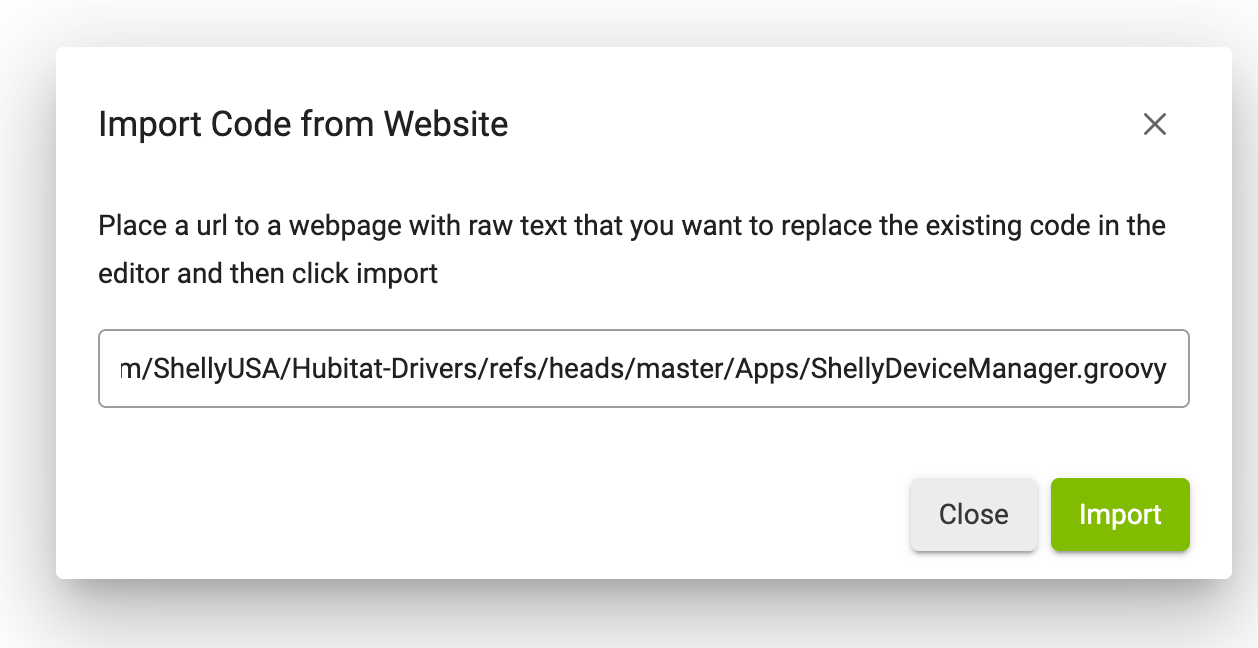
Or just copy/paste the content from the URL into the new app editor. Click on "Save" in the upper right. The app has built-in updating, so there's no need for HPM. Once installed, all future updates are in-app. There's nothing else to install, the app handles all driver install/uninstall.
If testing, collect whatever logs or detailed circumstances of an issue you ran into and PM me. I'll be working through the devices, but it's time-consuming to physically test each device, there's over 80 of them to run through. Feel free to report missing preferences/settings (within reason, some things make sense to have in Hubitat others are uncommon enough to just stay something that can be edited on the device UI only).



