Newbie Day #6
I've read a bunch of past posts and can't figure out the EASIEST way to send an outgoing SMS or eMail. I have control of a server that excepts POP3/SMTP. Should I sign up with Pushover? What apps do I need to install in Hubitat to get something working. I have already installed WebCore, but haven't yet tried to use it.
Webcore used to have a free SMS service to send texts, but that is no longer an option. For SMS, you have to pay for a service. I have seen mention of email apps like the one below, but I have not tried them.
Google does say you can use Twilio with Webcore, but you have to pay for that service.
"To use SMS with webCoRE, you can integrate a third-party service like Twilio through a webhook, which involves creating a separate piston to handle sending messages. You'll need to set up a webhook in your smart home platform (like SmartThings or Hubitat), which then makes a REST API call to Twilio to send the message to a specific number. This process requires configuring both the webhook to send the SMS and the API call in the piston to pass variables like the phone number and message content. "
webCoRE has a built-in ability to send e-mail (or at least I think that feature still works...), so if "easy" is your main concern, that's probably it, as long as you don't plan to send so many that you exceed its limits. The main thing you'd need to do is to figure out how to write a piston that does what you want, so if you have problems with that, sharing your goal (e.g., send an e-mail when x happens) would be helpful.
Pushover does push notifications, not SMS (and I don't think it does outbound e-mail either), so that probably won't help.
You can also use Twilio, mentioned above, with Hubitat without webCoRE (the built-in driver creates a device you can use any app that would otherwise accept notification devices).
If you just want push notifications, those are pretty easy to set up, and you don't need much, but I'm assuming there's a reason you're looking for SMS (or e-mail) specifically?
Maybe the reason is I don't know enough to ask the right question. I want a notification to go to my cell phone when certain things happen. I would expect about 15 messages a month, but it has to work when I'm away from home.
I tried signing up with Twilio. It appeared that signing up as an individual has become impossible and I could not find out the cost from their web site.
Pushover is a great, inexpensive service. It allows you to prioritize your push notifications so that mundane messages can just show up in the messages list and high priority messages, such as a water leak, will trigger an alarm notification that must be acknowledged. It has other options too, You get a lot for such a small cost. You do need to install the pushover app on your devices to receive the message though.
3 Likes
I use pushover too as well as the built in notification app. Just wanted to make sure you knew it is already built into HE.
If you just want a push notification (the kind you probably get from various apps on your phone already, not SMS or "text messages" through your cell number like your friends or family might send), the Hubitat mobile app can do that. When you install it, it will create a device for the mobile app on your hub, and you can use this mobile app device in any apps on your hub that let you send notifications.
Pushover is another option mentioned above. It works too and offers more customization (e.g., priority messages) and isn't too expensive, but if you just want push notifications, the Hubitat mobile app is free and easy enough.
Push notifications will still work over cell data, unless you have settings on your mobile device that prevent this (e.g., iOS can disable cell data for certain apps, so you'd need to make sure you don't do that for the Hubitat mobile app -- or whatever you use for this).
1 Like
This sounds like what I want, so I created a test in Rule 5.1. The log says a message was sent, but nothing happened on my cell phone. I checked the app settings on the Android phone. Hubitat has notification permission, but the phone says that the app has not sent me any messages.
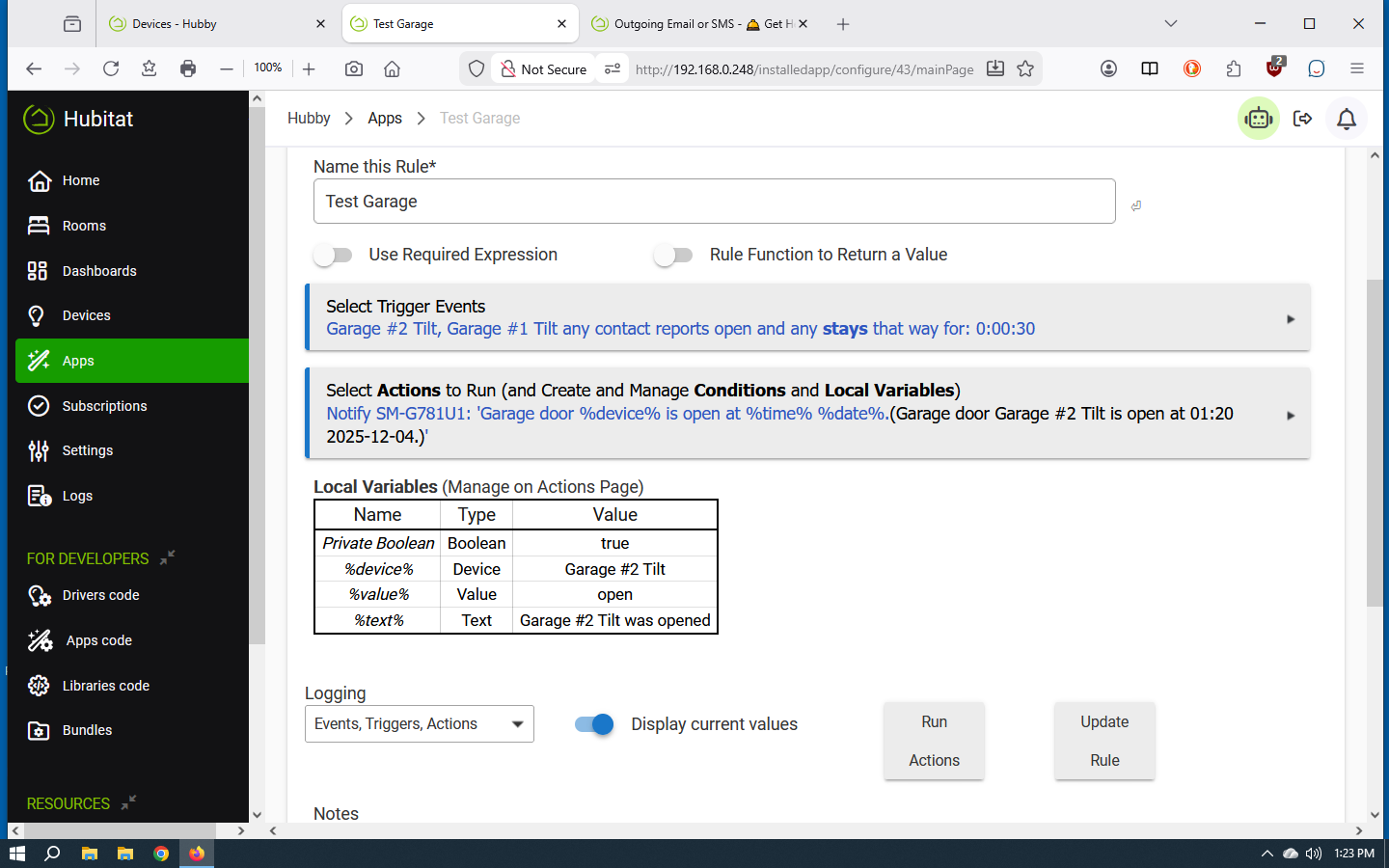
Any hints?
Try logging out of and back into the app (re-select the same mobile app device if prompted, though with only one and it being the same device, you probably won't be). Are you using the V2 app, the one with the green background and white logo?
Probably not what you're looking for, but since I have it bookmarked thought I'd drop a link here, just in case it helps. 
1 Like
Very strange. When I go into Hubitat-Android, there is a notification section. There I find ALL of the notifications that were sent. But under Android->Settings->Apps->Hubitat->Notification Categories: It says "This app hasn't sent you any notifications.
The HE logo on the phone app does have a green background with white markings. I did reboot my cell phone, and since I now know that the cell phone app is receiving the messages, I don't have to worry about the home side of things.
I got it working by uninstalling Hubitat from my phone and re-installing it and giving it any permission it asked for.
I will now go back and see if I can remove permissions I don't think it needs.
1 Like
I'm a huge Pushover fan... It's right up there with Caseta and Hue in terms of bullet-proof reliability.
In all the years I've been using it, I've honestly never had a single miss or any sort of weirdism from Pushover.
3 Likes
I was a big Twilio fan until recent regulation made it harder for individuals to create and send SMS. I mostly use Pushover but for important things such as water leaks I also send text messages via Textbelt:
If you want to send emails I support a Gmail notification device integration as well.
1 Like
My problem was that I did not understand the difference between SMS and Push Notifications. It would be nice to have SMS, but for now I am happy just using Push Messages because SMS seems too complicated.
The same goes for eMail. If there was an off the shelf plugin to deliver SMTP to my host, I would use it, but lacking that, I can do without it.
2 Likes