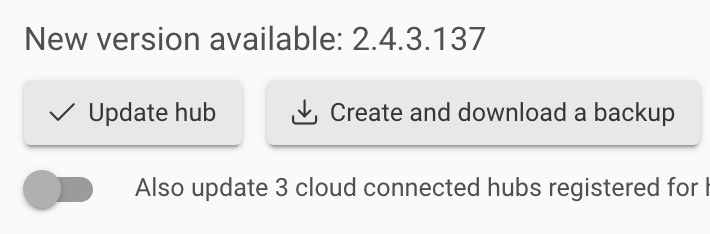
It’s in the changelog för .133 so the switch should have been there going from .133 to .137 for all of us.
Your in between beta versions isn’t relevant for us not in the beta since the chamgelog for .137 dosnt mentioning a fix for one click update. 
Yeah, my comment was to Denny confirming it was there on .134 beta. 
Not sure why I should care about anyone who isn't w/the cool kids in the beta group. 
You shouldn’t. You forgot about rule no. 2: don’t talk to anyone outside of the beta group. 
Wouldn't it be even awesomer if, when that toggle is switched on, a list of your hubs appeared, with little checkboxes already checked, so you could uncheck that one hub you don't want to update just yet?
(even better if those hubs that were already up to date weren't listed at all)
I know, gift horse, pushing luck, yadda yadda.
Could we get some feedback from @bobbyD or anyone else at Hubitat?
Sure, this is an experimental feature and will be improved in the future updates.
I still don't have the button with 2.4.3.149 update pending. Running 2.4.3.137.
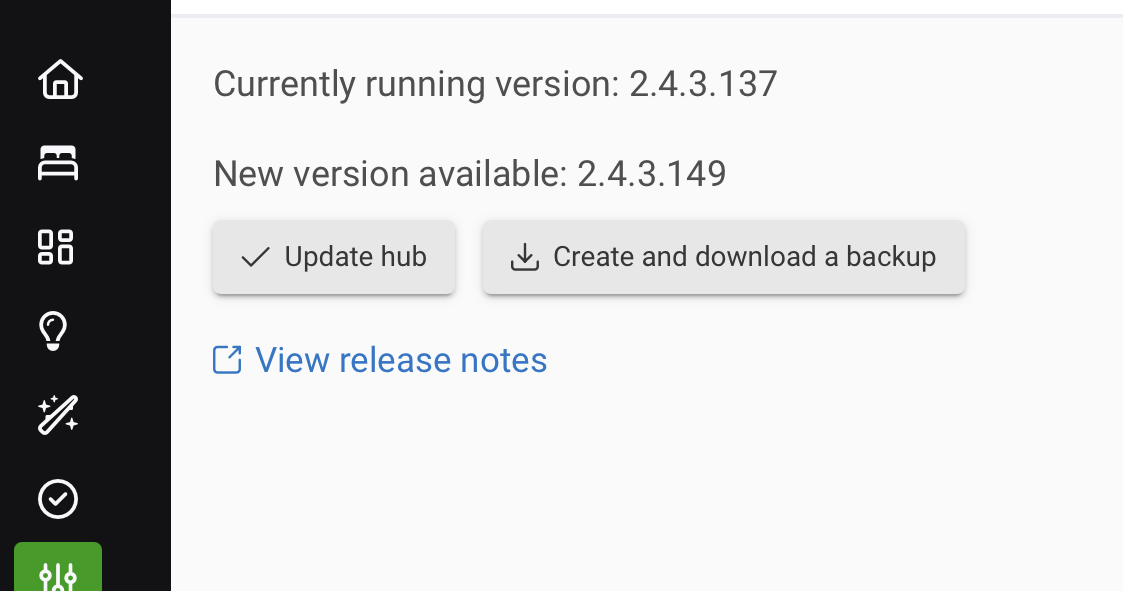
Can you PM me the email id on the account? I'll take a look.
Have you found anything @gopher.ny? I will wait to update until I hear something.
... and I also did not find this feature on my C7 and C8 Pro hubs while upgrading from 2.4.3.137 to 2.4.3.149
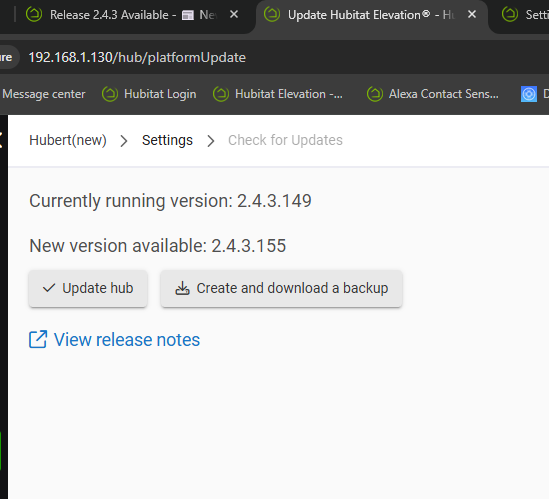
Still no button for me
Weird...I see it every time, on all my hubs (C7, C8, C8-Pro).
And (I know, you've checked) all of your devices are registered to the same account, and are on the same network/subnet? Are you sure the kids aren't unplugging your other hub(s) to play "Let's drive daddy insane!!"
 No kids here. They are registered to the same account. Both are plugged into an unmanaged switch that goes to my router, what should I check? I do have bonjour options turned off if that matters.
I'm in the same position. I have a vague recollection that I may have seen the button in the past but it does not appear on either of my C7 or C8 hubs.
Just a thought, maybe the notification that an update is available has to be active for the button to appear.
If it's blank and you check and an update is available, it does not appear.
Any thoughts on this idea?
I have also waited for the notification and still not seen the button. Don't know. It's not that important to me but if it is working for others and not me I can't sleep at night.
Don't see anything obvious that would keep things from working w/this...probably need @gopher.ny to take another look at why it isn't appearing for some hubs.
It has never worked for my pair of active hubs, either… 
I do have some older HE hubs still on my Hubitat Account, but they are powered off and sitting in a drawer. I wonder if all of the registered hubs on one’s account need to be powered on and connected to the cloud for this to work? Just a hypothesis 
I'm seeing the same thing. I don't have the toggle either.
I will say no, because I have a C7 and C8 that are on my account but are not powered on. I haven't ever seen the update all not appear. In other words my has always shown that option.