Thanks for all the details! Haven't time now to absorb/think...I'll get back w/my dumb questions. 
oh and I also run a short rising alert chime on my sonos for door open and a matching falling alert for door close. The main reason for these alerts is to let me know if the devices are connected and functioning correctly, before waiting for some of my other more mission critical automations to fail. I use the same alert tones for my bosch hob (power on / off) and my bosch oven (door open / close). Super useful.
1 Like
My Bosch dishwasher automations started failing in October. I've just rolled up my sleeves tonight and saw that you had mentioned that the "On" wasn't working and causing errors. The error is in the "Home Connect Dishwasher" drivers code in the safeSetPowerState section. I've modified the section to the below code and it's working again for me. It also fixed the "Off" button as well. I hope this helps someone.
private void safeSetPowerState(Boolean val) {
parent.setPowertate(device, val)
//if (parent.respondsTo('setPowerState')) {
// parent.setPowerState(device, val)
//} else if (parent.respondsTo('setPowertate')) { // legacy typo
// parent.setPowertate(device, val)
//} else {
// Utils.toLogger("error", "Parent has no setPowerState/setPowertate method "+device+" "+val)
//}
}
2 Likes
I think you'd put something like "info", "error", "warn", "debug" or "trace" in the first field and then some text of your choice in the next field. Then hit run and it should add an entry into the log. Unfortunately, I think it's broken. But if that's what the code does, then it might not be very useful anyway.
1 Like
Thanks! I put this in my code and gave it a whirl, and worked, both On and Off buttons function as expected! Magical update. 
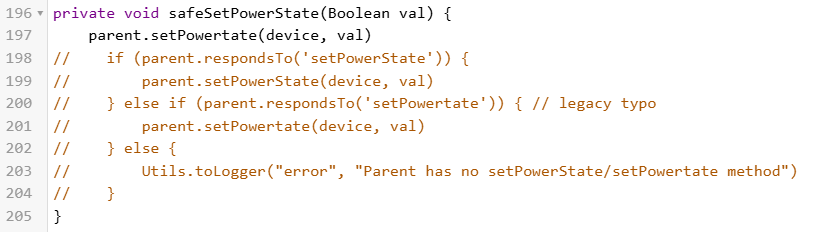
I did notice that the code has both and "setPowerState and setPowertate in it. It looks like an "intentional typo" to deal w/errors in other locations of the Home Connect Integration app/drivers code, or ?
Yeah...it does seem like it provides the ability to add some ad-hoc logging. Thanks for confirming.
Also just remembered that you also posted code to add the StartNow button!
I added that code and have the Start Now button, but my Start Program button doesn't have a drop-down like yours does...
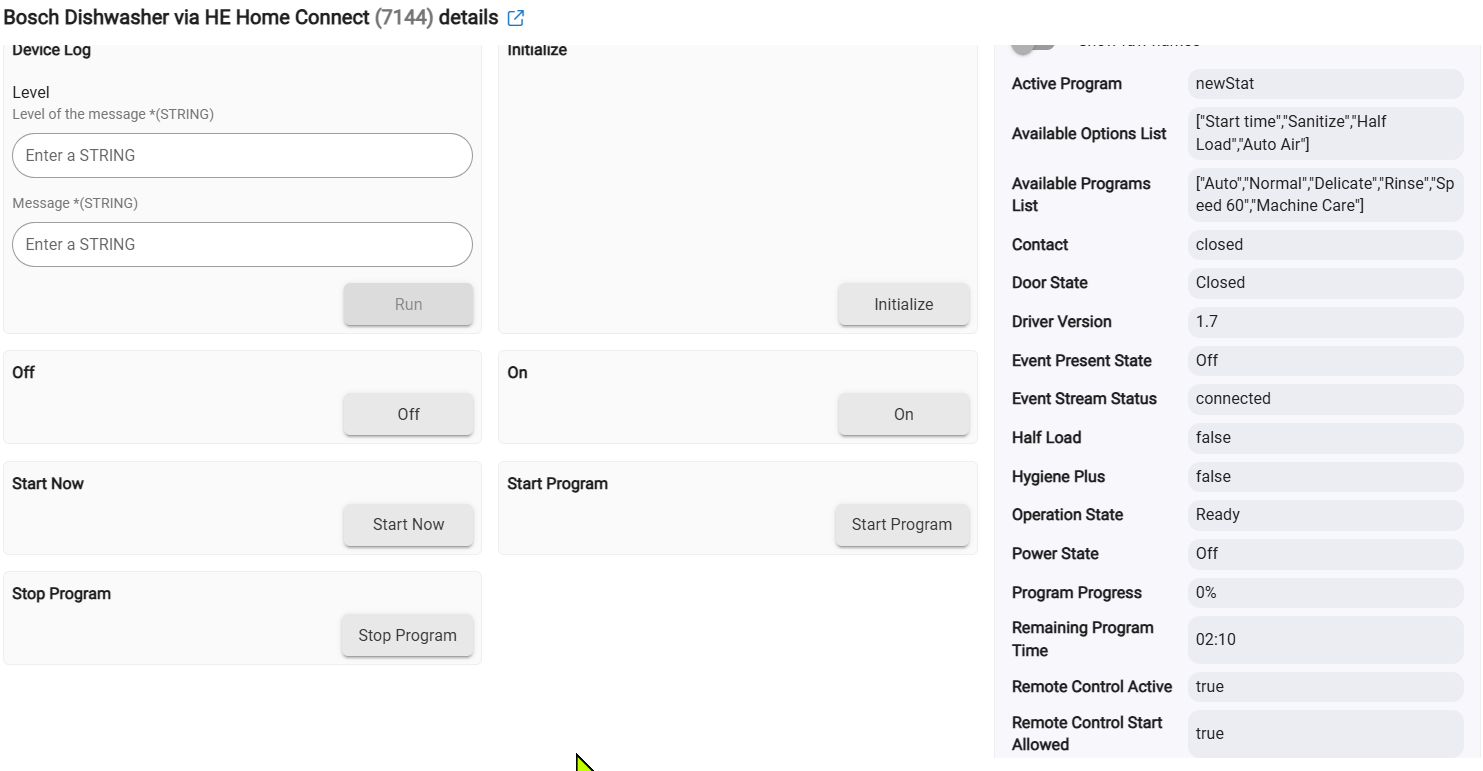

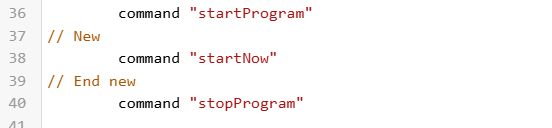
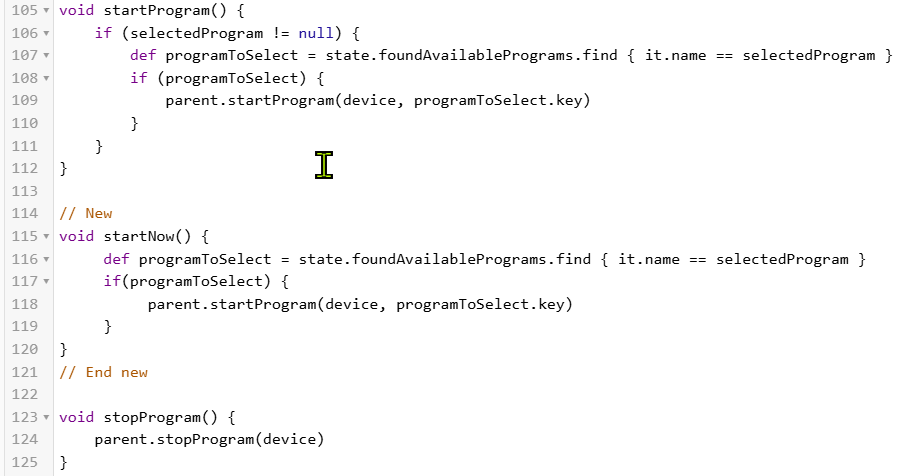
Did I miss something (likely obvious ) I did run an Initialize and that didn't add the Start Program selection box. Maybe some change related to available programs? I do have that field populated in the driver... 

Secondarily (and sorry for carpet-bombing you with questions, I know you don't maintain this integration...so you are of course welcome to say "Sorry, can't help you with that.") The Start Program button does start the washer. However hitting the Stop Program button doesn't stop it. Is that expected and I need to send a parameter w/the Stop command via a rule, or ?
Logs from when I issued the "Start Program" command from the Device page:
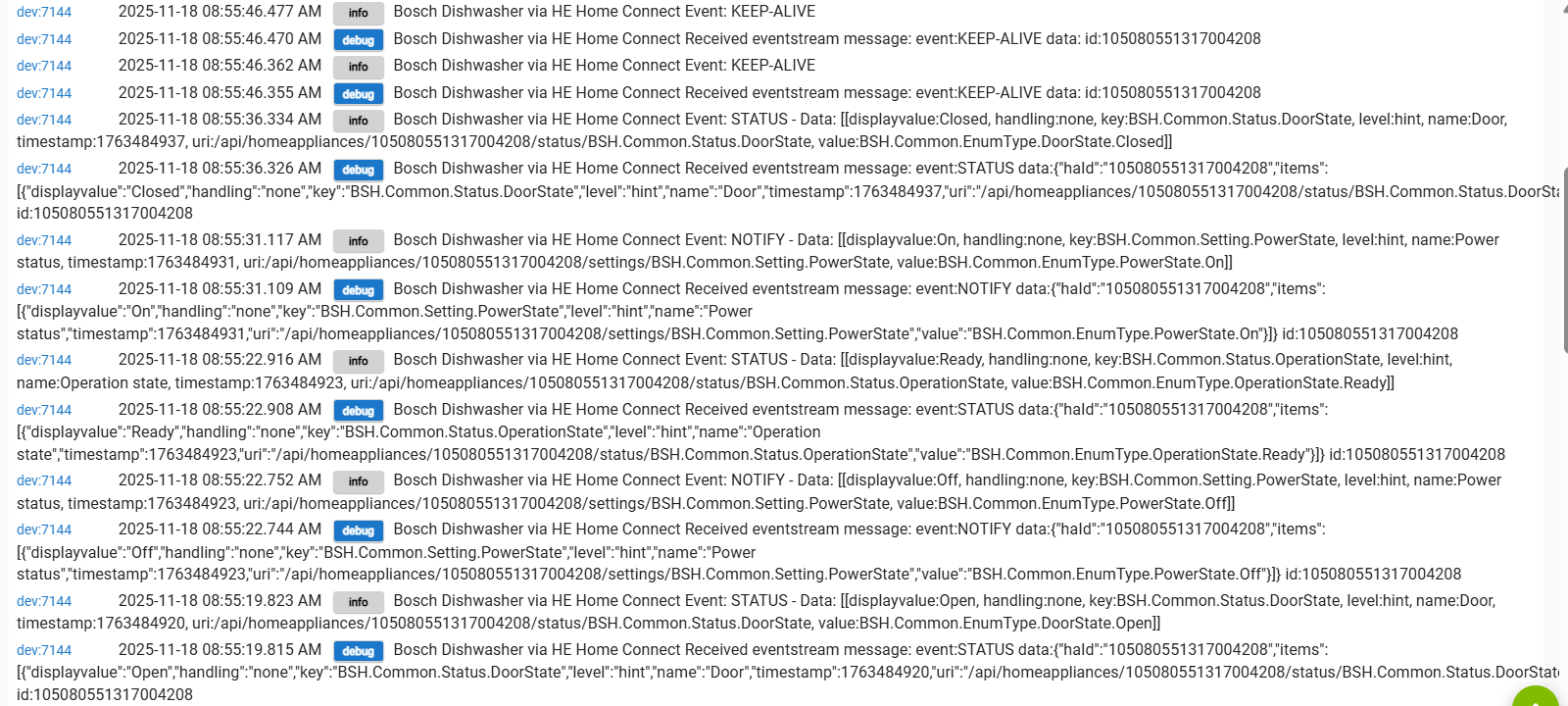
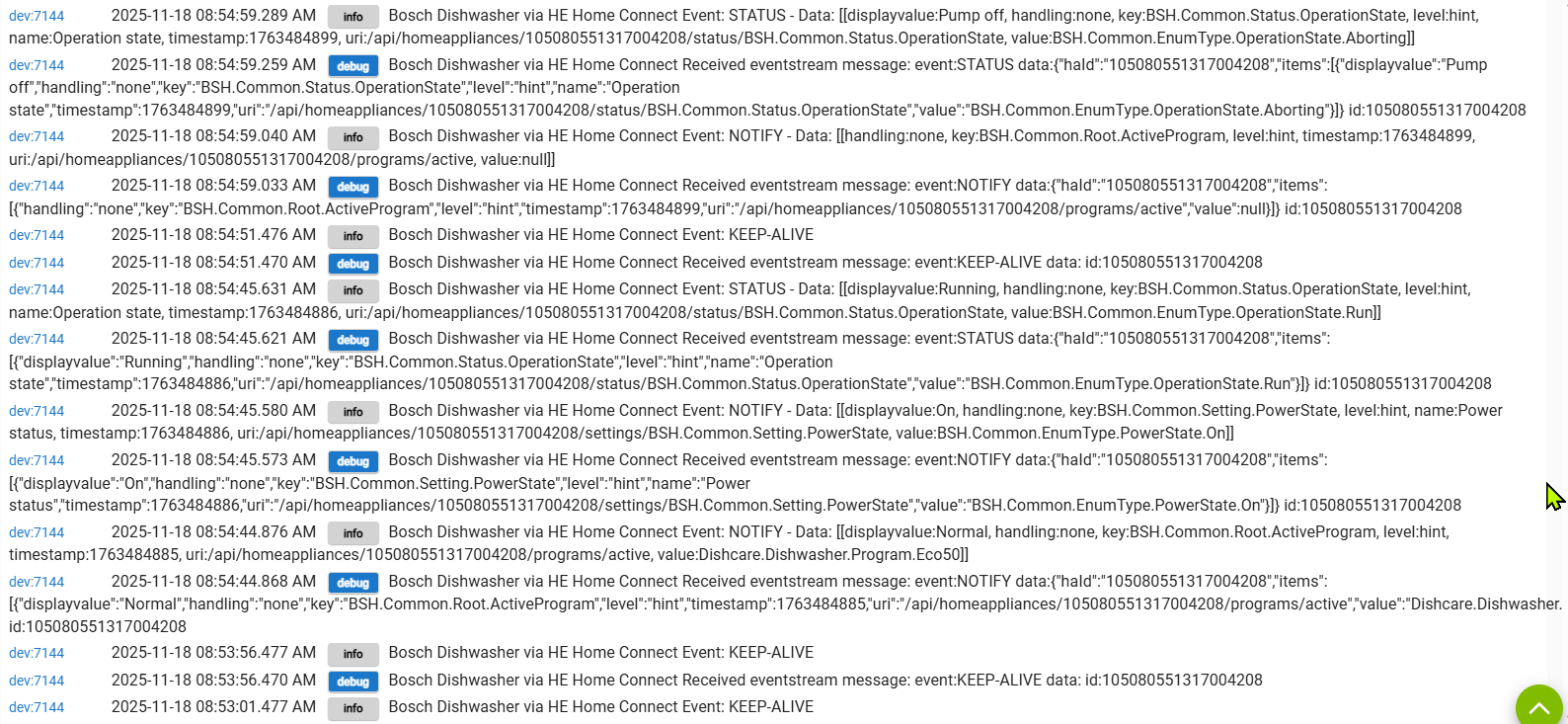
The "Select Program" drop down list isn't under the "Commands". It is under "Preferences". The "Stop Program" worked for me last night, but that doesn't mean that it's 100% good.
I have a vested interest in this code, because electricity is super expensive in San Diego, so I like to run the dishwasher during Super Off-Peak hours. I use voice commands to turn on the dishwasher and then it waits for the cheap electricity time to start running. So, I really want this code to work for the next several years. I'm considering whether I have enough time to learn this code and then support it and then see if I can take ownership of it. Not that I need it, but I'd love to find a way to fix that first time setup.
1 Like
Thank you for straightening me out. I just didn't think to look at Preferences, DOH!
I tried the start/stop a second time and both worked, so maybe a momentary glitch.
Lucky for the rest of us, I'm sure, but I know what you mean about electricity costs, seem to be high everywhere!
I'd like to do something similar... We generally don't use voice commands in the house because my wife is completely against it, so I had to disable the mic on all our smart speakers. I can use Gemini on my Samsung watch, though. 
1 Like
I use this app and driver with my dishwasher and rewrote the oauth code from scratch to overcome some kind of race / refresh condition on intial setup. Seems to be working well now. I also have tweaked the dishwasher driver. Files currently available here - GitHub - craigde/hubitat-homeconnect
3 Likes
Hi,
Nice to hear you fixed the problem. Thanks for letting me know.
Do you want to create a new thread for your new version? I don't think I can transfer ownership of the current thread at the hubitat community.
I could also remove my version from hubitat package manager if you want to add yours to it.
Please let me know what works best for you
Rather than removing your build, maybe change its name to include "Deprecated" (at least in the short term) while folks are looking at the code options.
@craigde - welcome aboard and thanks for the updated code!  @erwin.johnson has also [made some nice changes to @rfg81's code here ([No longer maintained] Home Connect Integration for Bosch, Siemens, Neff, Balay, Constructa, Pitsos, Profilo, Thermador and Gaggenau - #270 by erwin.johnson). Wanted to point that out in case you hadn't seen it, and ask if you can consider including in your builds (assuming @erwin.johnson is OK w/that, of course), unless you've already done something similar.
1 Like
@rfg81, @craigde & @erwin.johnson. In spite of curiosity killing cats and what not...I have a question that I'm hoping one of you may know the answer to since you've all played w/the code to varying extents... (Also tagging @oldcomputerwiz & @user1025)
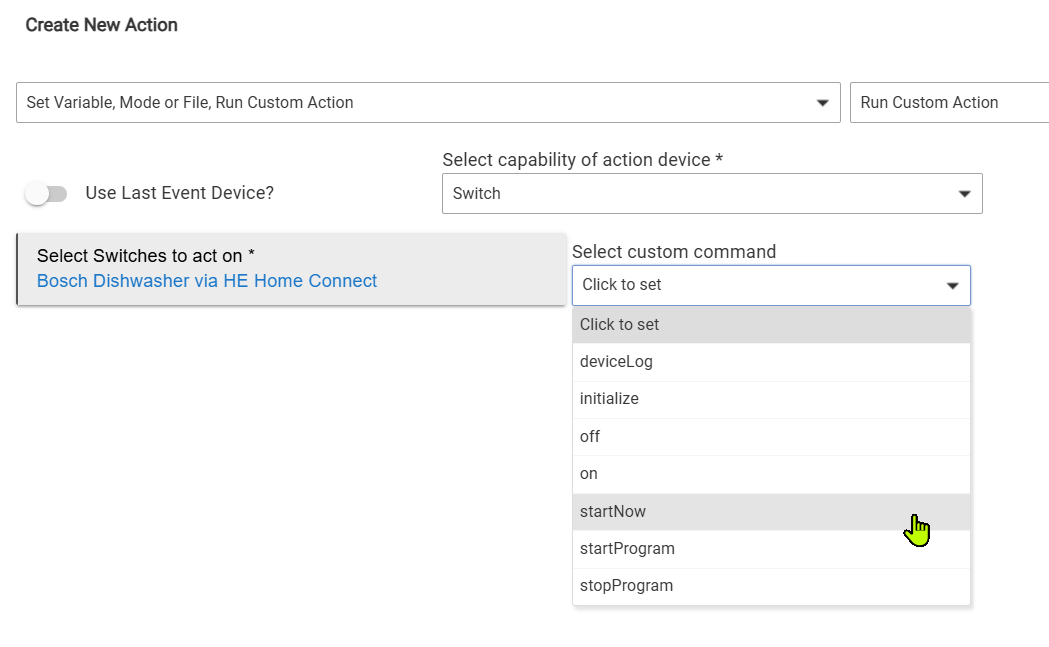
I'd like to set up a button in HE to turn on the washer and set it to a 9pm start (reduced electricity costs later in the evening). I can do this using a simple "Wait/Certain Time" in a button rule and then a "Start Now" custom command.

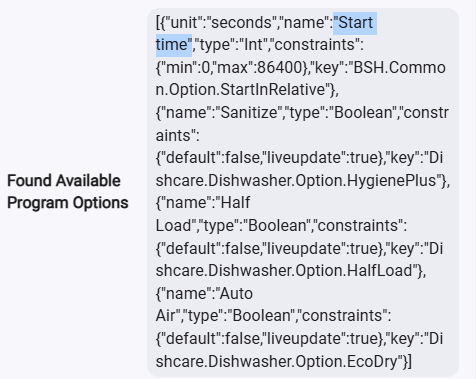
However, I do see an option in Preferences to set start time, but enabling it doesn't seem to have any effect (either in the Driver UI or in Custom Command options in Rules). In fact I can't find a single mention of "Start Time" or "startTime" or anything similar in the Home Connect integration app or the Dishwasher driver code, so not sure how that even appears in the Driver UI. The Start Time options are shown in the "Available Options List" and "Found Available Program Options" whether or not the Start Time toggle is enabled in Preferences.
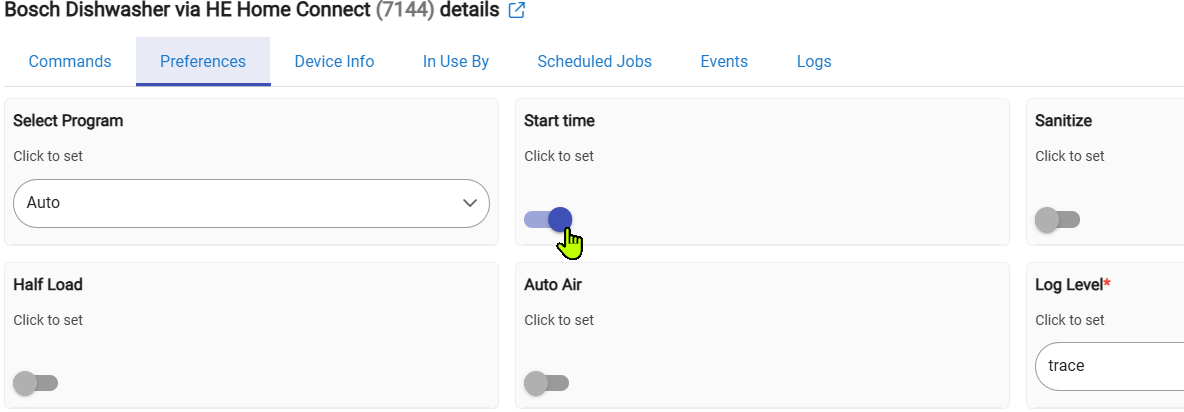
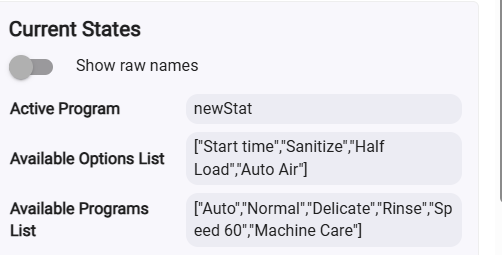
I don't see any Start Time option via Custom Command...
And there are no options under Actuator for the Home Connect integration Dishwasher (the ones listed below are all from the Home Assistant dishwasher integration that I'm also playing with):
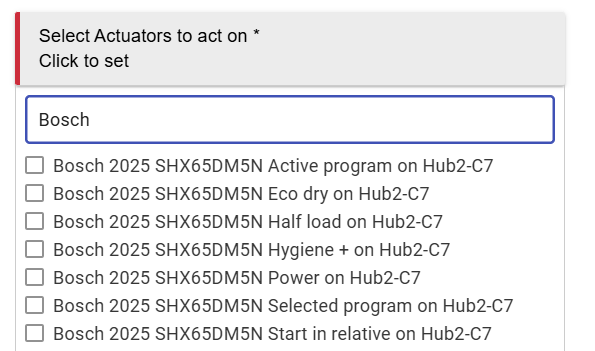
Can anyone provide some info on using the "Start Time" option directly to control dishwasher starts in Rules?
A quick look seems to show it is not actually implemented. It would need a few lines of code in the app and the driver to enable it.
1 Like
If you update the app and the dishwasher driver with the new versions of those files from GitHub - craigde/hubitat-homeconnect I think it will work
1 Like
Very cool, thanks!!
BTW, I was looking at your code a day or two ago and I think the bits to provide the "Start Now" button in the driver are not yet included in your version of the Dishwasher driver...post on that w/the necessary code here..
There's also code just above in this topic that fixes the On and Off buttons (not sure if you've already done that on your own...apologies if I'm talking about stuff you've already done!
I hope to give your version of the integration a whirl soon, but the holidays have me running around alot doing my wife's bidding.
Just to confirm...To try your code I was thinking I'd have to create a new application on the Home Connect site and re-do the app setup/connection to Home Connect using your new version of the app/driver. Is that correct? Or can I just copy/paste your Home Connect app and Dishwasher driver code over my current code and my dishwasher would stay connected. Was thinking the Client ID/Client secret stuff might not carry over...
1 Like
Gave it a shot...tried on both hubs, and connection completes normally but a device is not created. Got this error from the integration:

Doh! my bad. I forgot I changed the driver namespace. Just updated the app on github so grab the new code and try again.
1 Like
On the StartNow thing I had just updated the existing StartProgam function so that if you did not specify a mode it would fallback to the last mode used. If there was no lastmode state and no mode provided it will default to normal.
On the on/off button there was a typo in the old driver where there was a function called setPowertate that should have been setPowerState. I fixed it in the app instead of changing the driver to call the typo name.
1 Like
Cool...thanks for the quick update and fix. I'll pull down the new code and try it again (at least as long as my wife stays in her office banging on her computer about something.

