Hi everyone,
I am new to the Hubitat forum and just wanted to say hello. I have recently started exploring smart home automation and came across Hubitat as a powerful and privacy focused option. I am still learning the ins and outs but I am excited to get more hands on with automations, devices and integrations.
If you have any beginner tips, recommended apps or devices that work really well with Hubitat, feel free to share, I do really appreciate it.
After I wanted to do more then get the weather or some fact from my Alexa devices I started with Hubitat and Inovelli Z-Wave Red dimmers. (They now have Zigbee and Matter too). They only made Z-Wave back then. The reason I picked Hubitat was because it could be programmed beyond what SmartThings or Alexa could do, but wasn’t as complicated as Home Assistant. I also kept hearing that you’d be constantly having to tinker with Home Assistant.
I went with Inovelli for 3 main reasons: 1) it supported multiple taps (e.g. 1 tap might turn on my kitchen lights but 2 taps would turn on both my kitchen and dinning room lights); 2) The “favorite”/config button. Besides the normal paddle for a switch, Inovelli includes a small button on the upper right that can also be configured. I’ve set these to the lowest level their associated light(s) would come on. This got great family approval especially in the kitchen where people didn’t want to be blinded by the light first thing in the morning or if getting up late for some water. 3) The LED dimmer bar. Not only does it show the dimmer level but the color and brightness can be adjusted. For example, if you have a sensor on a door and it has been left open for X time you can have 1 or more of the Inovelli LEDs to turn bright red and “blink” on and off.
As I live in a condo with metal boxes I put the first ones I got as far away from the hub as I could to be sure they could communicate with the hub. They did, but I should have then moved them to be as close to the hub as possible. Their best practices article on how to build a strong mesh is to start closets to the hub and build outward. I would strongly advise you to do it that way.
There are many here who use Inovelli switches and are very helpful and, of course, that means many on the Inovelli forums use Hubitat.
The UI is much improved from a few years ago and I’ve found I can have it do everything I’ve wanted to program.
Thanks so much for the detailed reply, Stu this is incredibly helpful.
I have heard of Inovelli switches but did not realize they had that level of flexibility with multi taps and custom LED indicators. That favorite or config button feature sounds especially useful for nighttime routines, love that idea.
Also, great advice on building the mesh network starting close to the hub. I might have gone the other way around if you had not mentioned it so I really appreciate that tip.
I am definitely going to check out the Inovelli forums too. Thanks again for taking the time to share your experience.
Since you are just starting out, my suggestion is check out both Webcore and Rule Machine. They are two very different automation apps, and most people jump on Rule Machine, being Habitat's own app.
You can try both and see the differences. Webcore is very stable, as it has been around longer than Hubitat, being originally written for SmartThings. Not many changes are made to it now, so it is very stable, while Rule Machine is constantly being poked at it is not uncommon for little things to break in rules with hub updates. Those are quickly fixed up in the next update, but you might find that annoying when a new bug temporarily impacts one of your rules.
Rule Machine is made to be a guided experience, prompting you for things to build automations. When you get done making a complex rule, the logic is not all that clear after looking back over the rule.
Webcore is much more logic structure driven, using a more forward "if this then that approach". You just build your logic directly, using if statements with conditions, and then a Do block for what to do when conditions are met. There are for loops, while loops, for each device loops. Timers for schedules, local and global variables, etc. You can do web requests, use arrays as local variables, parse json, and other more complex stuff if you need.
Not that Rule Machine does not do pretty much everything now that Webcore can do, it just takes a totally different approach to how you do it. Many things are just much simpler to do in Webcore vs Rule Machine.
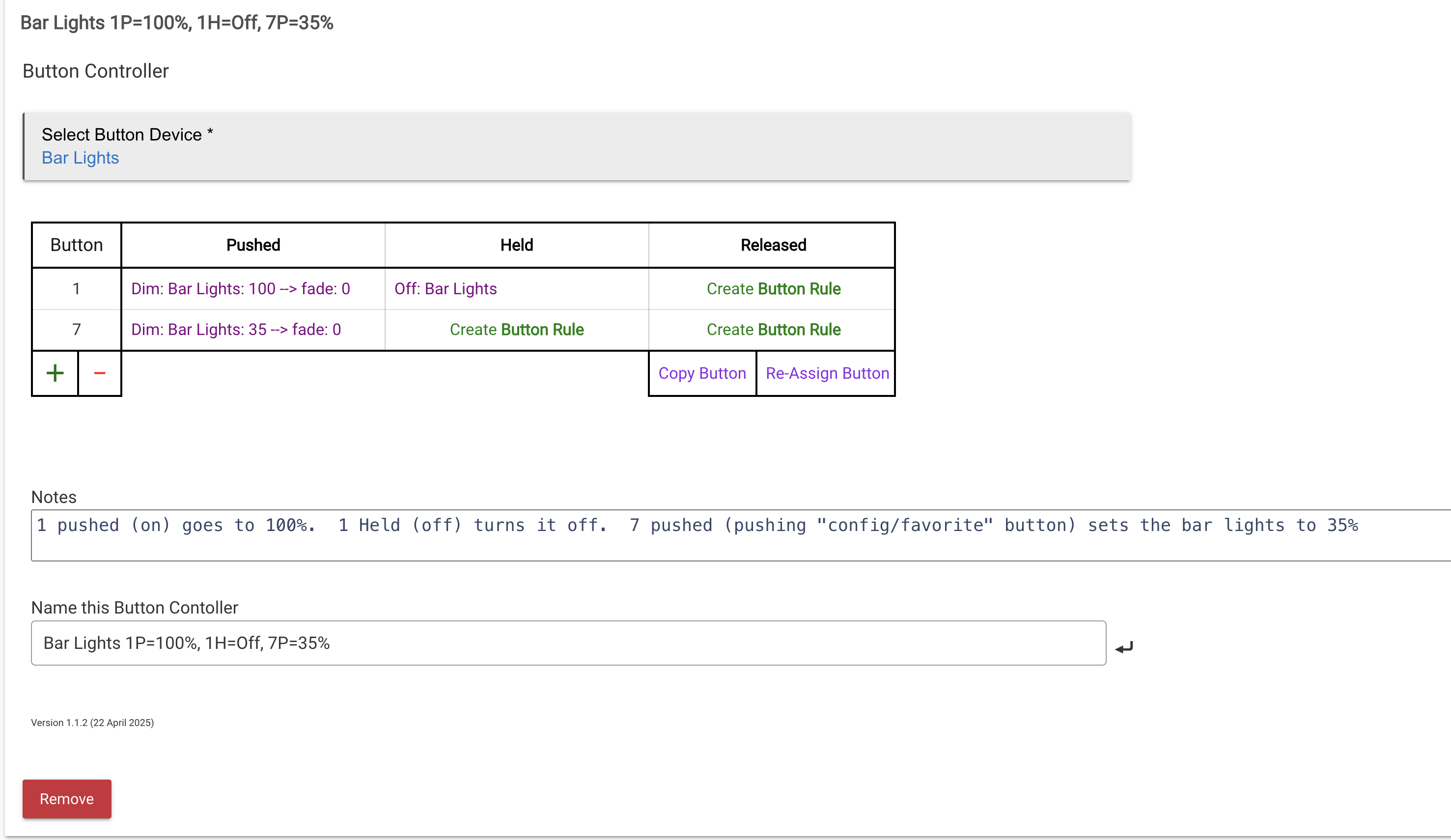
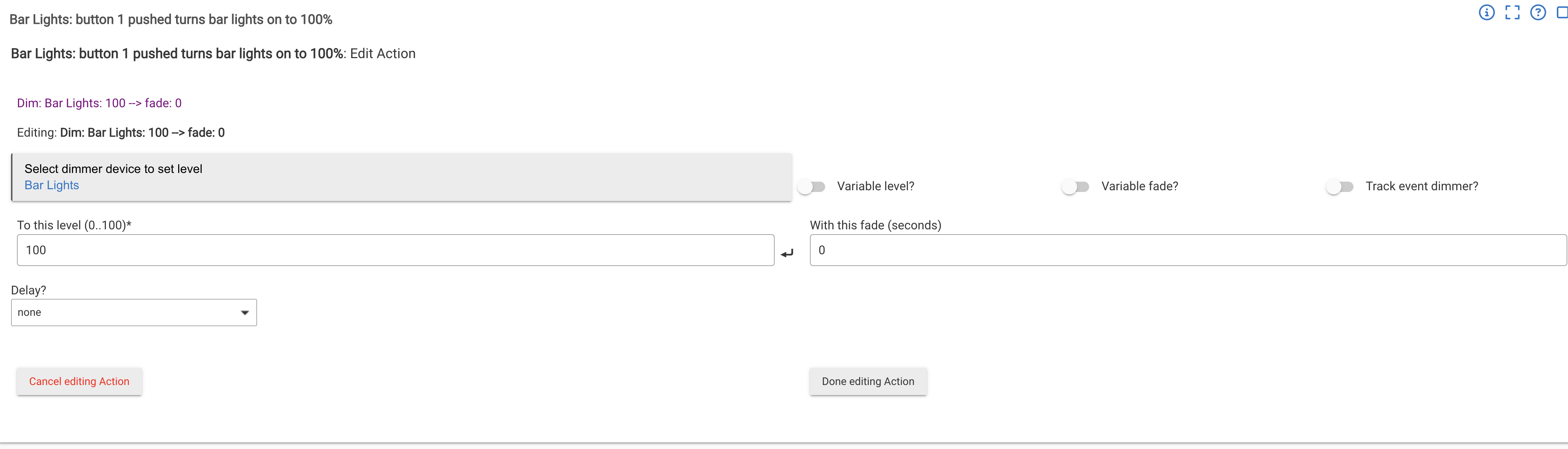
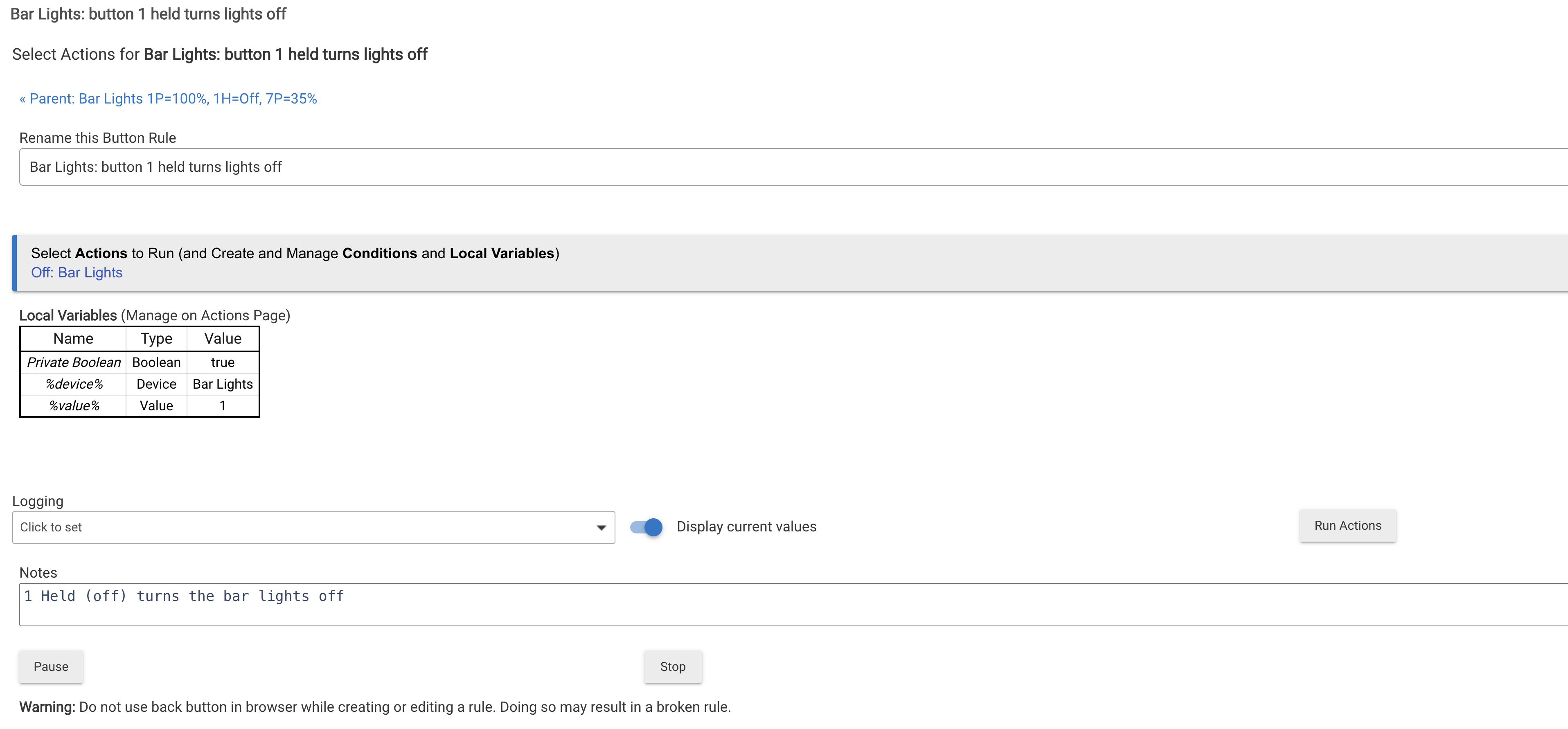
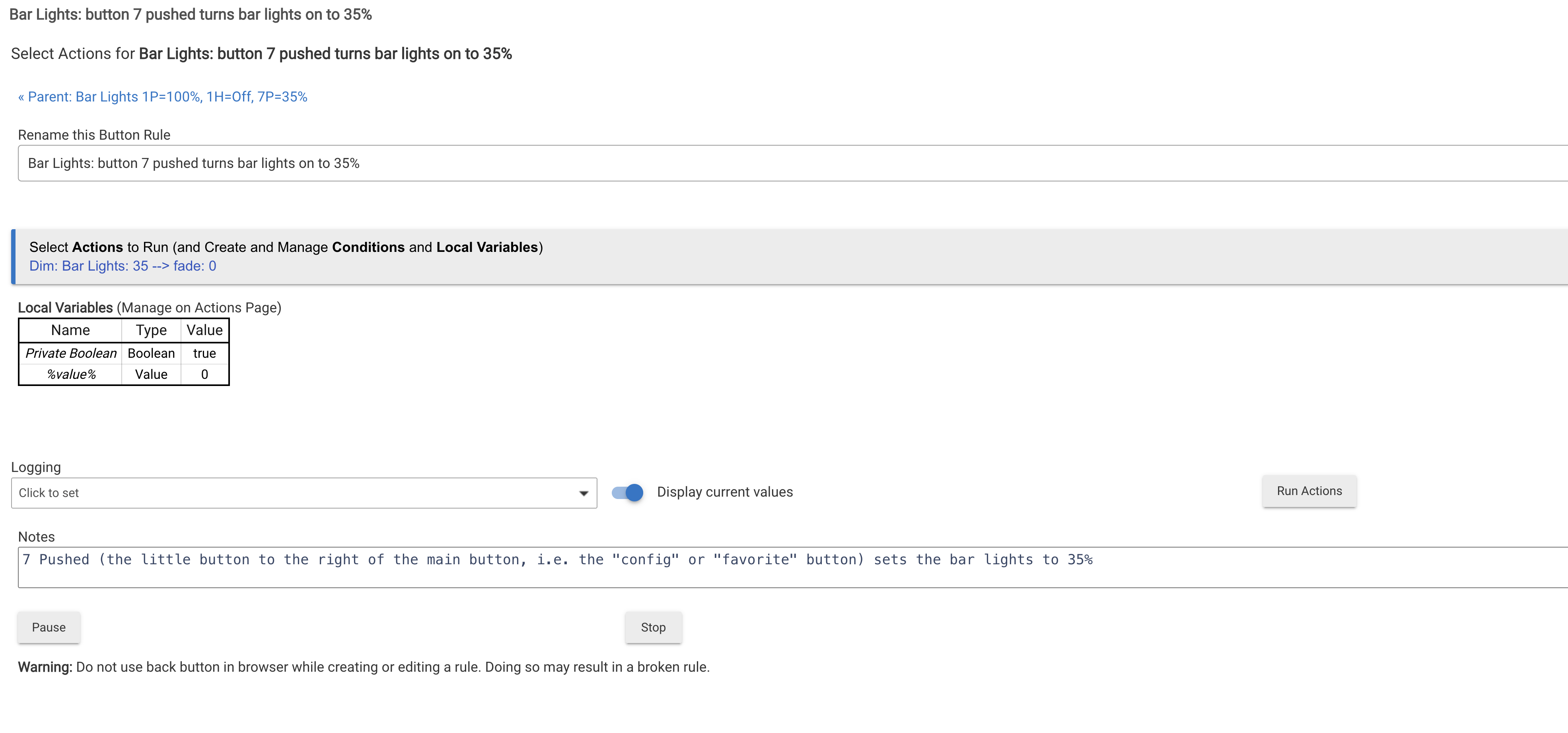
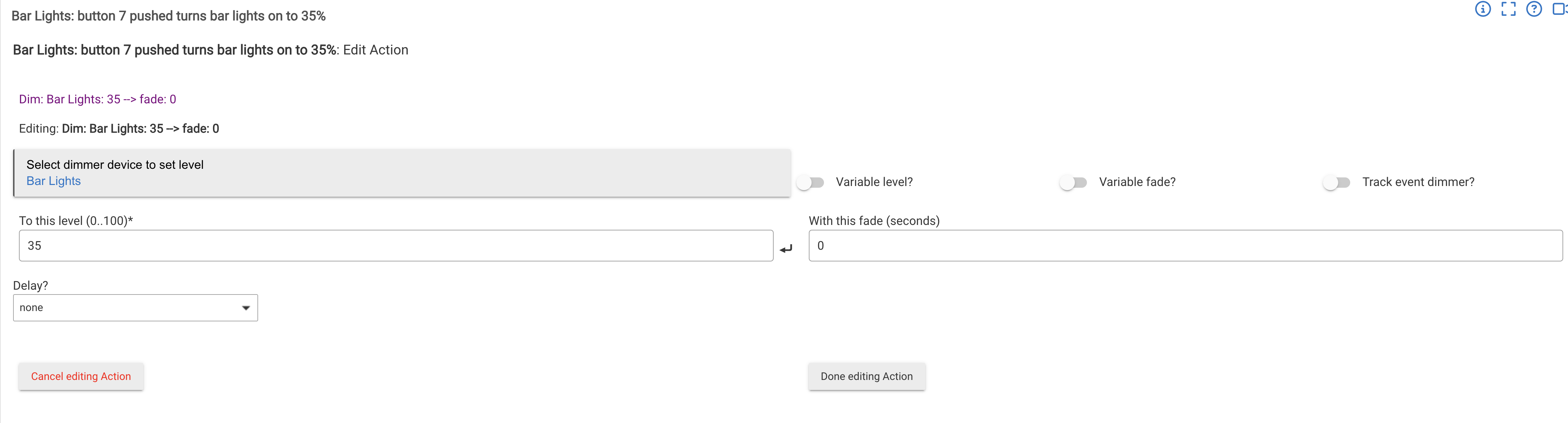
I certainly don't disagree with user2574 that Rule Machine and Webcore can do virtually anything, my suggestion would be to start with something a bit simpler. For my Inovelli dimmers the various taps (single, double, triple) are treated as buttons 1, 2, etc. up to 6 with button 7 being that I call the favorite/config button. I'm not sure if it is a Hubitat or Inovelli thing, but tapping the top of the switch (what would be "on" with a traditional switch) is called a "push" and tapping the bottom of the switch (a traditional "off") is called a "hold". I have no idea why they did that, but it is what it is, and I'm mentioning it so my below screen shots may be more understandable and for when you start to build rules.
This shows what my Bar lights rule looks like in the Button Controllers app:
Here is an example of something that is easier, for me, in Wecore, without the need for private booleans that are needed in Rule Machine for things passing thresholds:
Hi @ansariansarimubashir, welcome to the world of automation, there are a few good tips already but one thing would be to only go towards the more complexe apps like Rule Machine and Webcore until you are really confortable setting up simple automations.
I would point you at looking at basic rules, simple automation rules and visual rules builder. A combination of these 3 built-in apps will get you 95% of the way. Then when you are confortable, graduate to the more complexe rule builders like Rule Machine and other 3rd party options like webcore. They are not that hard to learn if you already have some basic logic.
Try them and adopt what you feel confortable using, there are also many 3rd party apps to do almost anything and the first one you should install is HPM (Hubitat Package Manager), it's an app that will help you find and install 3rd party apps that have signed up to be in HPM. Not all apps are in HPM and you will have to check the forums to find the ones you want just in case.
Have fun!
As for devices, another very popular device line is Zooz, they have really nice devices, great support, Hubitat supports most with built in drivers but there are also advance drivers that can be found in the forums/HPM to unlock the full potential of the devices like multi-tap, LED color control and other features.
You should also look at Sinope that make solid devices that no one else makes and very nice thermostats for all kind of heating/cooling devices ^(electric baseboard, gas, boiler, etc.) with built in drivers and custom advance drivers from the community.
BUT the most important thing, research if a device is supported before buying, this is where many get frustrated and start buying stuff and later learn they don't work with Hubitat (many WiFi devices with proprietary apps).
Hi and welcome- this is a great community - you can find an overload of information here too so it really is a good to get an idea of what it is you want to automate (or just "smarten" first, not everything has to be automated) and go from there. I, like a lot of people probably, started with the usual; lights and plugs - long story short I also like Zooz too, have a house full. if you do end up choosing them they are based NJ so you'll get it pretty quick if you do end up ordering from them.