I agree with @csteele that you probably need to look into what’s going on with your hue bridge integration.
Assuming the lights that are not behaving as expected are hue bulbs, integrated with Hubitat through the hue bridge. I’m not sure if that’s been 100% clarified in the discussion thus far.
1 Like
Thank you for your input.
App 99 is the "Hue Bridge Integration (6544BF - Hue Bridge)"
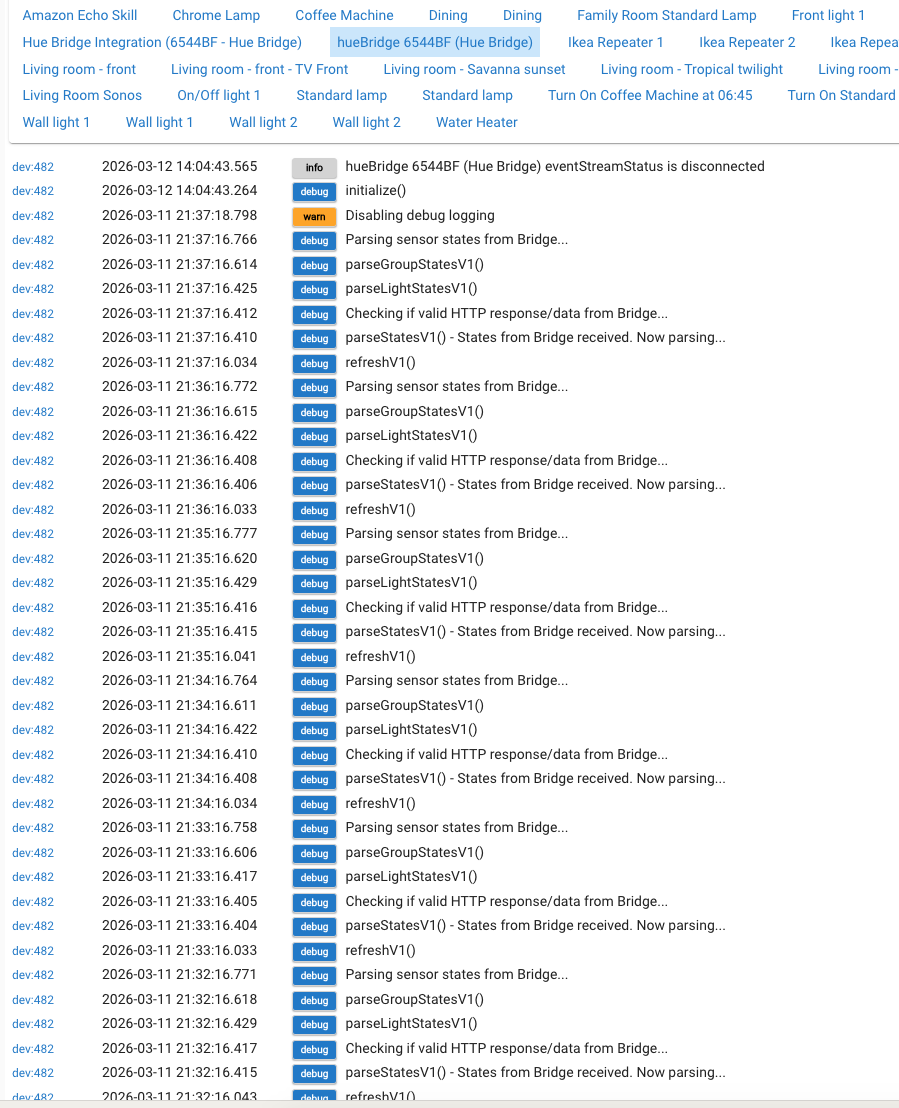
My comment re the high activity on this app arises because, when the hub stops working before the kitchen lights are expected to switch on in the morning, if I then check on the logs for that app, it usually contains a large number of debug and error messages.
This is one I have just taken:
I did suggest deleting this app earlier (and Sonos although this is not showing now in Logs)
I do control the Hue lights from Hubitat through the Amazon Echo Skill, but presumably could still control these lights with the Hue App on the iPad
The kitchen lights that don't switch on at 6:40am are not Hue lights.
They are controlled through 'Simple Automation Rules'.
These kitchen lights don't switch on because the hub has stopped working altogether at some time in the night and nothing then works until I reboot the hub.
I am very willing to supply you withany information from the Hubitat app that is available on my iMac if you could kindly state what would be useful in diagnosing the problem.
I just don't believe that I can cope with trying to negotiate the intricacies of an additional app.
If that rules out a solution, then perhaps, I will have to abandon it, but i would be reluctant to do that in view of the fact that it has been working for some years without any problem.
Disabling an app (or device), rather than deleting it, is a much quicker way to check whether it could be the source of hub instability.
Once disabled, it’s effectively gone as much as it would be if instead deleted.
1 Like
Many thanks.
Everything seems to be working at the moment, but the Hue Logs show lots of "debug" entries. I will see if the same thing happens again tonight, i.e. nothing working tomorrow morning and if so, I will do as you suggest and disable the Hue app.
Thanks again
Debug logging is noisy but doesn’t actually mean something’s wrong. It’s mostly for developers to use when creating or troubleshooting their code.
Typically, they don’t persistently stay on (for drivers that are included in the hub platform at).
You should be able to turn off debug logging on the settings page for device 482.
I would advise turning it off as well. It is probably not the most useful thing, and it is creating clutter that may be obscuring or pushing errors down off the bottom of the logs page.
If you can't figure out how to turn debug logs off, at the very least filter the logs to Error or Warn (or both), those are typically the most helpful items.
1 Like
I apologise for not responding earlier, but I did make various changes to the Hue app, including those suggested by contributors and also deleting a lot of complicated colour lighting settings.
Consequently, I wanted to see if previously experienced problems, resulting in shutting down the hub, would continue.
I am pleased and relieved to report that in the last 6 days, there has been no repetition of the problem and all switching operations operated correctly.
Many thanks to all members who gave support and suggestions
3 Likes