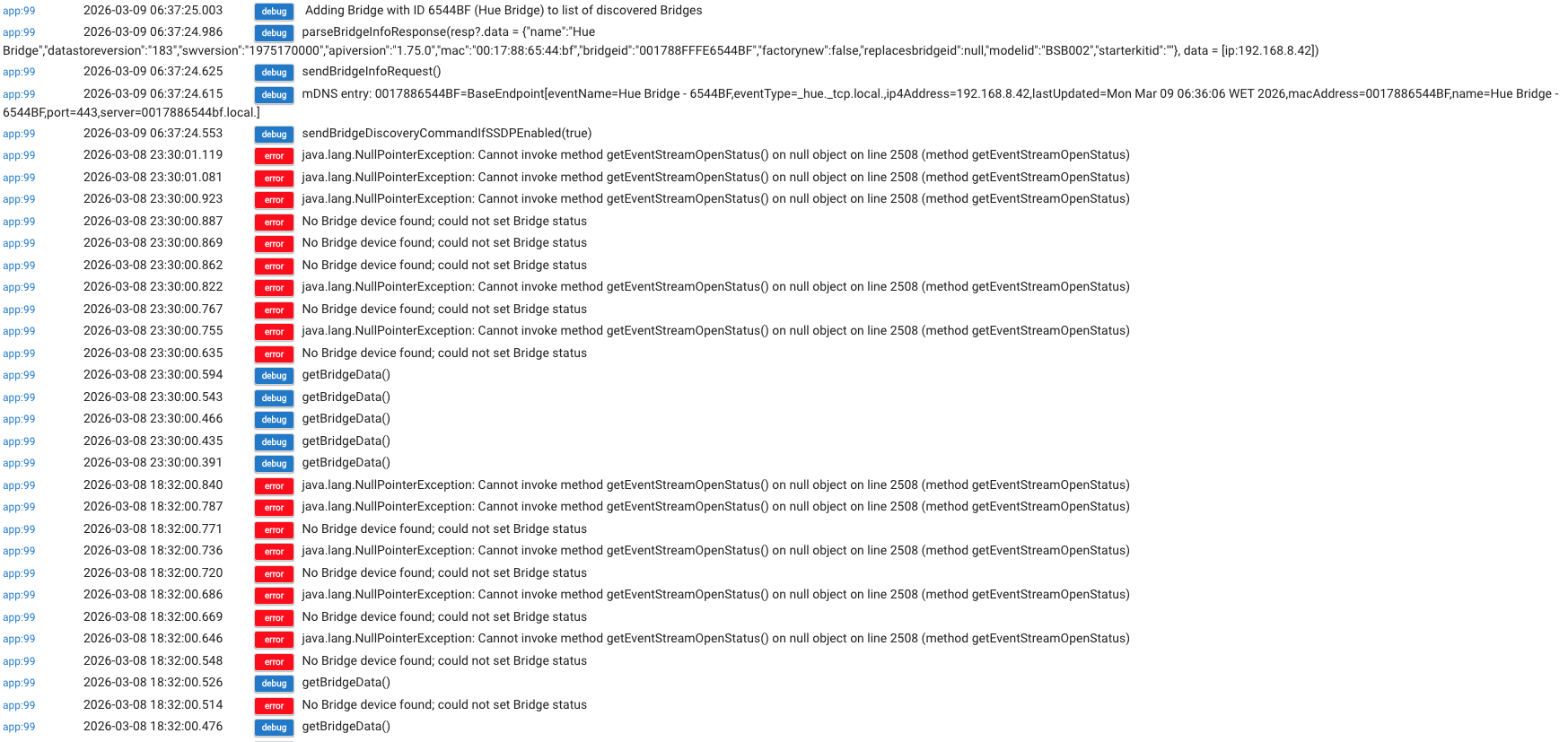
I have not added anything here for a few days, because I have been waiting for the fault to show again. However, I have been periodically checking individual logs, (without taking any action), and I have been aware that the log for "Hue Bridge Integration" is full of "error" and "debug" entries, although I have had no trouble controlling Hue lights from the Hue app. Again, I would confirm that the lights controlled by Hue are in the living room and are not in any way connected to the kitchen lights.
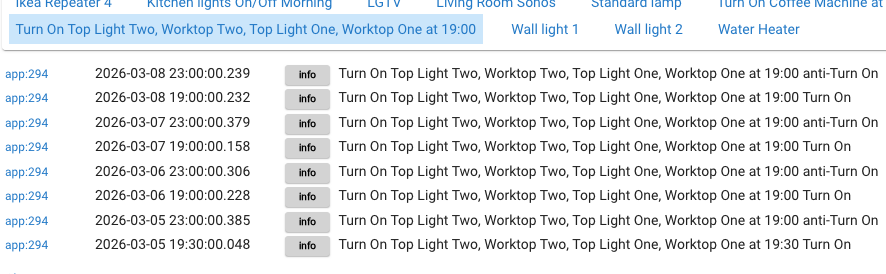
This morning I experienced the same failures as my original query, i.e. the 4 kitchen lights and the coffee machine did not switch on at 6:30. The log for these items show no errors, but they don't show the 'switch on' command for this morning.
If I now go to "Devices" and click on "Open device details", for any device, no details appear and this presumably means that the hub cannot communicate with any of the devices.
I am fairly confident, from past occasions, that if I reboot the hub, everything will work again - until the next time!
It seems to me that the fault is not in the place where I witness it (Simple Automation Rule, "Kitchen lights on" etc) but is something which shuts everything down.
With my very limited knowledge, I don't know where to start, but can't help feeling that the mess on the Hue app can't be ignored.
Just to add one more detail, although I have no idea if it is relevant - The 'Hubitat Package Manager' shows an error at midnight: java.lang.NoClassDefFoundError: user_app_dcm_hpm_Hubitat_Package_Manager_516$_copyInstalledItemsToNewManifest_closure104 on line 4313 (method checkForUpdates)
As previously, I would be most grateful for any help.
HPM error sounds like another issue entirely (maybe a missing manifest) - occurs during the HPM check for updates routine but doesn't stop it from processing. @csteele
Are you able to post unfiltered logs from this time? The last I remember you were going to turn on additional logs for the automation, plus I would be interested to see if any other logs appear, such as those that might appear for the Hue integration app.
EDIT - My theory here is that the Hue App could be experiencing some kind of error communicating with the bridge / lights causing the HE SAR automation to stop, resulting in other actions to also be missed.
"4313" is the same line number reported yesterday:
You updated HPM and when the new code lands on the Hub, it's successful and the "Complete message" needs to be displayed, which used to live around the 4300 area. It's not there anymore.
It's a cosmetic error in the sense that the upgrade completed. It's a plain error in the more practical sense. v1.9.9 moved one of the methods to the top, so that it didn't move update to update, but apparently, another needs to move too.
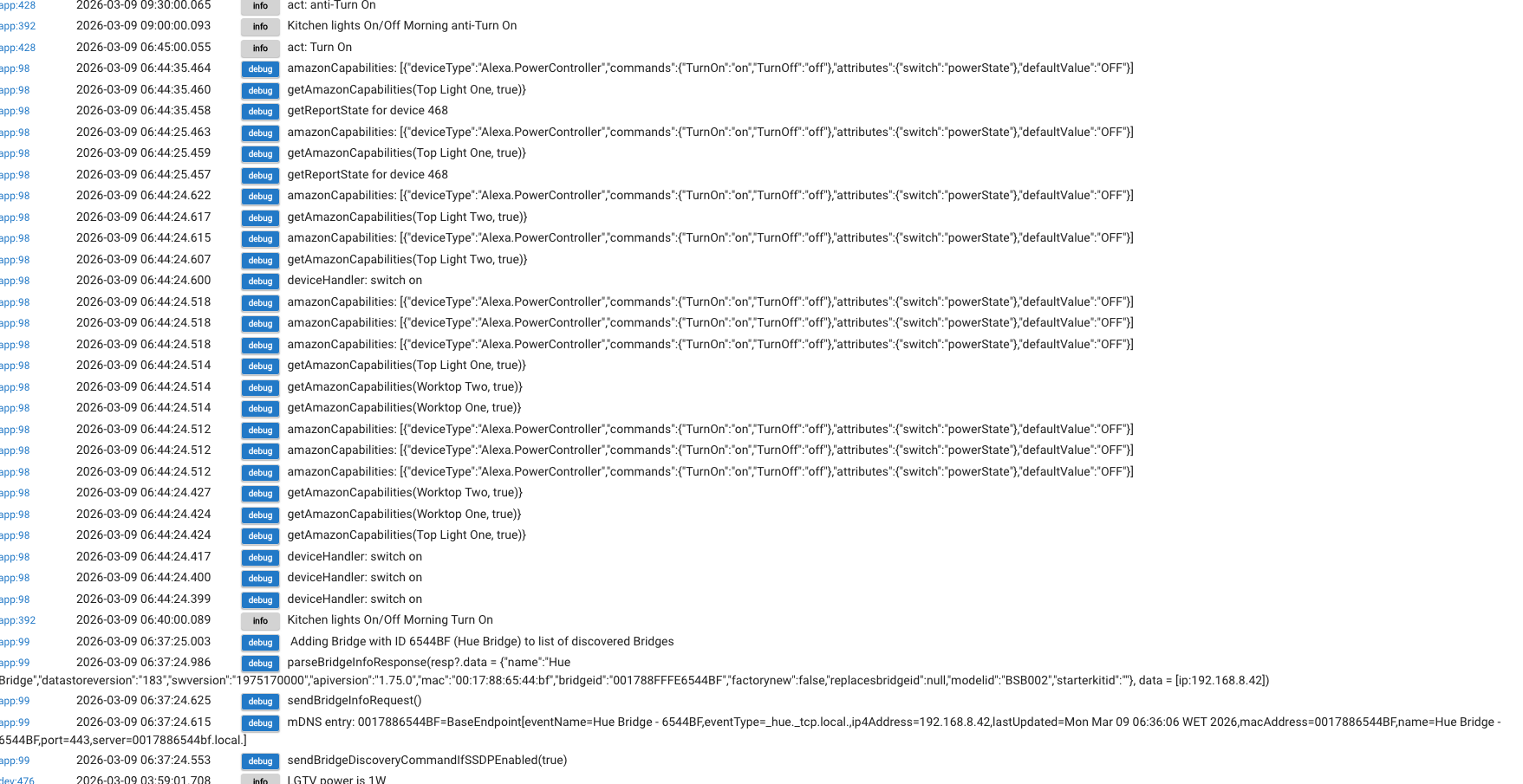
There is much that I don't understand here but this is a screen shot from Logs around the period when kitchen lights etc were due to switch on. Is this what you were asking for?
Well it worked for one day and then, this morning nothing switched on and I have had to reboot. The logs show an assortment of "debug" entries, non associated with Hue and mostly associated with Amazon.
Could someone please give me an idea where I should start to rebuild the system to get some consistency.
Thanks for responding Rick. You will have gathered that I am not very knowledgeable about trouble shooting on Hubitat because. it has been faultless for many years.
Is there some other data available on "app stats' in addition to the logs and if so where might I find it?
I can supply logs for all that I am using and I have pointed out the apparent problems with the Hue app, but that didn't feature in the unfiltered logs today. However, there were a huge number of "debugs" on Amazon Echo Skills
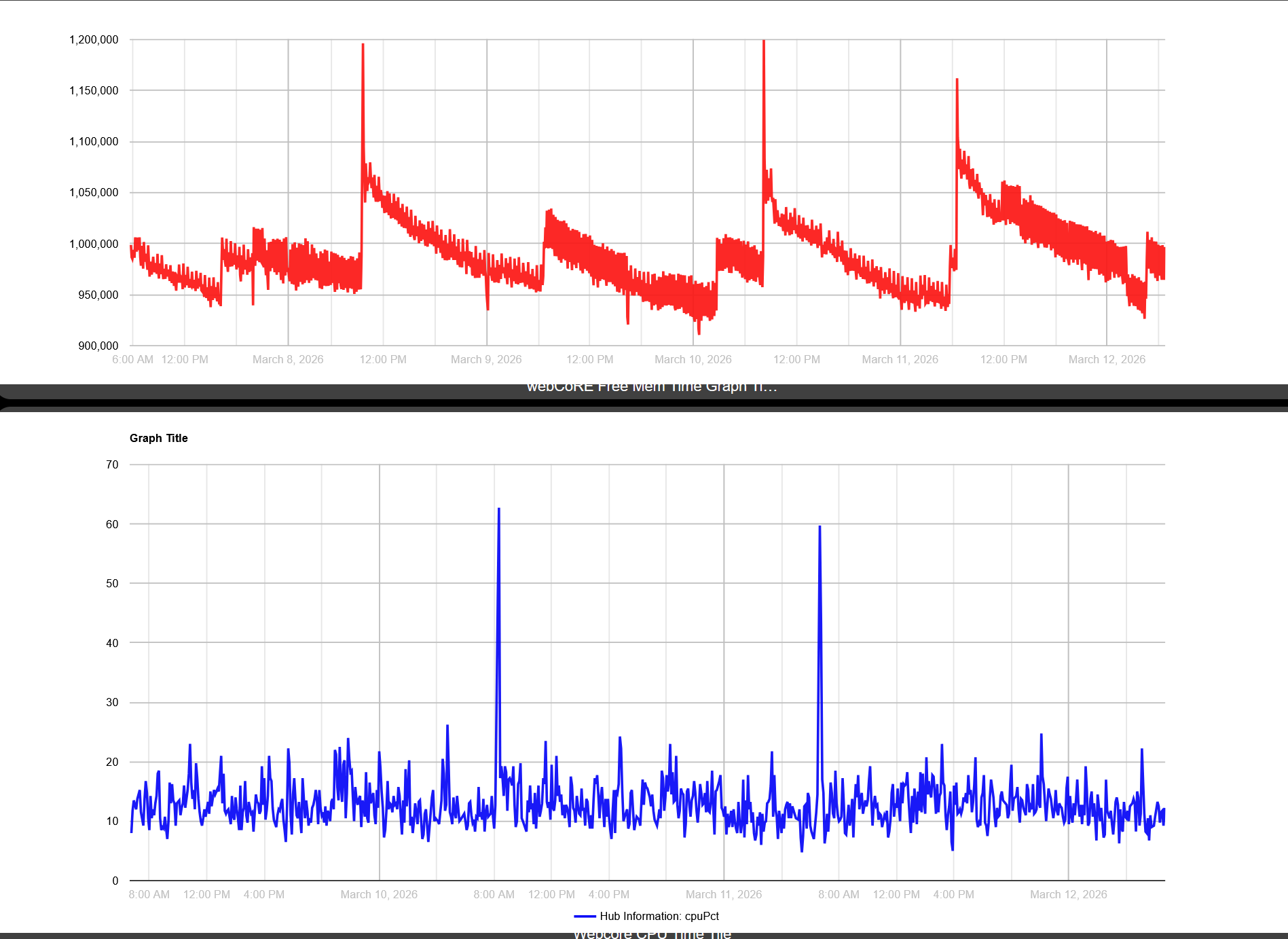
in addition to @Johnnyvaneddie 's comment. I would also install @thebearmay hub info app and Webcore graph and monitor memory dropoff. Also maybe set a rule that if memory drops below 100k then reboot
OK Thanks, I see it, but it appears that all that is currently available is since my reboot of the hub (4h 19m). Is there any way of getting this data from yesterday when the fault occurred?
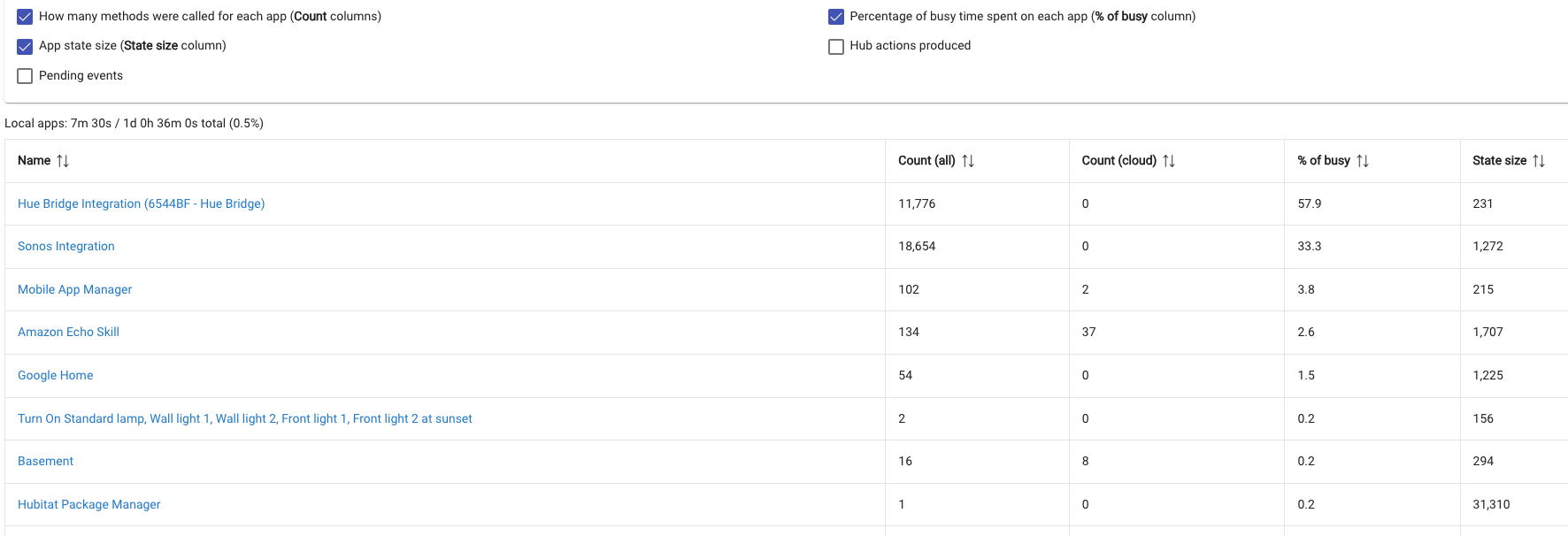
Hi Johnny, Same failure overnight and I can get App stats before I reboot. What are the most informative tick options that I should select?
Here is part screenshot as example and wonder if this helps:
I don't seem to be making much progress resolving this problem after many trouble free years, but in view of the huge activity on Hue and Sonos Integration, I wonder if one action would be to delete both of these applications.
Neither of them are particularly important to me in Hubitat context and I would still be able to use their apps.
I would very much appreciate some advice.
I am sorry, but at age 89 I have neither the time or energy to try to understand a new app.
The graphs you provide are meaningless to me and I can't help that
I just want some advice from those who have more knowledge and experience than I have, on how I might resolve this recent problem which shuts down the hub overnight and is only overcome by my rebooting it.
I will do everything I can to supply information which might help to determine what the problem is.
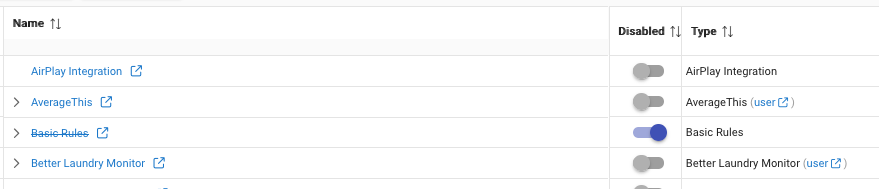
If you don't have that column, click the gear in the upper right and turn that column on. Then disable app 99 and see if that helps with the need to reboot. Obviously if that is disabled, whatever it represents in your system won't function. If it's Hue, then those livingroom lights are disabled.
I'm trying to guide you through diagnostics. The graphs I'm presenting are for memory drop offs to see if that is what is happening. No one can magically tell you what's wrong without information which I'm trying to get from you. If you aren't willing to do things on a hub we have no access to, to give us info that would help us help you...well... We can't go much farther.