I have attempted a migration from C-7 to C-8 PRO and I have refresh errors.
I have looked thru both my echo speaks and Heroku but not understanding what needs to be fixed/updated.
When I first installed my Hubitat hub I had someone video chat and they quickly walked me thru the full set up which was 5 years ago.
I don't want to damage anything but I need some help to update since I changed the hub.
Did you follow instructions and pause all of your cloud apps (like Echo Speaks) before migration? I don't remember having that issue when I last migrated, but it has been a bit.
Do you still see the the local server in the Echo Speaks settings?
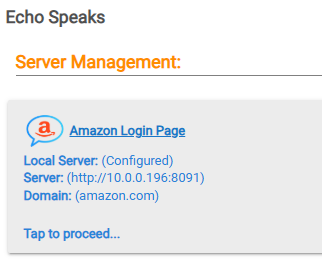
And when you click into that, do you see the App Callback Uri?
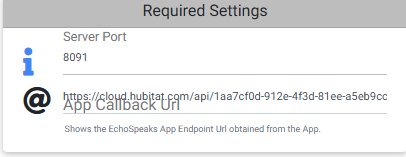
1 Like
OK I went back to my old hub and did as the directions said, exactly, then brought up my c-8 pro and did a migration. I have ket it sit for an hour to be sure things have settled. I tried a manual cookie refresh and get a 408 failed. As I said in my first note I am not real familiar with any settings and this was done several years ago using a video chat with someone. I am sending a pic of my screen, maybe you or someone can help with this.
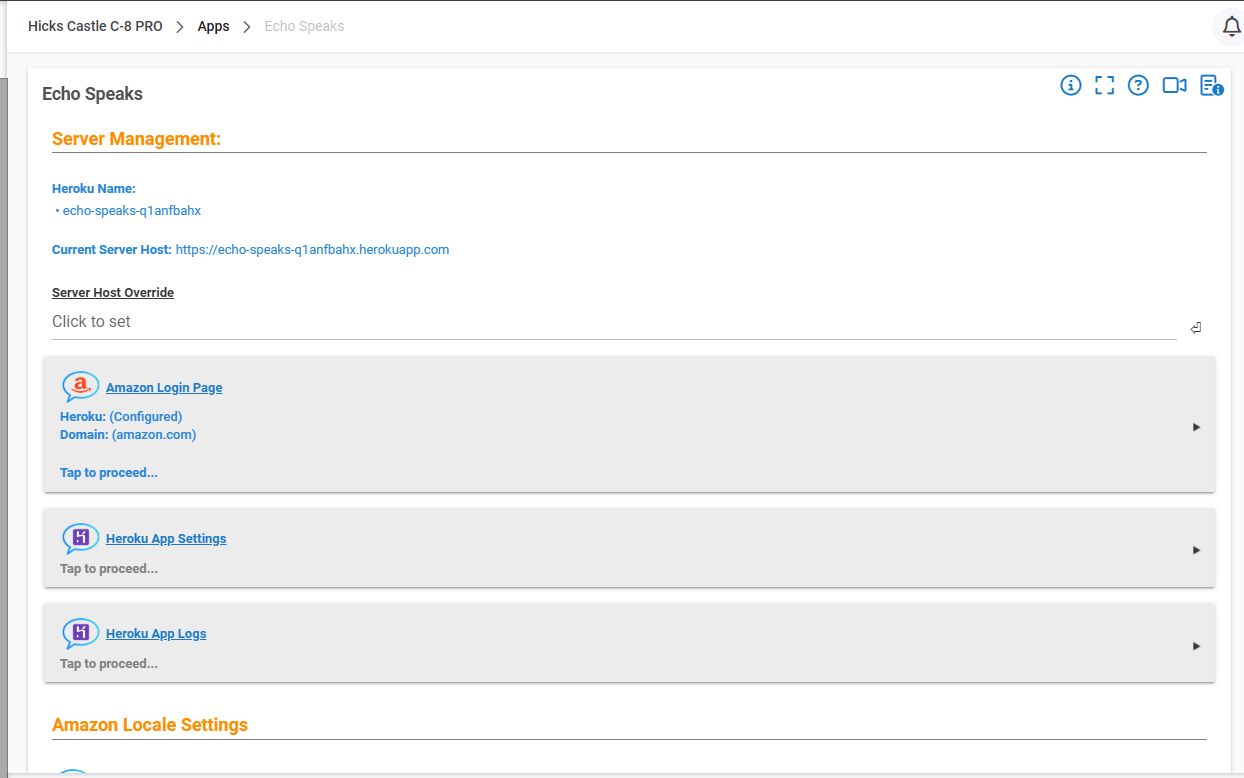
You do you, but I cannot recommend messing about with Heroku when this guide to running your own Echo Speaks server works so well. Never have had another issue after following the Linux guide (Doesn't actually need to be Linux). I installed mine on a Mac Mini I keep for HomeBridge and some other server apps. Was very straight forward and now worry free.
1 Like
Sorry, never herd of or know anything about Docker.
1 Like
Appologies not necessary. Both methods (Docker and Linux via Node.js) will take careful reading and following the steps if you're not familiar, but very doable. If a monkey brain like mine can handle it, I'm sure you can too. Reach out on that thread for help (if you can't already find your answer in that thread) if needed.
1 Like
I used the Node.js method, I bought up the terminal with ssh on my Windows machine, and literally just copy pasted in the commands in order. It all takes like five minutes.
I used an old PI3 I just had laying around.
1 Like
Yep. Installing Node.js from the terminal on Linux and Mac it pretty simple and very useful. I already had it running for Homebridge and my Insteon server app, so it was very straight forward from there to get the Echo Speaks server installed.
Do you recall who?
FYI Heroku is no longer free. If you do ant to go that route just be aware you will likely have to pay a monthly fee. That being said, Heroku made some changes to their platform which requires slightly more complicated instructions, I have a write up here: Echo Speaks - Heroku new deployment workarounds
Otherwise the other guide linked to above in a different post is for the free self-hosted option.
Echo Speaks has been sort of a mess the last couple of years, Amazon keeps changing things and breaking features but the core stuff still works.
1 Like
I had help setting this up several years ago and the person did a video chat with me and walked me thru setting up the echo speaks and he used the Heroku linkage. At that time it was free. I am open to changing but I know nothing about doing this (would actually be nice to get rid of another bill with Heroku). Is there a recommended system or linkage to use with echo speaks? If so could you point me in the direction to see if I can set up.
I do not remember. All I do know was he was older, might have been retired or partially and he did bike rides, as he spoke of hobbies.
You can use pretty much any PC with any OS to set it up. Linux or MacOS is the easiest.
Ideally it would be an always-on or usually on PC so the cookie can refresh whenever it needs to. If you have an old laptop or something you could even set it up on that and just tuck it away somewhere plugged in.
Instructions are here: [GUIDE] Echo Speaks Server on Docker (or without)
Warning. I am not an expert.
Docker is a system for creating a software "compartment" on one computer so it can function as a separate computer inside a computer. I set up my own Echo Speaks token server on a Raspberry Pi but skipped the Docker part and just use the Pi for that purpose alone.
Most normal people do not have a Raspberry Pi lying around - but I did. You can now buy a Raspberry Pi model 3b with power supply and case for about $100. This is less than paying for Heroku for six months or so. You do not need a Pi 4 or Pi 5. The 3b is fine.
Getting your own Pi to do what Heroku does is fairly simple but rarely works on the first try. There are very good threads already here on how to resolve any snags. Plus, lots of help here on the Forum. I don't know about on the phone, though.
I suggest that you give it a try - learn a few new things and save some money over the next few months.
Worst case - you will join the club of people who have a Raspberry Pi lying around.

