Getting some physical separation from other electronics might help with both 900MHz and 2.4GHz performance. Just a LAN cord and an extra 5'-10' could make a world of difference. Near field emissions of a PC (spurious emissions all over the band) or other electronics, could be knocking out some of the sensitivity of Hubitat's receiver making it "hard of hearing". FCC Part 15 type B compliance (mandatory spec for consumer electronics) is much higher than the noise floor of these receivers. So being Part 15 compliant doesn't mean it won't desensitize an adjacent receiver. The good news is signal strength falls off as 1/d^2 so a little bit of "d" can help a lot.
In any event if in doubt do a temporary setup with a longer ethernet cord. If performance improves then you can look for a permanent location, if no difference then just put if back where it was.
So I’ve reset my radio, but my Z wave details screen still has all of my nodes. No devices, but all of the nodes are still there. Including ghost nodes that I had. I’m not sure resetting my radio has gotten me any closer to removing my ghost nodes. I’ve tried using the remove button on the Z wave details screen to remove them. No luck.
On the upside, exclusion is now working and I’ve managed to exclude about a half dozen devices. But I have yet to successfully include anything.
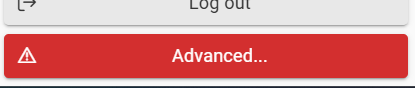
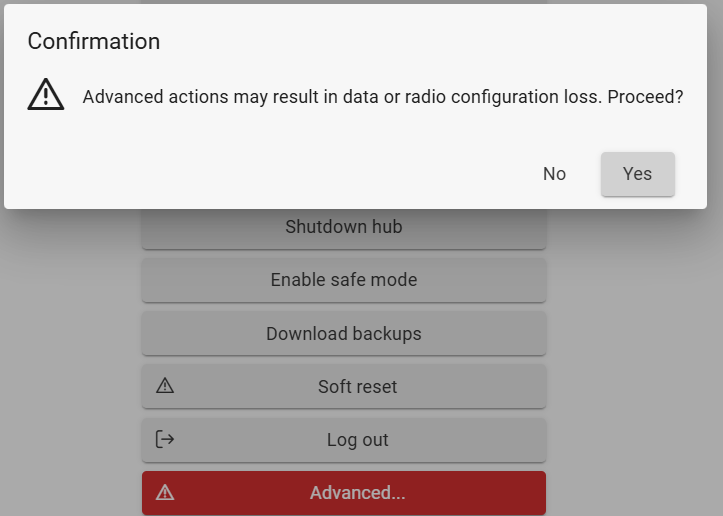
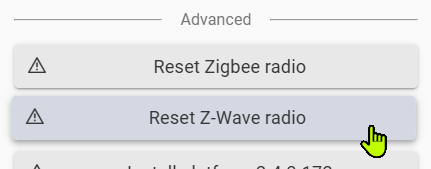
What exact process did you use to reset your radio. Did you go to the Diagnostic tool and use the Reset Z-Wave Radio option in the Advanced section at the bottom of the tool:
Try doing a shut down and unplug for 30 seconds. Maybe when you boot back it will show as clear. If not then could try again. If still not it could be yet another bug with Zwave JS if that has any effect on the radio reset.
Reset the Z-wave radio again via the diagnostics tool
Multiple reboots
My Z-wave details screen still shows all the nodes just without associated devices. I have noticed that as I go around the house and Exclude devices, that those nodes do drop off that screen. But as I mentioned Tuesday evening, this path won't lead to me getting rid of my ghost nodes.
If you think this is a bug in ZWaveJS...
If still not it could be yet another bug with Zwave JS if that has any effect on the radio reset.
Would it make sense to switch back to do the following?
Switch to legacy Zwave
Reset my Zwave Radio
Reboot and make sure that my Zwave Details screen is actually clear
I'd switch back to Z-WaveJS before adding devices. I think you're doing that from your other post above, just wanted to confirm since you didn't mention it.
I think the zwave radio on my hub is screwed. I still cannot include devices. I've tried under zwavejs, legacy, smart start, multiple devices.... nothing.
Does not make any sense that the devices were working, and exclusion works but you cannot include.
How is hub being powered? Try a different dedicated 2A or greater power block, USB-A output. If you are using PoE, it has been known to cause Zwave issues (there is a whole thread about it).
Also you could try swapping the antennas just in case there is something wrong with the zwave one, also gives you a chance to be sure they are both on snugly.
I'm not using PoE. I was using the provided power brick and cable. Swapping that out for the highest quality USB adapter and cable that I have was something I tried about a week ago. It didn't make a difference. I can try swapping them back.
The stock antennas are on snuggly. I checked that within the past week. I'll try swapping them tonight.
That being said, one of the devices that I couldn't get to pair last night was a zooz 800LR power plug at a range of about 4ft. Honestly, I'd expect that to work with no antenna at all. I tried that and multiple Inovelli switches. I made sure to exclude first. Some of them didn't want to exclude. Nothing will successfully include.
Another thing you could try is to take a hub backup and download it for safe keeping. Then do a soft reset and do not load the backup. Try including from a clean hub to test if it works.
You could also try on top of that switch back to ZIP, reset the radio again, and try including from ZIP.
If you can get any of that to work then you could try resetting the hub and radio again, and load your saved local back (hub DB only), and then try again. If ZIP is how it worked before make sure to switch back to Legacy/ZIP.
Also if you have a Hub Protect subscription, might want to just make a warranty claim now to get that rolling in case nothing can be figured out.