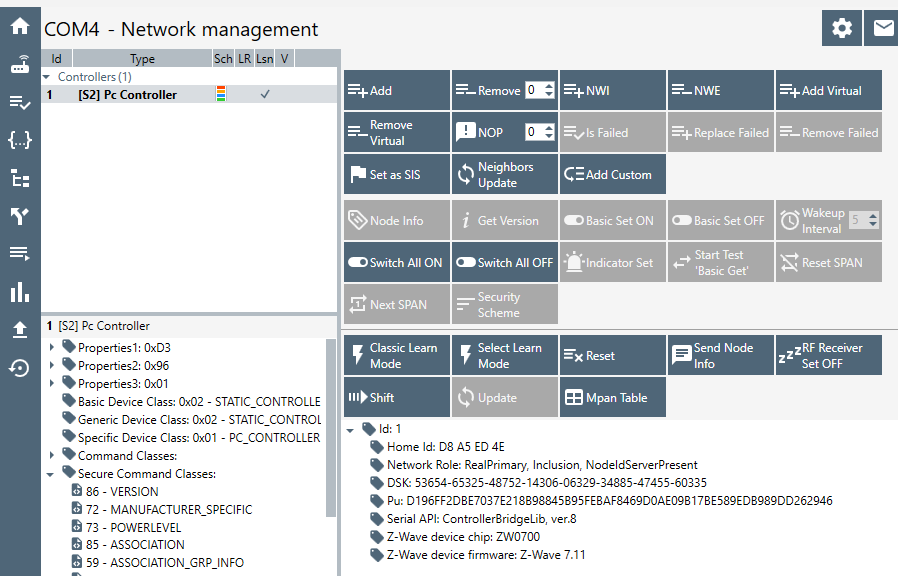
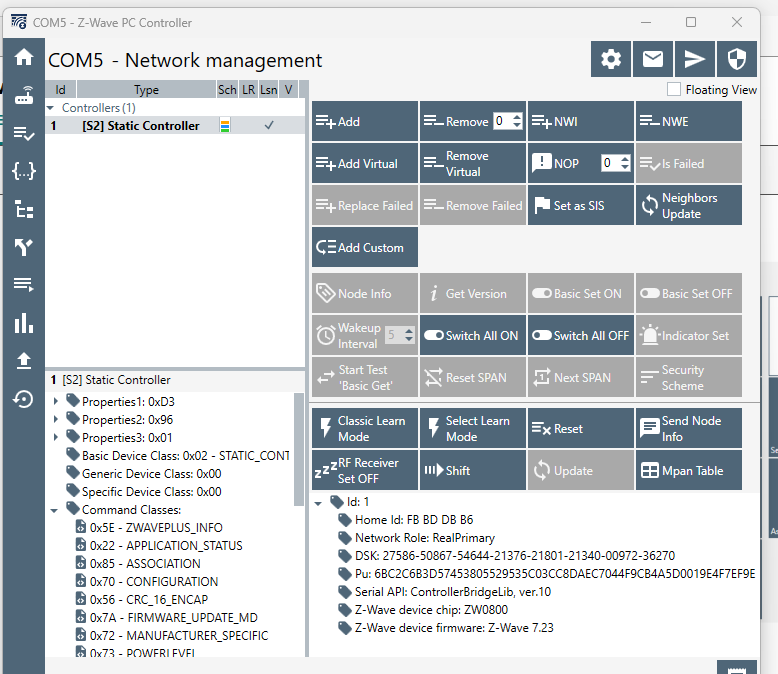
ok everyone, I've look everywhere and tried every idea I could find, but I'm at my whit's end. I'm on a C8-pro running the latest 2.4.4.133 firmware.
My z-wave network works well 75% of the time. (periodic long delays on actions) but I cannot add or remove any devices. Inclusion and exclusion both proceed as expected but never mention communicating to other devices. I've tried adding a Ring Contact V2 and a Zooz ZST39 LR 800 controller stick. I've been trying to get this sorted out for weeks.
I do have ghosts, but that's the reason I'm trying to use the zooz stick. I can't get rid of them from HE.
I like to be able to
get rid of my ghosts
Include and exclude devices as needed.
Here's what I've tried so far:
Reboot with database rebuild (multiple times)
Shutdown and unplug for 1 min. (multiple times)
Z-wave exclude first (multiple times)
Z-Wave include from distance of 3 ft. (multiple times)
Getting rid of ghosts from HE Z-wave details screen. (multiple times)
The hub logs look fine. I've watched the z-wave logs as well, but I don't know how to make sense from that one.
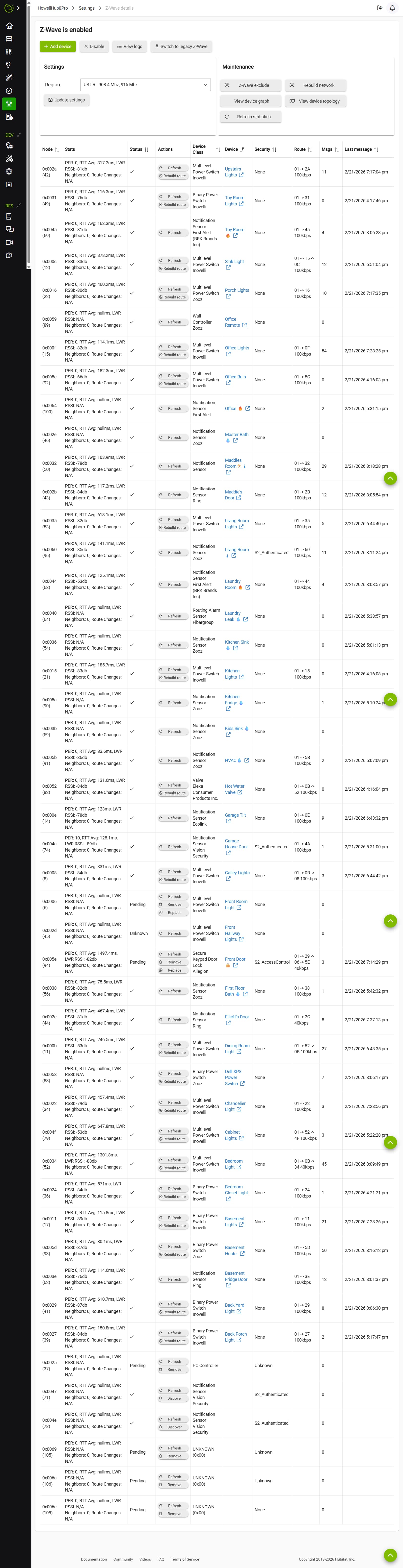
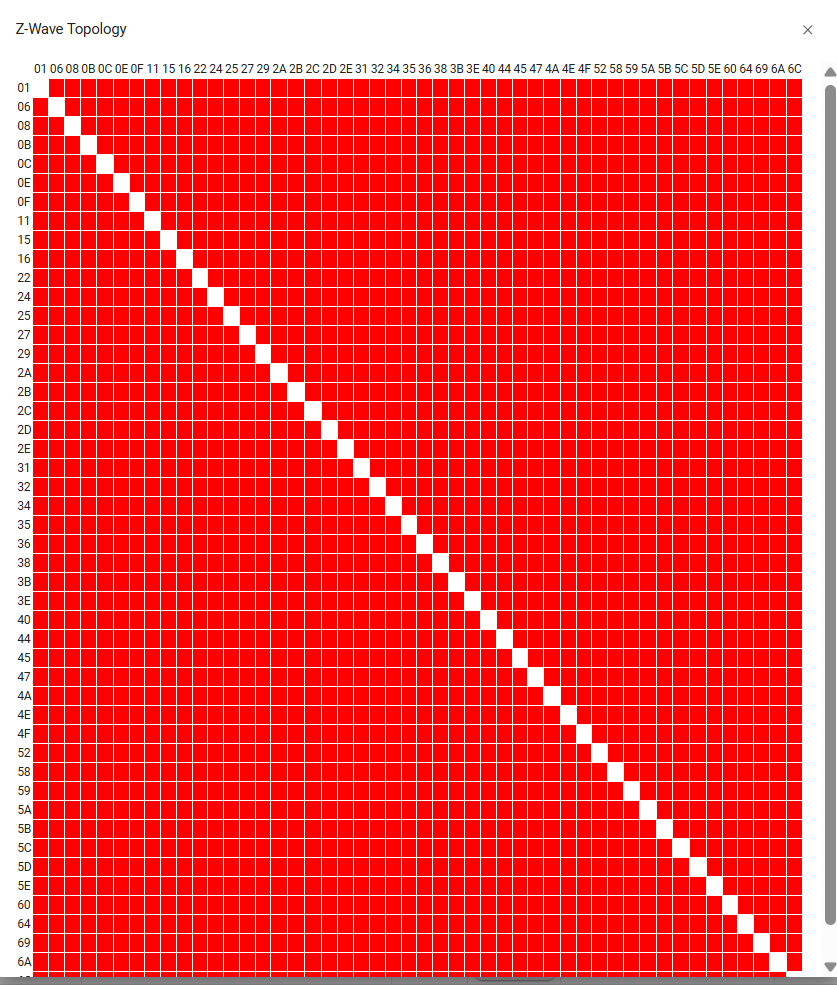
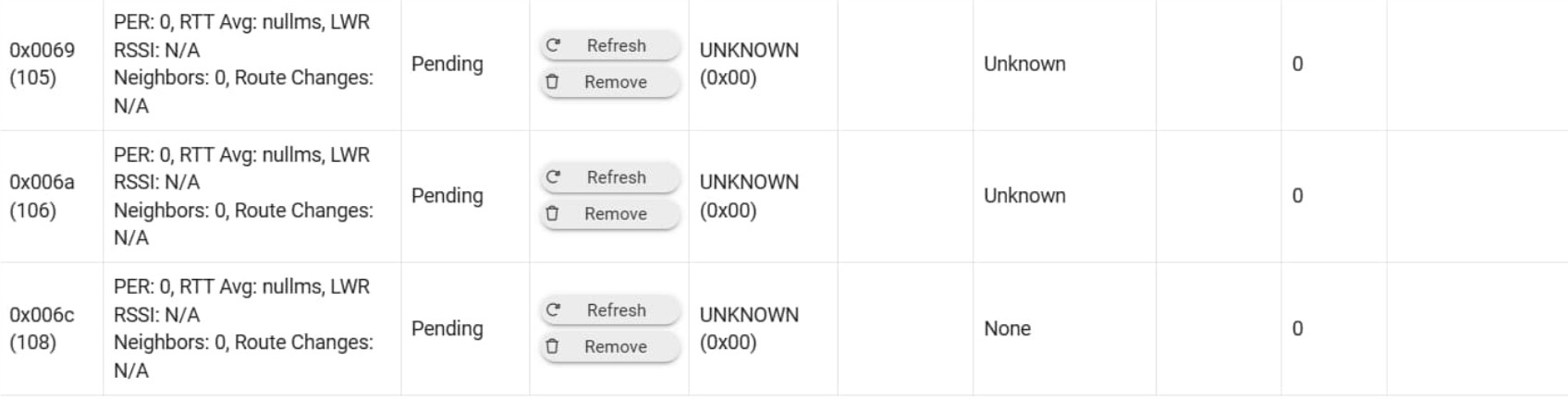
Here's my Z-wave info page. You'll see my ghosts at the bottom. Yes I'm using zwaveJS. I've clicked the "remove" button on those ghosts many times. Nothing has changed. Thanks for the help.
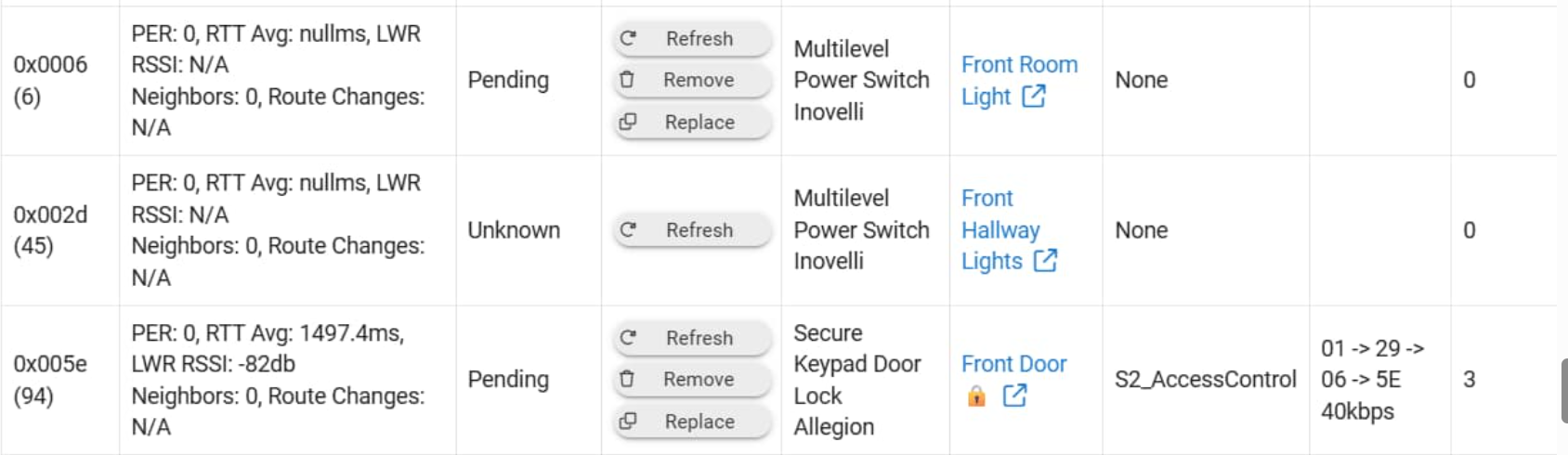
Are you saying that these three don't behave like ghosts - you can control these devices from their Device pages, and they function normally in automations, etc.? These appear to need action as well as the ones at the end of your table.
You have a Z-Wave controller added - not sure from what you said - have you tried using the PC Controller app w/the UZB stick to remove your ghosts? What happened when you tried? You followed the steps in the PDF download in this topic?
I would switch over to ZWave JS. It is much better to manage the ghosts. You can switch back to zip later.
Once you get rid of the ghosts make a backup before you resume adding. That way you have a safe harbor if things go sideways.
Add one device at a time and check it out b4 going on to next. Some say to reboot after an add and confirming it’s good. I don’t always do that but after a few I do.
Thanks guys, let me post a few answers.
As for the 3 devices that don't look good. I just tested them.
Front room light - switch needed power cycled. Functioning now.
Front Hallway Light - works just fine.
Front Door lock - this guy has been a problem child. I have his replacement sitting here. As soon as inclusion/exclusion works again, he's getting replaced. Not currently obeying z-wave commands.
You're doing things right...but obviously results aren't good.
It's now direct connecting, but since it isn't working I'd try a Remove on it just to clear out stuff that you're going to want to remove anyway, and maybe if it removed other removes might be opened up. You can do a Swap Device to put a virtual lock in its place in all automations so you won't have to re-do things when you add in your new lock later.
You could also try a Rebuild Network at the top of the Z-Wave Details page after you do the lock remove.
I see the Allegion name, so must be a Schlage lock. I have two of them but not a fan. I had lots of problems with them.
Looks like you paired it fine with S2 enabled.
The pending suggests the lock didn't wake up to get the last command. You could try turning the bolt open closed manually to see if that does it. Or press the button under the battery cover to wake it up.
I did find it paired better when I moved the hub in close proximity to the lock. Some say this isn't needed but it seemed to help with my (battery powered) lock. I used a 50' ethernet cord to move the hub within 6' of the lock. You could do a delete, factory reset of the lock, and then try pairing it again.
My two locks have settled down now that they are all setup and working. I don't change anything on them just to not open up pandora's box. I do have a rule that refreshes them every 12 hours just to keep an eye on battery life. I might change that to every other day as its been stable for a while. I found the lock doesn't report low battery warning as it should so I poll it this way.
Yup Schlage lock. Its actually getting replaced because the numeric keypad occasionally becomes unresponsive till I pull the battery on it. A keypad lock with a keypad that doesn't work 100% of the time doesn't get to stay in service.
The replacement is an identical lock. I'll probably implement your regular refresh rule to help keep an eye on the battery.
Another thing I found is you can't change the pin code length via the Hubitat driver. I use a 7 digit pin code (think phone numbers). I learned this from trial and error. So I had to set code length via the keypad and master code and then I could send 7 digit pin codes from hubitat to the lock. Simple fix but it took a while to zero in on it...
I also had some issues with what I'd call ghost pin codes, codes I deleted but were still taking up a code slot. Something to do with the name for the code but I never quite caught the exact signature. Once I got my set of codes sorted I just left it alone.. Could be a problem for a VRBO type user that wants to set and delete codes frequently. Maybe if I left the lock at 4 digit codes I wouldn't have had some of these problems but I lost interest in doing R&D for Schlage so stopped looking into it....
Hey guys, I need some recommendations. I'm at my wits end on this. My z-wave network mostly works, though it regularly experiences long delays on actions. Also Inclusion and Exclusion do not work. Ergo, I can't add a USB Z-Stick to my network to clean up ghosts.
BCopeland and I have been through my z-wave logs and aren't seeing anything obvious.
If remove doesn't work and I can't add a z-stick to aide in fixing my z-wave network, I'm out of options. I'm ready to take drastic actions.
I'm thinking I'll just take a day and re-set the zwave radio and then reset and re-pair all of my devices.
I've never done anything like this. Do you guys have any recommendations? Is there anything I should do to ease re-adding everything to my network in such a way that I don't have to rebuild all my automations?