Hi.
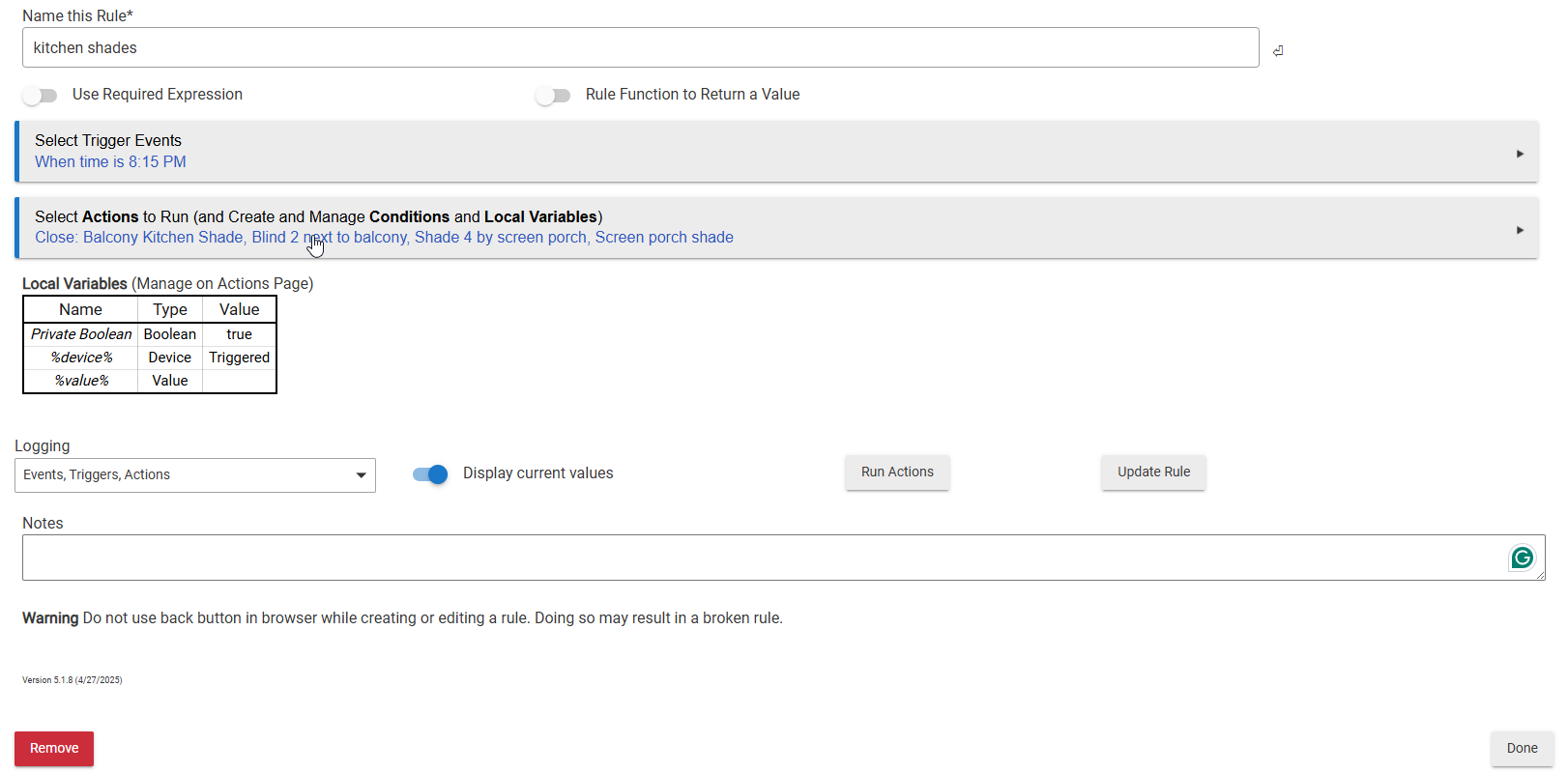
I'm very new to this. Can someone tell me why my shades didnt go down tonight at 8:15? Here is a screenshot of what I have. I followed a YouTube video. I'm not sure what I did wrong. Thank you in advance.
Do they go down when you select "Run Actions?"
You have logging enabled for the rule - what do those logs look like?
2 Likes
No, they do not. I just tested it.
I don't understand what you are asking. Can you explain, please?
Go to Logs in the left nav, then Past Logs, then select that rule by its name. The logs will then show the Trigger, Event, and Action activity from that rule. That info should help determine what happened.
The Hubitat Documentation site has a ton of great info about how things work - here is a link to its section on Logs.
https://docs2.hubitat.com/en/user-interface/advanced-features/logs
1 Like
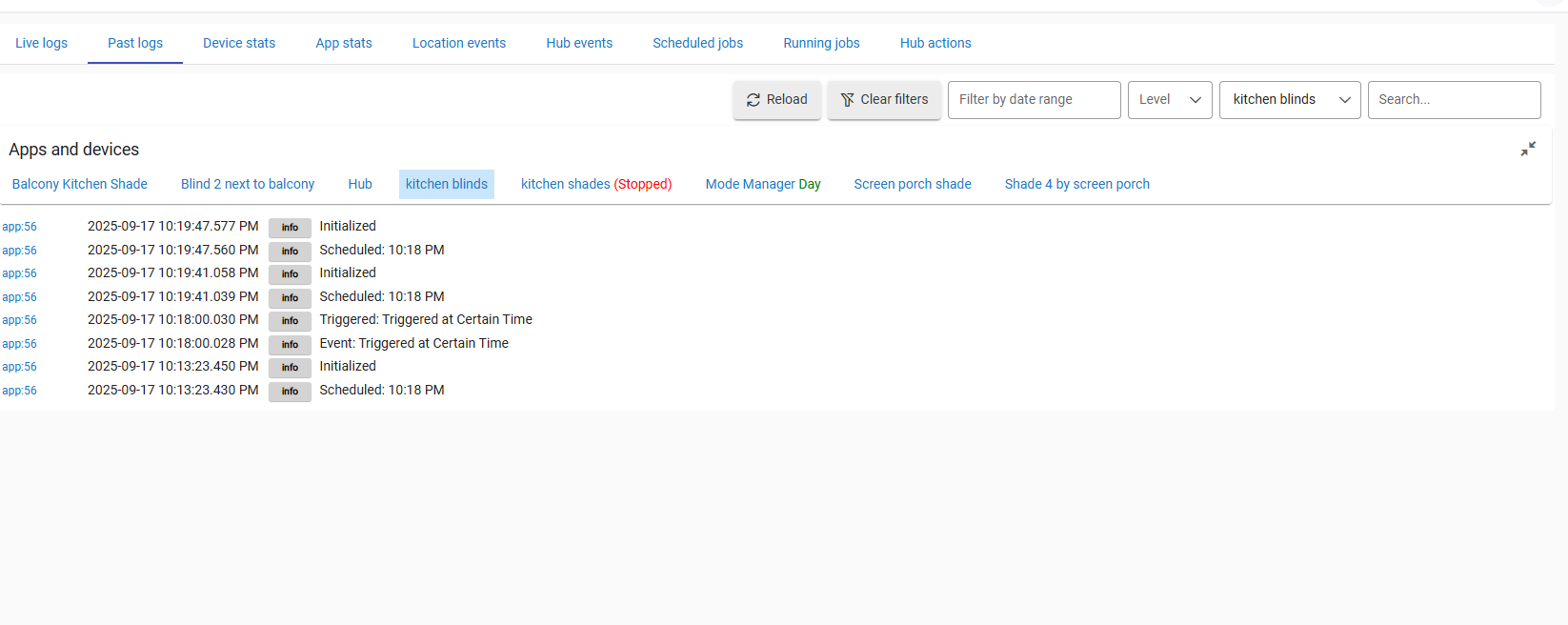
According to your OP, your rule is named "kitchen shades", not "kitchen blinds".
That rule indicates that it may be Stopped -- when did you Stop it?
2 Likes
Should I just delete everything and start again? I'm confused and having a hard time trying to figure this out.
I realize you're frustrated (understandable), but to in order help gather additional information and narrow troubleshooting, folks here are going to ask questions.
When you don't answer those questions, people become less motivated to help you.
When did you hit the "Stop" button on the "kitchen shades" rule's build page -- did you Stop that rule before 8:15 last night?
If not, then what do the logs show for the "kitchen shades" rule around 8:15 last night when it was supposed to run?
If the rule was in a Stopped status at 8:15, that would explain why it didn't run.
1 Like
Take another look at the screenshot from your original post, which I have annotated here.
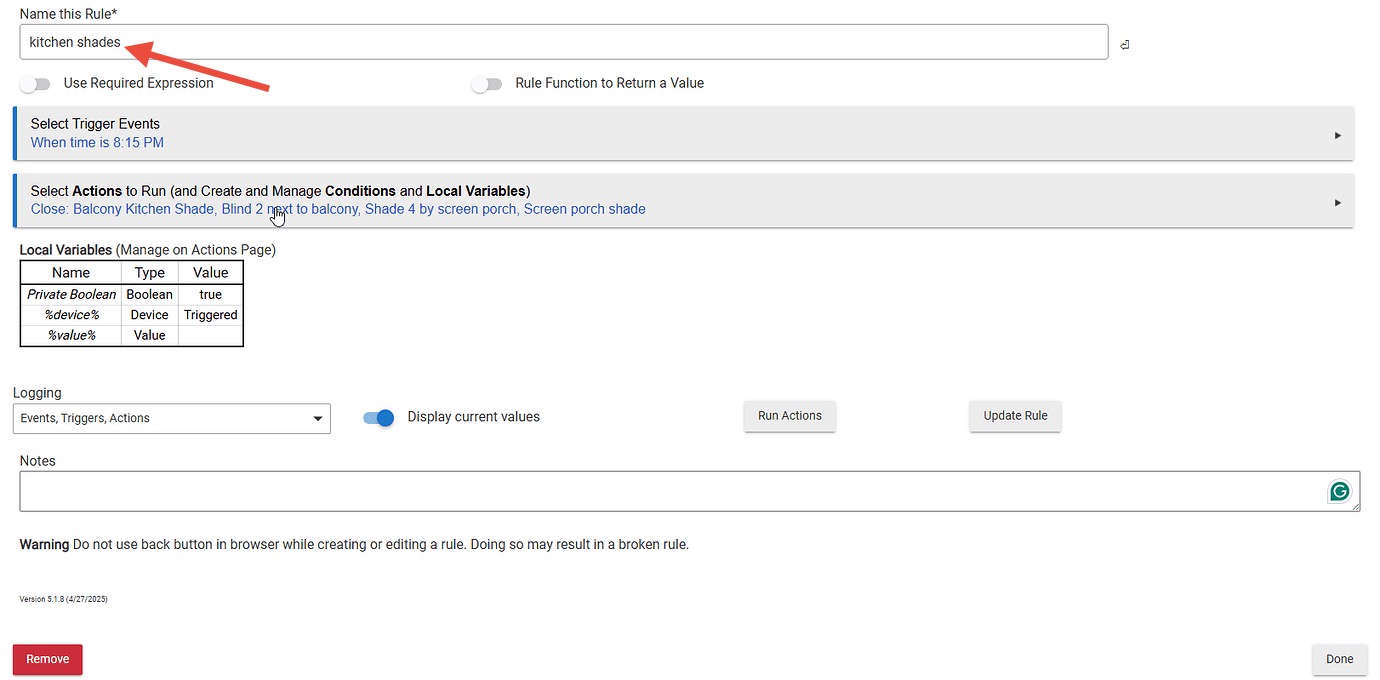
The name of the rule is “kitchen shades.”
Now look again at the screenshot of the log entries, also annotated here.
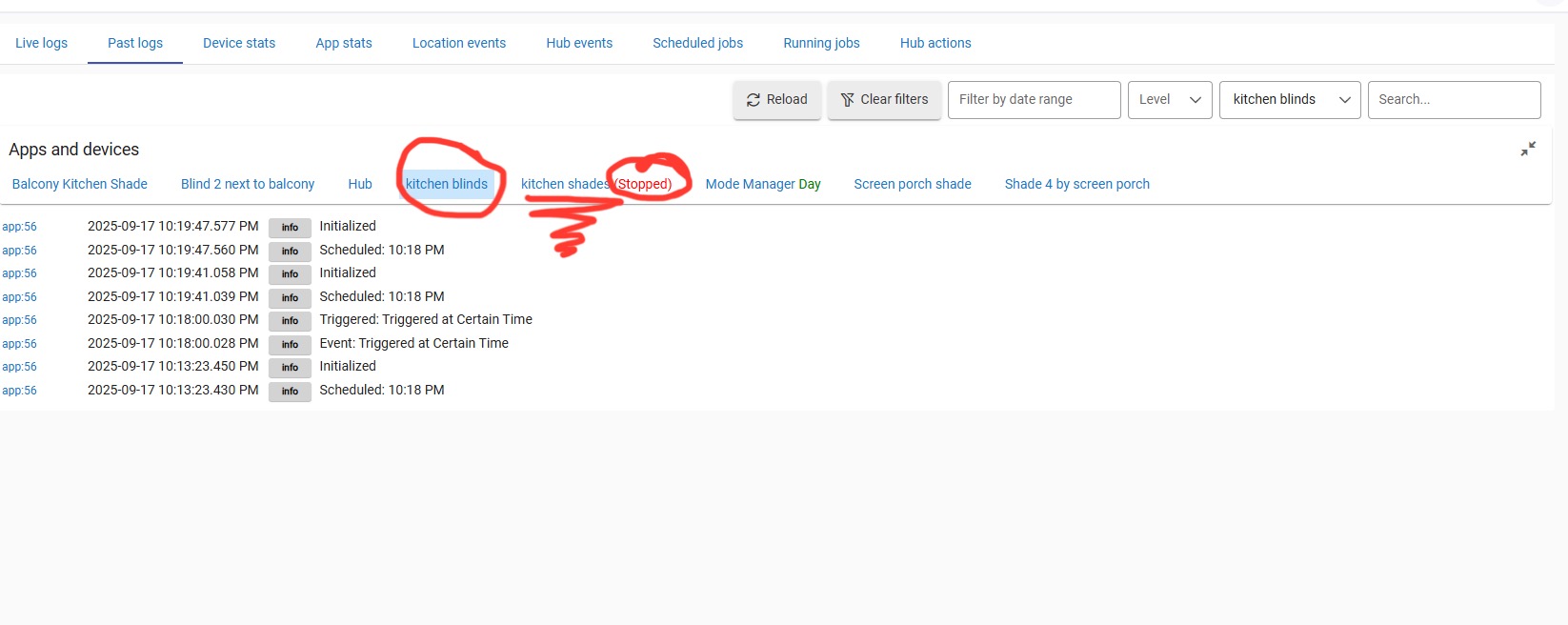
The log entries have been filtered to show the rule named “kitchen blinds.” That’s different than the name of the rule in your original post.
The screenshot also shows that you do appear to have a rule named “kitchen shades” that is in a STOPPED state, which means it’s been deactivated. We can’t see the actual log entries for “kitchen shades” in the screenshot, though.
This is what Chris was referring to in his last two posts.
3 Likes
Can I ask why you decided to use rule machine to create this automation?
Rule Machine allows for very complex logic to be built into an automation, but it has a very steep learning curve to use.
If all you are trying to do is close some shades at a certain time, Hubitat has much more user friendly automation apps that can do that.
Basic Rules and Visual Rules Builder are two examples. You could use those instead of floundering with rule machine as a newbie.
2 Likes
Yeah, totes agree about the simpler app stuff, but that rule is pretty darn straight-forward as it stands...
Since the rule was so basic, my initial inclination was to suspect issues at the device level (do all the shades run OK if you run 'em from their individual device pages? etc etc), but since they had logging enabled, I figured looking at the rule's log would be a good start.
If no issues there and this whole "Stopped" wrinkle turns out to be a non-player timing-wise, then we're off next to the "So, about those shades..." phase of things 
3 Likes
Hi,
Feel free to ask me as many questions as you need to. I don't mind at all. I don't remember what time it was when I stopped it. That is why I asked should I just delete everything and start over. If I start over, I will take notes and record my screen so I can remember everything I did.
Hello.
This YouTube video recommended that I use Rule Machine: https://www.youtube.com/watch?v=mnogySUfIiY
All I want to do is open my shades every morning at 7:30 am and close them every night at 8:15 pm.
You were so right!! I just tried the Visual Rule Builder app, and it took me only 5 mins to setup my rules. It was very simple and easy! Thank you! But the problem is, when I tested it, it did not close the shades all the way. It only closed it a little, then it stopped. The shades are still 95% in the up position. Would you happen to know how to fix this issue?
Sorry for the delay in replying. I'm just now seeing this message. I have deleted the Rule Machine app. Now I'm using the Visual Rules Builder. It was easy to set up. But the shades are not closing all the way. They only closed a little, and then they stopped. Can you recommend my next steps to get the shades to close completely?
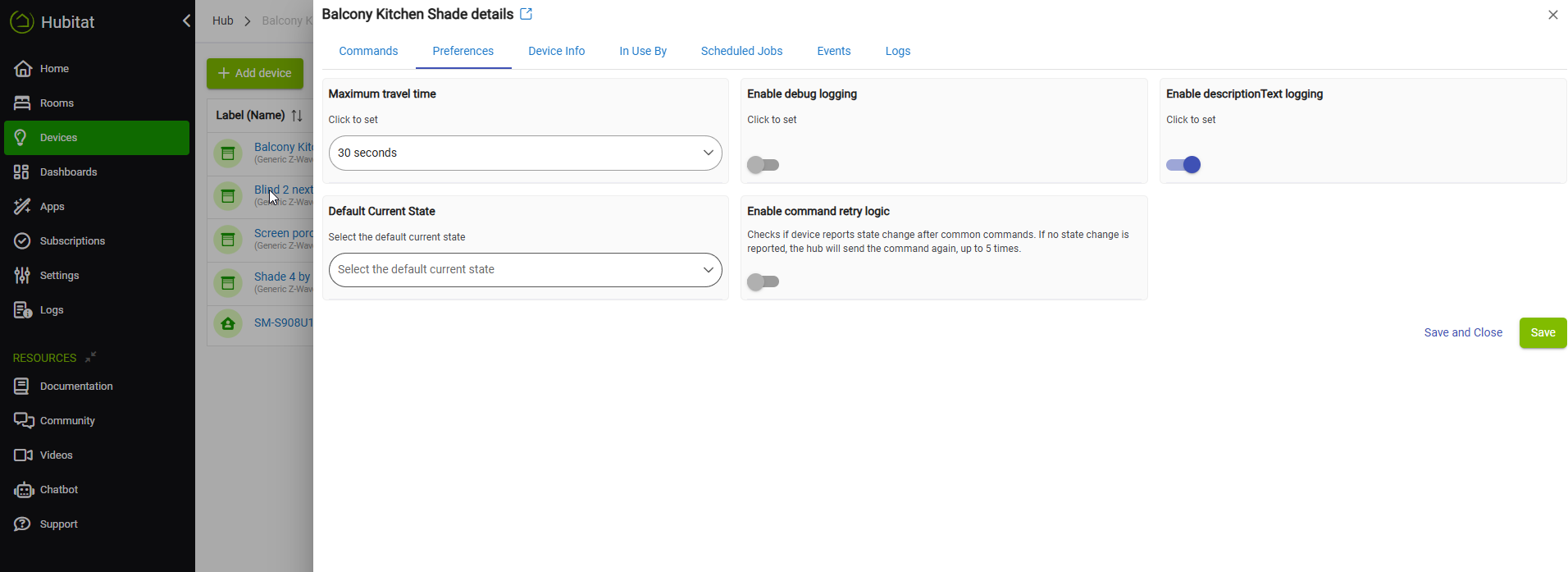
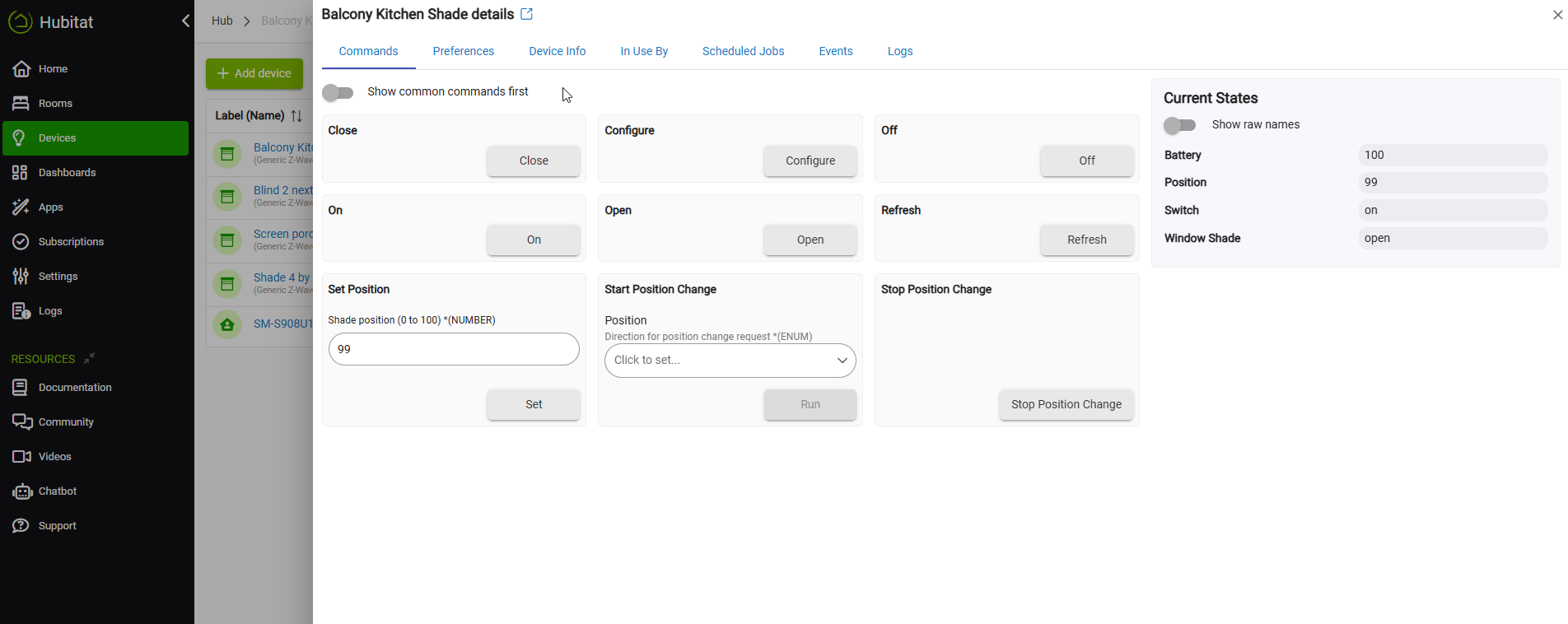
Are all of the shades you have all the same brand/model? If yes, then pick one from your Devices page listing and post screenshots that show all of the information shown in each of these 3 tabs...
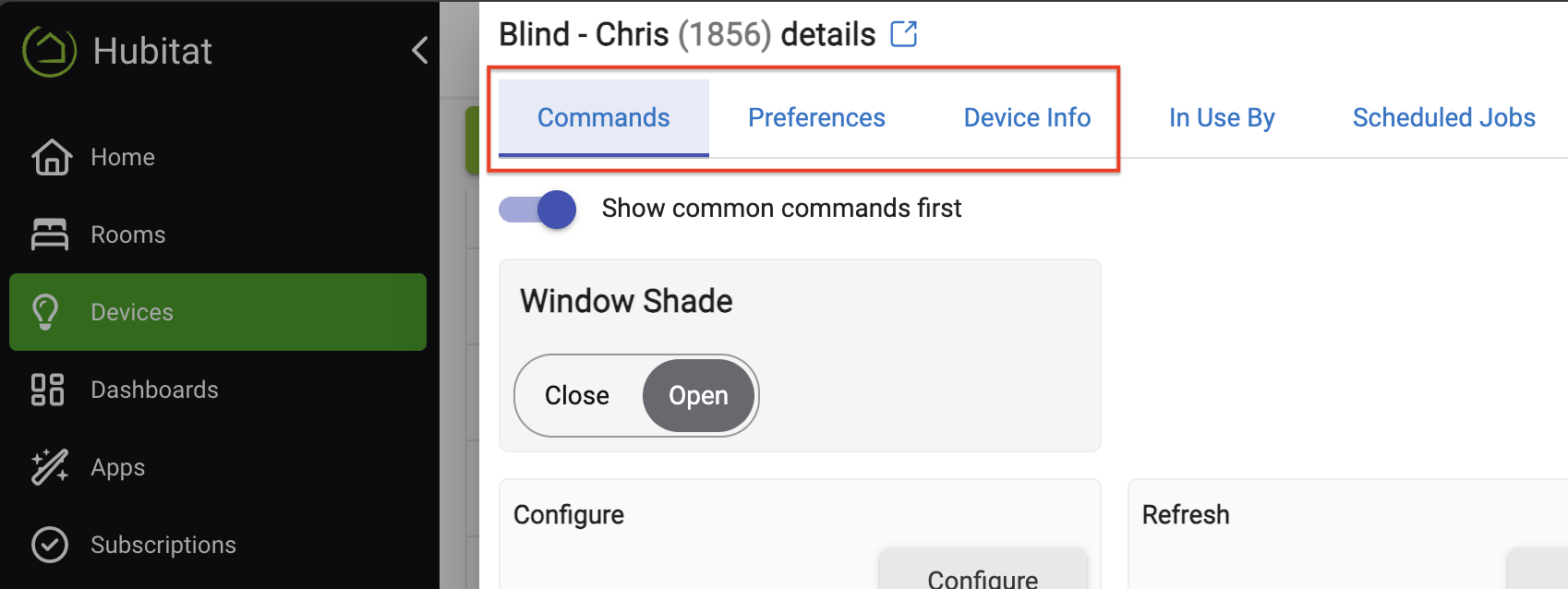
It will be helpful to know what shades you have, what driver they are using, how you have any avilable preferences set, and what commands are available on the Commands tab page -- those screenshots will show all of that.
1 Like
I do not see where you have told us brand of shade and the driver you are using.
Have you tried "set position" as opposed to open/close?
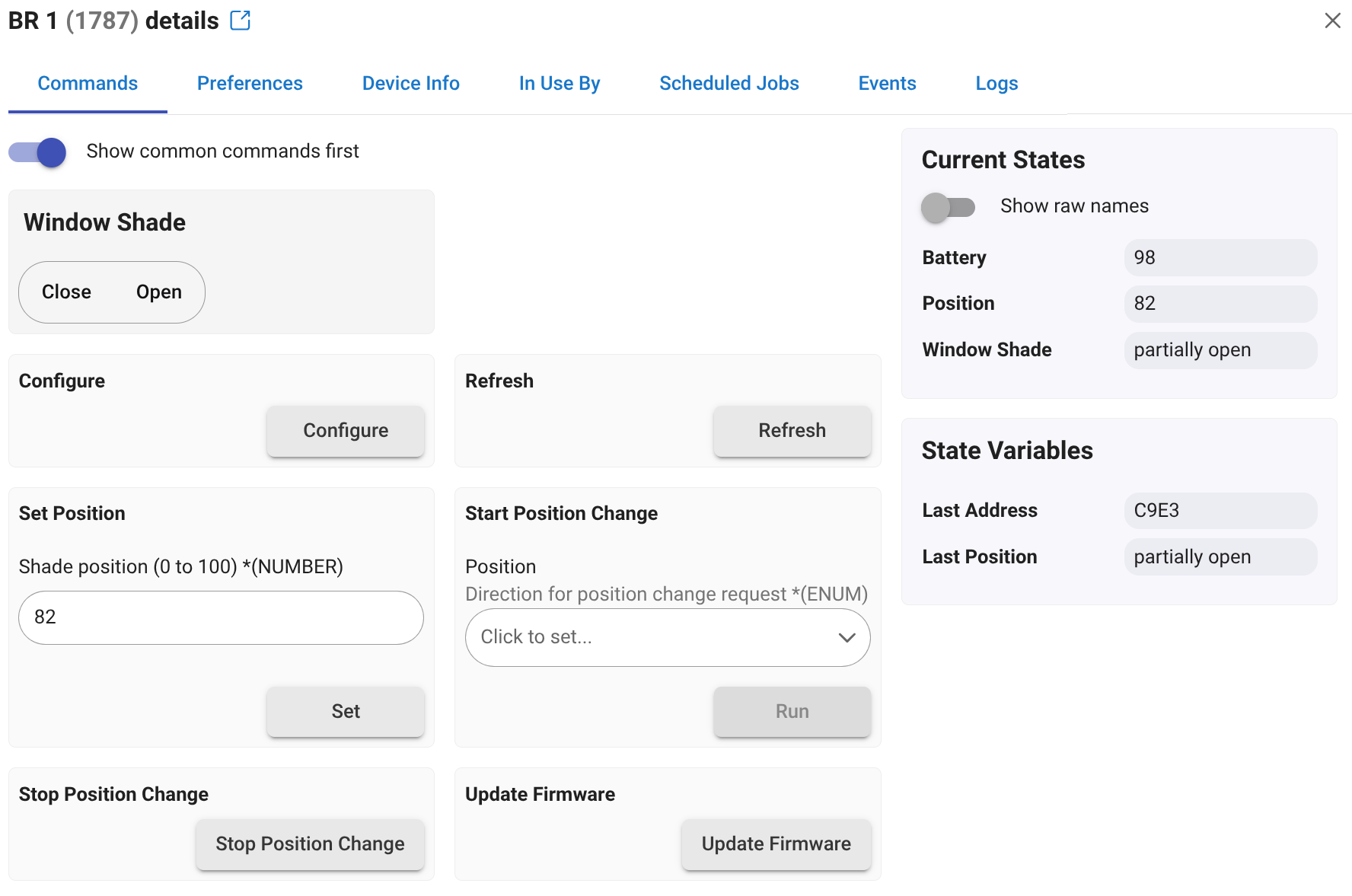
I would start by trying to control a single shade from its device Commands page. Can you open/close, set position? If yes then getting rules to work is doable. If no, then that has to be fixed first.
1 Like
I dont know why I didnt get a notification of your reply. Sorry for the delay in replying. Yes, all of my shades are the same brand, Bali Layer Shades with Z-Wave. Purchased in 2018 from Blinds.com. My Hubitat is C-8 Pro.
The apps I'm testing are Rule Machine and Visual Rules Builder. As far as drivers, I don't know anything about drivers or how to download them. How do I install a driver?
Here are 2 screenshots: