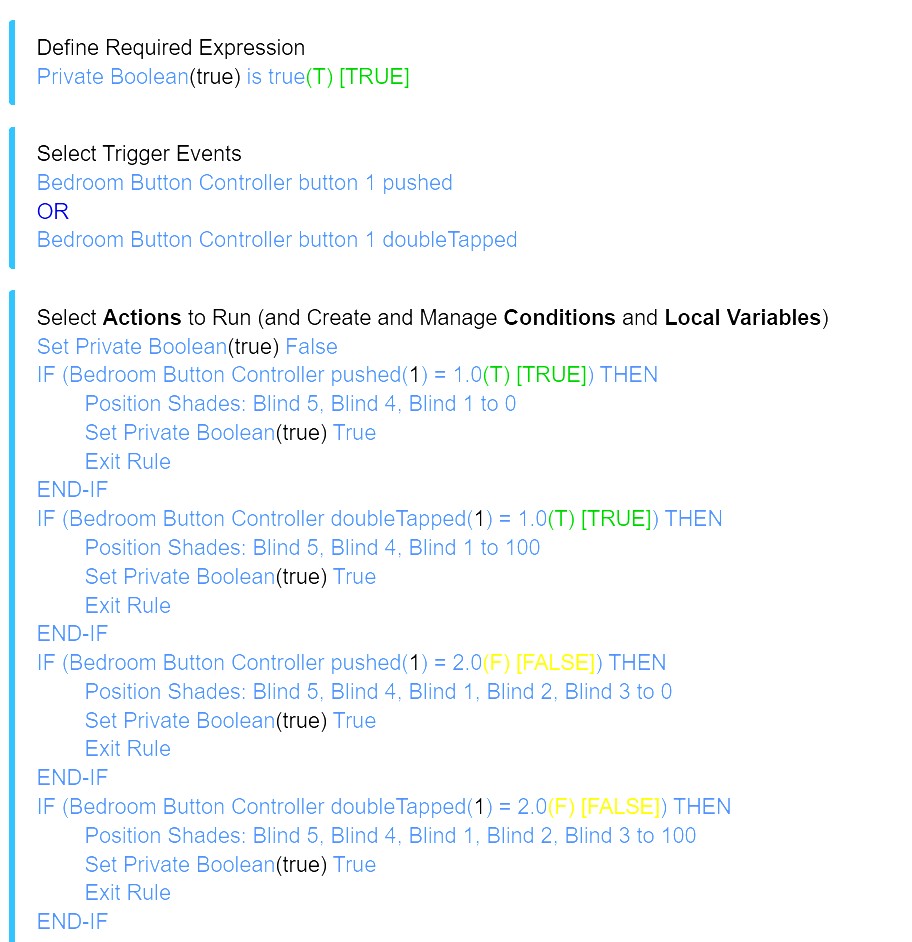
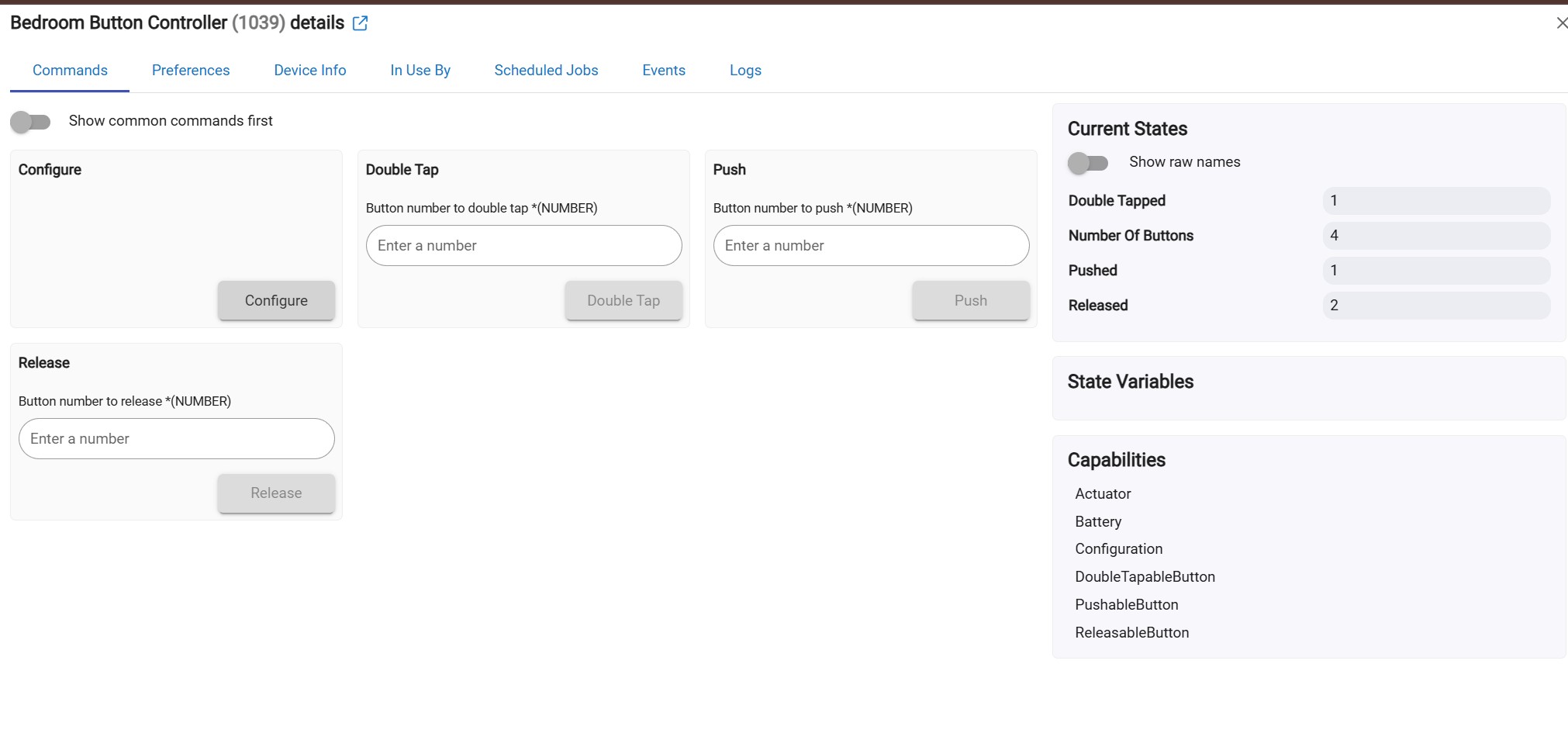
My rules are failing because it looks like the driver for this holds TWO states to be true? Is there a way to clear them? The only option that looks like it would even possibly do this is “configure.” …and it doesn’t?
I JUST started this process…but it just seems really odd ANY controller would do this.
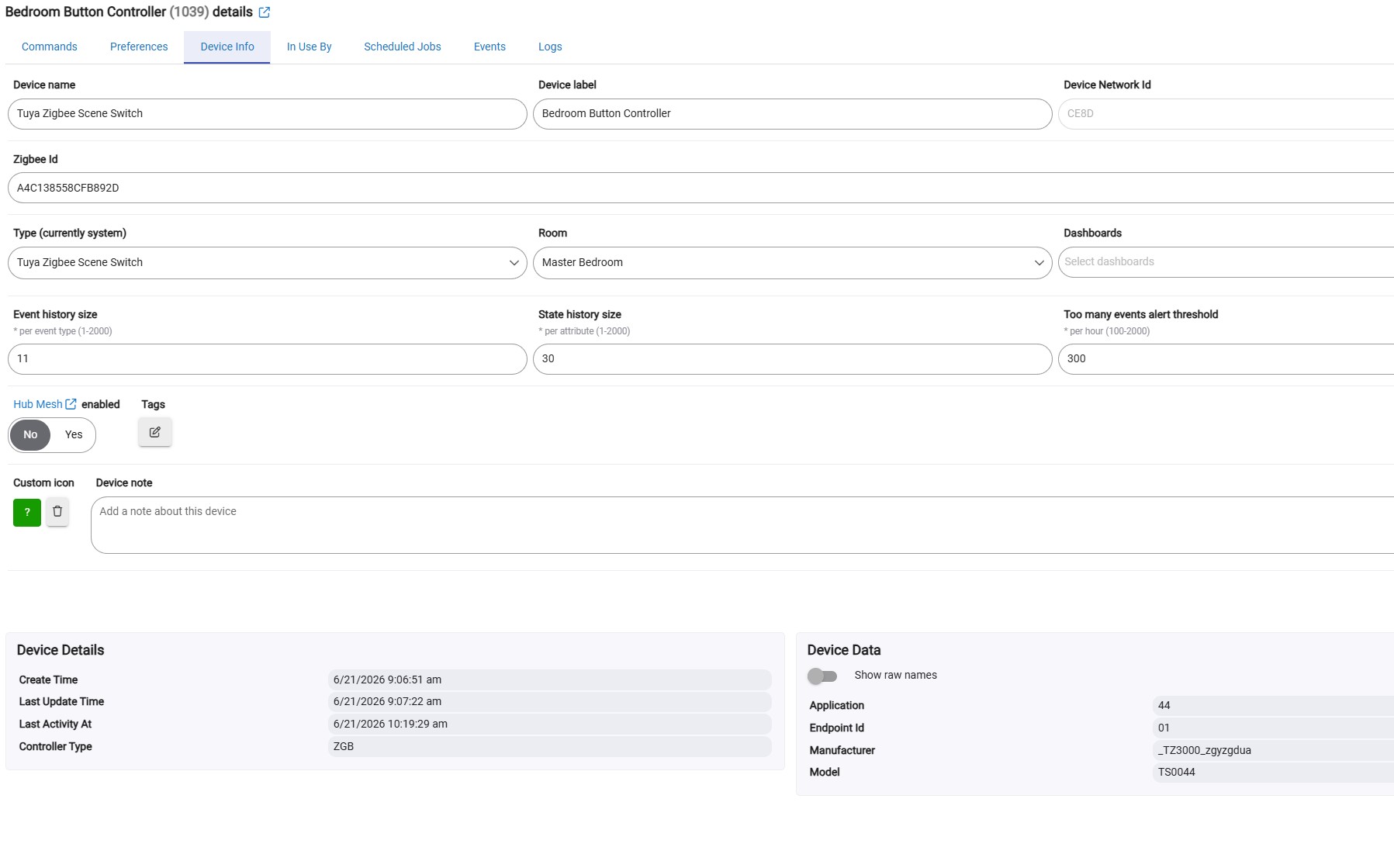
Is this device presented as switches or as buttons?
The switches have on and off state attributes.
The buttons are stateless. You can use only the event generated in the RM5 rules as a trigger. Inside the rule you can not check the ‘pushed’ or ‘double tapped’ states, as there are not states for buttons. Only events.
I think you are confusing states and events. In your rule, if it triggers off of doubleTapped as an event, you then check pushed state even for a doubleTapped event, not checking if that was the event that triggered the rule.
This is how the button devices work in Hubitat. The ‘pushed’ and ‘double tapped’ attributes are not states, you should not use these in conditions. The attributes are just used to fire events as triggers in HE automations.
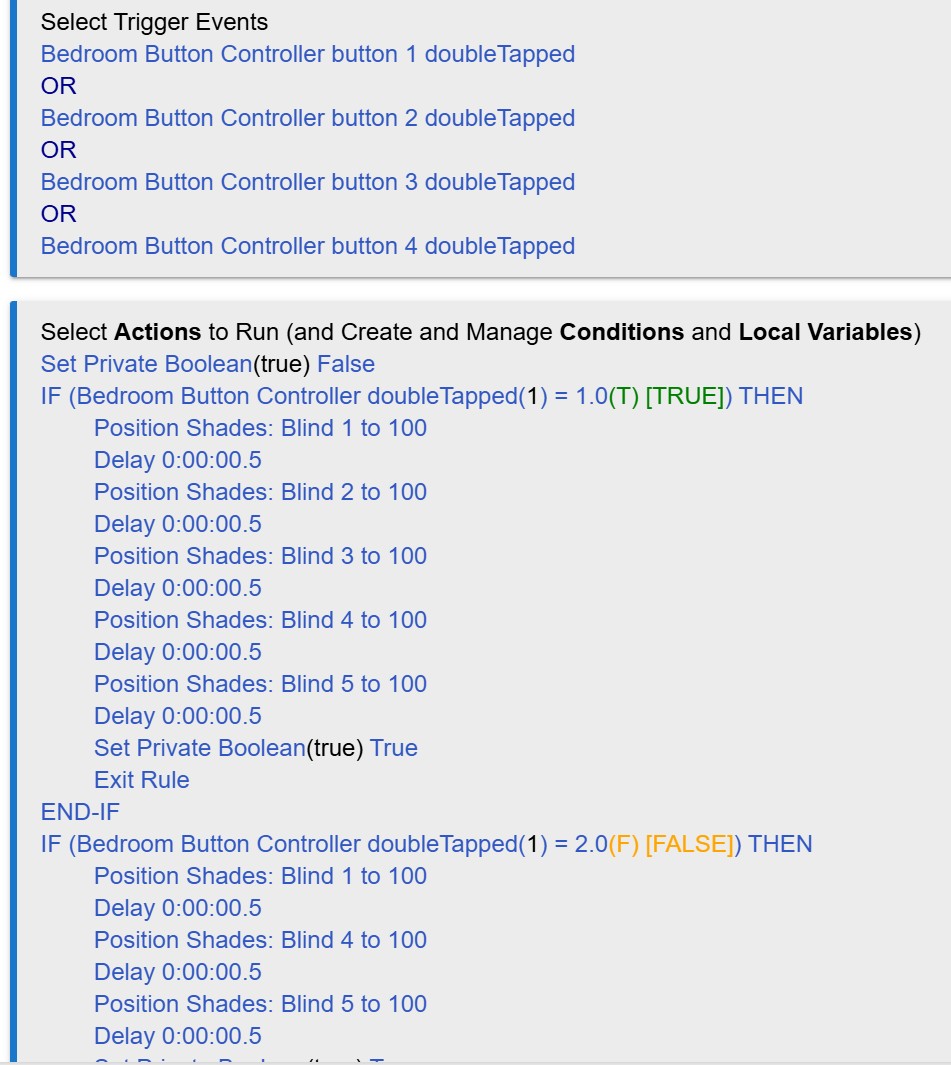
Anyway, if I wasn’t matching on them in if statements I need EIGHT rules to get this done?That’s totally ridiculous to a KISS fan. Add long presses to that and that number goes to 12 to run a single 4 button switch. I’m not thrilled even my way would take 3.
That’s probably the right long term answer…i’ve been rushing just a little bit to get it set up for my significant other… That isn’t always thrilled with Home automation to begin with to say the least
So, I do like the fact that the app pulls all of these out of the general rule machine tab from an organizational perspective…and works just like rule machine. That’s awesome…
I do wish every button action didn’t create a whole entry.
So, I can do what I need for 12 different triggers in rule machine with only 3 rules. Someone said NOT to do it that way. Will this break or stop working? Why is this kind of considered “bad form.”
Sorry, but I really do like to see as much of what any device does in a single entry/page. I understand you disagree. That said…is there any reason how I’ve done it doesn’t work?
 .
.