I fixed the title so it’s not referring just to the version that was new when I started this thread.
One thing that’s nice about the C8 Pro is that it rarely loses enough memory to require a reboot. At least that’s true with mine.
If you don’t have any takers I think I’ve got a C5 in a drawer that I could dig out and fire up. If wouldn’t be running anything. But that might help narrow it down.
I’m not having any memory issues with my C-5, but it only has Echo Speaks, HADB, Homekit, and a few rules. It does seem to be doing better (so far) with the latest beta, although I don’t know of any specific improvements that would explain why.
Well, it looks like there may be something on my C5 that is seriously leaking memory after the 2.5.0 upgrade.
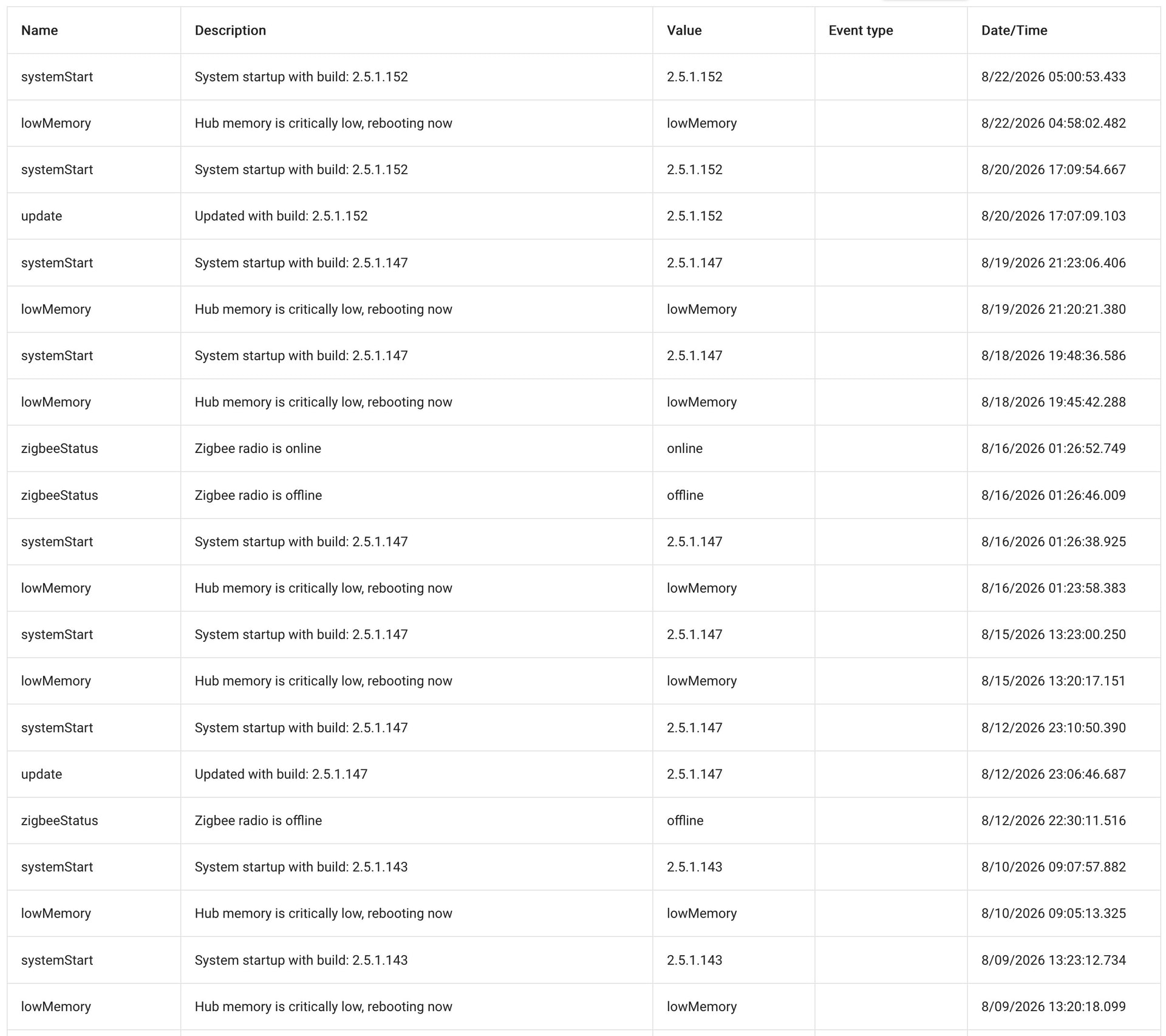
After 7 days the free memory after cleanup was below 150K and I was starting to see flaky zwave and missed lan commands. Now I remember why I set the auto reboot threshold at 160K. Obviously, this is something very specific to my heavily loaded hub otherwise the forums would be flooded with other users seeing the same issue
I've rolled back to 2.4.4.156 with a database rebuild to see if the problem disappears. If it does, then I know it's something in 2.5.0 and if it is, I'll upgrade again and come back to ask you guys how to troubleshoot the leak. I would rather not have to apply the bandaid and reboot every 5 days. I suppose there is always the C8 pro upgrade path..........
After 2 days of 2.4.4.156 the C5 settled in at the 200K mark and stayed there. After 7 days I upgrade to 2.5.0.136 again this afternoon and will see how the memory holds. Last time it was down to less than 160K within 3 days and needed to reboot.
Hopefully, I won't have to come back and ask you guys how to troubleshoot this one. Fingers crossed.
Well, day 2 and the hub is already at 170KB this morning. This is right after cleanup as I saw it jump from 160 to 170. 2.5.0 either has a leak or much higher memory usage when combined with something on my C5 hub.
I see there is a firmware update this morning with a fair amount of Chromecast changes. Since I have a dozen of these connected to the hub I'm going to update.
I rebooted yesterday, and then did some work on a dashboard in the evening. The house is down to 136K free memory 16hrs after the reboot. 2.5.0 is definitely, at least, using more memory somewhere. Working on the dashboard definitely used some. I've seen this on other versions too where free memory drops after "working on stuff". Anyone have any ideas how to track this down? Does 2.5.0 use more memory and it will settle like previous versions but at a much lower number? Things still seem to be working and I'm not seeing any delays in the UI.
After 1 week the free mem is now down to 116K. It's never been this low but the house still seems to be functioning so I'm letting it go until it reboots on it's own or stops working. I'm still curious as to where the memory is going.
@gopher.ny I am not sure at what platform release this started occurring, but I know it was at the time or after the fix attempts started to occur for the hub load issues with remote admin. I did not see this from my hubs until at least that time or later.
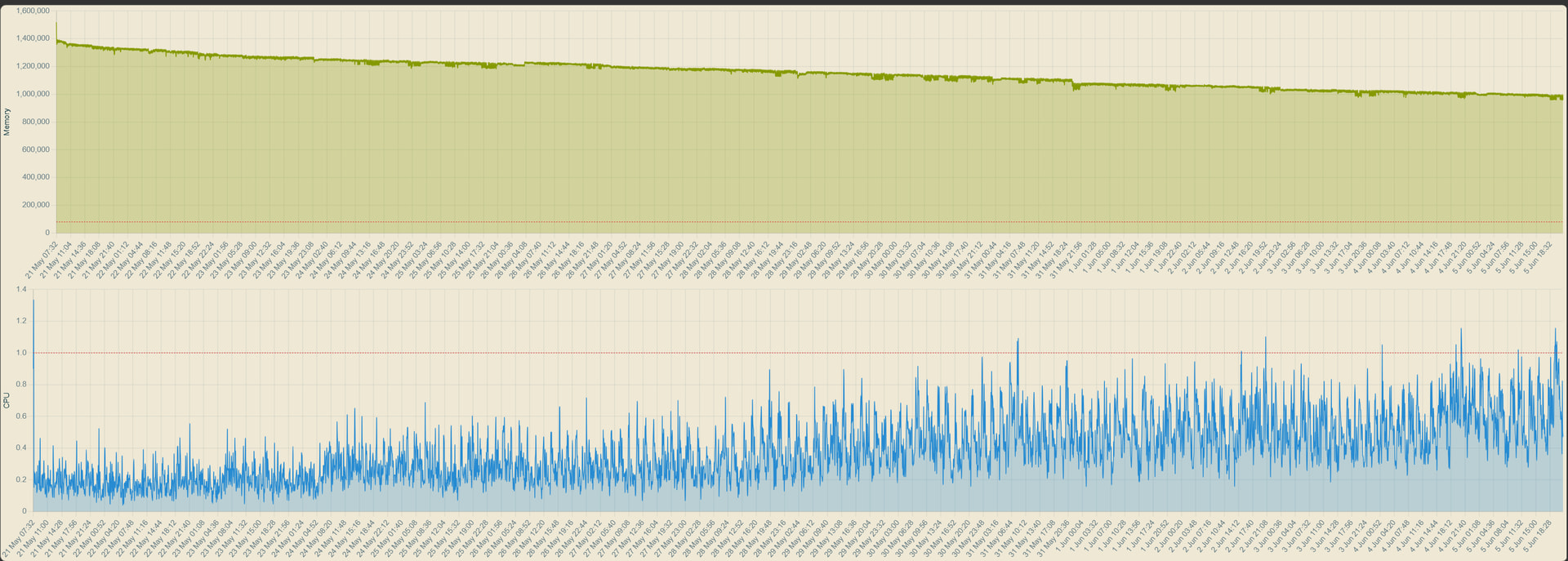
I have two production hubs (C8 Pro), and both are running platform 2.5.0.143. I have attached a screenshot for each hub. As you can see since their boot up on May 21st there has been a constant memory loss. This is the largest memory loss I have had since the updates that this started to occur. At first, I wasn’t having the same degradation as most but like I said it has obviously gotten worse at some platform revision.
Then if you also look, the CPU has slowly increased usage through this time as well. My CPU usage on my hubs (except for the remote admin issues) never routinely ran above 0.4 and then the spikes rarely hit 0.6. As you can see from the screenshot over time something has continuously caused the CPU usage to grow as well to levels that I have never seen.
I have no clue what’s going on here, but I was having lots of trouble with my C7 and 2.4.x running out of memory and spontaneously rebooting. I updated to 2.5.0.143 and it performed perfectly for ten days straight, no reboots.
I updated it to 2.5.0.153 yesterday evening and it just rebooted with a low memory warning again, less than 15 hours later. No other changes have occurred.
I’ve reverted to 2.5.0.143 again and we’ll see where we end up.
Just out of curiosity, what is your low memory rule?
Is it JUST free memory? Or do you have a JV Free Memory threshold also?
I kept getting alerts. But, I had thresholds for both. Seeing my main free memory was considerably lower than what it used to be (by 25% down from 400's to 300's), I had assumed that was the cause of all of my alerts. I then realized, it was actually spikes (or momentary drops) in my JV Free that was causing the alerts. I dropped that alert from 50,000 to 10,000 and stopped getting any alerts.
Doesn't solve or explain the 25% loss from 2.4.4.151 to 2.5.XX. But, it seems to be working for now.
If I could get back to 2.4.4.151, I would since my problems started even on 2.4.4.156 ( I had not done the 2.4.4.155 by the time .156 was available).
This is crazy. I had just the opposite experience and finally reverted back to 2.4.4.156 because of the terrible memory issues I was having with 2.5 on my C5. This tells us how tough it is on the devs to make the firmware work perfectly for everyone.
My C7 is still all over the place. I had a period of thirty days with no issues at all (house occupied and unoccupied) and then it ran out of memory one day and went back to rebooting every one-to-three days. I've kept up with the latest updates just in case, but other than that random block of success it's not been great.
I'm on a C5 and the last few updates of 2.5 are better but still not as good as when I was on the 2.4 series.
On 2.4 I could run a long time but had a rule to reboot at 160K. The last time I checked this was about 40 days.
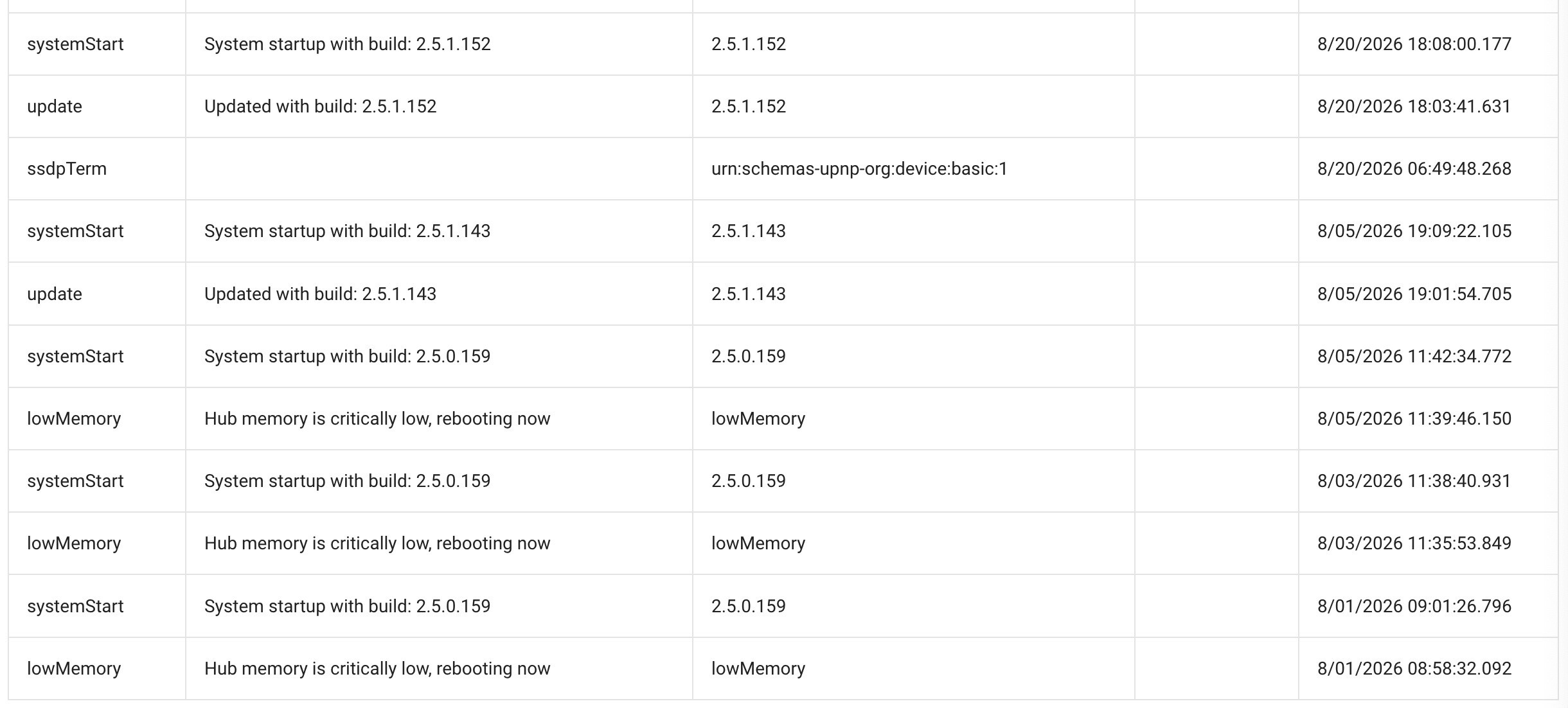
The latest versions of 2.5 that I let go rebooted on it's own at around 5 days. Early versions of 2.5 would only give me a day or two. I am guessing it's a combination of memory leaks and the new features added to the hub. After a reboot my free memory starts off considerably lower than it did on the 2.4 series. I do have a very heavily loaded C5 so that isn't helping.
I am trying to see at what point my hub reboots so I can set up the rule to ensure it reboots in the middle of the night instead of at a random time.