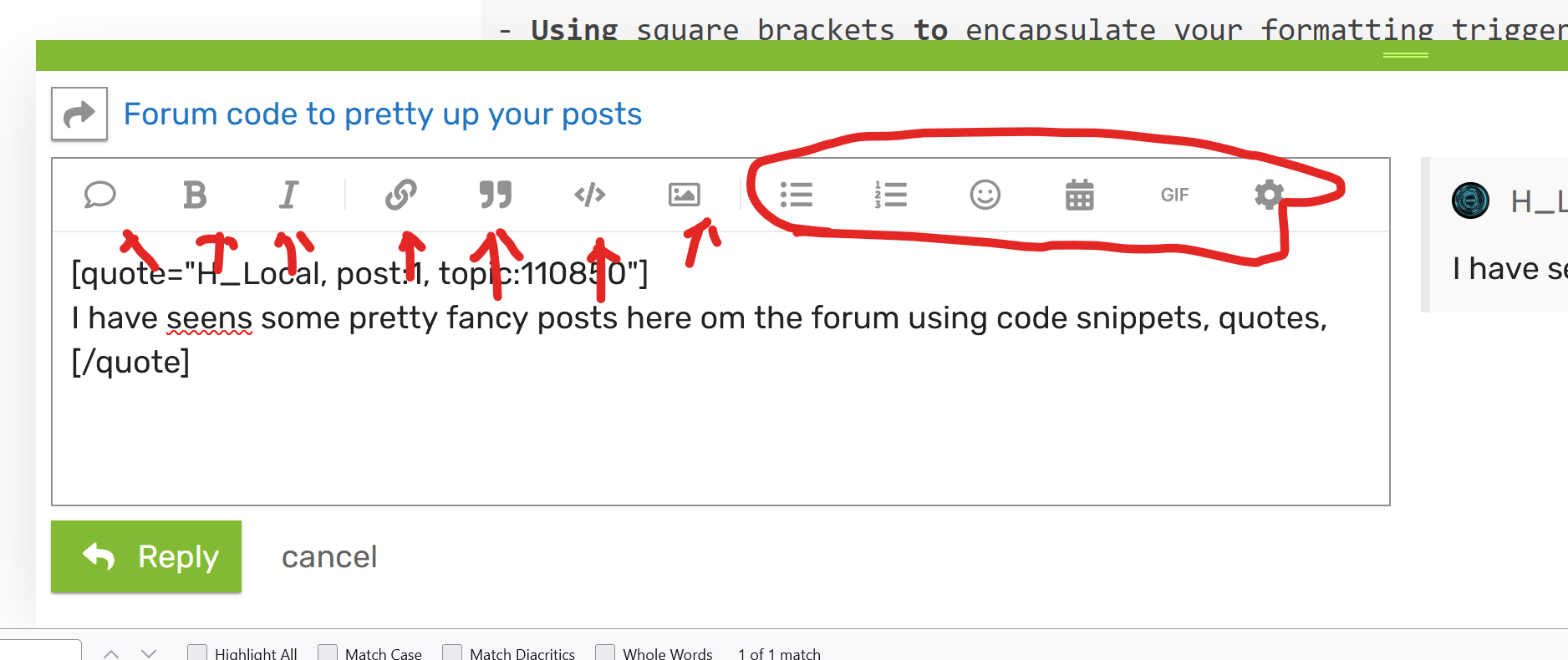
Using triggers like quote, code, summary, details or #
- Using [ ] or < > to encapsulate your formatting triggers
- close the formatting with the same trigger in  brackets preceeded with a slash / after the opening trigger

Using # will enable you to link to a forum section

Also drop down lists are possible using the trigger details within opening and closing <>
Example formatting, results below

<details><drop-down list>Text block you want to summarize</details>

<details>
<summary> Title </summary>
Your summary in text here
...
</details>
Simple drop down list
Text block you want to summarize
Fancy dropdown list
fancy dropdown list
Your summary in text here
...
Cheers! (And thanks for the usefull answers so far already, learning every minute here!)
And last but not least, dont be afraid to edit a post youve made
I did not know about the details drop-down list style, as that is not in the menu.
Discourse does not have BBCode by default, and I do not think we had it last time I checked. They must have installed the add on at some point, because now I see it does in fact work testing with the bold tags. [b]bold[/b]
Good to know. I may have to fancy up my driver posts some more the next time I edit them.
I am definitely going to make use of Markdown for Footnotes and Task Lists somewhere.

 Notice I made part of the quote bold with the bold button.